
I love new feature announcement time, it’s my favourite time of the quarter! For Release 24C, this is quite a small release for Global Payroll, but that doesn’t make it any less important. With the move to Redwood for all Employee and Management Self Service processes in Release 25B, every new Redwood page released makes the journey to Redwood much easier.

Oracle may announce additional features prior to the release being deployed to Wave 1 customers in August, but I have picked my key new features that have been announced at present. If additional features are announced that will add significant value, I will provide an updated post.
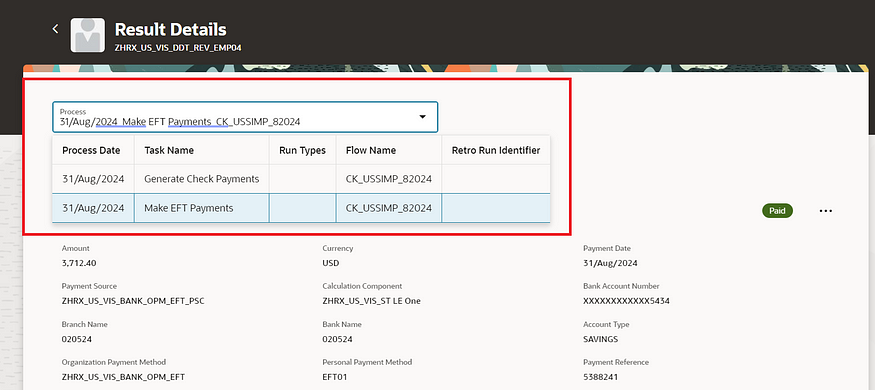
The first page to move to the Redwood toolset in this release is the Payment Results page. This doesn’t just have the Redwood ‘look’, it’s been rewritten in the Redwood toolset from scratch, so has all of the benefits this provides in terms of performance and useability. The page has all the functionality you would expect. Firstly you can view employee payment details: Dive into the specifics of each payroll run, examining payment details for individual employees. Secondly, status tracking: Quickly identify the status of any payment — whether it’s pending, completed, or encountering issues. Thirdly, corrective actions: Based on payment status, take necessary corrective measures effortlessly. Finally, external payments: Execute actions like initiating external payments directly from the page.
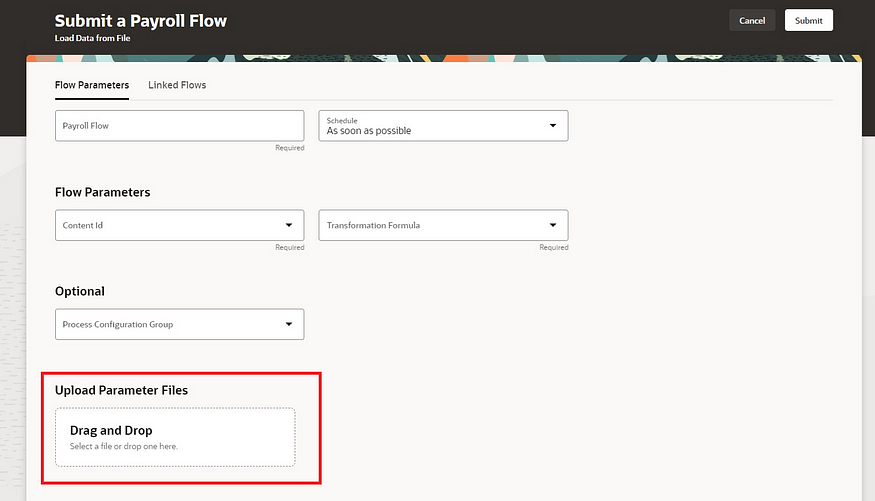
The Submit a Flow page has also been moved to the Redwood toolset. As well as submitting payroll flows, you can schedule the submission for a future time and date and view recently submitted flows. It is now possible to use the ‘Linked Flow’ tab to link flows together in an easy, user friendly way. Additionally there is now the functionality to allow the uploading of files using drag and drop, as per the screenshot above. This can be used for single or multiple files. This option only displays on the page if you have defined the flow to allow the upload of files.
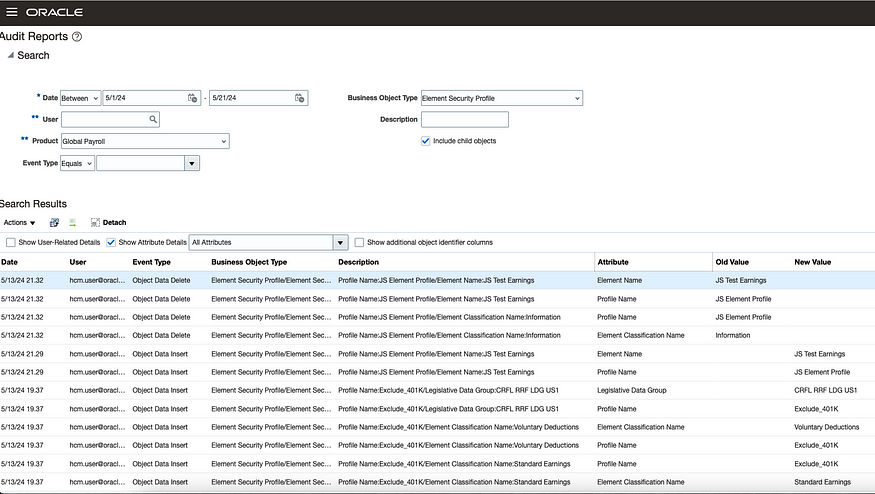
For those organisations using Auditing, it is now possible to audit and track the change history of the Element Security Profile. Once the auditing is switched on, any changes made to element security profiles will trigger the audit process and then they will be reported upon. This will ensure that any changes made to the element specific security profiles can be monitored and reported on more easily, which will provide more reassurance to auditors and senior management.
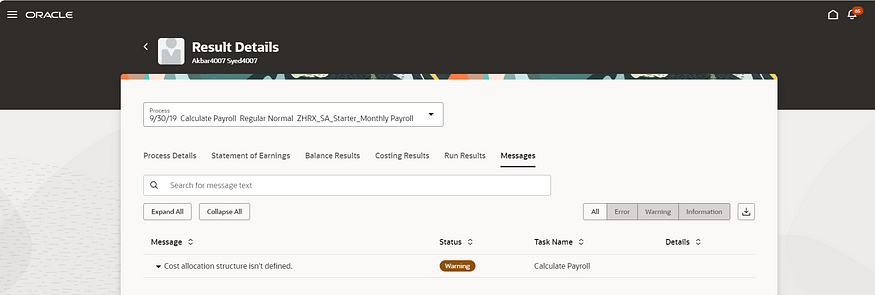
Another page which has moved to the Redwood toolset is the Person Messages page, which can be accessed via the Person Results application. This page is critical for understanding issues with payroll processes, so the move to Redwood for this is a big step forward. All messages can be searched for, additional details of the message can be viewed and can be exported to Excel.
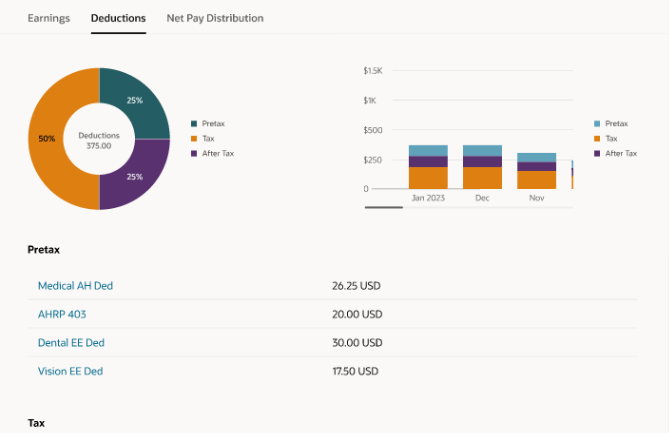
The final feature I wish to highlight is an update to the existing Redwood Payslip. The Redwood page has now added in the ability to export the payslip. You can select the folder you wish to download it to and it will automatically zip them to minimise storage usage.
As previously stated, Oracle may announce further new features in Release 24C later this month. Should these features demonstrate significance, I shall produce an updated blog. Please check out my blog on the my top 5 new features in Release 24C within Core HR below:
Oracle HCM Cloud Core HR 24C – K8 Mead
Click here to read more about Version 1’s Oracle capabilities.
About the author:
Kate Mead is an Oracle-certified HCM Consultant and Solution Architect at Version 1 with 14 years of experience in Oracle HR and Payroll systems, including 7 years with Oracle HCM Cloud. She has worked across implementation projects and managed services, has a sound knowledge of UK Payroll legislation and — before becoming a consultant — was an HR Manager.
If you have any questions or would like more information on how Version 1 can help you realise the full potential of your Oracle Cloud instances, please contact her at kate.mead@version1.com
Please note all screenshots are the property of Oracle and are used according to their Copyright Guidelines

 K8 Mead