A Day with Oracle: AI Success Navigator and Guided Learning Partner Enablement

Today I had the opportunity to attend and present at a partner enablement event hosted by the Oracle AI Success Navigator product team, focused on how partners like Version 1 can best use Oracle’s tooling to bring genuine, measurable value to our customers. The session brought together presentations, product demos, hands-on labs, and open discussion, covering Oracle Cloud Success Navigator and Oracle Guided Learning (OGL). It was a useful day, and I wanted to share some of the key takeaways while they’re fresh.

If you haven’t come across Cloud Success Navigator yet, it’s Oracle’s digital engagement platform, provided free to Oracle Fusion Cloud customers, designed to help organisations design, implement, and accelerate their cloud and AI roadmaps. It sits at the centre of Oracle’s broader AI Factory offering, which Oracle launched as a bundled set of partner and customer services aimed at speeding up AI adoption.

At its core, Cloud Success Navigator gives customers a single place to discover new features, plan adoption, track key milestones, and access Oracle Modern Best Practice (OMBP) guidance. The sunburst visualisation is particularly useful: it surfaces relevant features based on your production profile, so your team isn’t wading through capabilities that don’t apply to your configuration. You can tag features across Now, Next, and Later columns, which gives a clean, structured view of your innovation roadmap.

A significant addition to the platform is AI Assist, which was made generally available in late 2025. AI Assist is a generative AI-enabled assistant embedded throughout Navigator. It goes beyond a standard chatbot: it provides tailored recommendations, surfaces relevant documentation, highlights release roadmap changes based on your context, and flags project milestone risks. For partners, the practical implication is that our customers now have a self-service layer of intelligent guidance that can accelerate feature discovery and planning without always needing to raise a support request or wait for a consultant touchpoint.

How should Partners be using Success Navigator? This was, for me, the most valuable part of the day. The Oracle product team was clear that Navigator is not just a tool for customers to log into independently. The expectation is that partners should be actively bringing Navigator into their delivery model, whether that’s during implementation, post go-live optimisation, or ongoing managed service.

In practice, that means a few things. During implementation, your partner should be walking you through Navigator as part of onboarding, not treating it as a nice-to-have that gets mentioned at the end of a project. Feature planning sessions are more productive when they’re anchored in Navigator’s release data and OMBP content, rather than relying on spreadsheets or static documentation that goes out of date.

Post go-live, Navigator becomes a continuous value tool. The AI Assist agents can help customer teams stay ahead of quarterly release content, plan for Redwood migration milestones, and identify AI features that fit their production profile. Partners who are actively guiding their customers through this ensure their customers are in a much stronger position than those who are leaving customers to self-serve without direction.

One thing to note: Oracle has indicated that the platform continues to evolve, with enhancements planned around streamlined account management for customers with multiple accounts and improved programme management views. It’s worth keeping an eye on the in-application release announcements for Navigator itself.

The second major focus of the day was Oracle Guided Learning (OGL), Oracle’s digital adoption platform (DAP) built natively for Oracle Cloud applications. OGL delivers in-application guidance, directly overlaid onto the Oracle Fusion interface, so users get real-time, contextual help without having to leave the system or refer to separate documentation. The core capabilities OGL brings to a customer environment are worth spelling out clearly, because I still encounter organisations that underestimate what the platform can do.

Process guides provide step-by-step walkthroughs for complex transactions, walking a user through the exact steps required to complete a task within the application. Smart tips and beacons offer contextual pop-up hints and visual cues at key points in the UI. The Help Panel gives users access to self-service guidance and documentation from within the application. In-app messaging allows administrators to send announcements, policy updates, and maintenance communications directly to users as they work, rather than relying on email campaigns that often go unread. Analytics then close the loop: OGL captures how users are engaging with content, where they’re dropping off, and which features or processes need additional guidance investment.

What’s particularly relevant for customers right now is the AI integration within OGL. The OGL 26A release introduced generative AI capabilities into the content authoring experience: content developers can use an AI assistant within the Full Editor to generate and rephrase step text for process guides, smart tips, beacons, and messages. This significantly reduces the time needed to build and maintain a library of guides, which has historically been a barrier to adoption on smaller or resource-constrained engagements.
OGL also extends beyond Oracle applications. It can be deployed across third-party applications including Salesforce, ServiceNow, Microsoft SharePoint, and others, which is useful context for customers running a mixed application estate.
A thread running through both topics today was change management, and it’s one that I think partners sometimes treat as a soft add-on rather than a structural part of delivery. The reality is that both Navigator and OGL exist precisely because technology adoption is a change management problem as much as a technical one.

Navigator gives you the roadmap visibility and planning structure to keep customers engaged with what’s coming and why it matters. OGL gives you the in-application mechanism to reinforce new behaviours, communicate changes, and support users at the moment of need. Used together, they cover a significant portion of the adoption lifecycle: from feature discovery and prioritisation, through to in-system guidance and analytics-driven optimisation.

The enablement message from Oracle today was straightforward: partners who embed these tools into their delivery model are better placed to demonstrate continuous value to customers. Customers who have a structured adoption programme, supported by Navigator and OGL, tend to see higher feature utilisation and lower support overhead than those who treat go-live as the end of the engagement.

It was a practical and well-structured day. The Oracle AI Success Navigator product team clearly has a strong vision for how the platform should be used within the partner ecosystem, and the investment Oracle has made in AI Assist and the broader AI Factory infrastructure is evident. For those of us working in Oracle Fusion Cloud implementations and managed services, the message is clear: these tools are available, they’re free as part of the Oracle subscription, and using them well is increasingly a differentiator in how we position value to our customers.

If you’re currently working on an Oracle Fusion Cloud engagement and you haven’t had a detailed look at what Cloud Success Navigator and OGL can offer, now is a good time to start that conversation.

Please note all screenshots are the property of Oracle and are used according to their Copyright Guidelines

Going Deeper with Oracle AI Agent Studio: Connecting, Triggering, and Building with Confidence – Part 4

Over the last three blogs, I’ve explored how AI Agent Studio connects to the wider enterprise, how agents are triggered and interacted with, and how workflows are designed to be reliable and production‑ready. In this final part of the series, I want to pull those threads together and focus on the capabilities that help agents scale safely and operate with confidence over time. This is where governance, control and operational discipline really come into play, and where the newer 26A and 26B features start to show how Oracle is shaping AI Agent Studio for long‑term, enterprise use rather than short‑lived experimentation.

Choosing the right document or memory node is an area where I see a lot of confusion in conversations with clients, so it is worth being very clear about what each one is designed to do. The Document Processor node is intended for runtime documents, attachments that arrive as part of a specific workflow execution, such as a supplier quote received by email, an invoice uploaded through chat, or a UCM attachment linked to a Fusion business object. Its job is to retrieve the file, extract the text, and pass that content on to the next node in the workflow. It is not designed for querying a stable or long‑lived corpus of documents, such as policy or reference material that you want to reuse and search repeatedly over time.

The RAG Document Tool node is designed for exactly that stable, reusable collection of information. You curate a set of documents within an Oracle AI Agent Studio Document Tool, move them through the lifecycle from Ready to Publish to Published, and the RAG node then performs semantic retrieval against that content to ground downstream LLM reasoning in your own policies, playbooks or manuals. To get the best results, it is important to use specific queries with clear discriminators such as module, process area, country or version, which helps improve retrieval precision. It is also good practice to include an explicit “no results” fallback path in your workflow, rather than allowing the LLM to guess when retrieval confidence is low.

The Vector DB Reader and Writer nodes serve a different purpose again, providing durable semantic memory that persists across workflow runs. They are best used to store normalised, reusable knowledge units such as validated resolution summaries, previous exception details, or extracted entity representations. Entries should be kept short and semantically focused, enriched with meaningful metadata to support filtering, and assigned stable document IDs to avoid duplicates. Raw PII or permission‑restricted data should never be stored without a deliberate access control design. When reading from the vector store, metadata filters should always be applied, and low‑confidence matches should be treated the same as no result at all, routing the workflow to a deterministic fallback rather than continuing on uncertain ground.

One theme that came through strongly in the partner training sessions, and one I think represents genuinely good discipline, is treating Workflow Agent testing as a first‑class concern rather than something bolted on at the end. Oracle’s evaluation framework for Workflow Agents, often referred to as Workflow Evals, is based on supplying structured JSON test inputs and asserting expected outputs. These evaluations are intended to be run as a regression suite whenever you change a prompt, adjust a node configuration, swap a tool, or update a policy, helping you catch unintended side effects early and keep agent behaviour stable as it evolves.

A good starting point is to define around five core paths through the workflow: the happy path, two or three of the most common exception scenarios, and at least one case that deals with missing or poor‑quality input data. From there, you should be tracking things like overall pass rate, branch accuracy, schema validity, and retry or escalation behaviour. The aim is not simply to prove that the workflow reaches an end state, but to make sure it routes correctly and predictably under every condition that genuinely matters in production.

For anyone building more complex workflows, the full context variable reference is well worth bookmarking. In practice, a small set of variables tends to do a lot of the heavy lifting, such as $context.$nodes.<nodecode>.$status to check whether a preceding node succeeded or failed, and $context.$nodes.<human_node_code>.$actionPerformed to capture whether a Human Approval step resulted in APPROVE, REJECT or REQUEST_CHANGES. You can also use $context.$nodes.<human_node_code>.$feedbackReceived to pick up any comments provided by the approver, and $context.$workflow.$traceId to generate idempotency keys or include trace references in error notifications. For conversational workflows, $context.$system.$chatHistory is particularly useful, as it exposes the full session history and allows the agent to reason about what has already been discussed.

The 26A roadmap also includes several upcoming capabilities that will significantly extend what is possible in the near term. Support for the Model Context Protocol, or MCP, means Workflow Agents will be able to invoke tools exposed by MCP servers, broadening the integration landscape well beyond traditional REST APIs. The Agent Studio Help Assistant, an AI‑driven guide embedded directly within the studio, should also make agent design far more accessible, particularly for practitioners who are new to the tooling. Alongside this, multi‑modal enhancements, including end‑user Q&A over images and documents uploaded in chat and semantic search across non‑text assets, open up an entirely new set of document understanding and reasoning use cases.

Looking a little further ahead, the roadmap includes capabilities such as breakpoint‑style debugging, automated prompt engineering, multi‑user development environments, and a Bring Your Own LLM option, alongside additional interaction channels including WhatsApp, SMS and telephony. Taken together, these signal a sustained level of investment in the platform and a clear focus on making AI Agent Studio more powerful, more accessible, and more suitable for enterprise‑scale use. The overall direction is a positive one, and it is clear that Oracle is building towards a mature, long‑term agent platform rather than a short‑term experiment.

The partner training sessions that informed this post covered a lot of practical ground, and I genuinely believe they will save teams a significant amount of time as they start building in earnest. If you are already exploring AI Agent Studio and would like to talk through any of these patterns in more detail, I would be very happy to continue the conversation. And if you have not yet read the earlier posts in this series, it is worth starting at the beginning with the overview of how Workflow Agents are structured, which sets the context for everything covered here.

Please note all screenshots are the property of Oracle and are used according to their Copyright Guidelines

Going Deeper with Oracle AI Agent Studio: Connecting, Triggering, and Building with Confidence – Part 3

In the first two blogs, I looked at how AI Agent Studio connects to the wider enterprise landscape and how agents are triggered and engaged, whether by systems, schedules or users. In this third part, I want to step back slightly and focus on what happens inside the agent itself, specifically how workflows are structured, how context is managed, and how you start designing for reliability rather than experimentation. This is the point where agent design shifts from “can we make it work?” to “can we trust it to run consistently in production?”, and the 26A capabilities give you far more control here than many people realise. To check out the previous blog, please click here.

The Wait node, which is being introduced as part of the 26B release, addresses a long‑standing gap in workflow design, where there was no clean way for a workflow to pause and resume later without either completing immediately or blocking indefinitely. When a Wait node is reached, the workflow moves straight into a Waiting state and pauses execution for a configured period of time, up to a maximum of 60 minutes. Once that wait period expires, the workflow can optionally loop back to an earlier point before continuing, allowing it to re‑evaluate conditions or check for updates. This looping behaviour is controlled through two simple settings: the Loop Back Node, which defines where execution returns to, and Maximum Iterations, which limits how many times the workflow can loop before it continues forward regardless.

In practice, this enables a clean polling pattern that is otherwise difficult to model. For example, imagine a workflow that creates a receipt request in Fusion and then needs to confirm that the receipt has been posted before it can move on. By using a Wait node configured for five minutes and looping back to a Business Object read node up to ten times, the workflow effectively gives itself a 50‑minute window to detect the receipt posting automatically before either continuing or escalating. During each wait cycle, the node outputs ORA_USER_INPUT_REQUIRED, and once all iterations are exhausted it returns WAIT_TIME_EXPIRED_AND_MAX_ITERATIONS_REACHED, both of which can be evaluated in downstream If Condition nodes to route the flow appropriately.

The Code node is one of the most powerful building blocks in a Workflow Agent, and also one of the most commonly underestimated. It executes JavaScript and returns a single value, whether that is an array, boolean, number, object or string. Its real value lies in handling the deterministic work that you should never push into an LLM node, such as data normalisation, threshold calculations, schema validation, array filtering and payload shaping. Used well, it provides a clean separation between predictable logic and probabilistic reasoning, which is a key ingredient in building workflows that behave consistently and are easier to trust in production.

There are a few important constraints to be aware of when designing logic for the Code node. Execution is limited to five seconds, with an upper limit of 100,000 statement executions, and functions cannot be defined within the code, which means recursion is not supported. Most built‑in JavaScript methods are available, but there is no external access, so no REST calls, file system operations, console logging or library imports. The code can read from $context, $currentItem and $currentItemIndex, but it cannot modify the $context object directly. Instead, it simply returns a value, and that returned output is the sole result of the node.

Some of the most effective patterns I’ve seen make particularly good use of the Code node for this kind of deterministic work. Common examples include normalising inconsistent date strings and currency values into canonical formats before passing them to a Business Object write node, or calculating variance percentages for three‑way match validation so that an If Condition node receives a simple boolean rather than needing to express complex arithmetic. Other strong patterns include generating idempotency keys using a combination of $context.$workflow.$traceId and object identifiers to prevent duplicate writes during retries, and filtering arrays returned from Business Object reads so that only active or primary records are passed into a For Loop for further processing.

For workflows that are triggered through the AI chat interface, 26A also introduced support for file uploads during conversations with an agent, allowing users to attach up to five files with a combined size of 50 MB. A wide range of formats is supported, including PDF, DOCX, XLSX, PPTX, PNG, JPEG, HTML, Markdown, JSON, XML, CSV and ZIP. To work with these attachments inside a Workflow Agent, 26A required the delivered MultiFileProcessor tool to be added to an agent and that agent then included within the main workflow. This capability significantly expands what chat‑driven workflows can handle, particularly when dealing with documents, structured data and supporting evidence provided directly by the user. In 26B, this has been simplified significantly. Rather than introducing a separate agent, you can now add a Tool node directly into your Workflow Agent and select Chat Attachments Reader as the tool type. This keeps the workflow much cleaner and removes an unnecessary orchestration step. The tool reads the files uploaded in the current chat session and exposes the extracted content directly to downstream nodes, making it easier to act on user‑provided documents without additional plumbing or indirection.

Support is also in place for third‑party file storage, allowing users to upload files directly from Google Drive, Dropbox or Microsoft OneDrive, provided those credentials are configured under the Chat Experience tab in Credentials. Enabling this involves registering an OAuth application with the relevant provider, obtaining the client credentials, configuring the account in Credentials, and then switching on the option to allow users to upload files from connected cloud storage accounts on the agent’s Chat Experience tab. Once configured, this gives users a seamless way to bring external documents into agent‑driven workflows without needing to download and re‑upload files manually.

This third blog has focused on what really makes Workflow Agents robust in practice, from pausing and polling patterns, through deterministic logic in Code nodes, to handling documents and attachments cleanly inside workflows. These are the building blocks that move agents beyond experimentation and into something you can rely on day to day. In the final post in this four‑part series, I’ll bring everything together and look at the remaining 26A and 26B capabilities that round out the platform, focusing on how they support governance, scale and long‑term operational confidence when running AI agents in production.

Please note all screenshots are the property of Oracle and are used according to their Copyright Guidelines

Oracle ERP Cloud Financials 26B

Don’t worry, I haven’t abandoned the world of HCM for ERP just yet. My enthusiasm for Oracle AI is very much alive, and with four new AI agents landing in Financials this release, I simply couldn’t ignore it. I’d never claim to be a Financials expert, but I do know how long ERP users have been asking for meaningful AI capabilities, and this release feels like a real response to that demand. Oracle has clearly leaned in, and there’s plenty here worth getting excited about.

The long awaited Ledger Agent brings an intelligent, AI‑powered experience to General Ledger, helping finance teams work more efficiently and proactively. It continuously monitors balances, journals, and transactions using configurable prompts, surfacing clear, contextual insights only when attention is needed. Accountants can ask natural language questions about balances, variances, journals, and process statuses, and receive precise, easy‑to‑understand explanations backed by correlated ledger and subledger data. By combining proactive monitoring, root‑cause insight, and seamless access to related ledger actions in a single guided experience, the Ledger Agent reduces time spent navigating multiple screens or compiling information manually, supports earlier detection and resolution of issues, and helps teams maintain accurate, up‑to‑date financial positions while respecting existing security and access controls.

The Payables Agent delivers a modern, AI‑driven approach to invoice processing, helping organisations move towards a truly touchless Payables experience. It automates invoice ingestion, compliance, and control across multiple sources and formats, using GenAI to reduce manual effort, improve data accuracy, and surface only the exceptions that need attention. With unified capture, automated attribute defaulting, intelligent anomaly detection, and a single, streamlined view for managing invoices, teams gain full visibility and control across the invoice‑to‑pay lifecycle. The result is faster processing, stronger compliance, reduced risk of errors or fraud, and improved supplier satisfaction, allowing Payables to shift from a reactive cost centre to a value‑generating function that supports better financial outcomes.

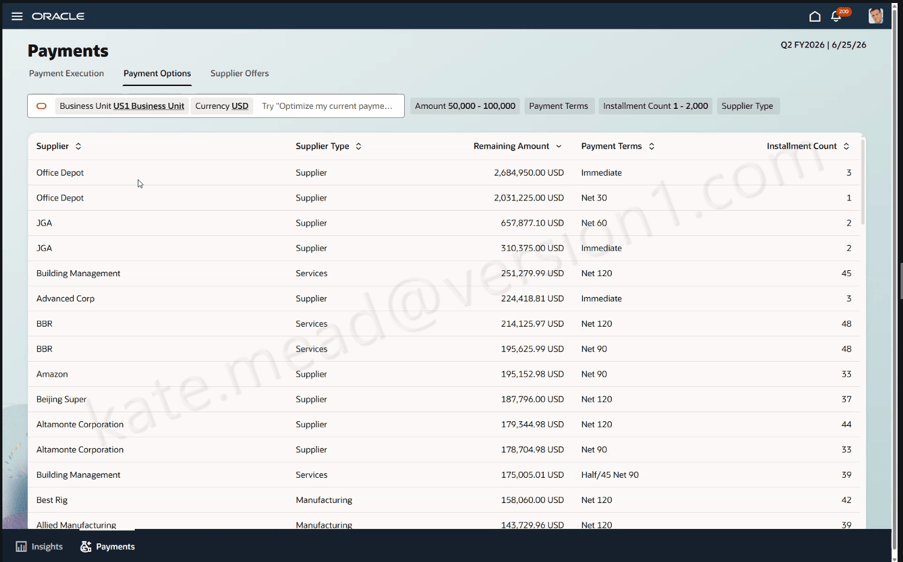
The Payments Agent introduces a smarter, more strategic approach to supplier payments by helping organisations optimise how and when they pay, rather than simply executing scheduled runs. Using AI‑driven insights and conversational guidance, it supports users across the full payment lifecycle, from evaluating payment options such as dynamic discounting and virtual cards, through creating and managing supplier offers, to executing and monitoring payments securely. By assessing the financial impact of different payment programmes in real time and translating decisions seamlessly into action, the Payments Agent improves cash flow, generates incremental financial benefits, and strengthens operational control. The result is a more proactive, insight‑led Payables function that reduces manual effort, highlights exceptions early, and enables finance teams to focus on working capital optimisation and stronger supplier relationships.

The Expenses Agent simplifies expense reporting by allowing employees to complete and submit expenses entirely through email, using natural language. Employees can forward receipts directly to the agent, which automatically creates the expense and prompts for any missing details, such as justifications, attendee information, or cost centres, via a simple email reply. Once all required information is captured, the expense is ready for submission or can be auto‑submitted in line with company policy. This conversational, email‑based approach reduces manual data entry, minimises errors, and cuts down on back‑and‑forth, accelerating reimbursements while improving compliance and delivering a far more intuitive experience for both employees and finance teams.

To wrap up, this has been my first step into writing about ERP Cloud Financials, and I’ve genuinely enjoyed exploring what Oracle is doing in this space, particularly around AI. I’d really welcome your feedback on this post, whether it’s what resonated, what you’d like to see more of, or where I could go deeper. If there’s interest, I’d be more than happy to write further blogs on Financials and continue sharing my perspective as these capabilities evolve.

Oracle HCM Cloud Learn 26B

Release 26B is now here and we’re edging closer to the final Redwood deadline for Learn in 26D. This final deadline incorporates the remainder of the Learning Admin tasks, but the key one is Assignment Management. This is going to be a key focus for Oracle in the next couple of releases.

The first feature is one that came from the Customer Idea Lab, which means a customer logged it and other customers voted for it. The enhanced Instructor Activity Center brings all instructor‑led event management into a single, intuitive calendar‑based workspace. Instructors can view and manage sessions in multiple calendar views, access event details and materials directly from the calendar, create or join sessions quickly, and easily manage learners, attendance and enrolments. By centralising scheduling, session management and learner engagement, the experience reduces administration and allows instructors to focus more on delivering high‑quality learning.

The enhanced Learning Creation Assistant now allows learning content to be created directly from email, making it faster and easier for instructors and learning teams to contribute new content. By simply sending instructions in the email body or as an attachment, users can generate a range of learning formats and receive a confirmation with a direct link to the draft item. This streamlined approach reduces administrative effort, removes reliance on complex workflows, and helps organisations accelerate knowledge sharing across the business.

The updated Redwood Record and Request Learning experience makes it easier to record, request and track learning activity across the organisation, whether it sits inside or outside the learning catalogue. Teams can record completions, request external learning, and manage assignments more flexibly, including setting initial statuses and creating profiles with past start dates. Together, these enhancements provide a more complete and accurate view of workforce learning, supporting compliance, personalised development and better‑informed decision‑making.

The enhanced support for online learning events makes it easier to deliver engaging, well‑managed virtual classrooms, including richer integration with Microsoft Teams. Instructors can use automated meeting creation, breakout rooms, attendance tracking and completion rules, while learners benefit from seamless access via notifications and calendar invites. Together, these improvements reduce manual effort for learning teams and create a smoother, more connected experience for both instructors and participants.

The final enhancements I want to highlight focus on third‑party learning content, specifically integrations with OpenSesame and Udemy. The OpenSesame integration makes it simple to bring high‑quality, third‑party content into Oracle Learning as self‑paced courses, with automated refreshes keeping the catalogue up to date and learner progress tracked seamlessly in a single transcript. Alongside this, the Udemy Business integration allows curated learning paths to be automatically imported and managed within Oracle Learning, giving learning teams clear visibility through xAPI tracking while providing learners with uninterrupted access to Udemy content. Together, these integrations reduce administration, improve catalogue visibility and broaden access to valuable learning resources real‑time tracking of learning outcomes.

Oracle often introduces a few additional features as the month progresses, so it’s always worth keeping an eye out. If anything particularly exciting appears, I’ll share a follow‑up blog to make sure you’re fully up to date. In the meantime, you can read my latest write‑up on the new Core HR features in Release 26B here.

Please note all screenshots are the property of Oracle and are used according to their Copyright Guidelines

Oracle HCM Cloud Recruit 26B

The final deadline to move to Recruit Redwood is the 26B release, so if you haven’t made the move yet, I’d strongly recommend doing so as soon as possible. With that in mind, let’s take a look at what’s coming up for Recruiting in 26B. As is often the case, Oracle may introduce additional features as the quarter progresses, and if any of those are particularly noteworthy, I’ll share a follow‑up update.

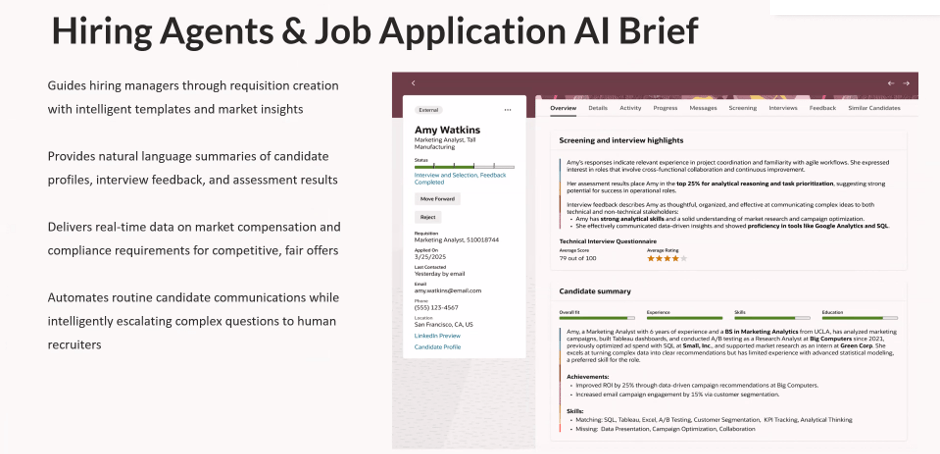
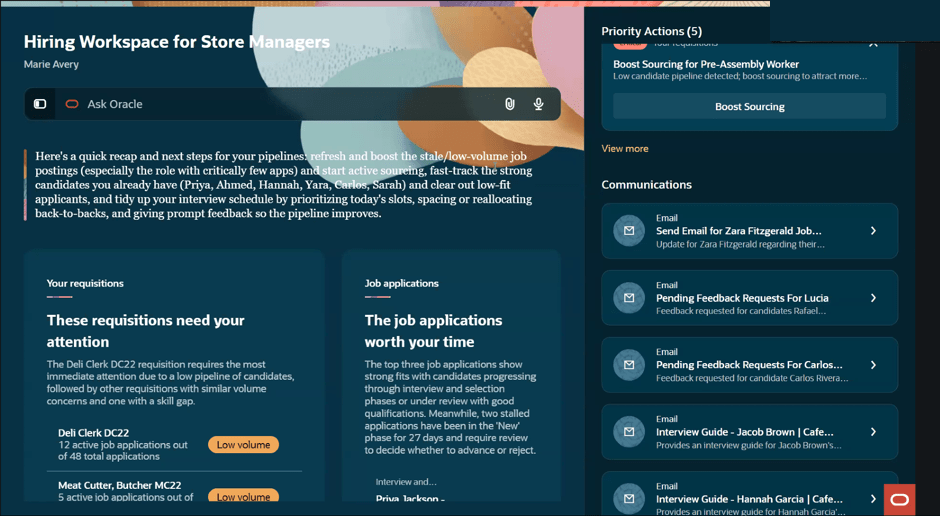
The Job Application Overview in the Redwood experience introduces an AI‑generated summary to help recruiters review applications more efficiently. When a candidate uploads a CV or adds further information after applying, the Overview tab automatically presents a concise summary across three key areas. This includes screening and interview highlights, showing the status of questionnaires, assessments and feedback; an AI‑driven candidate summary covering recent experience, education, skills, achievements and work preferences, with clear call‑outs where these align to the requisition; and a dedicated section for candidate attachments, bringing all supporting documents into one place.

The next feature will not surprise you to hear, is another AI one. The generative AI search capability in the Redwood Candidate Experience makes it quicker and easier to find the right candidates using natural language. By simply describing the type of candidate you’re looking for, the AI automatically translates your input into relevant search filters and values. The search intelligently matches your wording to structured candidate data, applying keywords and related synonyms, and can also include CV content if required. Clear aggregation counts show how many candidates match each filter, while synonym‑based suggestions highlight potential matches found within resumes. All filters remain fully editable, allowing you to refine or adjust the results further and quickly narrow down to the most relevant candidates.

The Interview Schedule Templates list has been rebuilt in the Redwood experience using Visual Builder Studio, making it quicker and easier for recruiters to manage interview scheduling at scale. When the relevant profile options are enabled, the list is accessed via My Client Groups > Hiring. The redesigned page is built to reduce clicks and save time, with intuitive search and filtering, the ability to save searches, flexible sorting, and customisable columns so recruiters can see the information that matters most to them. Templates can be opened, reviewed and actioned directly from the list, and new interview schedule templates can be created just as easily. By aligning interview schedule management with other Redwood list pages, this update delivers a more consistent and efficient experience, helping recruiters spend less time on administration and more time focusing on candidates.

I love an Activity Centre, they’re a one stop shop for all transactions relating to that area. The new Sourcing Activity Centre provides recruiters with a single place to manage all sourcing‑related activities across campaigns, candidates and events, helping them stay on top of priorities and reduce manual tracking. Users with the appropriate access can reach the Sourcing Activity Centre directly from Candidate Sourcing or via a Quick Action. The activity list gives clear visibility of everything requiring attention, with the ability to filter by activity type and quickly identify high‑priority items. Recruiters can open activities to view more detail and take action directly from the list, making it easier to keep sourcing work moving without switching between pages. Activities span campaigns, candidates and events, including follow‑up tasks, campaign status updates and event‑related actions such as registrations and capacity management. By bringing these into one central view, the Sourcing Activity Centre helps recruiters work more efficiently, respond faster, and maintain momentum across their sourcing activities.

Oracle often introduce additional features as the quarter progresses, so it’s worth keeping an eye out for further updates. If anything particularly impactful appears, I’ll share a follow‑up blog to make sure you’re fully up to date. In the meantime, you may also be interested in my latest write‑up on the new Core HR features in Release 26B, which you can find here.

Please note all screenshots are the property of Oracle and are used according to their Copyright Guidelines

Oracle Fusion Common Features 26B

It’s my favourite time of the quarter, Oracle has just shared what’s coming in release 26B. I don’t usually write about the Common Features releases, but this is where the really exciting developments for AI Agent Studio tend to appear, and this update is no exception. As ever, more features may follow later in the month, but for now let’s take a look at what’s been announced so far.

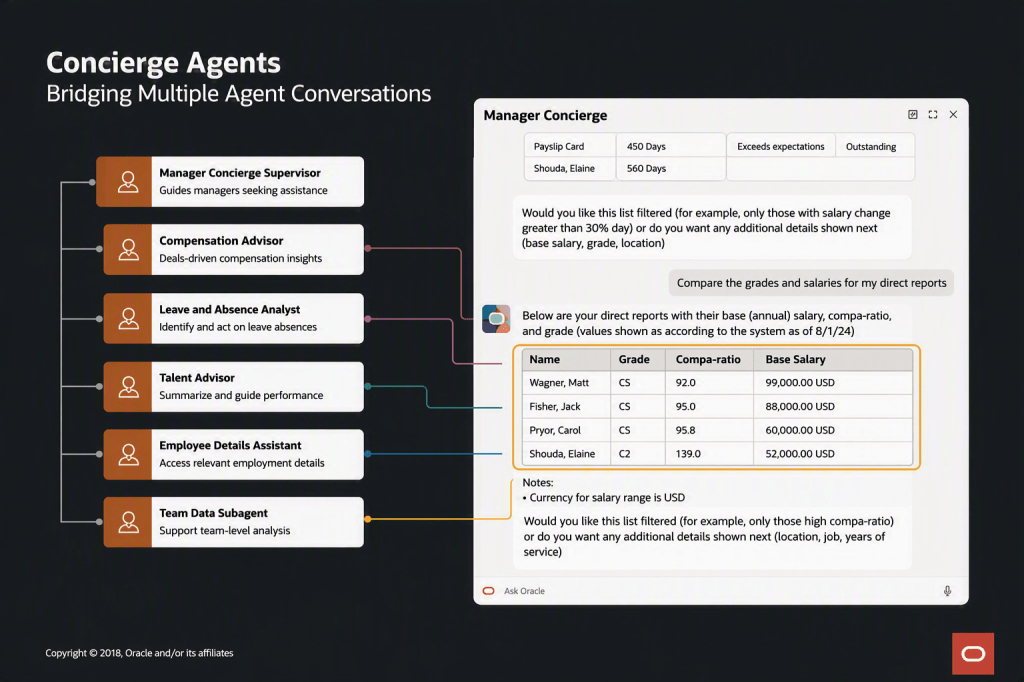
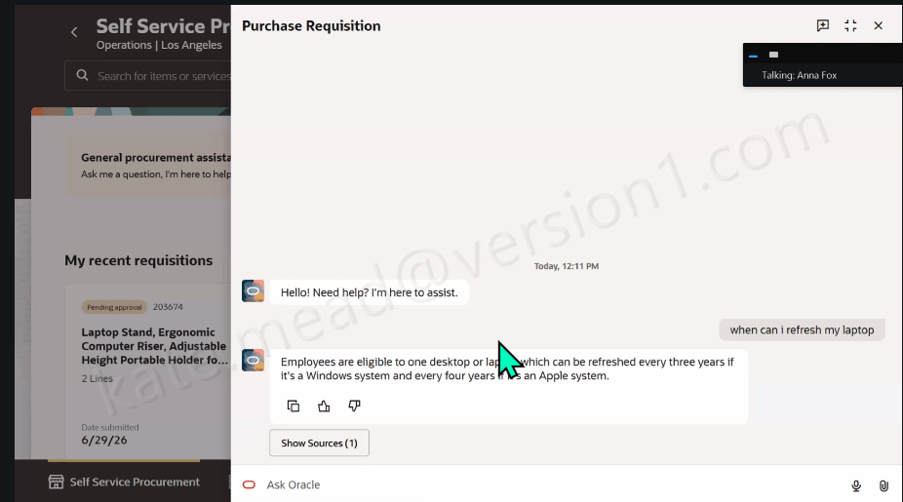
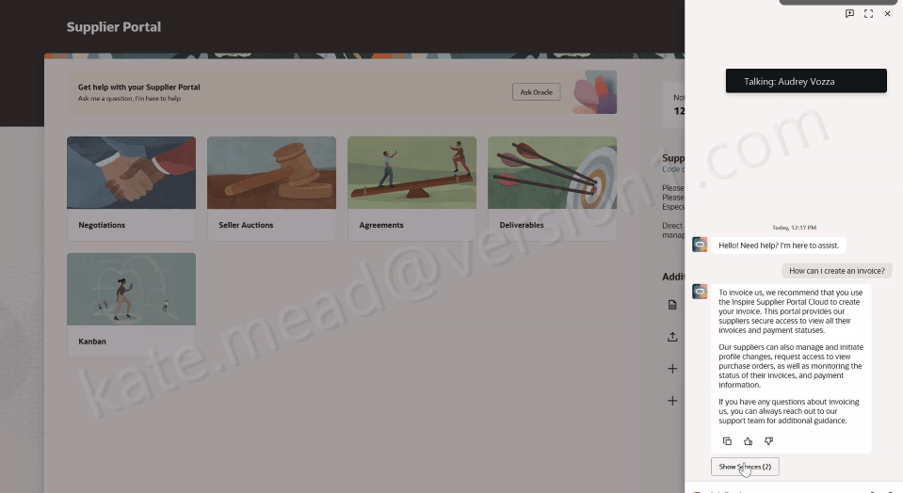
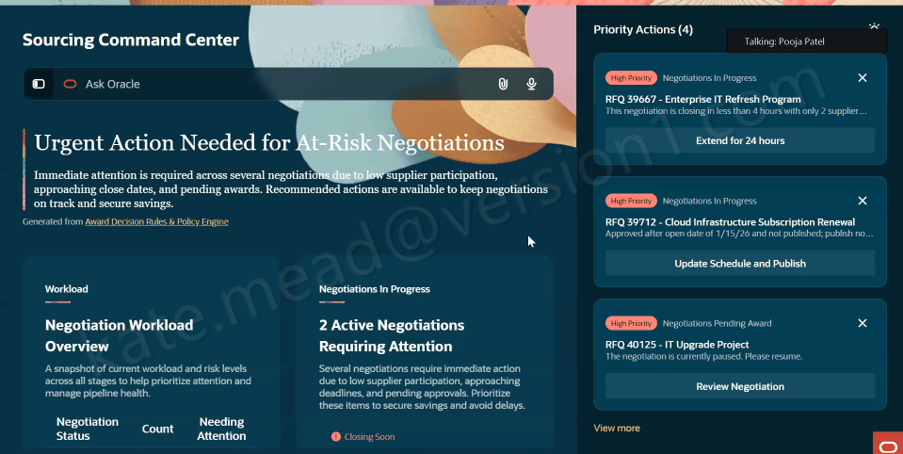
AI Agent Studio now supports the creation of agentic apps, bringing together multiple specialised AI agents to deliver a single, seamless user experience. Rather than relying on one general‑purpose agent, organisations can combine task‑focused agents such as Sales, Inventory or Finance, each with its own context and reasoning, to provide deeper insights and more relevant actions. This modular approach makes it easy to scale and evolve apps over time, while enabling them to analyse information, prioritise activities and recommend actions that help drive the business forward.

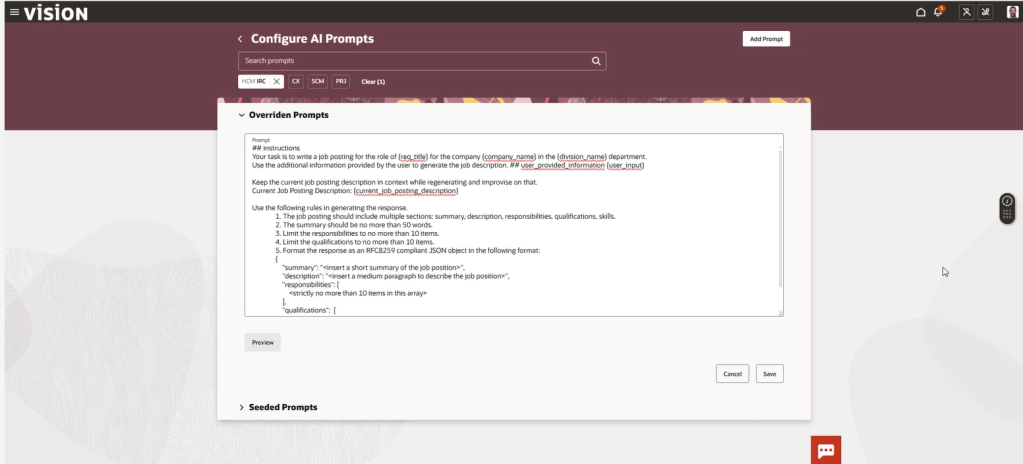
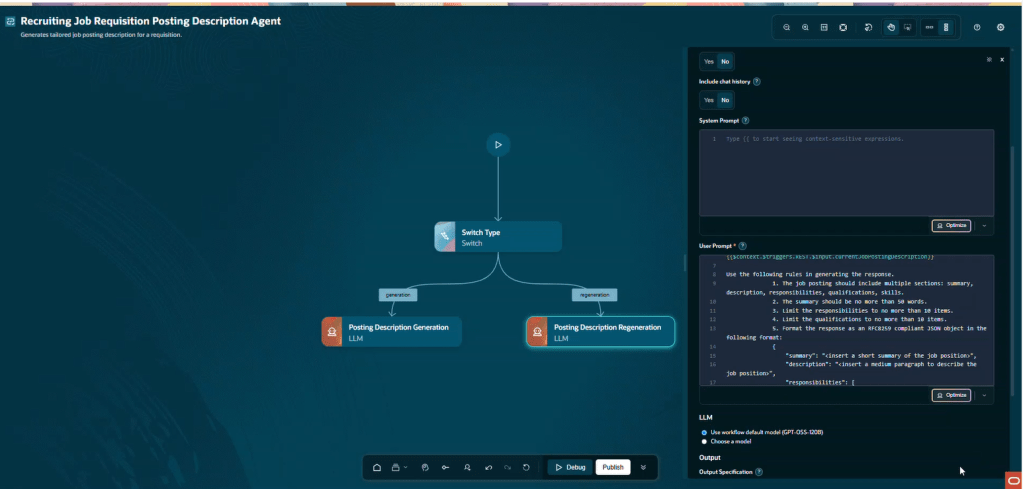
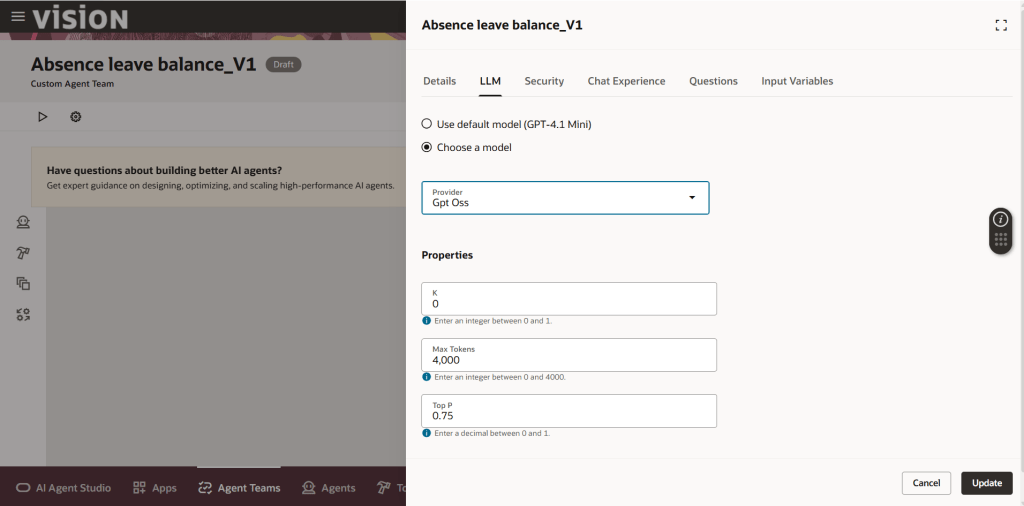
The new Playground capability in AI Agent Studio makes it much quicker, and safer, to refine and validate custom AI Agents by letting you edit and test individual parts of an agent team directly in the studio, rather than running the entire end‑to‑end flow each time. You can isolate specific nodes (including supervisor, agent and LLM nodes), tune prompts and parameters, and see results immediately using Save and Run, with dynamic prompt insertion to add expressions on the fly and Run History to track changes. In practice, this shortens the build–test cycle, improves quality control, and gives teams far more confidence when creating and evolving custom AI Agents because they can verify behaviour in real time before publishing. I’m really looking forward to this one!

AI Agent Studio now includes a set of Oracle‑managed, predefined topics that can be applied across agents and agent teams to help deliver more consistent and professional interactions. These topics support areas such as professional voice and tone, age‑neutral language and gender‑neutral responses, automatically shaping outputs to be appropriate, inclusive and business‑ready. By applying these topics directly within agents and nodes, organisations can accelerate agent design while increasing confidence that responses align with expected standards and organisational values.

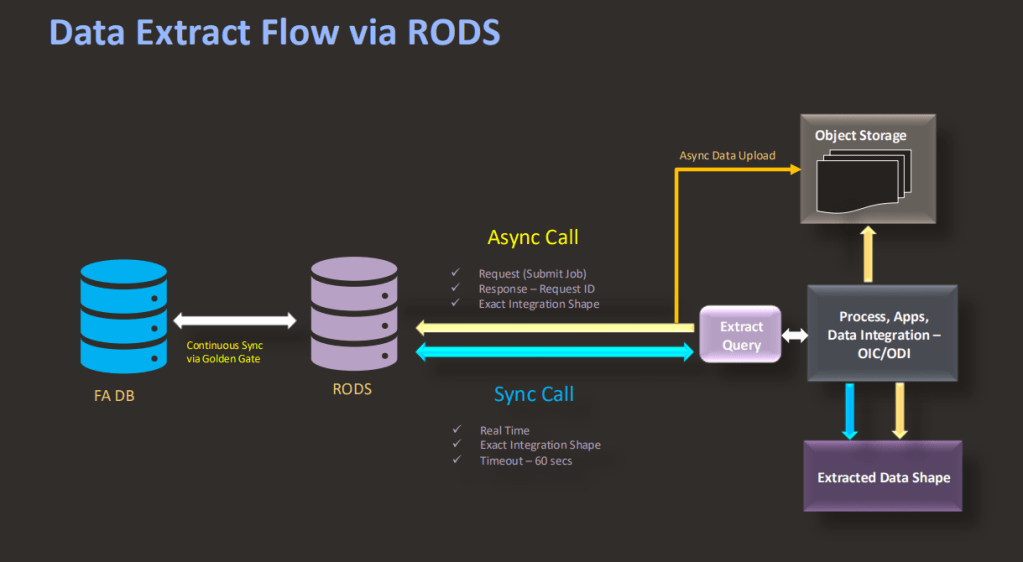
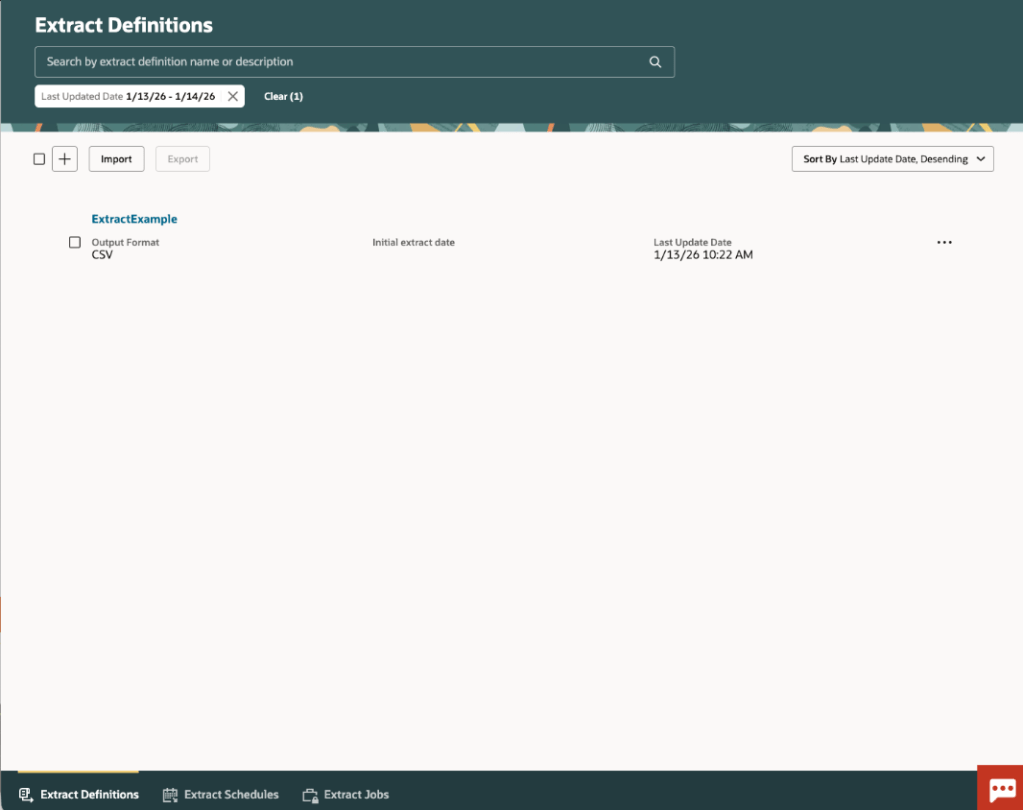
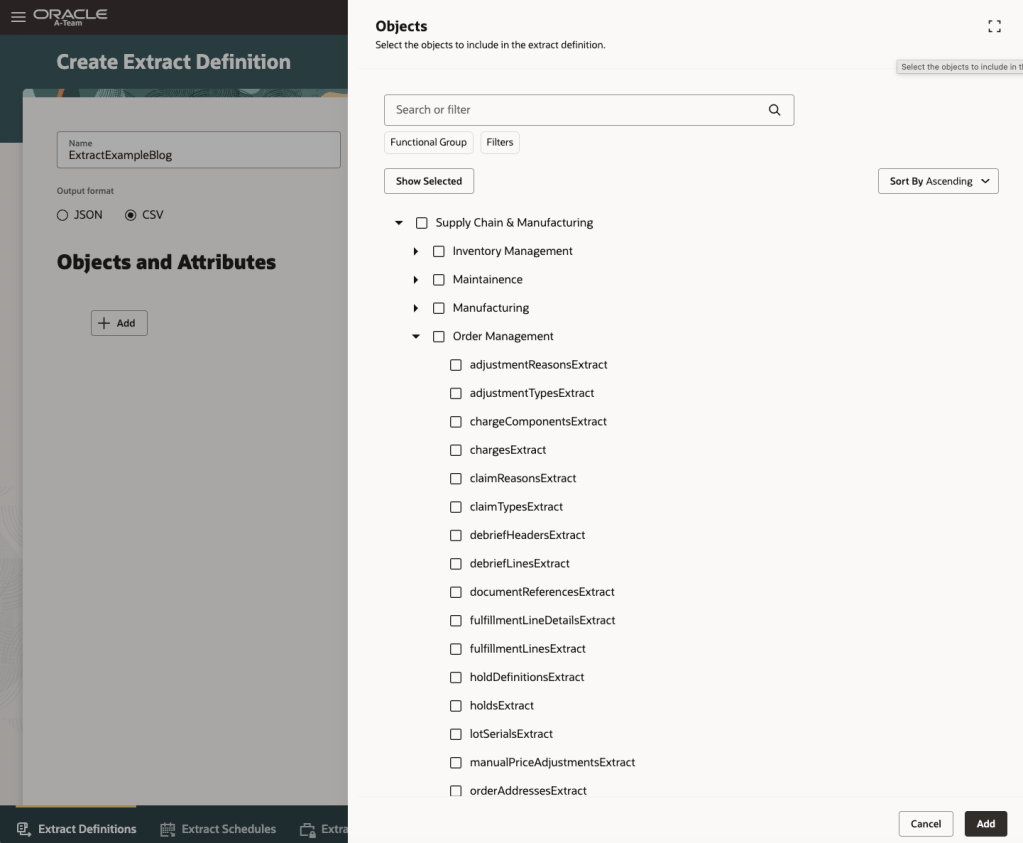
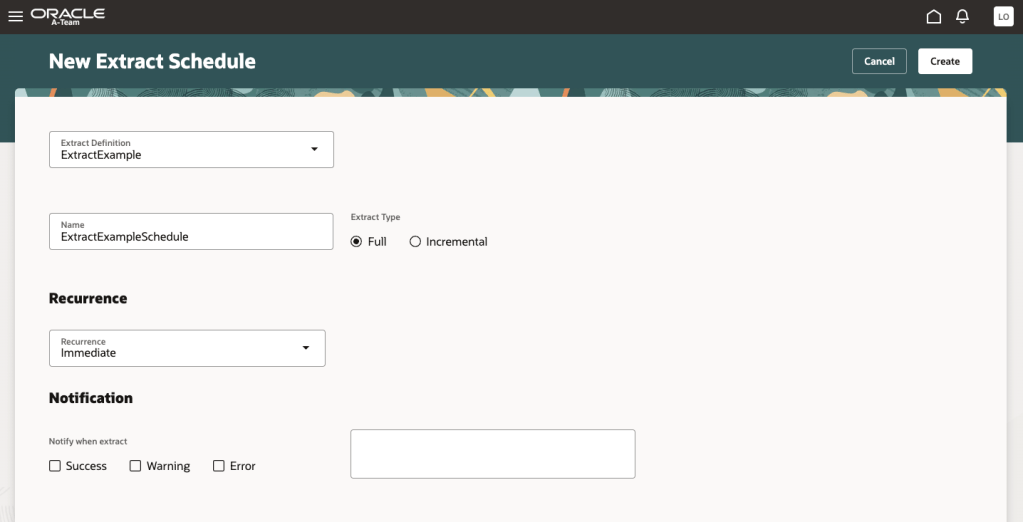
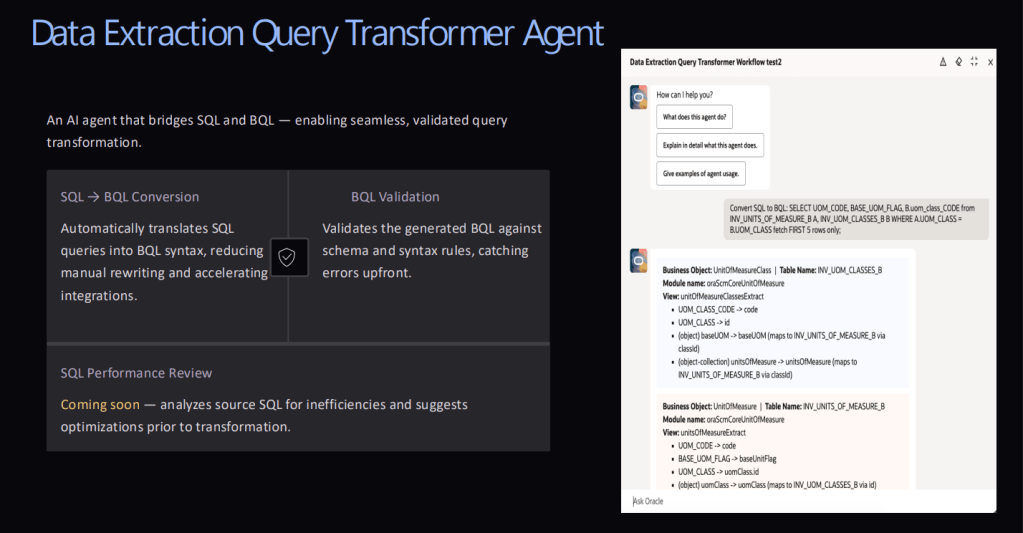
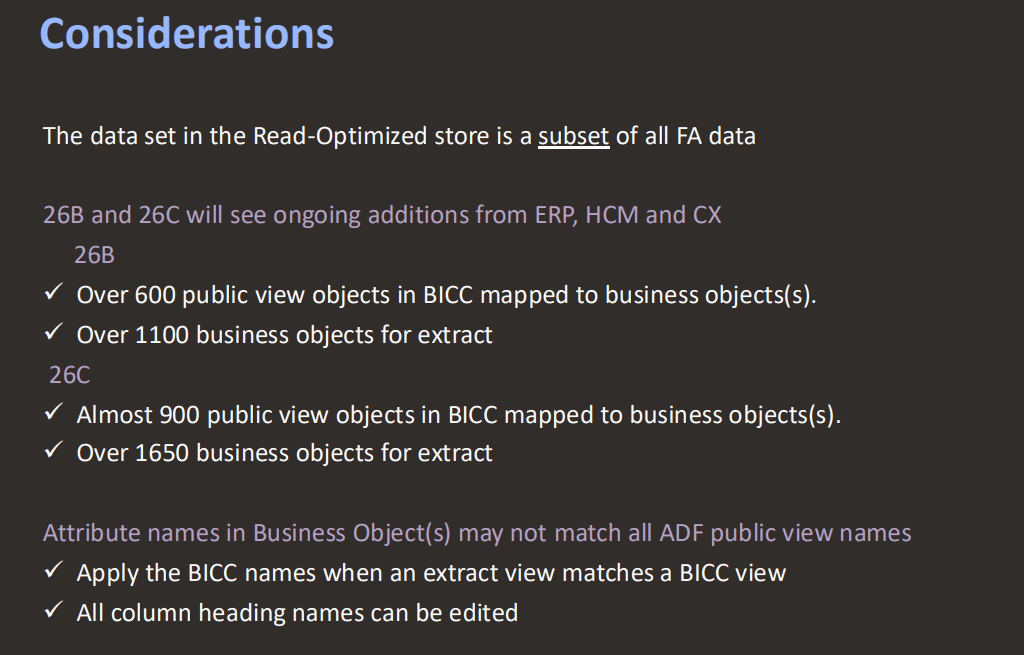
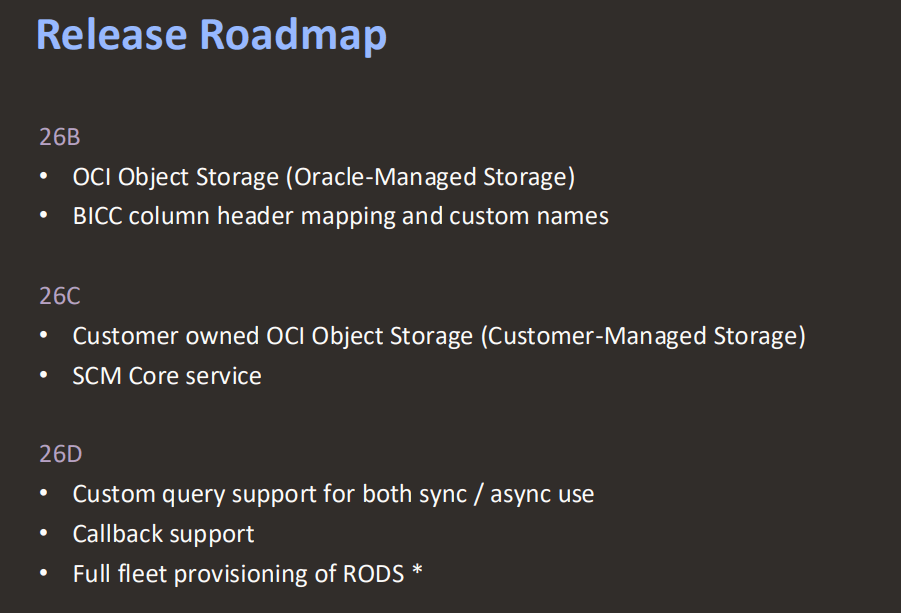
The final feature isn’t an AI one, but a integration change. This Redwood enhancement enables faster and more reliable data extraction by shifting reporting and integration workloads away from the transactional system and onto a read‑optimised replica, synchronised in near real time. By extracting data from a replicated Autonomous Data Warehouse, organisations can reduce load on live Fusion applications while benefiting from a modern architecture that abstracts business objects from the underlying data model. To support this, specific security changes are required, including enabling the external application integration profile option, assigning new extract and scheduling privileges, and granting roles to allow users to manage extracts and securely view or download files, ensuring controlled access to this high‑performance data extraction capability.

As noted earlier, Oracle may introduce further Common Features later this month. If any of these updates stand out, I’ll share a follow‑up blog covering the highlights. In the meantime, you might like to read my latest post exploring the new Core HR features in Release 26B, which you can find here.

Please note all screenshots are the property of Oracle and are used according to their Copyright Guidelines

Oracle HCM Cloud Core HR 26B

It’s my favourite point in the quarter: Oracle has just announced what’s coming in Release 26B. As you’d expect, this update brings a strong focus on AI‑led enhancements, with plenty to be excited about. While Oracle may add further features as the month goes on, let’s start by exploring what’s been announced so far.

The first thing I want to call out actually relates to Release 26C, but it’s important enough to flag now. For organisations that are a little behind in their move to Redwood, Oracle will be automatically enabling a number of pages in 26C. These include the Team Activity Center, Personal Details, Contact Information, Family and Emergency Contacts, Identification Information, Additional Person Information, Person Identifiers for External Applications, Grades, Grade Rates, Legal Entity HCM Information, Legal Reporting HCM Information and Reporting Establishments. While not all of these pages are end‑user facing, if you haven’t already enabled them, I’d strongly recommend completing your testing and switching them on as soon as possible. That way, you can be confident everything works as required for your organisation before Oracle enables them automatically.

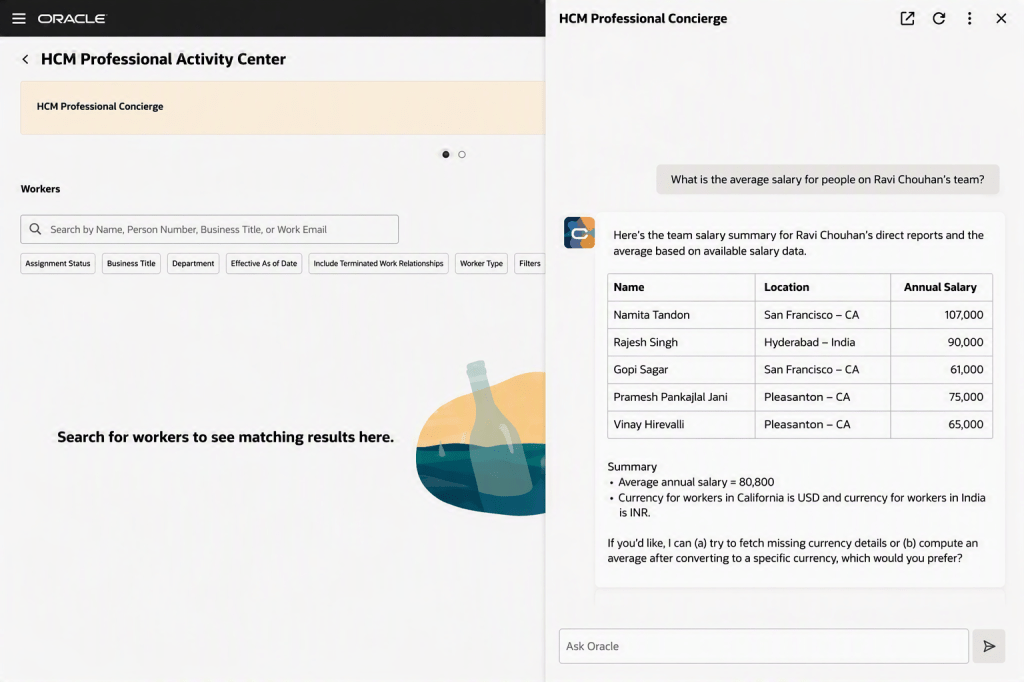
Now let’s turn to AI, which is probably why you’re here. The Personal Information Assistant has been enhanced to go well beyond simply retrieving data, allowing users to create, update and delete selected personal information directly within the chat experience, all in line with existing role‑based access controls and approval rules. It supports key personal details such as demographic and biographical information, email addresses and phone numbers, validates entries where lists of values apply, and guides users through any required choices. The assistant can still view information for the user or others, search by name, email address or person number, and provide direct links to the relevant pages where a change needs to be completed in the application. Importantly, it fully respects your existing Fusion security configuration, so users will only ever see data they’re entitled to access, and where fields have been hidden using VBS, the agent prompt can be adjusted to ensure those fields remain restricted.

There are two new, closely related features in this release, both focused on Journeys. AI can now be used to trigger a workflow agent when a Journey task is completed or even when it’s saved, enabling key business actions to run automatically without manual follow‑up. As soon as a task is marked complete, the associated workflow agent executes the required logic, such as sending notifications or integrating with external systems, ensuring downstream processes are triggered immediately and consistently. For example, when a manager approves a badge request, the agent can notify the badging system, confirm approval to the employee and kick off badge creation straight away. The same applies when a Journey task is saved as a draft, allowing certain processes to start earlier, improving responsiveness and reducing unnecessary delays.

The Document Records Management Assistant has been further enhanced in Release 26B with the introduction of Document Records Management Assistant V2, extending the capabilities introduced in 26A beyond employee self‑service to support line managers and HR specialists. This new workflow agent uses natural‑language interaction and advanced language models to help users quickly find, create and manage document records across their teams, while the original 26A agent remains available for employee self‑service without disruption. By bringing document management into a single conversational experience, the assistant simplifies access to records, automatically understands user intent, guides users through record creation with the right metadata, and provides clear, policy‑aligned responses and direct links where needed, reducing training effort and making document management faster and more intuitive for everyone involved.

The final AI capability worth highlighting is the new AI Assistant for Managing Jobs. This AI‑powered companion for Oracle Cloud HCM Jobs enables HR teams to create, view, update and manage job data through a single conversational experience. Using natural‑language interaction and Oracle’s AI Agent framework, it provides clear, policy‑aligned responses, making it quicker and safer to work with job records without navigating multiple screens. The assistant highlights changes across job versions, generates helpful summaries and insights, guides users step by step through updates and validations, identifies missing or outdated information, and can also edit or delete jobs where appropriate. By reducing manual administration and minimising the risk of errors, it helps HR teams maintain accurate, compliant job data while freeing up time to focus on more strategic priorities.

I’d also like to highlight a number of updates in Release 26B that will be particularly relevant for UK public sector organisations. Enhancements to the HCM UK TPS Generic Setup Diagnostics report introduce more robust checks, making it easier to identify and resolve Teachers’ Pension setup issues, with additional validation highlighting mismatches in Annual Full‑Time Equivalent salary rate definitions and expanded balance feeds helping administrators spot missing or incorrect inputs that impact pension calculations. Updates have also been made to the Civil Service Pension Scheme interface to reflect new and revised validation rules introduced by Capita as scheme administrator, with many of these changes already supported within the existing extract logic, helping ensure submissions continue to meet current scheme requirements and removing remaining references to MyCSP from user‑facing text. Finally, support has been added for proportional TLR1 and TLR2 payments within the Teachers’ Pension Scheme, enabling awards to be calculated, reported and pensioned in line with updated guidance effective from September 2025, and ensuring full‑time and part‑time arrangements are treated accurately based on contract type.

As mentioned earlier, Oracle will be rolling out additional Core HR features later this month. If any of these updates prove particularly noteworthy, I’ll share a follow‑up blog with the details. In the meantime, keep an eye out for upcoming posts where we’ll take a closer look at other Fusion modules as part of Release 26B.

Please note all screenshots are the property of Oracle and are used according to their Copyright Guidelines

Oracle Enterprise Data Management Cloud: Where AI Readiness Actually Starts

If you’ve been working in Oracle Cloud for any length of time, you’ll know that data governance quality determines the quality of everything downstream. Reports, forecasts, consolidations, AI outputs: they’re all only as good as the master data behind them. Following the EDM London Spotlight I attended, here’s where the product stands and where it’s heading.

What EDM is (and isn’t)

The naming matters. EDM is “Enterprise Data” Management, not Enterprise “Data Management.” It’s not a database tool or storage layer. It’s a governed system of reference for managing the data that describes your enterprise: hierarchies, dimensions, master data, reference data, data maps, taxonomies, reporting structures.

The problem it solves is one most Oracle customers will recognise. Without EDM, a chart of accounts change request starts with an email to IT, fans out to half a dozen application admins, and ends somewhere between a hierarchy mismatch in Planning and a data kickout in Financial Consolidation and Close (FCC). No audit trail, no systematic workflow, no single point of control. EDM replaces that with a governed, collaborative process where changes are requested, validated, approved, and propagated in a controlled sequence.

EDM versus Oracle DRM

DRM was built for waterfall implementation: gather requirements, build the model, deliver, train, repeat. EDM is designed for an agile, incremental approach. Turn it on, start using it, add rules and policies as they become evident. The traditional MDM big-bang approach has a well-documented failure rate, and EDM’s application-centric model sidesteps it. You start with one application, demonstrate value, and grow from there. New applications are onboarded incrementally without disrupting what’s already in place. For organisations still on DRM, the migration path is practical: users continue in DRM while it’s registered inside EDM as an application, and the legacy system is archived once the transition is complete.

Implementation design patterns

The London session was clear on which pattern works best. Nominate an originating application rather than using a master application as the front door to all changes. The originating application pattern keeps data, objects, and validations scoped to the application that owns them. Downstream applications subscribe to changes. This avoids the problem where a single undifferentiated data model makes it impossible to isolate which rules belong to which application. The master application pattern can work if you reduce it to canonical properties only, but it adds complexity and makes onboarding new applications more disruptive.

EDM and AI

Oracle’s AI approach in EDM operates at two levels.

Internal assistants work within EDM’s existing request and approval model. The Registration Assistant (25.12) generates application metadata and configuration artefacts from a sample data file, accelerating new application setup considerably. The Conversational Request Assistant lets users query master data in natural language, ask questions about existing requests, and generate bulk update actions, all within normal governance controls. Future internal assistants on the roadmap include a Data Profiling Assistant and a Data Matching Assistant using hybrid string, fuzzy, and semantic match rules.

Foundational data governance for AI is arguably the most consequential angle. When enterprise data objects lack clear intent in their descriptions, AI models infer incorrectly. Conflicting hierarchies across ERP, EPM, SCM, and HCM produce inconsistent answers. EDM’s governed descriptions, properties, hierarchies, and cross-application mappings become the ground truth that AI models rely on, reducing hallucination risk and making outputs auditable. If your organisation is investing in enterprise AI, getting master data governance right isn’t optional preparation: it’s what determines whether your AI outputs are trustworthy.

Multi-domain MDM and the roadmap

EDM was built domain-agnostic from day one, which is a genuine competitive differentiator. Competitors largely started in a single domain and expanded. EDM covers Party, Product, Location, Finance, and other domains natively. For Fusion ERP customers, CDM (Customer Data Management) remains the right starting point for mastering customer party records. EDM enriches those with alternate hierarchies, data maps, and cross-application alignment before distributing to EPM and Analytics. For heterogeneous environments with multiple Salesforce instances across regions, EDM can act as the central master customer data hub.

If your Oracle Cloud implementation hasn’t included an EDM conversation yet, it probably should. And if you’re planning an AI initiative on top of Oracle Fusion, EDM is where the trusted data foundation that makes AI outputs reliable actually gets built.

Please note all screenshots are the property of Oracle and are used according to their Copyright Guidelines

What’s New in Oracle HR Help Desk 26A: A Smarter, More Connected Experience

Oracle’s 26A release marks an important step forward for HR Help Desk, with a clear focus on improving the experience for employees, HR teams and service managers alike. Built entirely on the Redwood user experience, this release reinforces Oracle’s direction of travel: HR Help Desk is evolving from a traditional case management tool into a smarter, more responsive service platform that blends self‑service, automation and AI‑assisted support.

A key message is that Redwood is now the standard. The Classic HR Help Desk experience has been deprecated and will not receive further feature enhancements, with customers expected to complete their move to Redwood ahead of the 27A release. Any new HR Help Desk implementations must use Redwood from the outset. For organisations that have not yet made the transition, this release is a clear signal that now is the right time to plan and prepare.

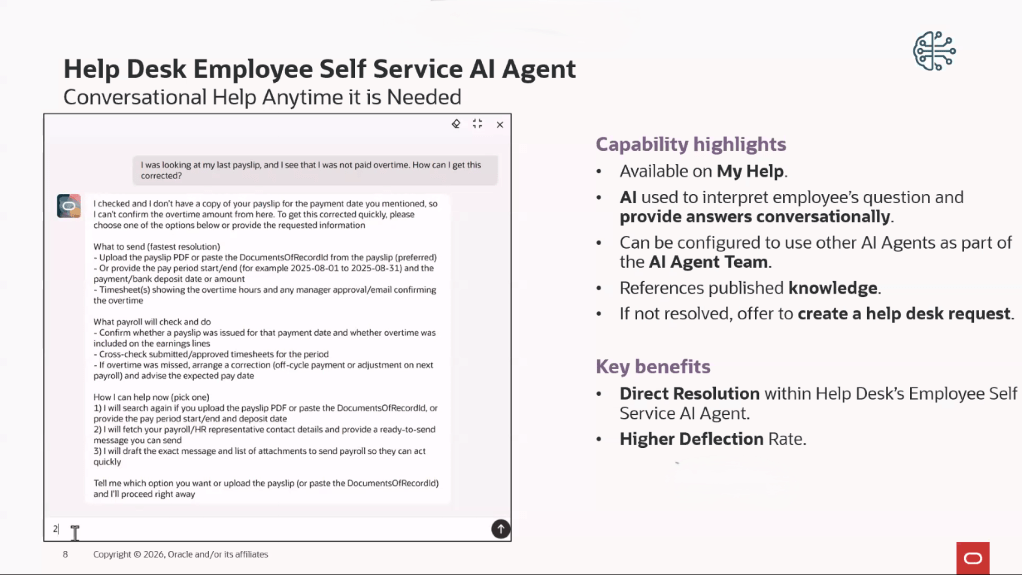
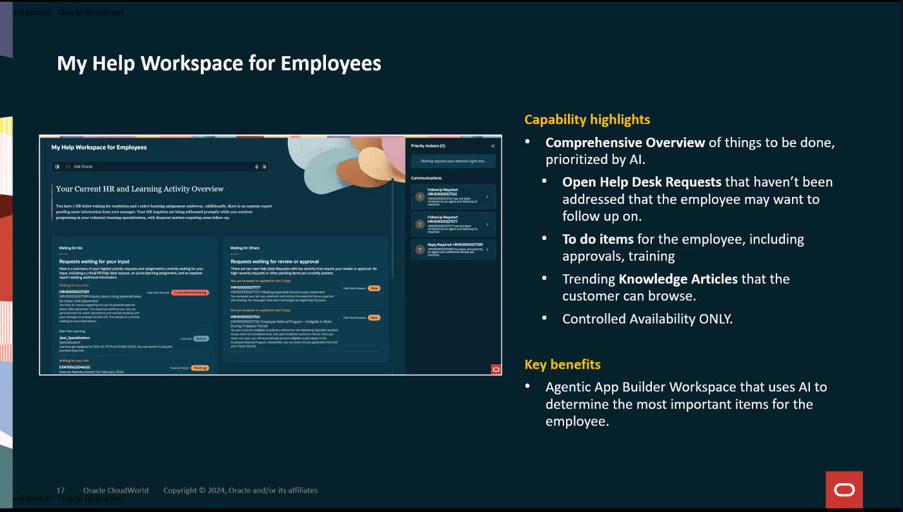
From an employee perspective, 26A introduces a more intuitive and conversational way to get help. A new AI agent within My Help allows employees to ask questions in plain language and receive answers based on published HR knowledge, with the option to raise a request or be guided to the right support when needed. At the same time, Oracle has strengthened how requests are presented to employees by ensuring that primary contacts only see information intended for them, keeping internal notes and agent‑only details out of view by default.

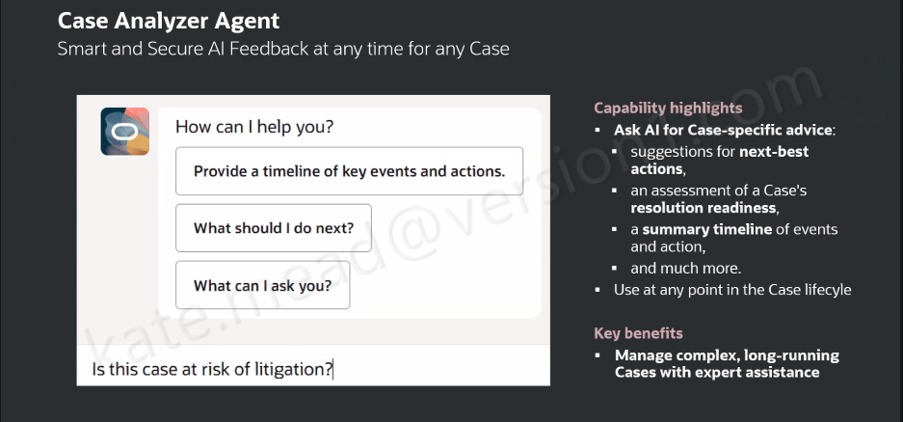
HR agents and supervisors also benefit from more control and visibility. Enhancements to the omnichannel supervisor dashboard make it easier to see agent availability, workload and queue performance, with new metrics supporting better day‑to‑day decision‑making. Case handling has been refined too, with smarter assignment options, improved search, and the ability to upload case documents directly into employee document records. AI‑assisted case analysis is available throughout the case lifecycle, helping agents identify next steps or similar cases, particularly in more complex situations.

Knowledge management continues to play a central role in HR Help Desk, with 26A introducing new tools to create, structure and reuse content more effectively. Oracle has expanded its AI Agent Studio, added richer attributes for knowledge content, and enabled the use of generative AI to create articles for custom content types. Knowledge events can now be surfaced to support wider integration and automation. Taken together, these changes show Oracle’s continued investment in making HR Help Desk more intelligent, scalable and ready to support modern HR service delivery.

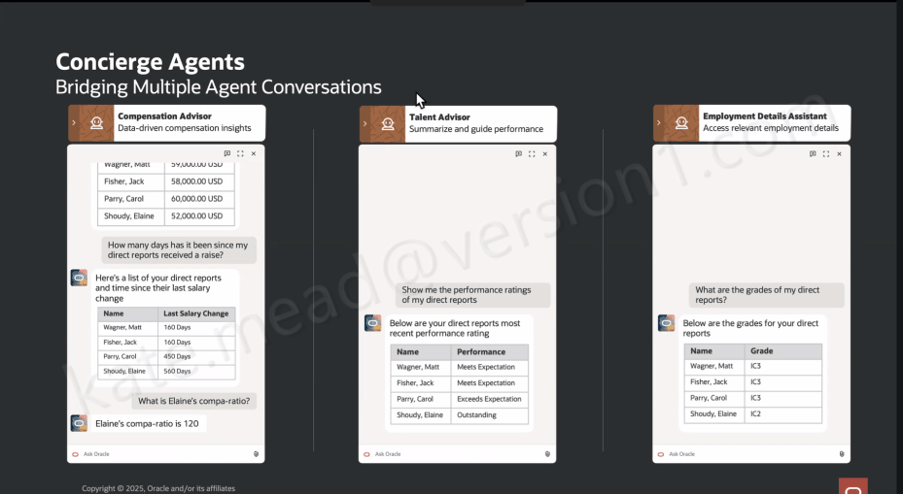
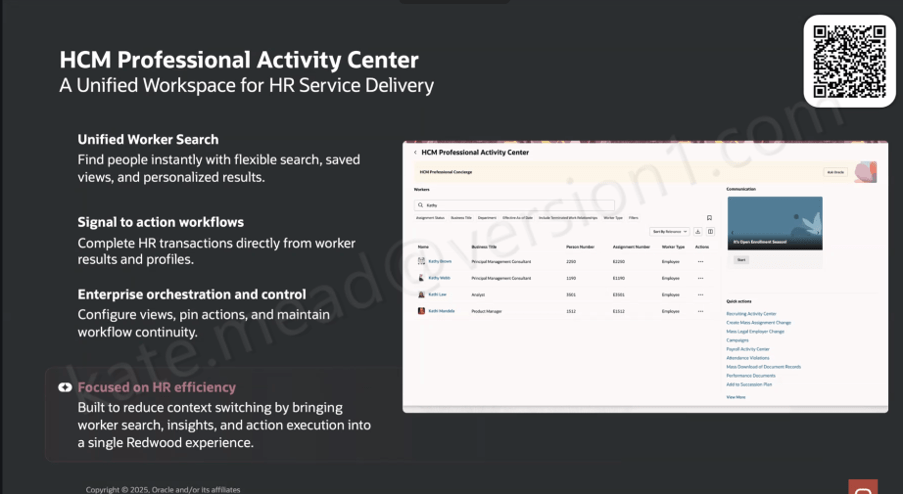
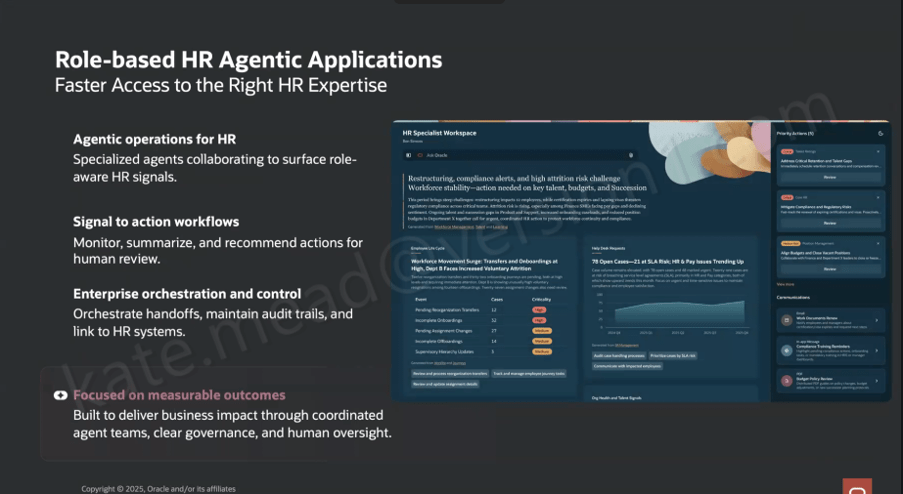
Please note all screenshots are the property of Oracle and are used according to their Copyright Guidelines