
It’s quarterly release time again, and while Payroll 26D doesn’t contain the sort of headline-grabbing feature that will completely transform how payroll teams work, it does include a collection of enhancements that solve real-world problems. There’s continued progress on Oracle’s Redwood journey, some useful legislative updates for UK and Irish payroll, stronger visibility into tax calculations for US payroll teams, and a handful of practical improvements that should reduce administration effort and simplify troubleshooting.
What stood out to me this quarter is that many of the enhancements focus on making payroll easier to manage rather than simply adding new functionality. Several address common frustrations that payroll teams have been dealing with for years, while others provide much-needed transparency into processes that have traditionally felt like a black box. As always, Oracle may introduce additional features over the coming weeks, but here’s what has caught my attention so far.
One theme that won’t surprise anyone by now is Redwood. Oracle continues to replace classic payroll pages with their modern Redwood equivalents, and 26D brings another significant batch of payroll administration pages across. At this stage, most payroll customers understand that the question is no longer whether Redwood is coming, but when they’re going to adopt it. Releases like 26D continue to chip away at the remaining classic pages and make that transition increasingly inevitable. While not every Redwood page introduces brand new functionality, many do improve usability and create a more consistent experience across HCM Cloud.

The Legal Entity Calculation Card and Legal Reporting Unit Calculation Card have now moved to Redwood. These cards hold payroll statutory unit and tax reporting unit defaults, making them some of the more important configuration pages within Payroll. For customers already using Redwood profile options, the new experience is enabled automatically. Functionally, very little changes, but it continues Oracle’s journey towards a consistent user experience across the application.
The Fast Formula migration is probably the Redwood enhancement that will attract the most attention from payroll specialists. The new page introduces a genuinely modern code editor experience, including syntax highlighting and quicker access to database items and functions. Anyone who spends their day building or troubleshooting formulas will likely find it easier to navigate than the classic version. That said, there is one notable omission. Expression Builder isn’t available in the Redwood experience yet, which may influence how quickly some organisations choose to move over. It’s not a blocker for everyone, but it’s definitely something worth testing before making the switch.
Oracle has also moved a further six payroll setup pages into Redwood: Balance Exceptions, Balance Exceptions and Reports, Element Security Profiles, Features by Country or Territory, Organisation Payment Methods and Run Types. It should be noted that these pages are enabled by default. One point worth highlighting relates to Organisation Payment Methods. If you’ve previously granted access through custom job roles, you’ll need to review those roles and ensure they include both the Organisation Payment Method Management Duty role and the Manage Organisation Payment Method function privilege.
One Redwood enhancement I’m particularly pleased to see is the update to Balance Adjustments. Historically, making multiple balance corrections could be a fairly manual process, particularly when trying to understand the wider impact of those changes. The new experience allows administrators to work with multiple adjustments in a single transaction while immediately seeing the before and after effect across affected balances.
The ability to apply separate costing to individual adjustments and navigate directly from Balance Results into Balance Adjustment creates a much smoother experience than before. It’s the sort of enhancement that won’t generate much excitement in release announcements, but for payroll teams dealing with corrections and reconciliations it could save a significant amount of time.
The Retropay enhancement is another feature that feels small on paper but addresses an issue that has caught a number of organisations out in practice. Where employees are processed through multiple payroll runs within the same period, for example a bonus run followed by the regular payroll run, previous behaviour could sometimes create duplicate retro entries or unnecessary offset adjustments. Those situations could take time to understand and even longer to explain.
The new logic helps Oracle determine whether the entry has already been processed within a later payroll run before generating retrospective adjustments, creating a cleaner and more predictable outcome. This feature is disabled by default and requires the Set Late Recurring Retro Entry Earliest Date process to be run, so customers will want to carefully consider when to enable it.
There are a number of UK-specific enhancements in 26D and, I’ve called out three that address genuine operational scenarios rather than simply introducing administrative changes. The first on is Process Results Enhancements. Anyone who regularly analyses payroll results will appreciate this one. The Run Pension Automatic Enrolment Letters process now displays the employee name and payroll relationship number. Send HMRC XML results show the flow name instead of the payroll action ID, and Pension Assessor Updates include employee details alongside a direct link to the pension component within Earnings and Deductions. These aren’t transformational changes, but they’re exactly the sort of usability improvements that reduce investigation time when payroll teams are trying to locate information quickly.
This Enhanced Statutory Parental Bereavement Leave and Pay for Northern Ireland Employees enhancement delivers support for legislative changes effective from 6 April 2026. Oracle now supports the expanded eligibility requirements for Northern Ireland employees, including miscarriage-related absences and day-one eligibility. The system also records and reports qualifying payments separately from existing statutory parental bereavement pay arrangements. The enhancement is automatically enabled and requires no customer action.
The next one is the Use Published Schedules to Determine UK Statutory Sick Pay Qualifying Days. Customers using Workforce Management alongside UK Statutory Sick Pay should pay close attention to this enhancement. Where a published schedule exists before the absence begins, Oracle can now use that published schedule to determine SSP qualifying days rather than relying solely on the employee’s work pattern. For organisations with complex scheduling arrangements, this should help ensure SSP calculations more accurately reflect planned working patterns. Customers planning to use this functionality should review the Schedule Hierarchy Starting Point configuration within relevant sickness absence types.
The US payroll enhancements arguably provide the strongest collection of updates this quarter, combining compliance improvements, increased transparency, and continued investment in AI-assisted payroll analysis. Managing SECURE 603 eligibility has often required manual effort, particularly for organisations with large employee populations. Oracle now automates the determination of catch-up eligibility outcomes through the Start-of-Year process, evaluating high-earner status based on payroll statutory units, tax reporting units, or tax groups depending on configuration. The inclusion of a draft mode is particularly welcome, allowing payroll teams to review outcomes before committing them in final mode. Some complex organisational structures will still require manual intervention, but for many employers this should significantly reduce annual administration effort.
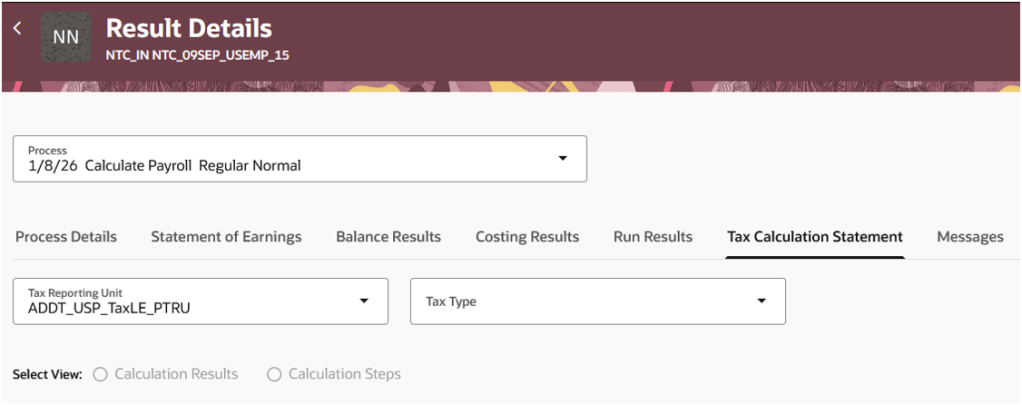
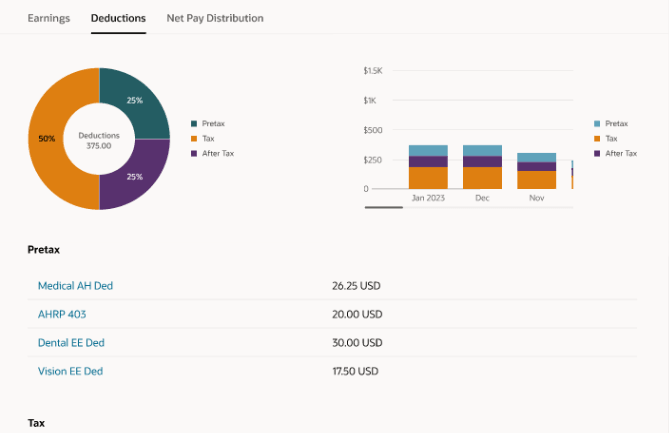
The next feature is the Tax Calculation Statement Page: Federal Income Tax. This is probably my favourite enhancement in the US payroll release. Payroll teams are regularly asked why a particular tax deduction was calculated in a certain way, yet historically obtaining that answer often meant navigating several screens or performing manual calculations. Oracle has introduced a new Tax Calculation Statement view that provides complete visibility into Federal Income Tax calculations. Administrators can either review the calculation components directly or work through a step-by-step breakdown showing intermediate values and calculation logic. For troubleshooting and employee query resolution alone, this has the potential to save a huge amount of time.
Oracle continues to expand the capabilities of its Payroll Run Analyst AI Agent. The agent can now answer natural language questions relating to Federal Income Tax calculations, allowing administrators to ask questions such as why a calculation was performed a particular way or which attributes contributed to the result. This is one of the more practical examples of AI within payroll. Rather than trying to automate the payroll process itself, Oracle is using AI to make it easier for payroll professionals to understand and investigate payroll outcomes.
Oracle has added a new Tax Enforcement Level field within the Federal component of the employee Tax Withholding card. This allows administrators to determine whether annual limit tax tracking should occur at the PSU, TRU, or tax group level. Because the setting exists at employee level, it can also override organisation-level defaults when required. For organisations with more complex employment structures, the additional flexibility will be welcome.
Oracle has also improved how USOPTE statutory tax rule overrides are managed. Payroll administrators can now create, update, delete, and end-date override records directly from the Statutory Rules interface, while also reviewing override history over previous years. It brings what has sometimes been tracked externally back into Oracle in a much more controlled and auditable way.

Oracle continues to invest heavily in Irish payroll, and that’s entirely understandable. Irish Payroll is still relatively new within Oracle Fusion compared to some of the more mature localisations, and Oracle have been steadily expanding both functionality and legislative coverage release after release. The pace of delivery remains impressive, with large number of enhancements arriving in 26D alone. While some of these changes are legislative in nature, others help bring Irish Payroll into line with capabilities that customers in longer-established payroll localisations have already been benefiting from.
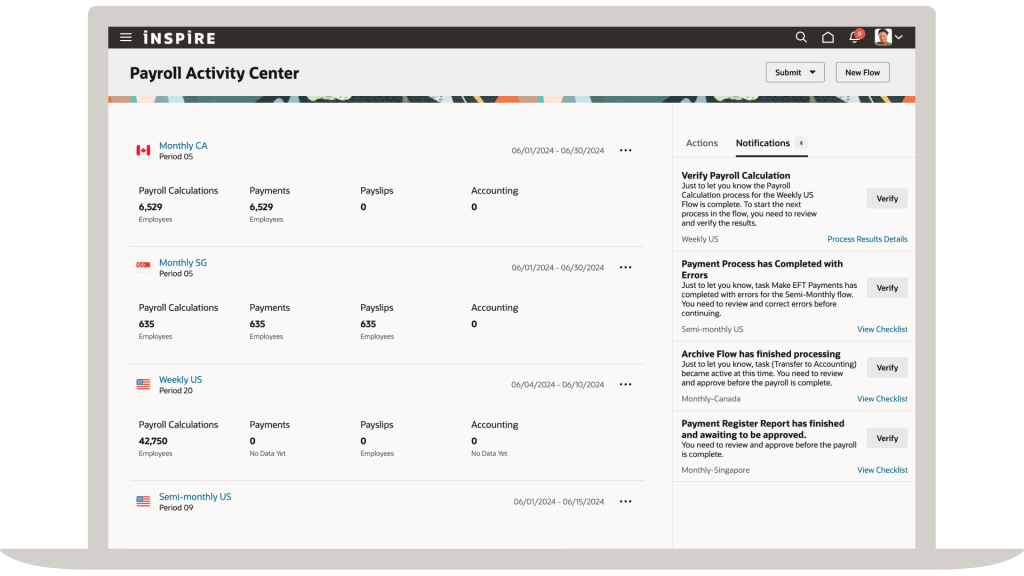
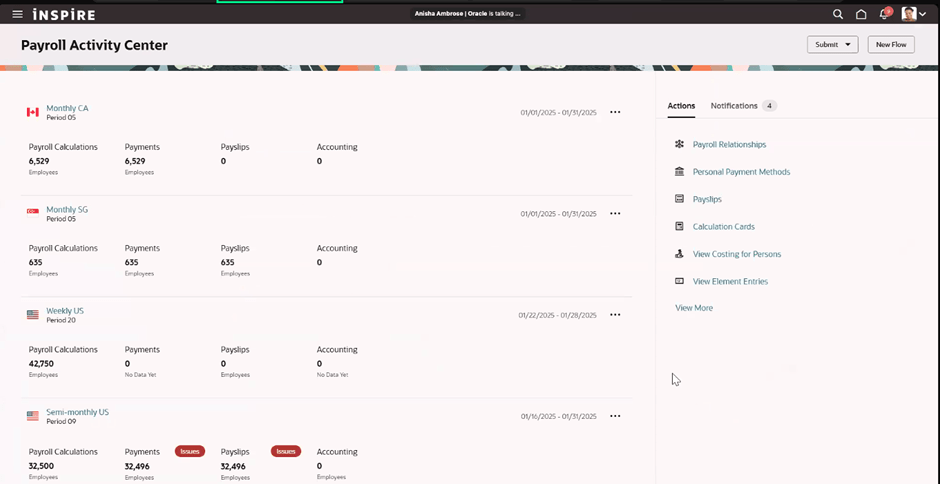
The Payroll Activity Centre is now available for Irish payroll customers. This provides administrators with a consolidated view of payroll activity, balances, and exceptions, including Irish-specific values such as PAYE, PRSI, USC, and My Future Fund deductions. The real value isn’t the visibility itself, but the ability to identify and resolve issues earlier in the payroll cycle before they become employee-facing problems.
Oracle has updated eligibility calculations for SSP and Illness Benefit so that they now use recorded sickness absence dates rather than medical certificate dates. It’s a relatively straightforward change, but one that better reflects how absences are typically managed in practice.
The Periodic Foreign Tax Credit enhancement allows payroll teams to apply periodic or annual foreign tax credits through the employee’s PAYE Additional Information card. Rather than waiting for relief to be claimed after year end, payroll can now reduce tax liability during payroll processing itself. For employees with cross-border tax obligations, that has the potential to improve cash flow and reduce the impact of dual taxation while relief is being processed.
Oracle now automatically applies the Department of Social Protection’s 15% net-pay deduction cap for applicable Notice of Attachment deductions. Whenever statutory limits apply, the payroll calculation automatically uses the lower of the requested deduction amount or the permitted cap.
The final enhancement supports deletion requests for previously submitted My Future Fund contribution records. The Send File Submission process can now determine whether an earlier submission exists and automatically generate either an initial submission or a deletion request as appropriate. Additional audit reporting has also been introduced to maintain visibility of deleted contribution records.
Overall, I wouldn’t describe 26D as a blockbuster Payroll release, but that’s not necessarily a criticism. Some of the most valuable payroll enhancements aren’t the flashy ones. They’re the improvements that make investigations quicker, reduce administration effort, improve compliance, or remove manual work that payroll teams have quietly accepted as part of daily life.
For me, the stand-out areas this quarter are the continued maturity of the Redwood payroll experience, the Retropay processing enhancement, and the new transparency around US Federal Income Tax calculations. Together they show Oracle continuing to focus on usability and operational efficiency rather than simply adding more functionality.
If you’re planning your 26D review, I’d recommend paying particular attention to the Redwood changes and checking whether there are opportunities to simplify payroll administration processes as part of your wider upgrade planning. And as always, keep an eye on the What’s New documentation throughout the release cycle. Oracle occasionally slips in additional gems after the initial announcement, and payroll is no exception.
Please note that all screenshots are the property of Oracle and are used in accordance with Oracle’s Copyright Guidelines.









 K8 Mead