Oracle HCM Cloud Learn 26C

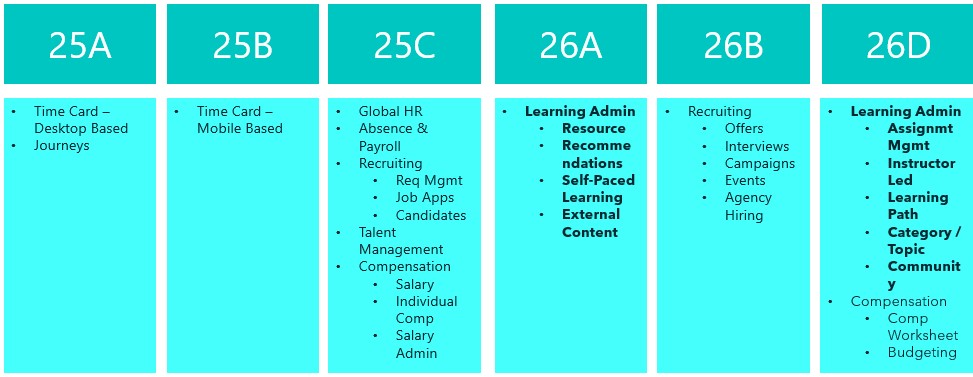
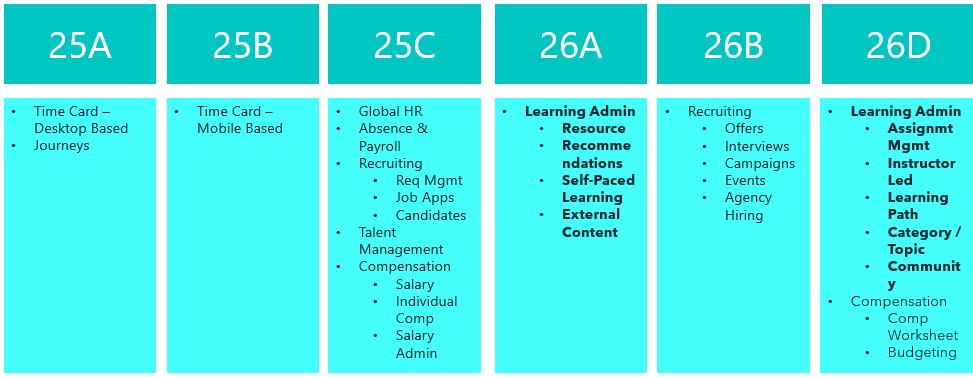
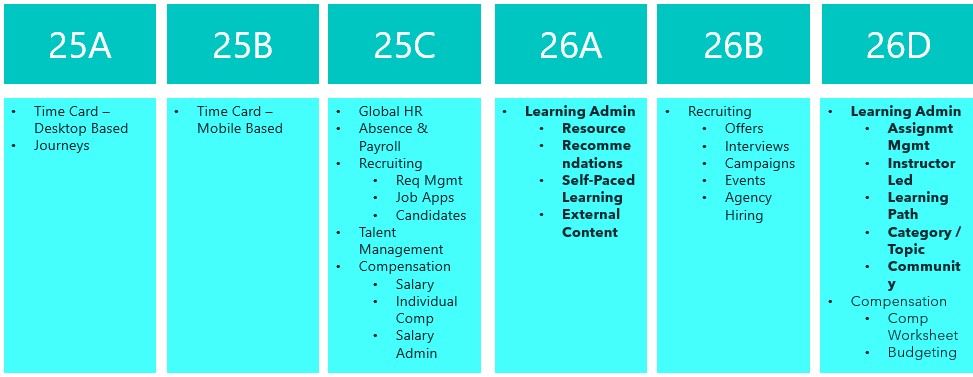
This is an exciting time for Oracle Learn. Release 26C is the last release before all Learn functionality becomes mandatory in Redwood, with the final switch happening in 26D. That deadline brings in the remaining Learning Admin tasks too. If you have not already made the move to Redwood for Learn, now really is the time to do it. In the meantime, here is a look at what is new in 26C.

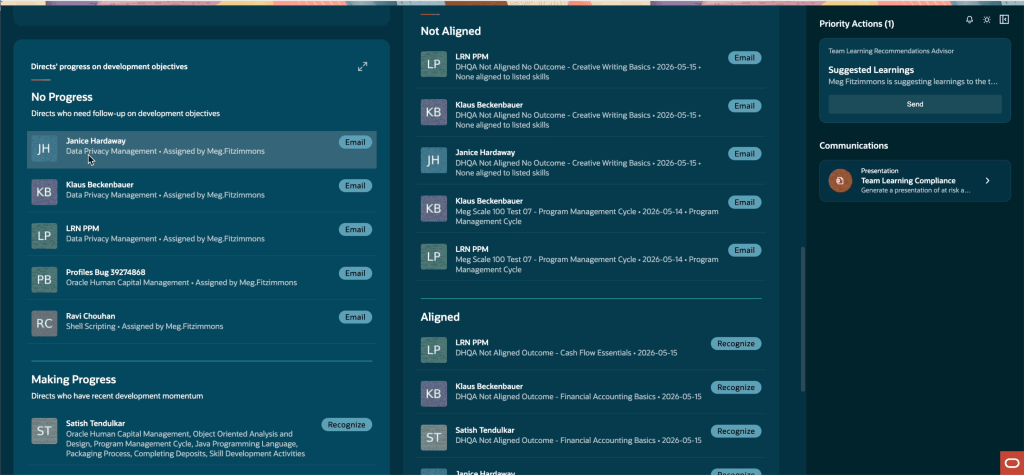
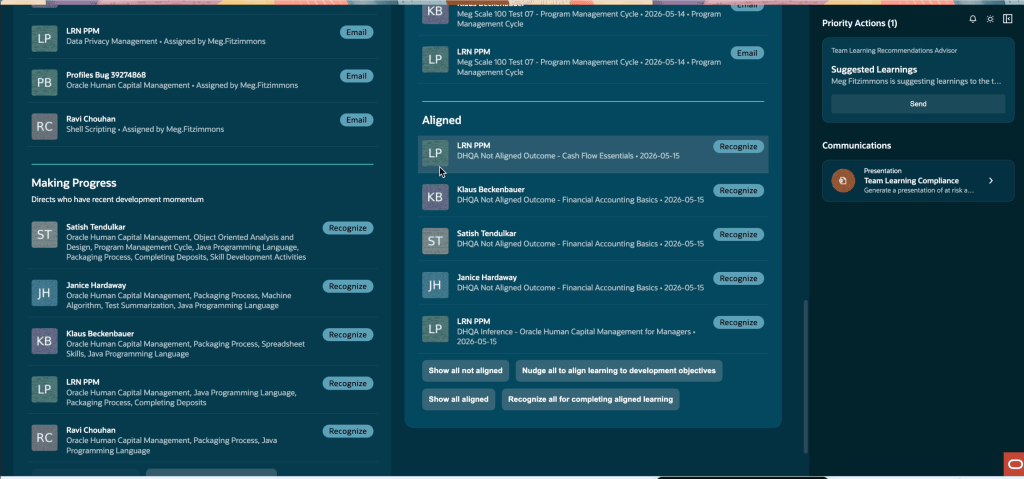
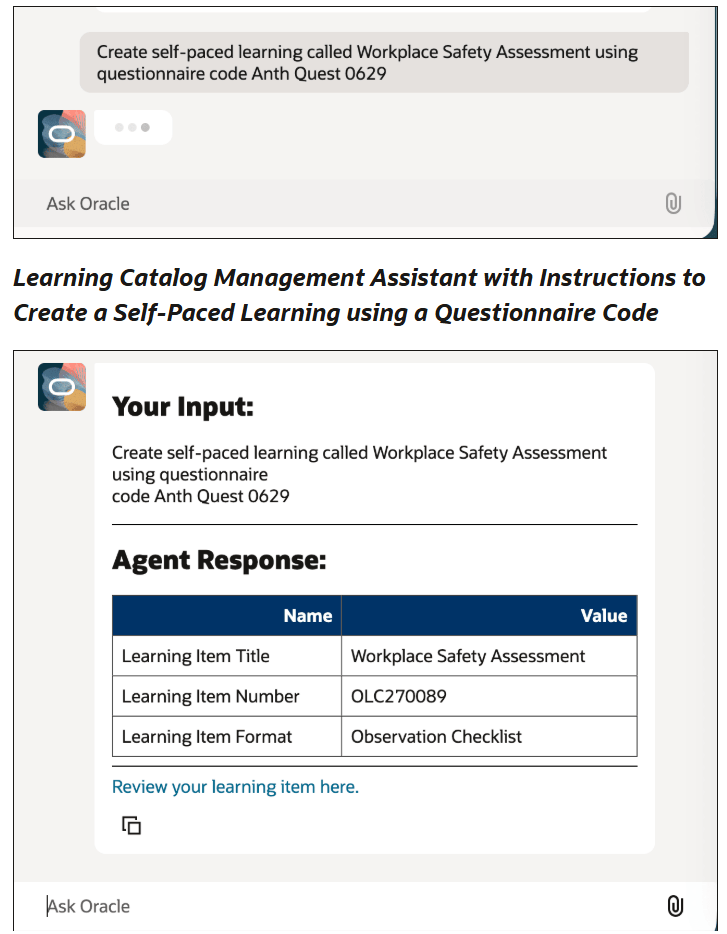
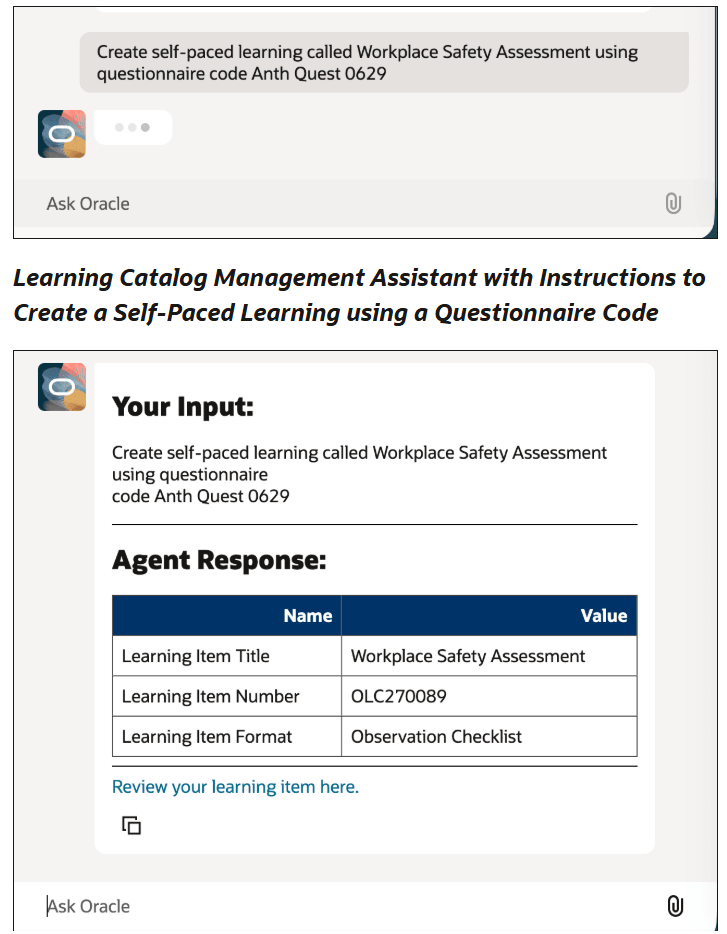
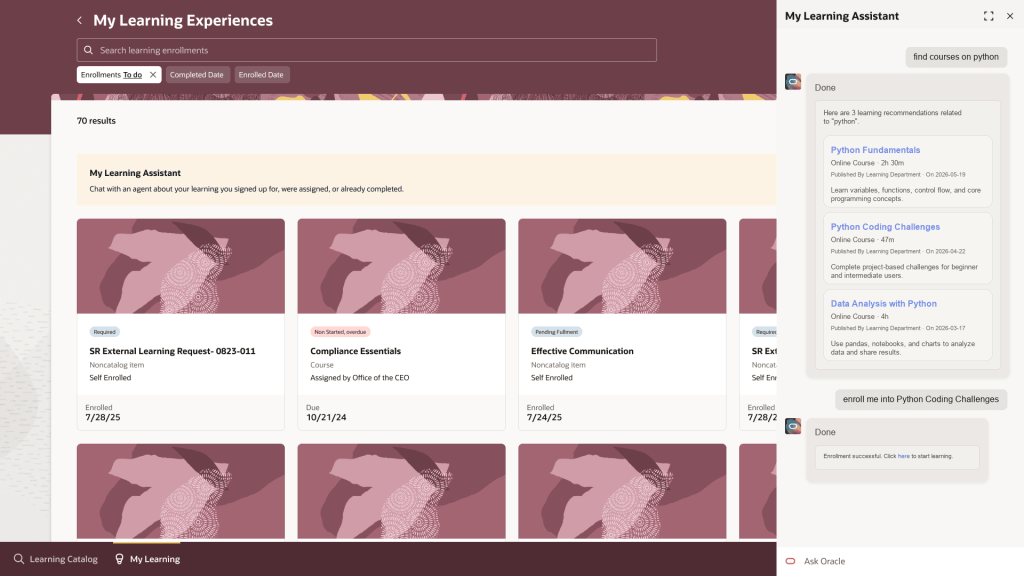
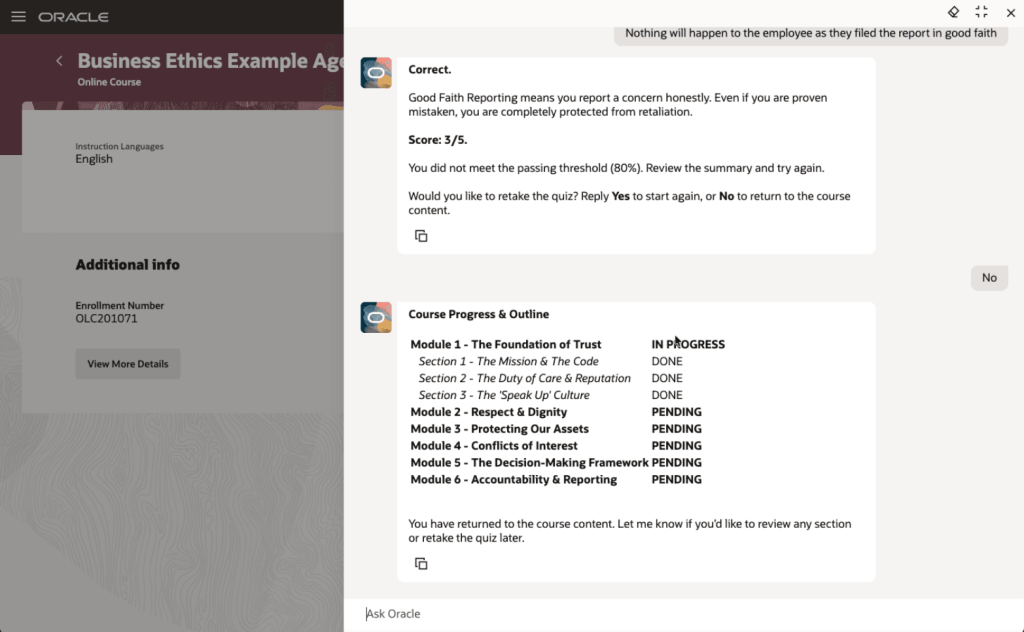
The first feature I want to highlight is not directly related to the Redwood deadline, but it is too interesting to leave until later. Oracle has introduced Agentic Courses, a new approach to self-paced learning that uses AI agents to guide learners through curated content in a far more interactive and responsive way. Instead of working through static material, learners are supported by an experience that adapts to their pace, checks their understanding as they go, and offers targeted support where it is needed.

The structure is still defined by learning designers, but each learner can move through the content in a way that suits them. That includes recap, reinforcement and extra support where required. What stands out here is the ability to deliver genuinely personalised learning at scale, without increasing the effort needed to design or administer it. Learning specialists can reuse templates and deploy them quickly, while the AI handles the day-to-day interaction with learners.

The end result is more effective training, faster progression to competency, and better use of employees’ time, all while keeping outcomes consistent. It is also worth noting that this is not an agentic application, so there is no requirement to purchase the Agentic App platform to use it.

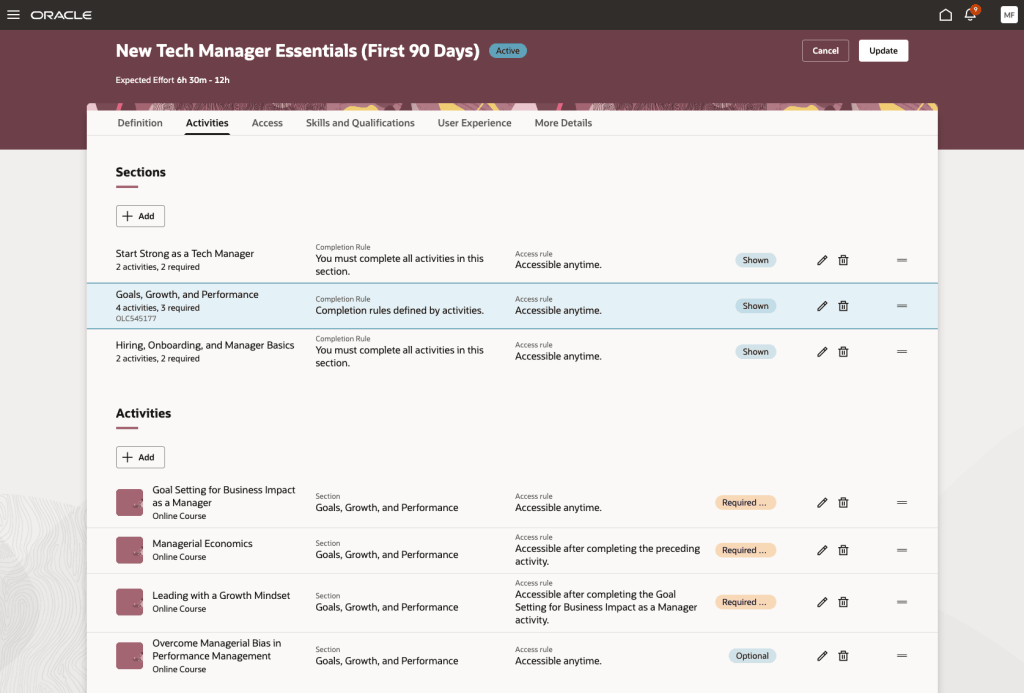
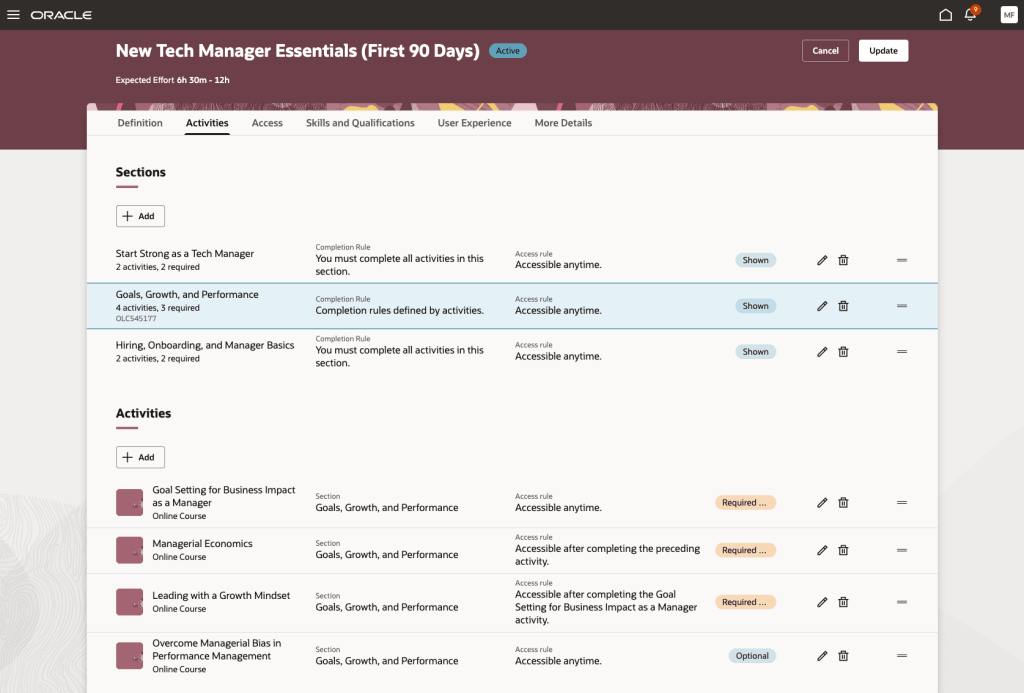
The next feature is the redesigned Redwood experience for specialisation management. This brings a much clearer and more visual approach to creating and managing learning paths. The new Activities tab pulls everything into a single interactive view, making it easier to understand the overall structure, see dependencies, and define completion and access rules. Alongside this, the Assignments tab gives a clear, near real-time view of learner progress, so administrators can track enrolments, monitor completion, and step in where needed.

The benefit here is both clarity and control. Learning specialists can build more structured and engaging learning journeys with less effort, while built-in checks help prevent common issues such as conflicting dependencies. For learners, it is much clearer what is expected and what comes next, which supports better engagement. For organisations, this means more effective delivery of training and stronger oversight of compliance and development programmes.

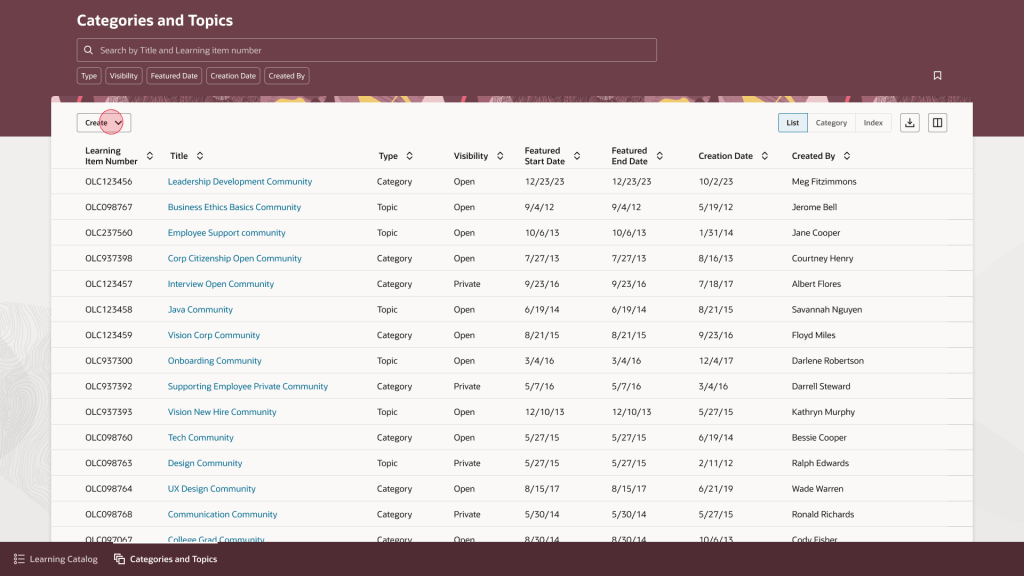
Another new page in Redwood is the updated experience for category and topic management. This gives learning teams a more straightforward way to organise and maintain their catalogue. The interface is built around tasks, with list, category and topic views supported by search, filtering and saved searches. Administrators can quickly create and update categories and topics, manage visibility and featured dates, and move easily between high-level structures and more detailed content.

The value here is in making catalogue management simpler and more consistent. Learning teams can organise content more effectively, which makes it easier for learners to find what they need. It also aligns with the wider Redwood experience, reducing the learning curve for administrators and helping improve productivity. In practice, this leads to a more organised and accessible catalogue that is easier to maintain over time.

Oracle has also introduced a set of enhancements to assignment status management. These give learning teams much tighter control over how assignments are handled, with expanded support for actions such as waitlisting, undoing completion, approving, withdrawing and allocating seats. There are also clearer rules around when each action can be applied.

In day-to-day terms, this means administrators can manage a wider range of scenarios directly within Redwood, without relying on workarounds. The improvement here is in both governance and day-to-day efficiency. By aligning actions to defined rules and adding more control, organisations can manage assignments more consistently and reduce the risk of error. It also becomes easier to handle exceptions and manage capacity, which supports a more reliable learner experience overall.

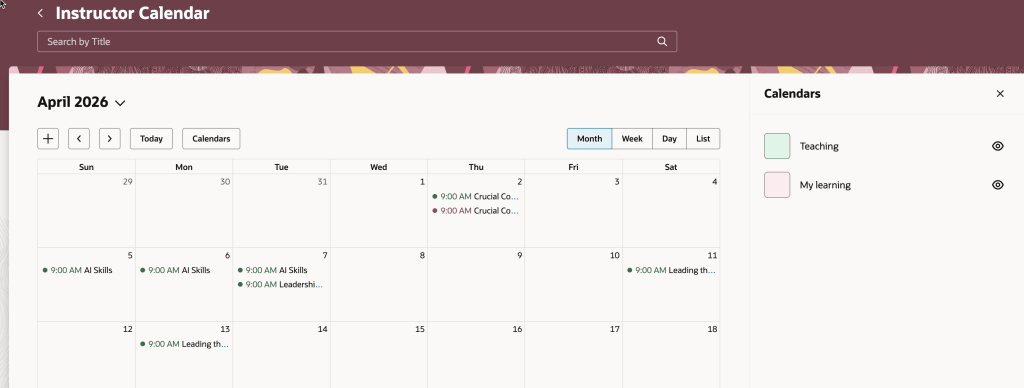
Another useful enhancement is within the Instructor Activity Center. The updated calendar now brings together teaching commitments and the instructor’s own learning calendar, making it easier to spot clashes and plan ahead. There is also a new seat availability filter, which highlights sessions that are low on enrolment, fully booked, or have waitlists.

This gives instructors a single, practical view of their schedule. They can manage their time more effectively, avoid conflicts, and take action where needed, for example by promoting under-enrolled sessions or adjusting plans. For organisations, this helps optimise class capacity and make better use of instructor time.

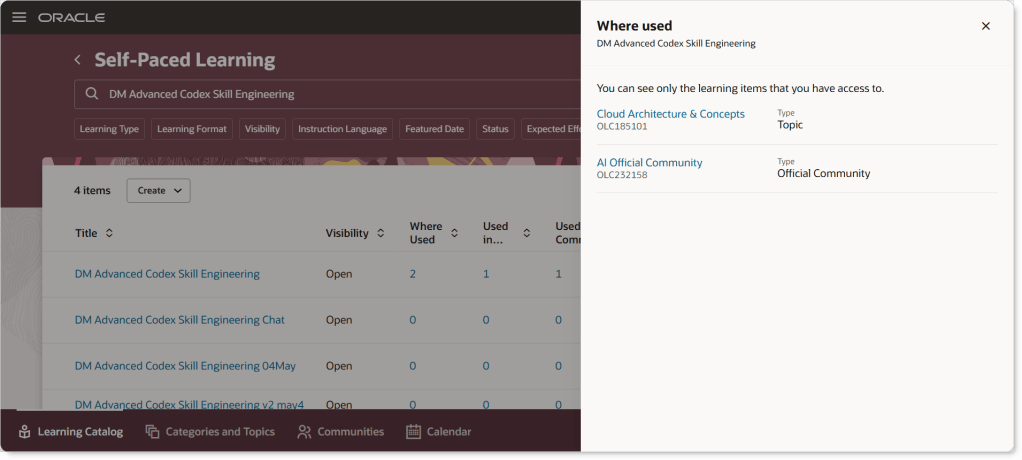
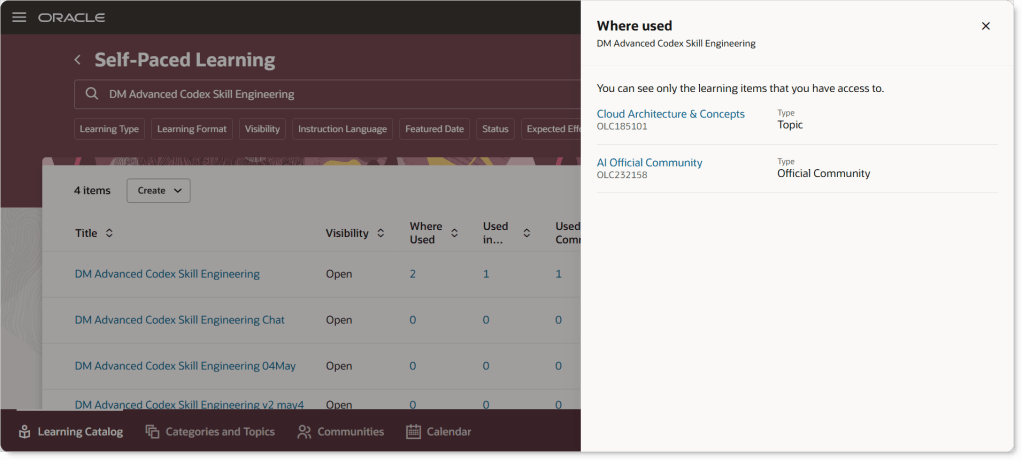
The final feature I want to call out is one that came directly from a customer idea. The Learning Catalog has been enhanced to give clearer visibility into how events, courses and learning paths are connected. The updated “Where Used” capability makes it much easier to explore these relationships, with clickable links that take you straight to related items. Supporting information is displayed in a structured way that mirrors the layout of the detail pages, making it easier to understand how everything fits together.

This improves transparency across the catalogue. Learning teams can see dependencies more clearly, which reduces the risk of unintended impact when making changes. It also supports more consistent management of learning structures, helping maintain a clean and well-organised catalogue over time.

As always, Oracle may introduce additional updates as the release cycle progresses, so it is worth keeping an eye out. If anything particularly interesting appears, I will share a follow-up to make sure you are fully up to date.

Please note all screenshots are the property of Oracle and are used according to their Copyright Guidelines

Oracle HCM Cloud Learn 26A

Release 26A has arrived, marking the start of the second phase of Recruitment for Learn becoming mandatory. This update sets the deadline for the first half of the required changes to Learning Admin pages, covering Resources, Recommendations, Self-Paced Learning and External Content. The remaining updates to Learn Admin pages will become mandatory with Release 26D. Let’s take a look at what is new!

Before you can use this first feature, Dynamic Skills must be enabled. Oracle have updated the licensing for Dynamic Skills over the past year, so it may already be included in your Core HR licence. If you’re unsure, it’s worth checking with your Oracle Customer Success Manager. Once enabled, you can take advantage of the AI Learning Catalogue Smart Search Advisor. This clever tool lets you search the learning catalogue using questions rather than just keywords, delivering more focused and higher-quality results. The results are semantically relevant to your query and tailored to you, taking into account your work history, talent profile and learning record. When active, you’ll notice a new section on the learning catalogue page after you search. This section highlights up to five learning items the advisor has identified as most suitable for you and your request.

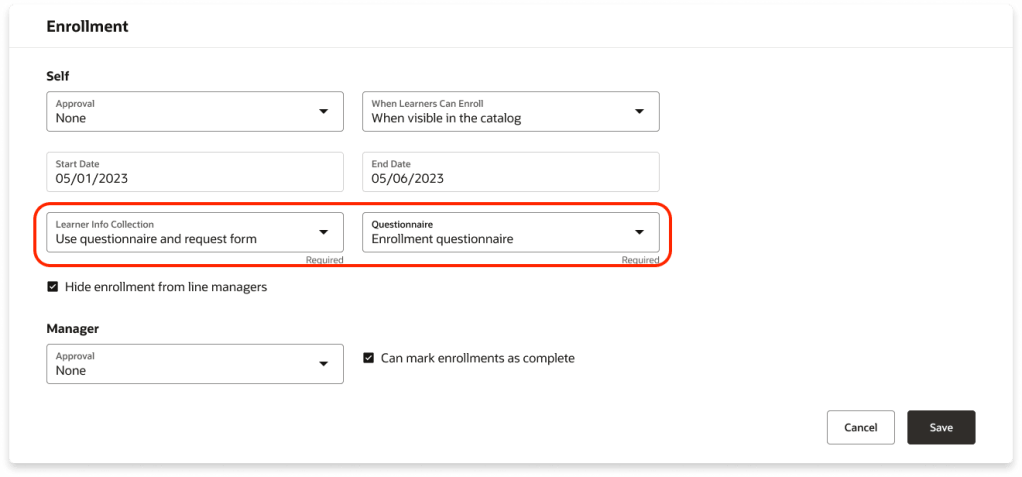
There are several new features for Self-Paced Learning, starting with Redwood functionality for enrolment forms, evaluations and feedback. You can now collect the information you need when learners enrol by requiring an enrolment form, a questionnaire, or both. The Learner Info Collection options available in the Self-Paced Learning configuration under the Rules tab in the Enrolment section, offering four choices: no extra information, a combined page with both questionnaire and request form, just the questionnaire, or just the request form, each leading to the Enrolment Details page. These options are controlled by a single setting within Self-Paced Learning.

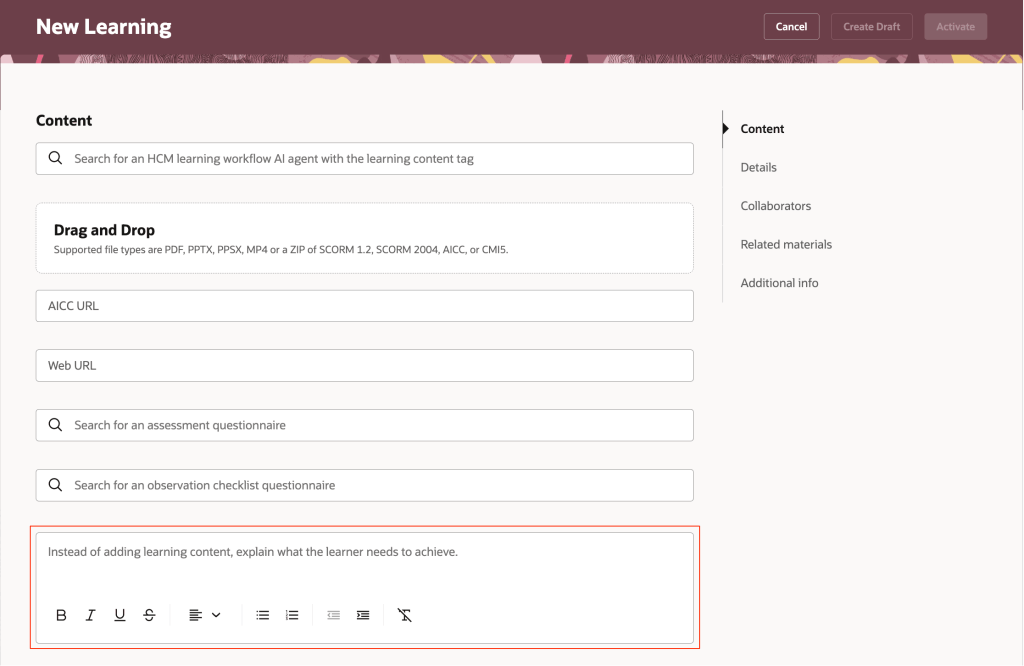
Oracle has added support for two new content types in Self-Paced Learning: CMI5 and AICC URLs. You can now upload CMI5 .zip archive packages when creating self-paced courses. This format combines the structured approach of SCORM with the flexible, detailed tracking of xAPI, enabling richer data sharing between the learning item and the server. The result? Deeper insights into learner progress and engagement. In addition, you can create self-paced courses by adding an AICC URL as content. Once the page refreshes, the Learning Format field appears, defaulted to Online Course, alongside the Mastery Score field. You can adjust the format as needed and set a mastery score, which moves to its usual spot on the Rules tab under Completion when you create the draft. The score can be updated later if required.

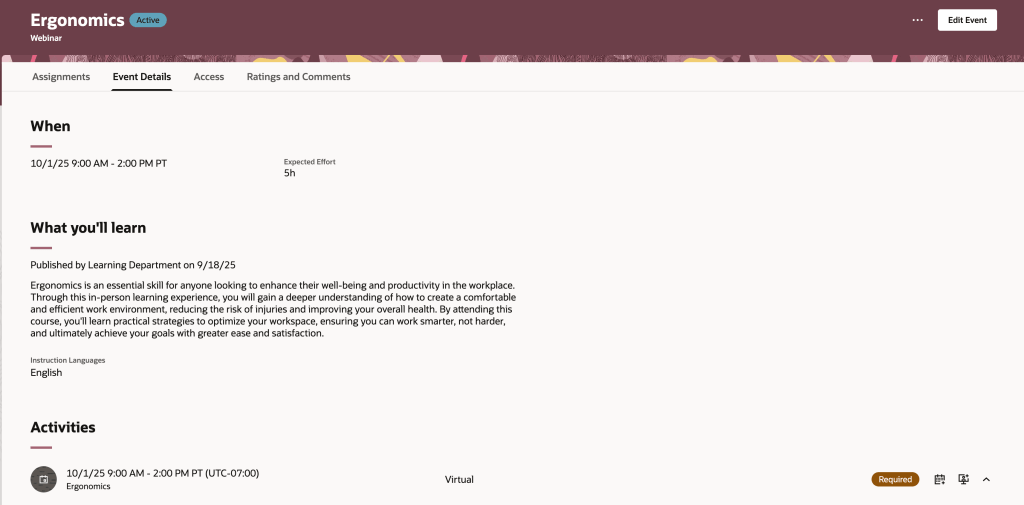
Oracle has introduced a new Redwood Learning Events page, offering a streamlined way to publish instructor-led training directly to your learning catalogue. This update simplifies setup and adds flexibility, allowing events to be defined by formats such as In-Person, Webinar, or custom options tailored to your organisation. Events can be delivered as standalone offerings or included in a course for equivalency, with improved scheduling that supports multiday and overnight sessions and calculates effort automatically. You can specify dates and times via a calendar or manual entry, integrate feedback through evaluations and ratings, and control when learners provide it. Enrolment periods can now be configured separately from catalogue visibility, enabling early access via deep links, while enhanced withdrawal and waitlist options give greater control. Although events cannot yet be added to specialisations and pricing isn’t included in this release, both features are planned for future updates.

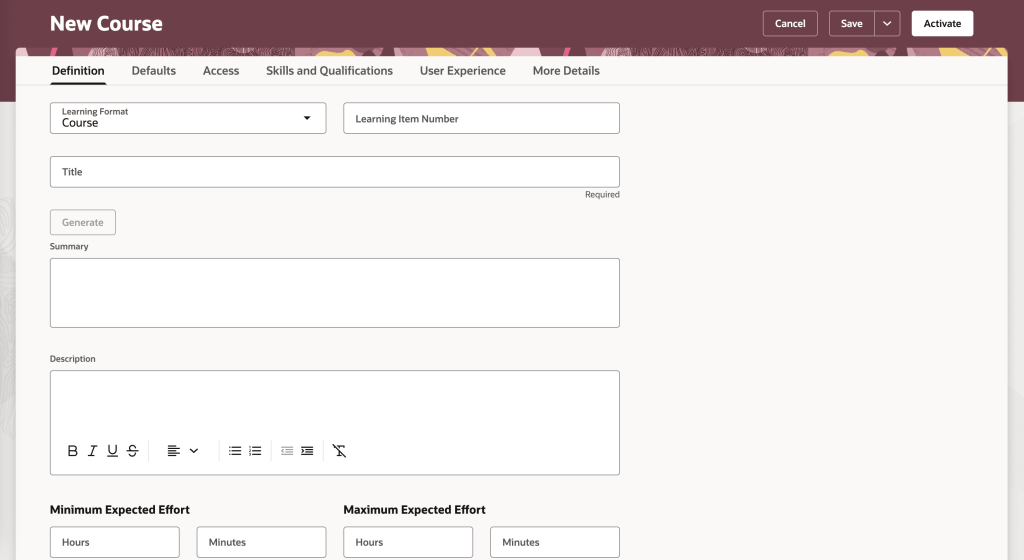
The final feature worth highlighting is the new Redwood Course Management page, which brings a modern, visually appealing interface to Oracle Learning. Learning Specialists can now enjoy a streamlined experience with grouped tabs for managing courses, Definitions, Defaults, Access, Skills and Qualifications, User Experience, and More Details, alongside a step-by-step creation process for organising core details, descriptions, visuals and settings. All course offerings, whether instructor-led, self-paced or blended, plus associated events, are accessible from a single Offerings tab for quicker navigation. Learners benefit from improved course detail pages with clearer layouts, showcasing included content, expected effort, acquired skills, instructors, outcomes, languages and celebratory completion notices. They can also engage through ratings, comments and lively discussions via dedicated interaction tabs.

Oracle often slip in a few extra features during the month, so it’s always worth keeping an eye out. If anything truly exciting comes along, I’ll share another blog post to keep you updated and ensure you don’t miss out. In the meantime, take a look at my latest write-up on the new Core HR features in Release 26A, you can find it here.

Please note all screenshots are the property of Oracle and are used according to their Copyright Guidelines

Oracle HCM Cloud Learn 25D

Release 25D has landed, and Oracle are gearing up for phase 2 of Redwood for Learn—this time turning the spotlight on Learn Admin pages, which are mandatory by release 26A. The focus is on making things smoother and smarter when it comes to resources, recommendations, self-paced learning, and external content. With the deadline fast approaching, it’s no surprise there’s a whole bunch of handy features to help you make the switch. Let’s dive in and see what’s new!

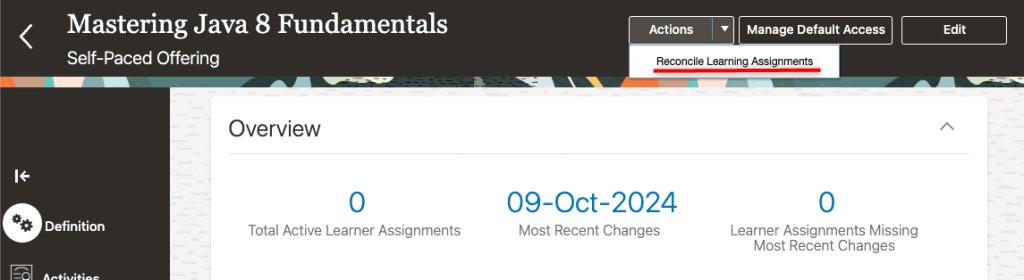
If you’re someone who often forgets to reconcile learning assignments, this new feature is for you. With just a quick tweak to a profile value, any course, offering, specialisation, or self-paced learning you kick off will now automatically trigger the reconciliation process. That means all your linked learning assignments stay up to date, saving you from the hassle of mismatched or outdated info.

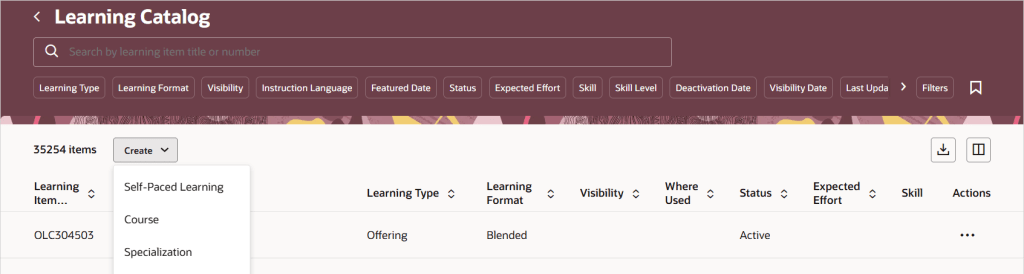
25D is bringing with it a new unified catalogue listing page, which will be your central location for all your Learn admin tasks. This new feature changes how admin access works for courses, specialisations, and offerings. Once you switch to the single learning catalogue view, courses, offerings, and specialisations will show up on the Learning Catalogue page. Just a heads-up: the old data security rules won’t apply anymore for the following tasks: viewing, managing courses, offerings, or specialisations in the catalogue. If your admins already have full access, there’s nothing you need to do. If you’ve been limiting access to certain items, now’s a great time to simplify things using catalogue administration profiles. Just set up profiles that define who can manage what, replacing the old security roles. Then, link your courses, offerings, and specialisations to the right profile—HCM Data Loader (CourseV3, OfferingV3, and SpecializationV3) can help with bulk updates.

If your organisation uses external learning content, you can now set default visibility rules for each provider, deciding who gets access and how the content shows up in topics and communities. It’s a great way to make sure the right people see the right stuff in the right places, all while keeping things aligned with your learning strategy. This update gives you more control over how third-party content is delivered, helps avoid misuse, and lets you manage licensing costs more efficiently. To get started, just head to My Client Groups > Learning and Development > Configure External Provider and tweak the audience and catalogue settings for any providers whose content is imported as self-paced learning.

With learning content getting better and richer, it’s no surprise the file sizes are growing too. Oracle’s on the ball, they’ve upped the max file size for Self Paced Learning, so you can now upload videos, SCORM packages (1.2 and 2004), AICC ZIPs, and presentations up to a whopping 2GB. PDFs are still capped at 1GB, but that should cover most needs. If you’ve already got Self Paced Learning switched on, there’s nothing you need to do—just enjoy the extra space!

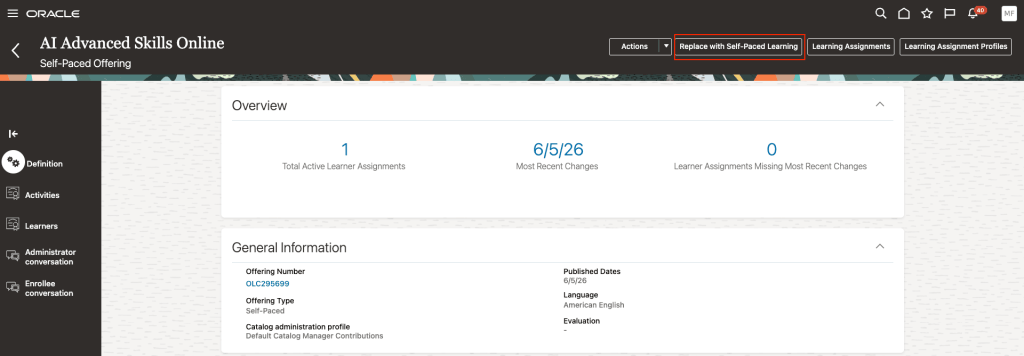
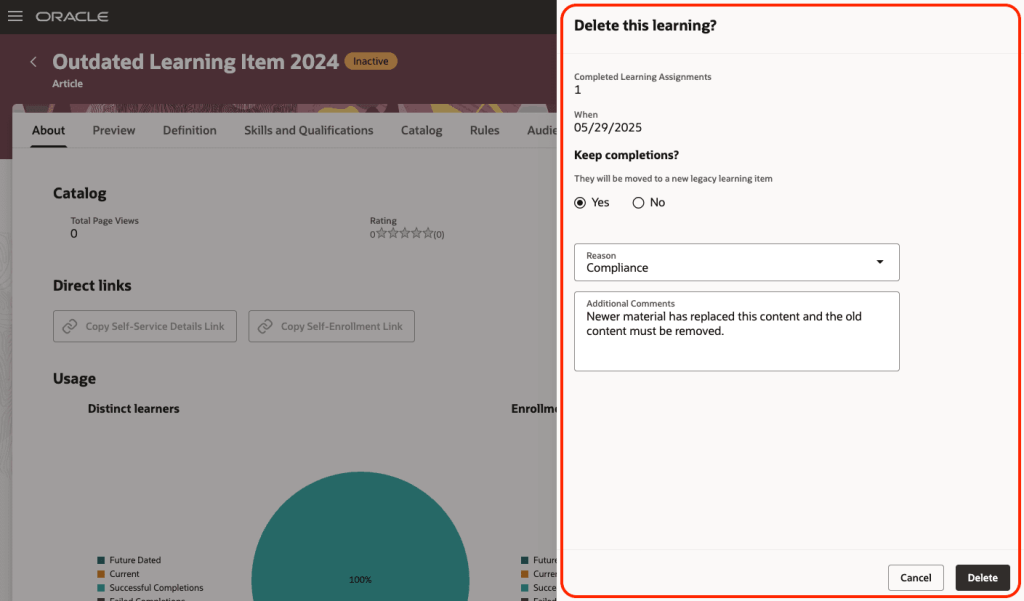
The final feature I want to highlight, is one that has been a frustration for many people and now it has been resolved. You can now clear out old self-paced learning from your Oracle Learning catalogue—whether it’s inactive or has missing content. Just click the new Delete button and you’ll see how many people completed it. You can choose to keep those completions by moving them to a legacy item, note down a reason for deleting it, and add a quick comment if you like. Once you confirm, the system runs a scheduled process that permanently removes the learning and all its links—like specialisations, communities, recommendations, initiatives, HCM goals and journeys. If you’ve chosen to keep completions, they’ll be safely moved so learner history isn’t lost. Just make sure self-paced learning is switched on and that you’ve added the new security privilege: WLF_DELETE_LEARNING_CATALOG_ITEM_PRIV.

Oracle often slip in a few extra new features throughout the month, so it’s always worth keeping an eye out. If anything truly exciting drops, I’ll put up another blog post to keep you in the know and make sure you’re not missing out. In the meantime, please check out my latest write-up on the new Core HR features in Release 25D, you can find it here.

Please note all screenshots are the property of Oracle and are used according to their Copyright Guidelines