Oracle Guided Learning Partner Forum Key Learnings

Today I was fortunate enough to attend an Oracle Partner event on Oracle Guided Learning (OGL) in London. Unfortunately due to an issue, the tube was closed and I missed the first hour of the day. Despite this, it was a really interesting day and I’ve learned so much.

Whilst I already knew what a multifaceted product OGL is, I didn’t realise the full breadth of it’s functionality. The capabilities of the package of OGL, Digital Assistant and Journeys is phenomenal!
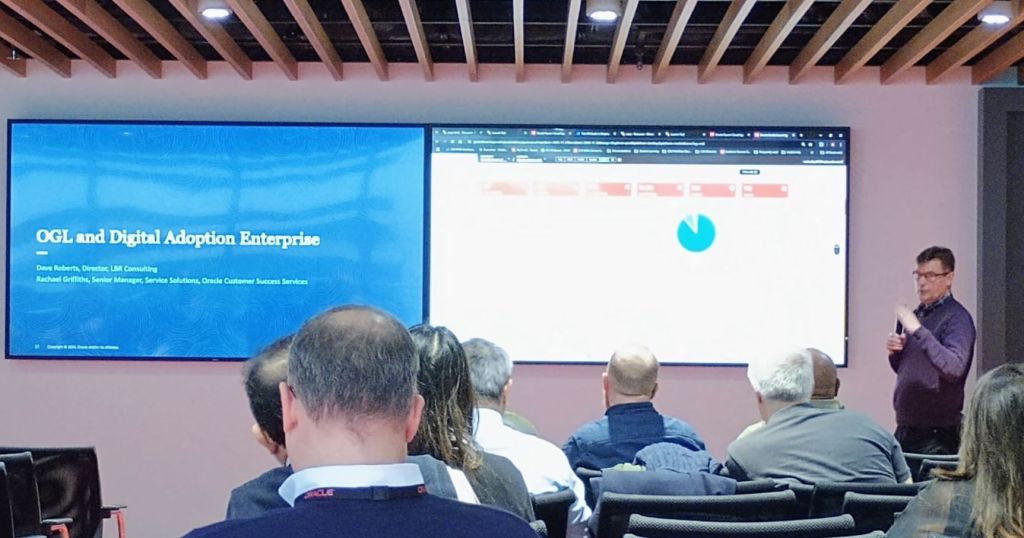
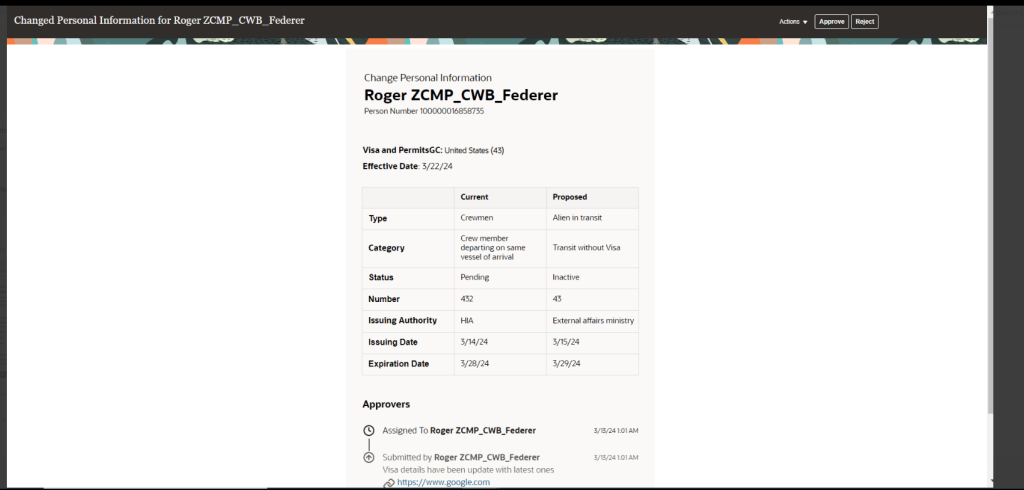
OGL can drive users to and through a Journey or use of Digital Assistant. Likewise, Journeys and Digital Assistant can drive users to OGL. For example OGL could be used to support a new user through their onboarding Journey.

Smart Tips can be added throughout pages to explain the purpose for fields. For example a Smart Tip could be added next to sensitive data fields such as Diversity data to explain why the organisation is collecting this data and what it will be used for.

Another useful function of OGL is the ability to add notes on a field. For example if you know there is an issue with the configuration of a particular action such as entering a maternity absence, a message could be added on the absence entry page warning of the issue. This would ensure that everyone who needs to add a maternity absence will be aware of the issue without the need for an organisation wide communication. The message can be updated to reflect it’s current status.
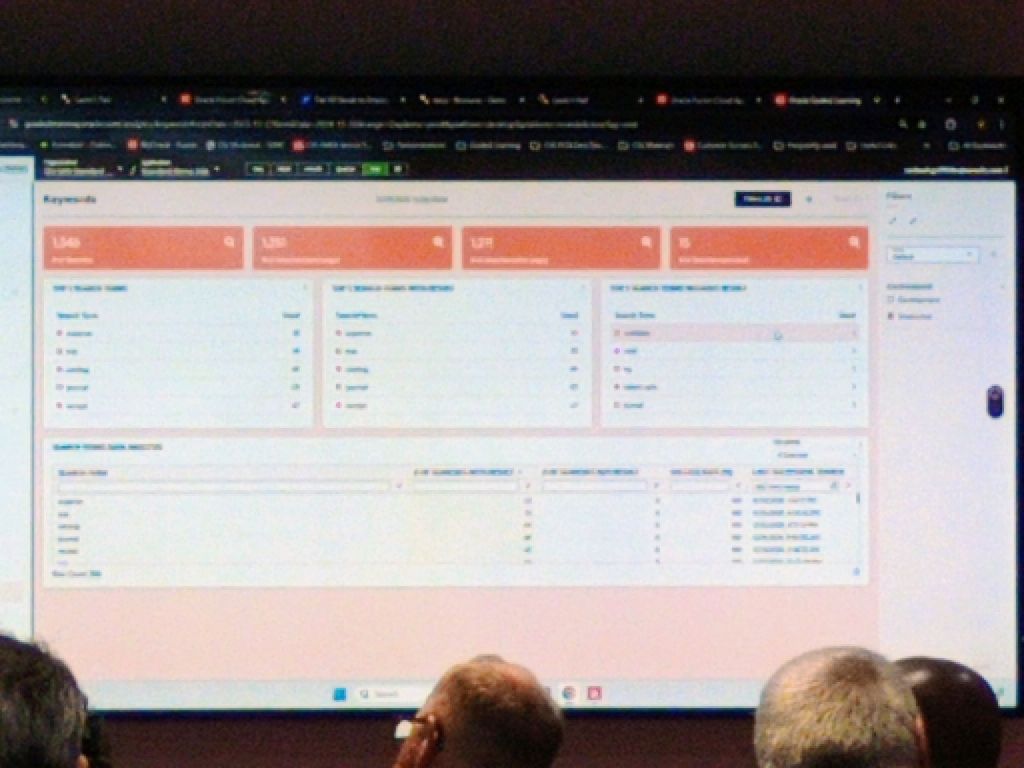
OGL has embedded analytics which allows for reporting on key search terms and how long has been spent on a particular transaction, amongst other items of data. This helps to highlight what users are searching for and might drive to the development of additional guides.

Unlike other Digital Learning platforms, OGL uses JavaScript and works within the browser, without the need for a plugin to be added to the browser. Previously when OGL was used with EPM, it did require a browser plugin but this has been resolved and is no longer the case.

Whilst OGL is an Oracle product, it can be used for third party and non-SaaS products. Each third-party product would need to be reviewed with the OGL team, but many uses have already been developed.
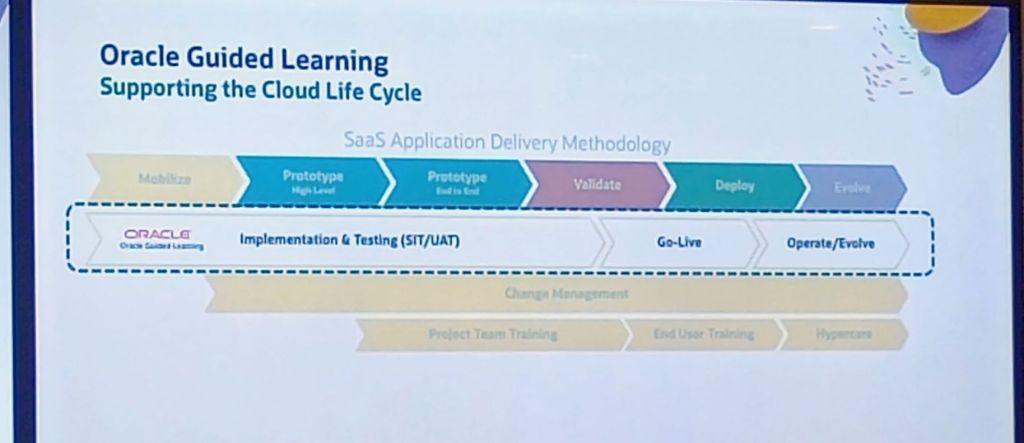
OGL is not just a training tool, it helps users with managing change. If an employee has been promoted and now is a Line Manager, giving them more responsibilities within the system, OGL can help with this! It can be used with (or without) a Journey to walk the user through their new responsibilities and functionality. Another key use can be for communicating changes brought by the introduction of Redwood. Smart Tips can be used to show where fields have moved to or the new process within the Redwood pages.
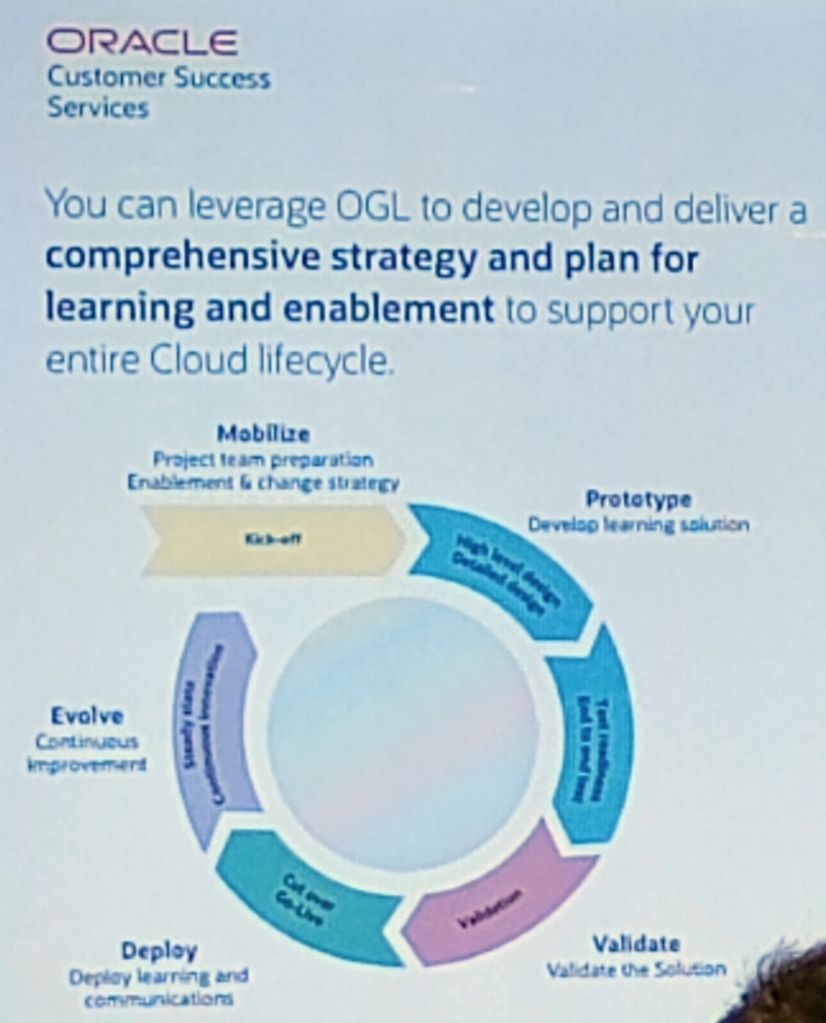
My absolute favourite part of OGL is the Auto Guide Recorder. The Recorder will do what the name says, record all of the steps followed, clicks made, keys typed to record the process. It is no more complicated that clicking through the steps that would typically be followed. Once this is recorded, the comments, Smart Tips and all other content can be added. This makes the creation of Guides much easier and quicker.

About the Author:

Kate Mead is an Oracle-certified HCM Consultant and Solution Architect at Version 1 with 14 years of experience in Oracle HR and Payroll systems, including 7 years with Oracle HCM Cloud. She has worked across implementation projects and managed services, has a sound knowledge of UK Payroll legislation and — before becoming a consultant — was an HR Manager.

If you have any questions or would like more information on how Version 1 can help you realise the full potential of your Oracle Cloud instances, please contact her at kate.mead@version1.com

Please note all screenshots are the property of Oracle and are used according to their Copyright Guidelines.

Updated Redwood Timelines

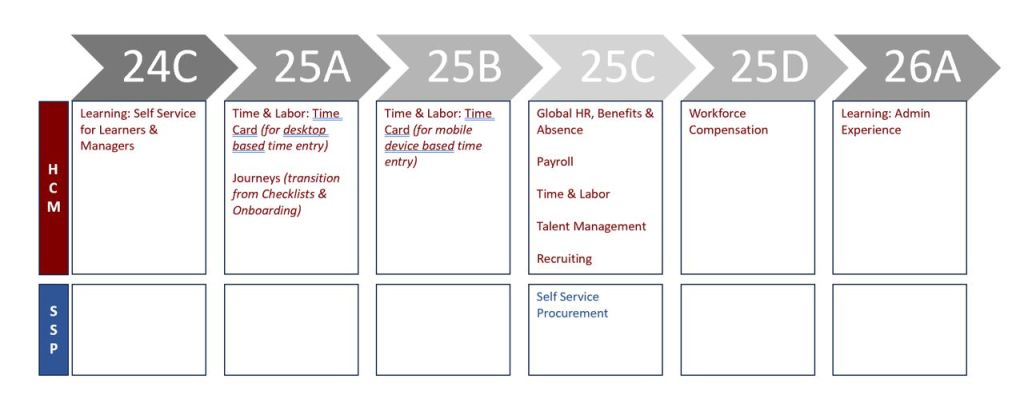
Oracle have made a slight change to the Redwood Timelines that were announced in August. Whilst it is not a significant change, there has been a separation of the deadlines for moving timecards to Redwood.

Those who complete timecards on a desktop / laptop, will still need to migrate to Redwood timecards by release 25A. The change is for those who complete timecards on a mobile device, have a little longer to make the move to Redwood. This has been pushed out to release 25B to give more time to make the necessary changes.

All other dates remain the same. The initial focus is Redwood Journeys and Redwood Timecards for desktop users. These are all mandatory in release 25A. The first deadline in the Procurement area is Self Service Procurement in release 25C.

About the Author:

Kate Mead is an Oracle-certified HCM Consultant and Solution Architect at Version 1 with 14 years of experience in Oracle HR and Payroll systems, including 7 years with Oracle HCM Cloud. She has worked across implementation projects and managed services, has a sound knowledge of UK Payroll legislation and — before becoming a consultant — was an HR Manager.

If you have any questions or would like more information on how Version 1 can help you realise the full potential of your Oracle Cloud instances, please contact her at kate.mead@version1.com

Please note all screenshots are the property of Oracle and are used according to their Copyright Guidelines

Generative AI in Oracle HCM Cloud

Everyone is talking about AI these days and Oracle is no different! The use of AI within Oracle applications isn’t new – Digital Assistant, Oracle’s chatbot has been in action for a while. Digital Assistant uses ‘skills’ similar to Alexa which are used as a basis for enquiries. Oracle provides seeded skills but custom ones can also be created.

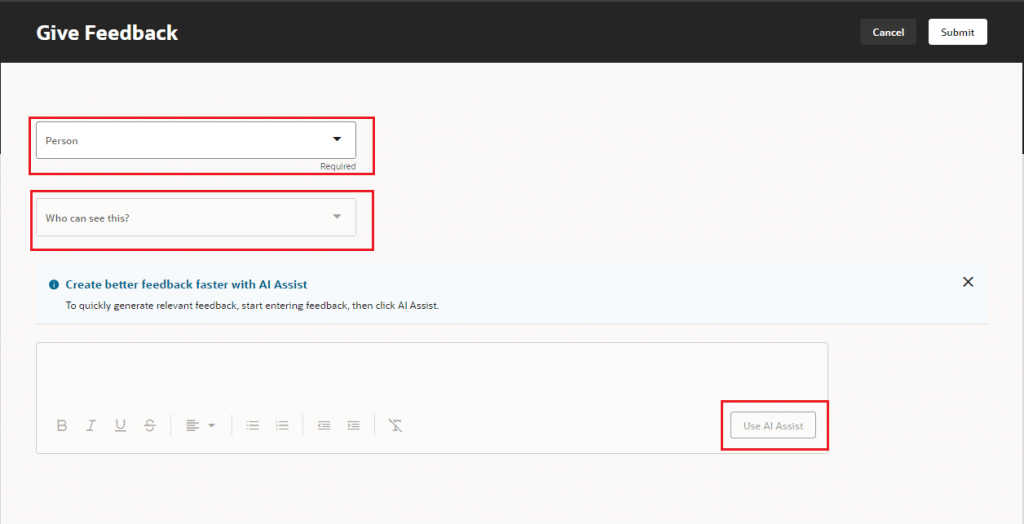
But what about Generative AI or Gen AI? Gen AI uses machine learning to learn patterns from the data and then create content based on it. Oracle have been incorporating Gen AI into HCM Cloud since release 24A. All of the features released require Redwood as they can be activated via VB Studio. Oracle have introduced AI Assist in a lot of applications, although predominantly in the Talent and Performance modules. AI Assist will take the information provided and summarise it. For instance, when a Line Manager reviews all Performance Documents, the AI Assist button will compile and summarise all pertinent performance information for that Employee. This feature saves the manager time by providing an editable summary, designed to enhance efficiency without eliminating the human touch.

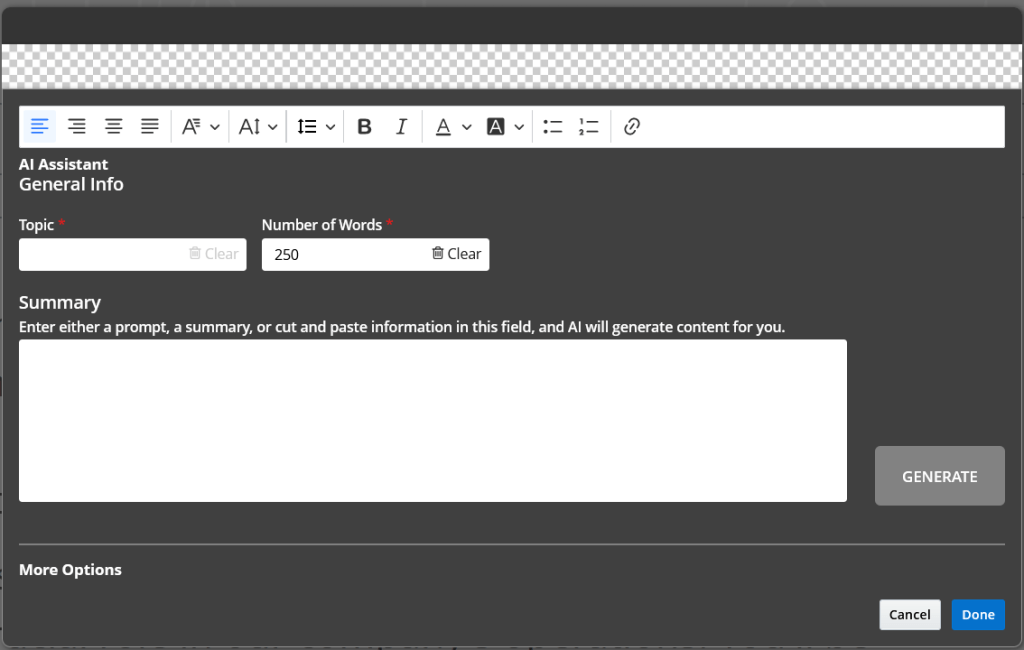
Gen AI is also available in Recruit to help produce content for your Career Site. By populating the topic, how many words you require it to be and a few key terms / words, the AI Assistant will generate the text for you. As with all Gen AI within Oracle, you can tweak the content as much as required, but it will make the process much easier.

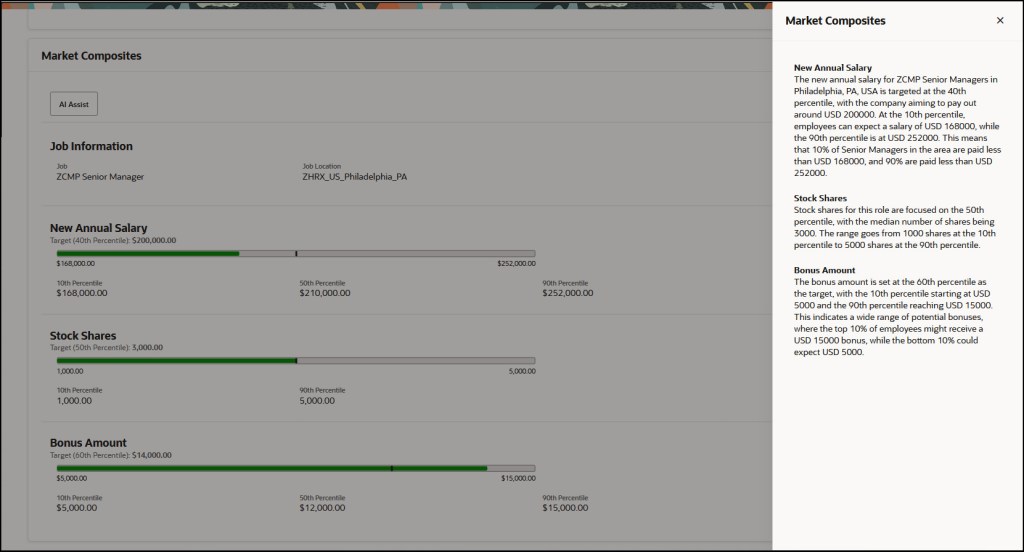
The new AI features continued in 24D, which included the introduction of AI Assistance for Market Composites in Compensation Info. This allows organisations to utilise Gen AI to generate explanations for market composites to Line Managers within the Compensation module. This will help guide the conversations between Line Managers and Employees about the competitiveness of their compensation package.

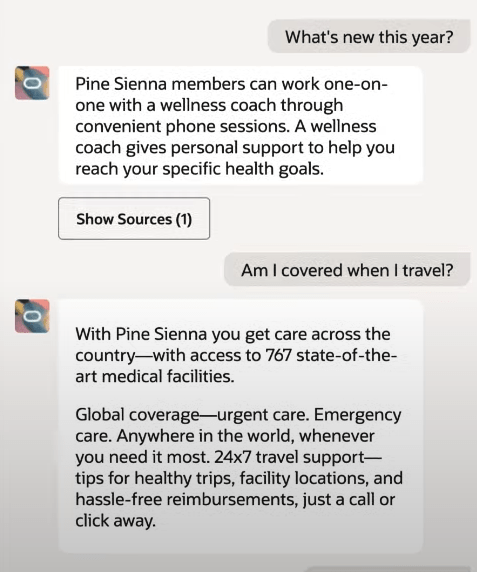
Oracle are constantly working on new use cases for Gen AI. It is anticipated that in 25A, the Benefits Analyst Agent will be available. This will allow Employees and Line Managers to ask the chatbot about available benefits for them, but also question why things have changed etc. It can also link to the sources that it used to determine the response, so the Employee can validate the information, if required.

Oracle is investing heavily in Gen AI and other ways to optimise user’s experience, so there will be more announcements soon. I expect a number of features to be included in 25A, not just the Benefits Analyst Agent. Once they are announced, I will do another post.

About the author:

Kate Mead is an Oracle-certified HCM Consultant and Solution Architect at Version 1 with 14 years of experience in Oracle HR and Payroll systems, including 7 years with Oracle HCM Cloud. She has worked across implementation projects and managed services, has a sound knowledge of UK Payroll legislation and — before becoming a consultant — was an HR Manager.

If you have any questions or would like more information on how Version 1 can help you realise the full potential of your Oracle Cloud instances, please contact her at kate.mead@version1.com

Please note all screenshots are the property of Oracle and are used according to their Copyright Guidelines

Redwood Notifications in Release 24D

Lots of people have asked about the move to Redwood for notifications in release 24D, so I thought I’d better write a blog on it! In several modules, including Compensation, Absence and Recruit, the seeded notifications have moved over to the new Redwood style.

So what does this mean for organisations? If you’re already using Redwood, there is nothing needed to be done. However, what if you’ve not made the move to Redwood yet? Unfortunately it isn’t possible to switch off the Redwood notifications for these modules. There are two options available, firstly to use the notifications as delivered with the Redwood theme applied. Alternatively, create a custom BI notification to replace the seeded Oracle BI notification. It is the specific seeded Oracle BI notifications that have moved to Redwood, rather than all notifications within those modules being in the Redwood toolset.

So what do these notifications look like? An example is below, but they are cleaner and easier to read. The actual content hasn’t changed, it is the layout that has.

The only issue is where organisations have a mix of seeded and custom notifications within the modules that have made the move to Redwood notifications. This will mean that some notifications will be in the Redwood look and feel and some won’t. Additionally, where organisations have a mix of modules where some notifications are now in Redwood and some aren’t, they will have the same issue. This will potentially cause confusion with some users, but if I’m honest, the majority are unlikely to notice.

If custom BI notifications have previously been created and they are causing an issue due to the inconsistency of appearance with the mix of Redwood and non-Redwood notifications, it is possible to move the existing custom BI notifications to the Redwood style. If you create a copy of the custom BI notification, the Redwood style will automatically be applied. This can then be set as the active notification.

About the author:

Kate Mead is an Oracle-certified HCM Consultant and Solution Architect at Version 1 with 14 years of experience in Oracle HR and Payroll systems, including 7 years with Oracle HCM Cloud. She has worked across implementation projects and managed services, has a sound knowledge of UK Payroll legislation and — before becoming a consultant — was an HR Manager.

If you have any questions or would like more information on how Version 1 can help you realise the full potential of your Oracle Cloud instances, please contact her at kate.mead@version1.com

Please note all screenshots are the property of Oracle and are used according to their Copyright Guidelines

Welcome to My New Blog!

Hello and welcome to my new blog! To those of you who followed my blog posts on Medium, thank you for joining me here. And to all the new readers, a warm welcome to you as well. I’m thrilled to make this transition and share my insights with everyone, without the need for an account

For those of you who don’t know me, I’m Kate Mead. I am an Oracle certified HCM Consultant with 15 years experience on Oracle HR and Payroll systems, including 8 years with Oracle Cloud HCM. Prior to being a consultant, I was a CIPD Certified HR and Payroll Manager.

I have a deep passion for new technology, especially the latest features within Oracle Fusion/Cloud. I frequently write about Quarterly Releases and new functionalities, including Redwood.

I value your feedback and thoughts on my posts. Please feel free to comment or message me—I’m eager to hear what you think. As always, your comments, likes, and follows are greatly appreciated!