
Earlier this year there was a split in the timelines for when Recruiting becomes mandatory in Redwood. Requisition Management, Job Applications and Candidate Management are all mandatory by Release 25C. Offer and Interview Management, Campaigns, Event and Agency Hiring are now mandatory by Release 26B. With this in mind, there are a lot of new features in release 25C to prepare for the second phase of Redwood for Recruiting. Oracle continues to deliver innovation, with new features rolling out throughout the quarter. I’ll be keeping a close eye on the updates, and if anything particularly noteworthy emerges, I’ll share a follow-up post to keep you in the loop.

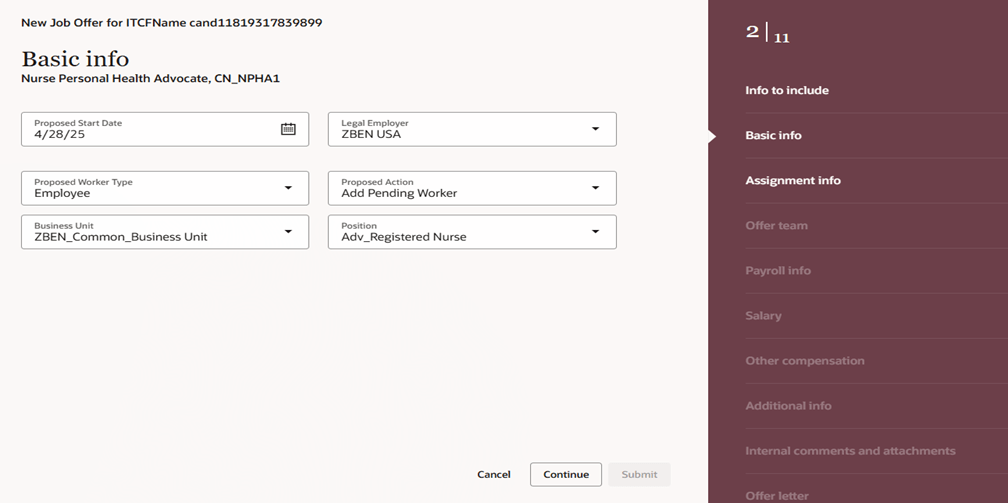
This release introduces Redwood functionality for Offers. It’s now possible to both create and delete an offer within Redwood. It’s possible to override information from the position during the offer process, unless Position Sync is switched on and then the option is greyed out. As with all new Redwood pages, I would recommend switching it on in your Development pod and checking out the functionality as soon as you receive 25B. The earlier you start testing, the easier it will be to adopt Redwood for Offers.
In this release Oracle have split out the Hiring tab, into two separate ones: Hiring and Candidate Sourcing. The Hiring tile now contains these tabs: Activity Centre; Messages; Requisitions; Offers; Candidate Search; Pools; Campaigns and Events. The new Candidate Sourcing tile contains these tabs: Events; Candidate Search; Pools; Messages and Campaigns. The separation of tiles will automatically happen if you have the ORA_REC_RECRUITING_REDWOOD_ENABLED profile. Only users who have security access to Candidate Sourcing will have access to the tile and it’s content.

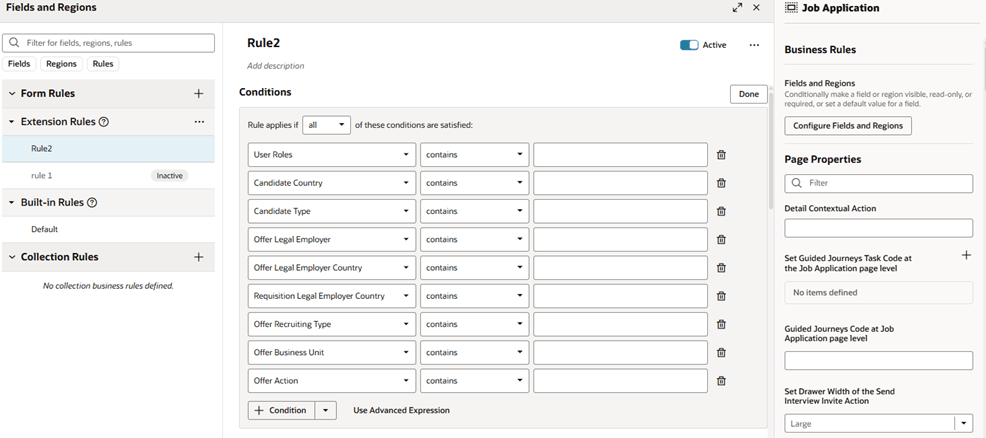
Whilst Job Applications are mandatory in Redwood by Release 25C, Oracle have added extra functionality within VBS to personalise the Job Application page. This is following customer feedback that requested additional fields to be available within Job Applications. Whilst the move to Redwood hasn’t always been smooth, I do think Oracle’s response to client feedback on additional personalisations that are requested and movement on mandatory timelines has been significantly more flexible than I would expect of an organisation of their size.
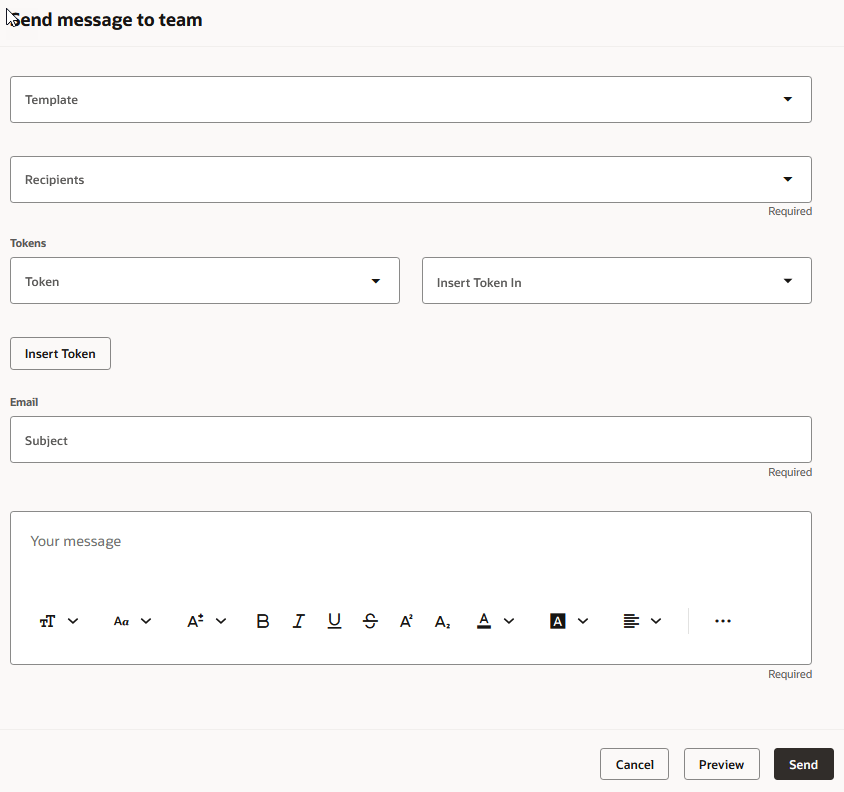
The Send Job Requisition and Job Application Related Messages to members of the hiring team has now been moved to Redwood. You can use a template to create the message or create it from scratch. The Recipients list will automatically display all the hiring team members, but you can type in the list to find other recipients. When you’re ready to send it, you can preview the message to ensure the content is correct and tokens are being resolved as expected. Once the message is sent, it’s available on the Messages tab of the job requisition, and on the Activity tab of the job application.
As I said earlier, Oracle generally continue to add new features throughout the quarter. I’ll be keeping a close watch on the updates, and if anything particularly impactful comes through, I’ll share a follow-up post to keep you informed and ahead of the curve. Please check out my blog on the new features in Core HR for Release 25C here.
Please note all screenshots are the property of Oracle and are used according to their Copyright Guidelines

 K8 Mead