Oracle HCM Cloud Core HR 24C

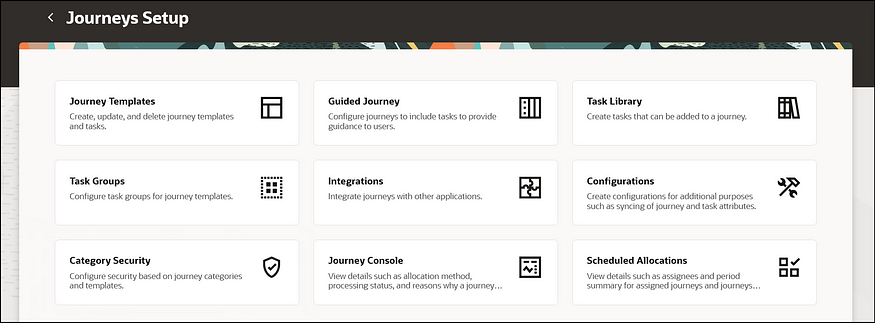
If you’ve followed my previous posts, you’ll know I love quarterly release time! There’s nothing better than the day when Oracle release the new features that we’re getting. As anticipated, this release is once again brimming with Redwood and Journey enhancements. Oracle is gearing up for 24D, where Checklists will be replaced by Journeys, and in 25B, Employee and Management Self Services tasks become mandatory in the Redwood interface.

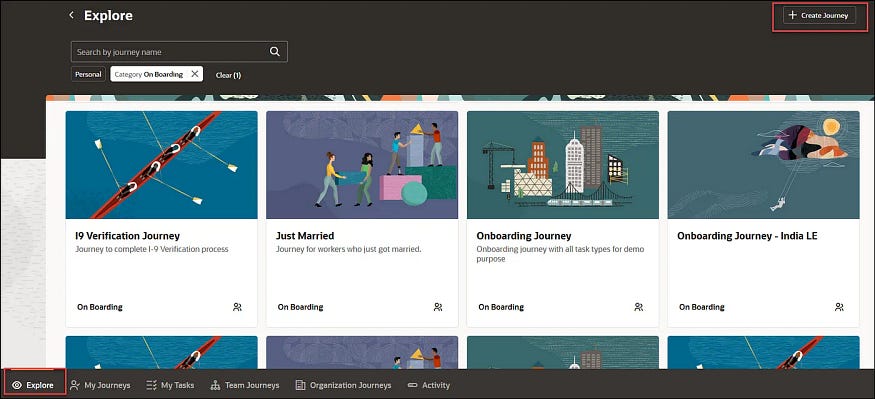
Redwood Journeys Explore Landing Page

Here are the top 5 new features in Core HR for Release 24C. Keep in mind that Oracle will continue to roll out additional features throughout the quarter, so stay tuned for my follow-up post:

1)Redwood and Journeys are combined for the first feature. Business Rules, which allow you to personalise Redwood pages within Visual Builder Studio (VBS), are brought to Journeys. You can now use rules to incorporate or hide features within a Journey, to improve the experience for your users.

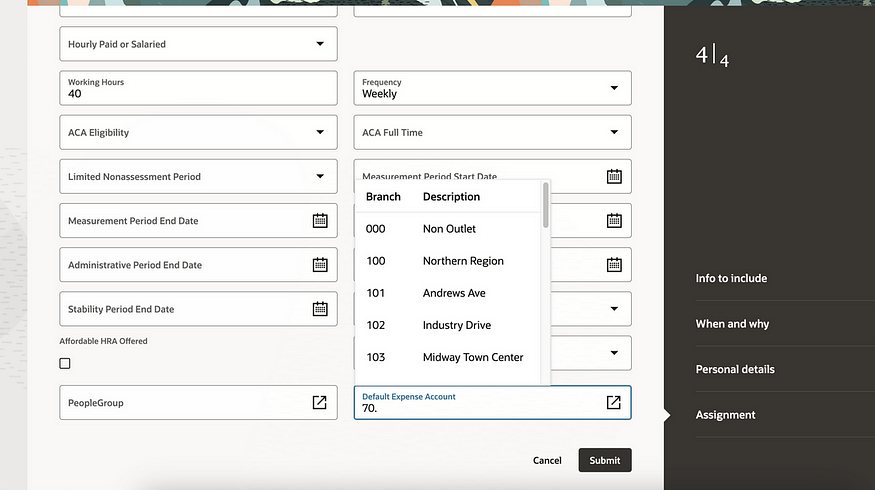
2) Any organisation which uses Expenses knows the importance of the Default Expense Account on an employee’s record. The journey to making all HR functions carried out in the Redwood toolset has made another leap forward. It is now possible to configure both the People Group and Default Expense Account key flexfields (KFF) within the Hire an Employee; Add a Contingent Worker / Pending Worker / Nonworker; Convert a Pending Worker and Create a Work Relationship.

3) There have been significant improvements to the Redwood Update Employment flow in 24C. These include the automatic calculation of FTE and Headcount; Probation Period and End Date; Defaulting of Location from Department; Ability to Add Non-Workers as Managers; and the new display of the remaining working hours in the ‘Weekly Working Hours Step’. All these automatic calculations will remove the need for manual intervention.

4) There is a new Redwood experience for Terminating Employment and for Employees to undertake Self Service Resignation. In addition to the process flow being moved to the Redwood toolset, so have the View, Reverse and Correct Termination. This ensures that more of the employee lifecycle process from onboarding to offboarding can be managed in the new streamlined Redwood UI.

5) There has been an improvement to the Work Patterns, which is particularly helpful for organisations which use rolling work patterns. The inclusion of non-working weeks provides significant value, especially for organisations with patterns like 2 weeks on, 2 weeks off.

As previously mentioned, Oracle is expected to introduce additional features in Core HR later this month. If these new features prove to be significant, I will create an updated blog post. Stay tuned for blogs covering other modules within HCM Cloud for Release 24C.

Click here to read more about Version 1’s Oracle capabilities.

About the author:

Kate Mead is an Oracle-certified HCM Consultant and Solution Architect at Version 1 with 14 years of experience in Oracle HR and Payroll systems, including 7 years with Oracle HCM Cloud. She has worked across implementation projects and managed services, has a sound knowledge of UK Payroll legislation and — before becoming a consultant — was an HR Manager.

If you have any questions or would like more information on how Version 1 can help you realise the full potential of your Oracle Cloud instances, please contact her at kate.mead@version1.com

Please note all screenshots are the property of Oracle and are used according to their Copyright Guidelines

Redwood Time & Labor — Planning Your Move

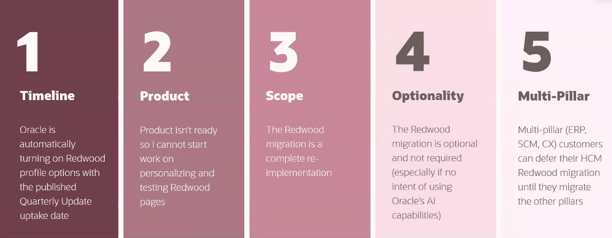
Everyone is talking Redwood for Oracle SaaS solutions, but let’s focus on Time & Labor (OTL). OTL stands out as one of the select modules that influences both Human Capital Management (HCM) and Enterprise Resource Planning (ERP). It serves a dual purpose: tracking time for payroll purposes and allocating costs within the Project Portfolio Management (PPM) module.

Redwood Timecard

With the upcoming Release 24D, the transition to Redwood Timecards becomes compulsory, signalling the end of support for Responsive Timecards. What does this entail? Post 24D, no bug fixes will be issued for Responsive Timecards. Moreover, should you submit a Service Request (SR) to Oracle concerning a Responsive Timecard, the recommended resolution will be to switch to Redwood. Considering that Release 24D is on the horizon, less than six months away, it’s crucial to start planning your migration immediately.

New Calculated Time View

As you start on the transition to Redwood, there are several key factors to consider. Security takes precedence; employees must possess edit rights to submit timecards, a shift from the current Responsive system. Similarly, managers will need edit rights to approve timecards directly within the interface.

Furthermore, please be aware of the following updates: 1)The Timecard Template now supersedes the ‘Copy Other’ feature found in Responsive timecards. 2) There is no support for daily details. 3) The Cost Override Layout is not supported. 4) Calculated Time has a new look (refer to the above screenshot). 5) For customising the sequence of timecard fields, the new unified layout is required.

Redwood Existing Time Cards

So what are the benefits of the Unified Layout? It’s much simpler to configure, there is only one layout for reported time, calculated time, entry, edit and view. The guided process has been streamlined, so there are just three steps — display properties; timecard fields and time totals. The timecard attributes can be configured by role — Worker, Line Manager and Time & Labor Manager. Additionally, it is possible to filter the data sources by role.

Configure Time Entry Layout

What do you need to consider before you turn on the Unified Layout? The great news is that the delivered time entry layout components will continue to work! There is no need to set them up again. From a security role perspective, Time & Labor Administrators can edit existing non-unified layouts, but they cannot create new ones. The unified layout can include a combination of non-unified and unified timecard fields. If you have dependent timecard fields on a non-unified layout, they must be switched to independent timecard fields when moving to the unified layouts. Finally, if you need to be able to control the order of the timecard fields on a Redwood timecard, you must use the unified layout.

Oracle is set to introduce new features in the 23C and 24D updates. However, all essential functionalities required for transitioning to Redwood Time Cards are currently accessible. It’s advisable to activate Oracle Search and configure the necessary profile options for OTL within a separate pod for thorough testing. Familiarising yourself with the system through hands-on experience is vital for devising a realistic deployment schedule for Production before the 24D release.

Learn more about how Version 1 can help you maximise your Oracle Cloud instances here.

About the author:

Kate Mead is an Oracle-certified HCM Consultant and Solution Architect at Version 1 with 14 years of experience in Oracle HR and Payroll systems, including 7 years with Oracle HCM Cloud. She has worked across implementation projects and managed services, has a sound knowledge of UK Payroll legislation and — before becoming a consultant — was an HR Manager.

If you have any questions or would like more information on how Version 1 can help you realise the full potential of your Oracle Cloud instances, please contact her at kate.mead@version1.com

Please note all screenshots are the property of Oracle and are used according to their Copyright Guidelines
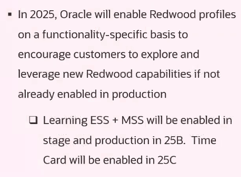
Oracle Cloud Redwood Customization Helper Tool

Today is the day! Oracle has released details of how to run the Redwood Customization Helper Tool. So what is it? It is a new tool that reports on your Responsive UX page personalisations that have been made in either Page Composer or Transaction Design Studio.

Page Composer Customizations Output

The tool outputs a JAR file which indicates which personalisations are supported in your current version of Visual Builder Express (VB Express) Business Rules. What’s even more exciting than the tool providing details of your personalisations to make the move to Redwood easier? Well, the tool also offers the option to migrate supported personalisations to your Redwood environment! It might not be quite as manual as we originally thought.

HCM Experience Design Studio Rules Supported for Migration

The above table lists all of the HCM Design Studio Rules which have the potential to be migrated using the Redwood Customization Helper Tool. Whilst not all functionality can be migrated, this is a massive improvement on what was originally communicated about the move from Responsive UX to the Redwood UX.

One key point to note is that the Customization Tool does not work with Single Sign On (SSO) accounts. If your Production pods are SSO only, you may want to run it against a non-prod pod where SSO is optional, providing all of the personalisations are present.

The second point of note is that you have to download an .exe file for it, so if your organisation has tight rules about what you can download, this may cause an additional complication. If you can obtain permission to download the file, it is definitely worth it.

Redwood Customization Helper Tool Forum on Customer Connect

The final piece of information that I want to highlight is that Oracle has also created a new forum area on Customer Connect as well. This will make it easier to raise any questions relating to the new tool. If you add a tag of ‘Redwood’ the core team at the Oracle Centre of Excellence will pick up the query and answer it more quickly.

About the author:

Kate Mead is an Oracle-certified HCM Consultant and Solution Architect at Version 1 with 14 years of experience in Oracle HR and Payroll systems, including 7 years with Oracle HCM Cloud. She has worked across implementation projects and managed services, has a sound knowledge of UK Payroll legislation and — before becoming a consultant — was an HR Manager.

If you have any questions or would like more information on how Version 1 can help you realise the full potential of your Oracle Cloud instances, please contact her at kate.mead@version1.com

Please note all screenshots are the property of Oracle and are used according to their Copyright Guidelines
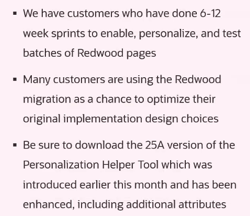
Oracle HCM Cloud Time and Labor Release 24B

It’s 24B time! Given the imminent mandatory requirement for all Timesheets to be in the new Redwood UI by 24D, it’s not surprising that there are a number of Redwood new features in this current release. Whilst Oracle are likely to release more enhancements over March, I wanted to highlight a few key features that have already been announced.

Absence Plan Balances in Time Cards

The first feature I also mentioned in my Absence 24B blog, but it’s important for those who use Time and Labor. Oracle have provided users the ability to view absence plan balances directly in the Redwood Time Card. This will save employees from having to check their balances in the absence area and then go back to their time cards to log the absence.

Redwood Existing Time Cards

The new Redwood Existing Time Cards page allows users the ability to open and view their existing timecards more quickly using the row-level Edit action or by clicking the period start date link. If users aren’t allowed to edit existing timecards, they will open in read-only mode. The same functionality has also been applied to the new Redwood Team Time Cards page.

Automatic Addition of On Call Shifts on Redwood Time Cards

I love this feature! Oracle has made it so much easier to handle on-call payments via timecards with this new enhancement. Whenever a timecard is created for a period with worker-assigned on-call shifts, rules can be created to automatically assign an on-call entry onto the timecard. The rules can be configured to include/exclude specific pay types.

Redwood Review of Warnings Page

Whilst there are a significant number of Redwood features in the 24B Time and Labor release, I can’t cover them all in this post. The final key feature I wish to highlight is the new Redwood Review of Warnings page. When an employee or line manager saves or submits a timecard, a warning may be received. The new Warnings page allows the user to review these warnings and correct if necessary, immediately at the point of submission. It’s a much more user-friendly page and provides easier to understand messages with recommendations on how to resolve the warnings.

As I said earlier, Oracle is likely to release more features in Time and Labor later in the month, so I will do an updated blog if the additional features are significant. Please keep an eye out for blogs on other modules within HCM Cloud for Release 24B. Finally, I’d love it if you could check out my post on the key features so far in Core HR:

https://k8mead.com/?p=100

Click here to read more about Version 1’s Oracle capabilities.

About the author:

Kate Mead is an Oracle-certified HCM Consultant and Solution Architect at Version 1 with 14 years of experience in Oracle HR and Payroll systems, including 7 years with Oracle HCM Cloud. She has worked across implementation projects and managed services, has a sound knowledge of UK Payroll legislation and — before becoming a consultant — was an HR Manager.

If you have any questions or would like more information on how Version 1 can help you realise the full potential of your Oracle Cloud instances, please contact her at kate.mead@version1.com

Please note all screenshots are the property of Oracle and are used according to their Copyright Guidelines
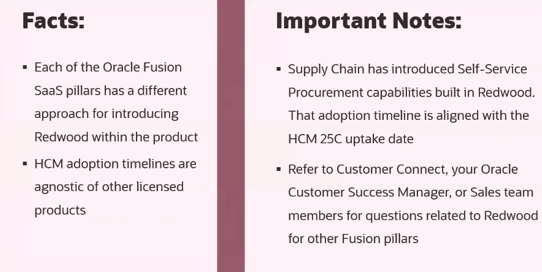
Oracle HCM Cloud Payroll Release 24B

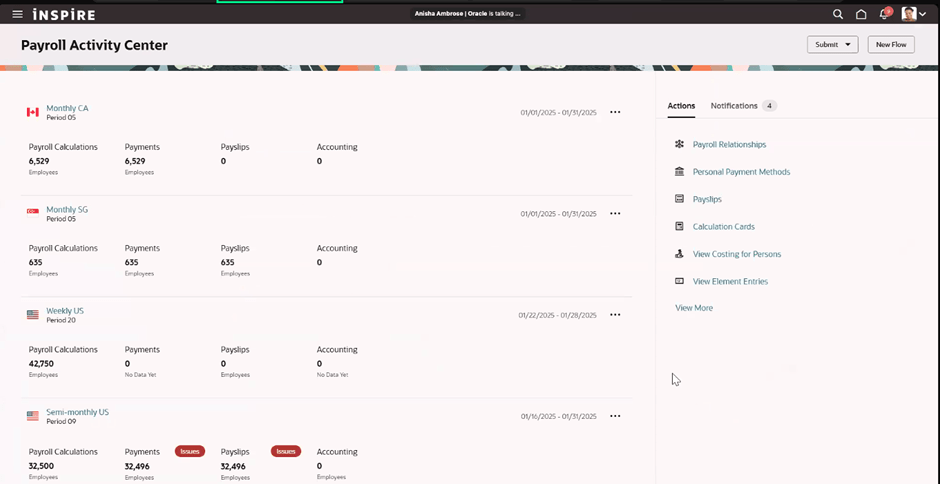
Oracle have started to release what’s coming in release 24B. Whilst there will be more features released over March, I wanted to highlight a few key new features that have already been announced within the Payroll space.

Redwood Personal Payment Methods

In Release 23D Oracle released the Redwood Personal Payment Methods page. In 24B, this, as well as the Redwood Payroll Relationships page are being delivered switched on automatically. This means that any organisation who haven’t already moved these pages over to Redwood will need to do thorough testing prior to 24B to ensure they meet their needs. Alternatively, it will need to be manually switched off- via the appropriate profile options.

Redwood Payslip

Keeping on with the Redwood theme, the earnings and deductions amount on the payslip summary page has now been moved to the Redwood toolset. These can be displayed based on the element primary classification. In the example screenshot above, they are displayed under the headings pre-tax, tax and after tax.

Run Feature Upgrade

The new ‘Upgrade Cost Results’ feature in the ‘Run Feature Upgrade’ payroll flow allows users to upgrade the prior period payroll cost results. These can be updated for assignment, tax reporting unit, and the calculation breakdown values from the payroll run results. This will make adjustments to prior period results much easier.

Click here to read more about Version 1’s Oracle capabilities.

So far there aren’t any UK legislation specific Payroll updates announced in 24B. All of the 2024/25 tax year statutory changes are included in the CWB prior to tax year end. I wouldn’t be surprised if there aren’t some extra UK specific features announced later in March though.

Also keep an eye out for blogs on other modules within HCM Cloud for Release 24B. Please check out my post on the key features so far in Core HR:

https://k8mead.com/?p=100

About the author:

Kate Mead is an Oracle-certified HCM Consultant and Solution Architect at Version 1 with 14 years of experience in Oracle HR and Payroll systems, including 7 years with Oracle HCM Cloud. She has worked across implementation projects and managed services, has a sound knowledge of UK Payroll legislation and — before becoming a consultant — was an HR Manager.

If you have any questions or would like more information on how Version 1 can help you realise the full potential of your Oracle Cloud instances, please contact her at kate.mead@version1.com

Please note all screenshots are the property of Oracle and are used according to their Copyright Guidelines
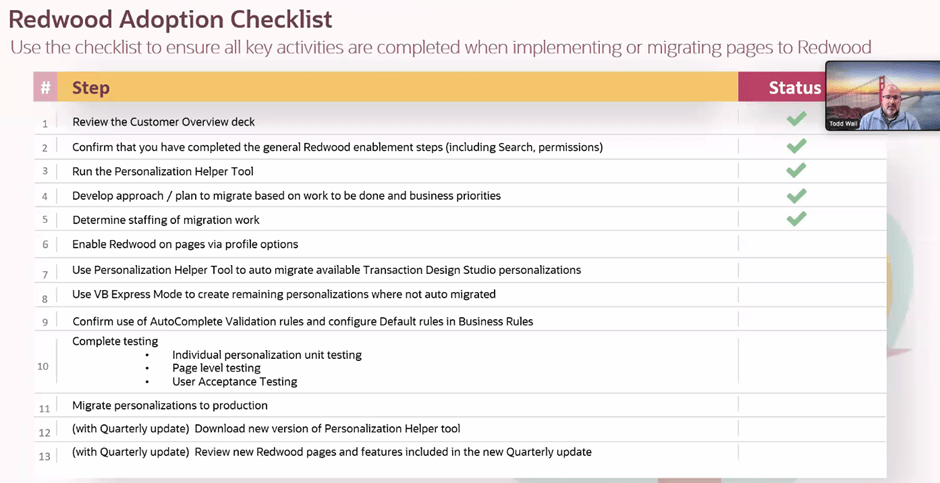
Oracle HCM Cloud Absence Release 24B

Oracle have started to release what’s coming in release 24B. Whilst they are likely to drip feed the features over March, I wanted to highlight a few key new features that have already been announced.

Redwood Absence Cases

Absence Cases are critical to the new Enhanced UK Statutory Absence Solution that is mandatory for UK customers in release 24C. Having the Absence Cases page rewritten in the Redwood toolset ensures that users have a consistent experience with absences.

Absence Plan Balances Viewable in Redwood Time Cards

Click here to read more about Version 1’s Oracle capabilities.

A great feature for organisations using Absences and Time Cards in Redwood, is the ability to view absence plan balances directly in the time card. This saves employees having to check their balances in the absence area and then go back to their time cards. This will only add value for those organisations that allow employees to enter absences directly in the time card, rather than in absences and interfacing across to time cards.

Absence Entry in Redwood

One big frustration for customers in the difficulty in reporting on open ended absences. Open ended absences are a fact of life for most organisations are employees will go on leave with no known return to work date. In 24B, the open ended flag and the estimated end date attribute have been added to the absences OTBI subject area. This will make the monitoring of open ended absences much easier.

As I said earlier, Oracle are likely to release more features in Absence later in the month, so I will do an updated blog later. Also keep an eye out for blogs on other modules within HCM Cloud for Release 24B. Please check out my post on the key features so far in Core HR:

Oracle HCM Cloud Core HR 24C – K8 Mead

About the author:

Kate Mead is an Oracle-certified HCM Consultant and Solution Architect at Version 1 with 14 years of experience in Oracle HR and Payroll systems, including 7 years with Oracle HCM Cloud. She has worked across implementation projects and managed services, has a sound knowledge of UK Payroll legislation and — before becoming a consultant — was an HR Manager.

If you have any questions or would like more information on how Version 1 can help you realise the full potential of your Oracle Cloud instances, please contact her at kate.mead@version1.com

Please note all screenshots are the property of Oracle and are used according to their Copyright Guidelines
Oracle HCM Cloud Core HR 24B

It’s my favourite time of the quarter when Oracle release the details of what’s coming in the next release! Oracle will continue to reveal details of 24B over March, but what has been announced in Core HR so far, is already looking great.

Team Activity Centre

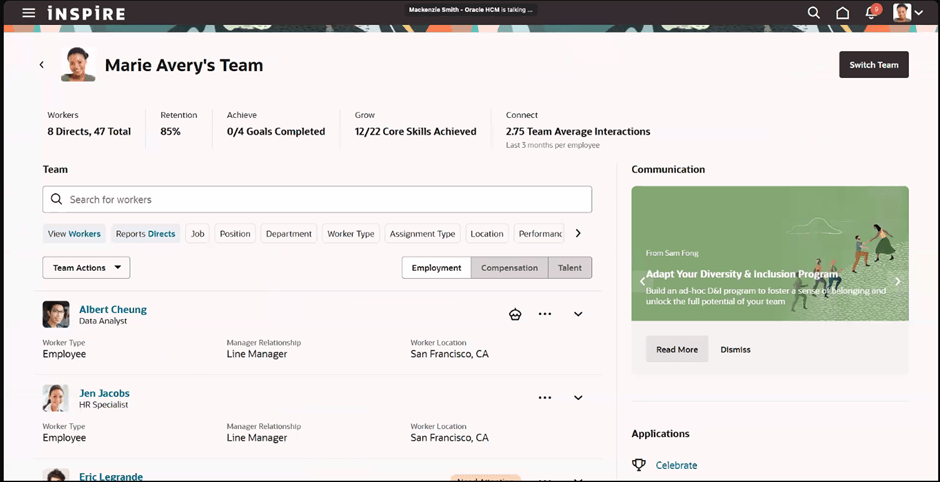
Unsurprisingly, this is another Redwood-heavy release and I’m delighted with what has already been announced. As part of the drive to move Employee and Manager Self Service to Redwood, there is a new Team Activity Centre. This gives Line Managers a high-level overview of the important metrics relating to their team, including staff turnover and progression with goals and skills.

If your organisation is using Journeys, Line Managers can see details of outstanding tasks waiting to be completed. Additionally, key information that the Line Manager needs to view for their team, can be seen directly in the new Activity Centre, for example, compensation details, talent ratings and the status of recruitment requisitions.

Pending Workers

Pending Workers have joined Redwood now! This is another key page that HR teams use regularly which has been completely rewritten within the VBS toolset. It’s now a guided process and Guided Journeys can be incorporated into the process too.

Convert Pending Worker Flow

Journeys are another key theme of recent Core HR releases and this is no different. The worlds of Redwood and Journeys are meeting perfectly with a number of key new features in 24B.

Journeys Configuration

Configuration has now moved to Redwood, with the new Journeys Configuration page. The new Journey Configurations page is the equivalent of the existing Configurations tab where Journeys were previously set up. The new page is designed to be easier to use, with fewer button clicks and better performance.

Journeys Console

Additionally, there is a new Journeys Console and Journeys Integrations application written in VBS to replace the existing View Console and Integrations tabs on the Checklist Templates page. These include the same optimisations that the Journeys Configuration page has.

One more exciting new feature is the Autoprovisioning of Areas of Responsibility based on templates. It is now possible to mass assign, but also automatically end date, AOR based on user-defined template criteria. The new Assign by Criteria section allows organisations to add criteria and values that identify the user who should receive the responsibility with the Basic Info and Scope defined in the prior sections of the page.

As I said earlier, Oracle is likely to release more features in Core HR later in the month, so I will do an updated blog later in the month. Also, keep an eye out for blogs on other modules within HCM Cloud for Release 24B.

Learn more about how Version 1 can help you maximise your Oracle Cloud instances here.

About the author:

Kate Mead is an Oracle-certified HCM Consultant and Solution Architect at Version 1 with 14 years of experience in Oracle HR and Payroll systems, including 7 years with Oracle HCM Cloud. She has worked across implementation projects and managed services, has a sound knowledge of UK Payroll legislation and — before becoming a consultant — was an HR Manager.

If you have any questions or would like more information on how Version 1 can help you realise the full potential of your Oracle Cloud instances, please contact her at kate.mead@version1.com

Please note all screenshots are the property of Oracle and are used according to their Copyright Guidelines

Oracle Cloud Console — what is it?

Have you heard about the all new Oracle Cloud Console? It’s a very exciting development for all Oracle Cloud Customers, including ERP Cloud, EPM Cloud, HCM Cloud and OCI!

Oracle Cloud Console

So what is Oracle Cloud Console?

It’s the new Service Management Platform from Oracle to improve the experience for your administrators. It incorporates Environment Management; Communications; Subscriptions and Costs; and Identity, Security and Compliance.

What is Cloud Console?

The roadmap for future features will also add in monitoring functionality, including environment availability, diagnostics, alerts and log files.

Why should I be excited? The Environment Management part of the Console is a massive step forward! We all have experienced the lead times on requesting an environment refresh (P2T copy). Sometimes we need a P2T quickly if we need to test something using Production data, but it can be up to a three week lead time. This is all changing!

Environment Refresh

So what does this mean for us? P2Ts are no longer copied directly from Production. Each evening Oracle takes a back up from your Production pod, so rather than taking a snapshot at the start of the P2T process, Oracle will now use this nightly backed up data. This means that there is no impact on your Production pod when the snapshot is taken, but more importantly, the lead time has gone! Once you’ve moved to Oracle Cloud Console, you can request your P2Ts yourself, without the need to raise an SR, but also it can start immediately!

Environment Refresh

There are a few points to be mindful of. If you’re going to select a P2T immediately, is any inflight configuration or development in the non prod pod documented / backed up? If not, please back up before starting. Secondly, you cannot request a refresh 4 days before or after a scheduled patch (quarterly releases, CWBs etc).

So how do I get it? Oracle is rolling this out to all Cloud customers between Quarter 3 2023 — Quarter 3 2024, so everyone will have this in the next 6 months. Oracle will notify you 30 days prior to the transition to Cloud Console. Firstly it will be switched on for your non Production Cadence pods and then 2 weeks later for your Production Cadence pods.

So in summary, this is a very exciting development and we’ll all get to benefit from it soon, and I for one, cannot wait!

About the author:

Kate Mead is an Oracle-certified HCM Consultant and Solution Architect at Version 1 with 14 years of experience in Oracle HR and Payroll systems, including 7 years with Oracle HCM Cloud. She has worked across implementation projects and managed services, has a sound knowledge of UK Payroll legislation and — before becoming a consultant — was an HR Manager.

If you have any questions or would like more information on how Version 1 can help you realise the full potential of your Oracle Cloud instances, please contact her at kate.mead@version1.com

Please note all screenshots are the property of Oracle and are used according to their Copyright Guidelines
Oracle HCM Cloud Redwood Key Dates
Have you read my previous blog on Redwood in HCM Cloud? If not, check it out here! Now you know what Redwood UI is, it’s time to review the timeline for implementing Redwood for Oracle HCM Cloud.
Image by Kjjj3 from Pixabay

As of January 2024, these are the key dates, that organisations who use Oracle HCM Cloud should know, for Redwood implementation:

Release 24A

Majority of key HR and Payroll processes available in Redwood UI

Newly provisioned pods will be delivered with Redwood-enabled

Image by tigerlily713 from Pixabay

Release 24B

Redwood for Learn Self Service becomes mandatory

Image by Jagrit Parajuli from Pixabay

Release 24D

Checklists and Onboarding replaced with Journeys

Redwood for Timecards becomes mandatory

Image by Nile from Pixabay

Release 25A

New Go-lives must be Redwood

Image by WOKANDAPIX from Pixabay

Release 25B

All Employee Self Service (ESS) / Manager Self Service (MSS) must be Redwood

Image by StartupStockPhotos from Pixabay

Now is the time to start planning for your move to Redwood UI. Version 1 can help you plan and implement Redwood UI for all your Oracle Cloud modules — EPM, ERP and HCM. For more details, please get in touch!

About the author:

Kate Mead is an Oracle-certified HCM Consultant and Solution Architect at Version 1 with 14 years of experience in Oracle HR and Payroll systems, including 7 years with Oracle HCM Cloud. She has worked across implementation projects and managed services, has a sound knowledge of UK Payroll legislation and — before becoming a consultant — was an HR Manager.

If you have any questions or would like more information on how Version 1 can help you realise the full potential of your Oracle HCM Cloud instances, please contact her at kate.mead@version1.com

Are You Getting the Most from Oracle Guided Learning (OGL)?

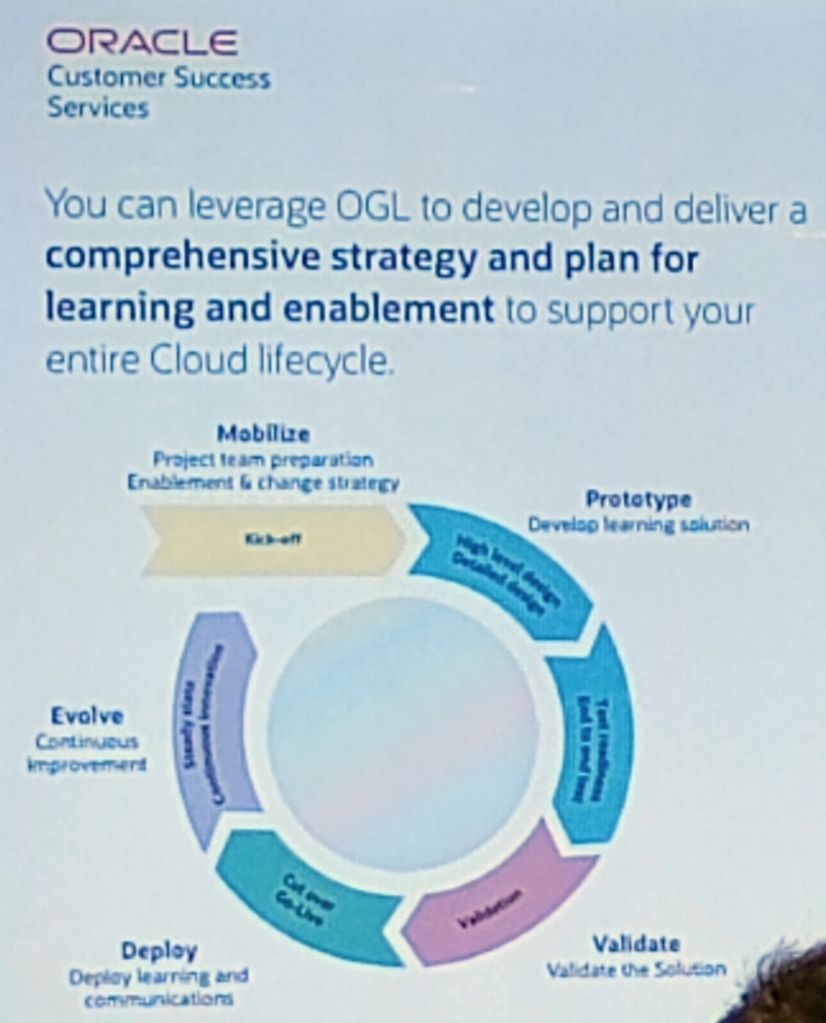
Firstly, what is Oracle Guided Learning? OGL is part of Oracle’s Digital Adoption Platforms (DAP). It’s a highly configurable tool which allows organisations to use in-application guides within their Cloud instances to guide users to follow processes in their preferred way. The guiding includes in-app messages, process guides, step guides, smart tips and beacons. It can be utilised to help an organisation handle change with technology, processes or to help make decisions.

Image by StartupStockPhotos from Pixabay

Organisations have the flexibility to use the pre-defined Oracle guides or develop their own content. As with all seeded content from Oracle, it is also possible to copy the Oracle guides and modify them to meet the organisation’s needs for a hybrid approach to content development.

Examples of Features in OGL

In-app feature messages can be customised or displayed based on the user’s roles, the time of day or the specific content. Additionally, it is possible to measure users’ interaction with the messages, to monitor the effectiveness of the communication.

Example Prompt for OGL

The use of prompts can help users navigate through the process. Prompts can be added to any element within a page. Within the content, it is possible to view any key information, including highlighting any AI content.

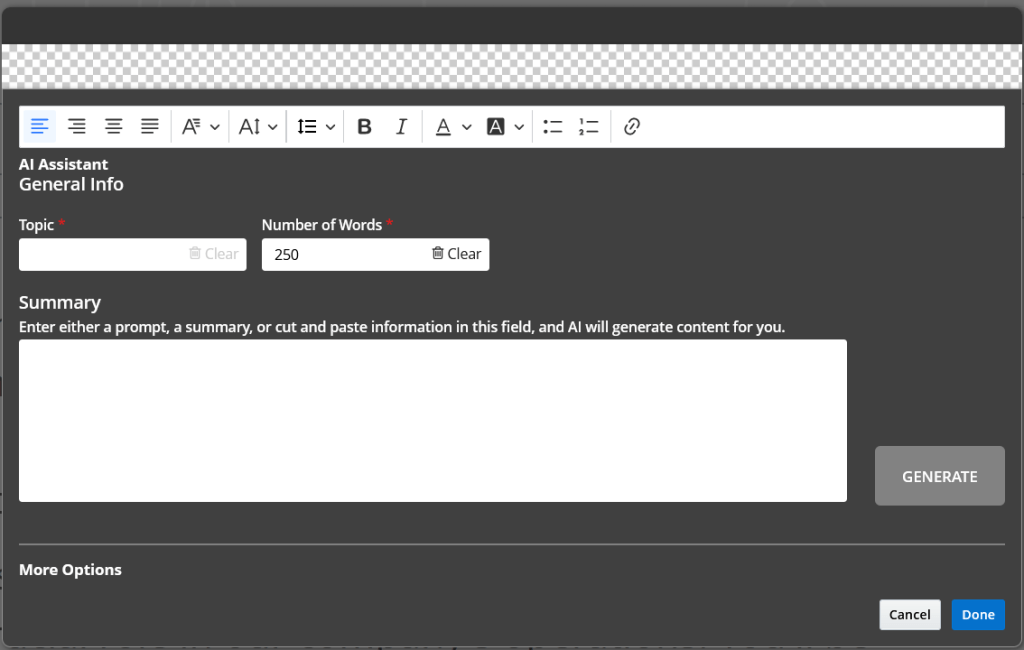
Example Use of AI within OGL

OGL is provided as part of the licence for organisations using Oracle HCM, ERP or EPM Cloud. As part of the licence, an organisation is allowed to have 15 individual OGL guides. If more than 15 are required, Oracle Guided Learning Premium will be required.

About the author:

Kate Mead is an Oracle-certified HCM Consultant and Solution Architect at Version 1 with 14 years of experience in Oracle HR and Payroll systems, including 7 years with Oracle HCM Cloud. She has worked across implementation projects and managed services, has a sound knowledge of UK Payroll legislation and — before becoming a consultant — was an HR Manager.

If you have any questions or would like more information on how Version 1 can help you realise the full potential of your Oracle HCM Cloud instances, please contact her at kate.mead@version1.com

Please note all screenshots are the property of Oracle and are used according to their Copyright Guidelines