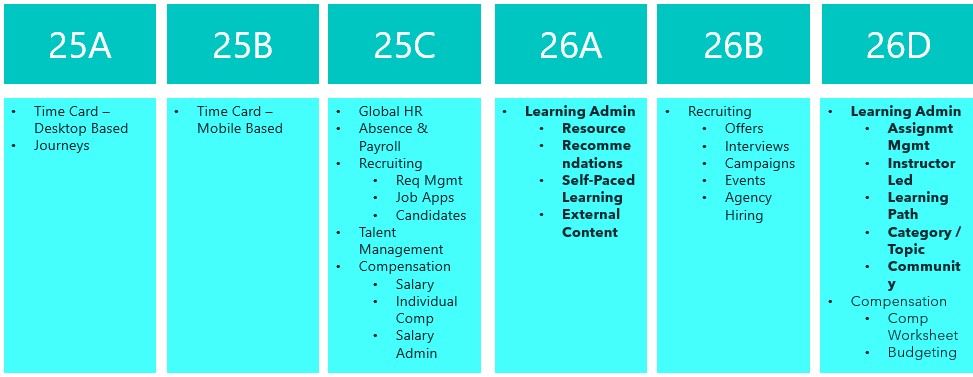
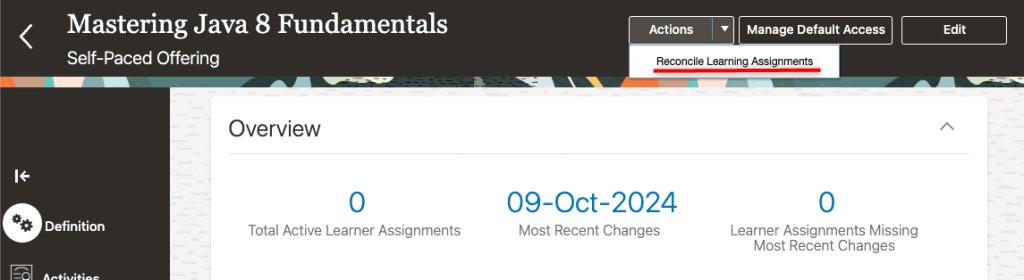
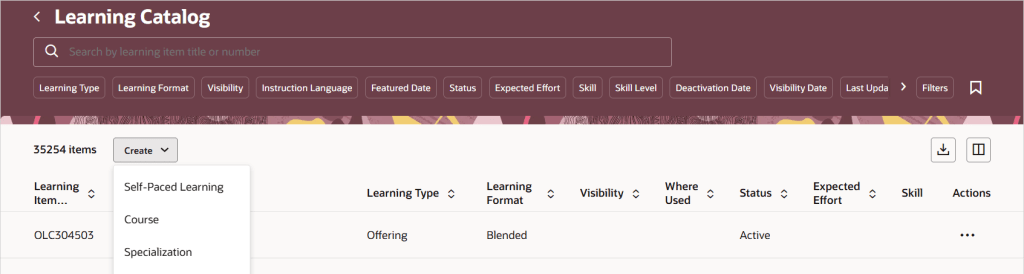
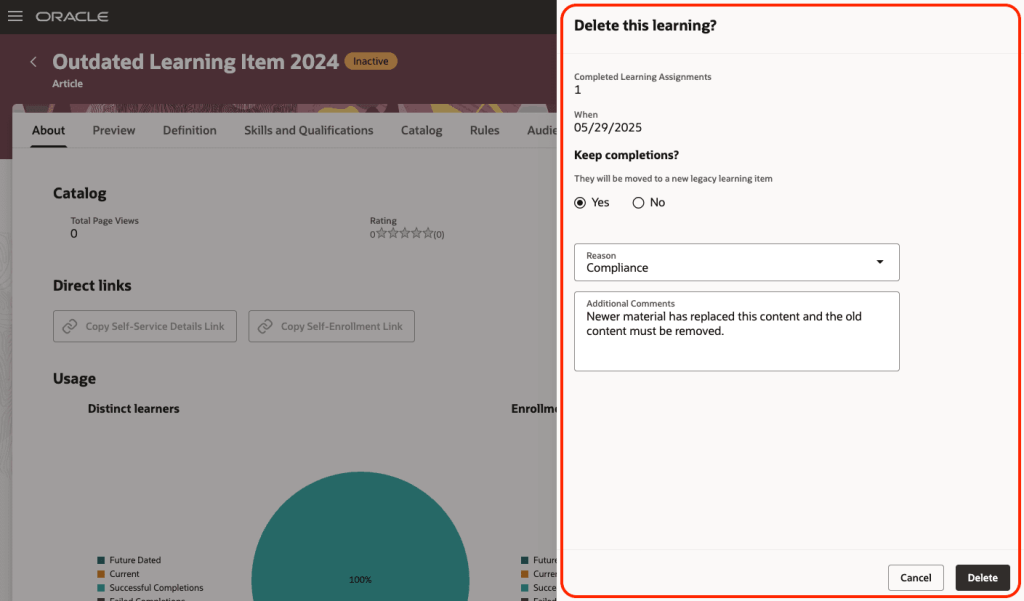
Oracle HCM Cloud Payroll 25C

Everyone who knows me, knows that Quarterly Release time is my favourite time of the quarter, as I love finding out all the new features that Oracle have released. Payroll is mandatory in Redwood by release 25C, therefore there isn’t a large number of new features for Global Payroll in this release, but there are still some significant changes! Oracle will continue to roll out new features throughout the quarter. If any additional updates stand out, I’ll share a follow-up blog to keep you informed.

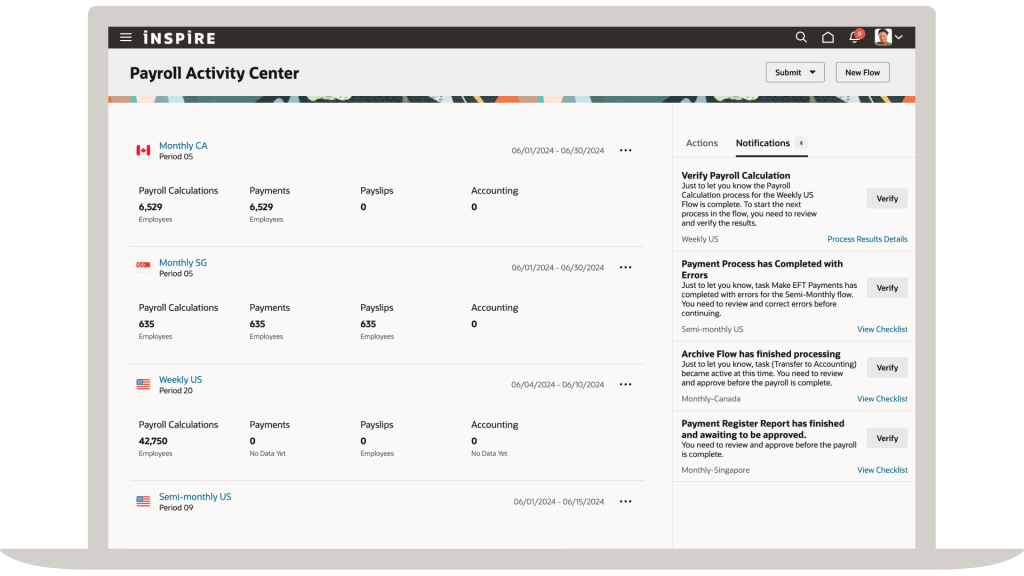
The first key point of note is that the Payroll Activity Centre will be automatically switched on in 25C. Given that it’s a really helpful tool, I would imagine this won’t cause any Payroll users hassle, but I wanted to flag it in case any organisations have delayed their move to Redwood for Payroll. If you don’t know what the Payroll Activity Centre is, it’s a one stop shop for all your payroll needs. You can run flows, check person results and do all of your usual Payroll transactions from one place. I’m a massive fan of all the activity centres, but this one is a massive leap forward for Payroll users.

Payroll Activity Centre

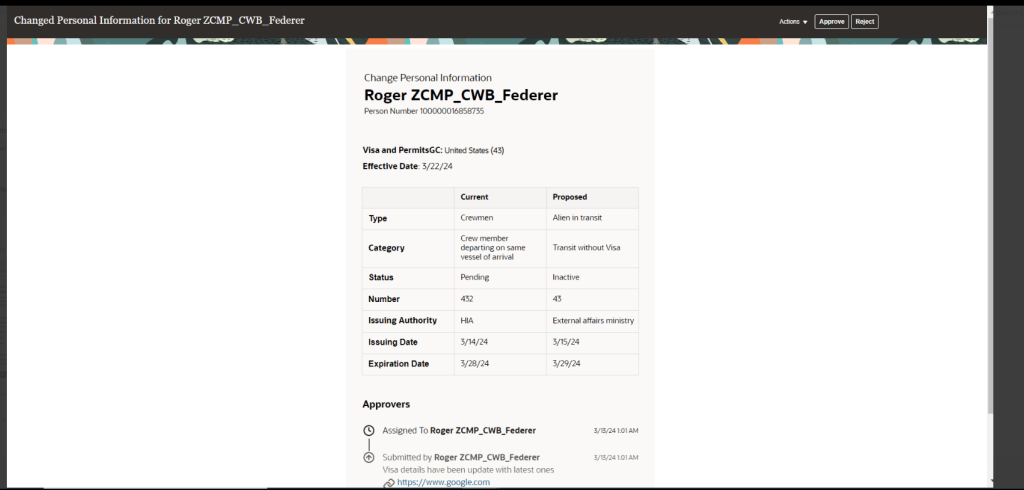
A number of pages have made the move to Redwood in this release. These include the Payroll Costing Setup and Process Summary pages. The Process Summary page allows for a high level summary of all payroll processes that have been submitted. The new page can either be accessed from the Payroll Quick Actions or the Payroll Activity Centre. This a much more user friendly way of reviewing any processes that have been submitted.

A new feature has been introduced to control how Retropay results are processed. Oracle have introduced the Retroactive Overpayment and Recovery for Earnings Elements process. How this differs from current behaviour is that rather than automatically processing the deduction for the overpayment in full, it is now offset resulting in no immediate impact to the employee’s net pay. You can then chose to setup and track repayments by the employee until it is paid back in full. This will ensure the fair recovery of overpayment.

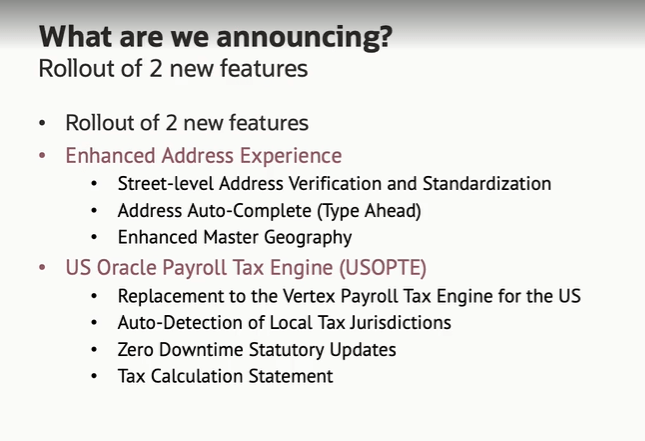
For those customers in the US, there is a significant change to US Payroll Engine. Oracle have introduced the new US Oracle Payroll Tax Engine (USOPTE) solution.  The key change is that all statutory tax data information is now maintained and delivered by Oracle Cloud. These include wage limits, filing statuses and allowance amounts. The new Engine will also perform federal, state, and local tax calculations within the payroll product and provide improved visibility of tax calculations with a Tax Calculation Statement.

US Payroll Engine Changes

As mentioned earlier, Oracle often roll out new features throughout the month. Should these updates turn out to be significant, I’ll publish a refreshed blog post. Please check out my blog on the new features in Core HR for Release 25C here.

Please note all screenshots are the property of Oracle and are used according to their Copyright Guidelines
Oracle HCM Cloud Core HR 25C

It doesn’t feel that long since we started talking about 25B, but now its time for 25C! With Core HR being mandatory in Redwood by Release 25C, I would be lying if I said there were a significant number of new features for Core HR in 25C, but there are some features of note! Please keep in mind that Oracle will continue to roll out additional features throughout the quarter, if there are any subsequent features of note, I will do a follow up blog on these.

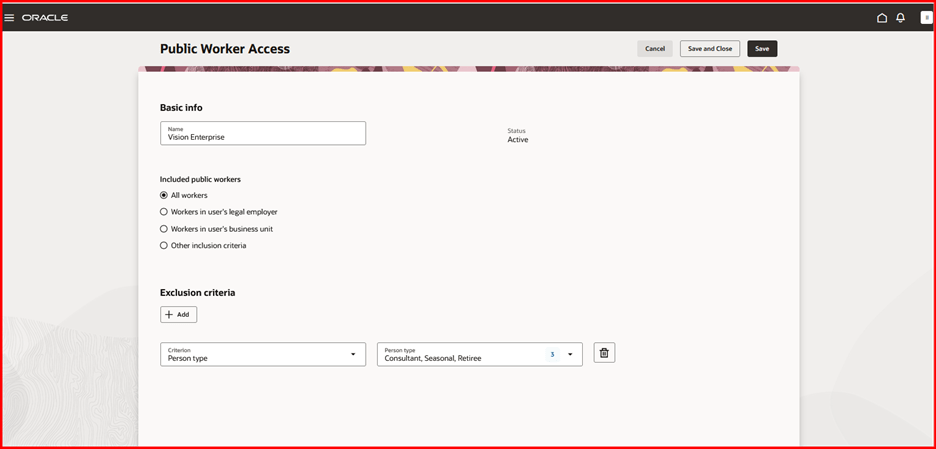
A lot of organisations, particularly in the public sector have been eagerly awaiting the changes to the Public Worker Search functionality. For those of you who don’t know what Public Workers Access is, it determines which employee records are returned in searches and other public-facing views. This allows for controlling the visibility of sensitive information like job codes or positions by applying user-defined criteria. 25C is the first release that brings Public Worker Access support to Oracle Search and Redwood. So what does this mean? If you need to limit employees or positions being available in Public Search due to the confidential nature of their role, now you can! It can be configured in a variety of ways including adding exclusion criteria.

Public Worker Access

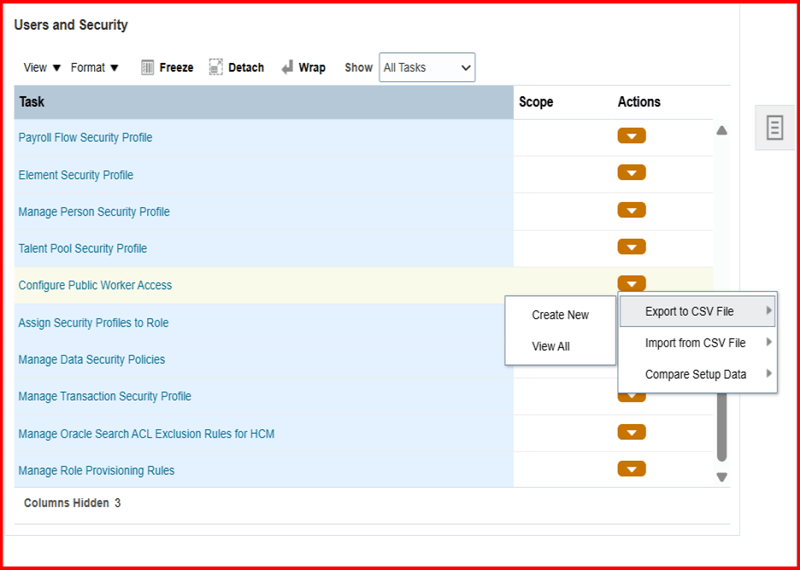
In addition, Oracle have introduced the ability to export your Public Worker Access between pods. This will allow the migration of Public Worker Access configuration to be much simpler and remove any risk of human error. It will ensure that the config that has been tested in your development pod is the same as what is deployed in Production.

Exporting Public Worker Access Configuration

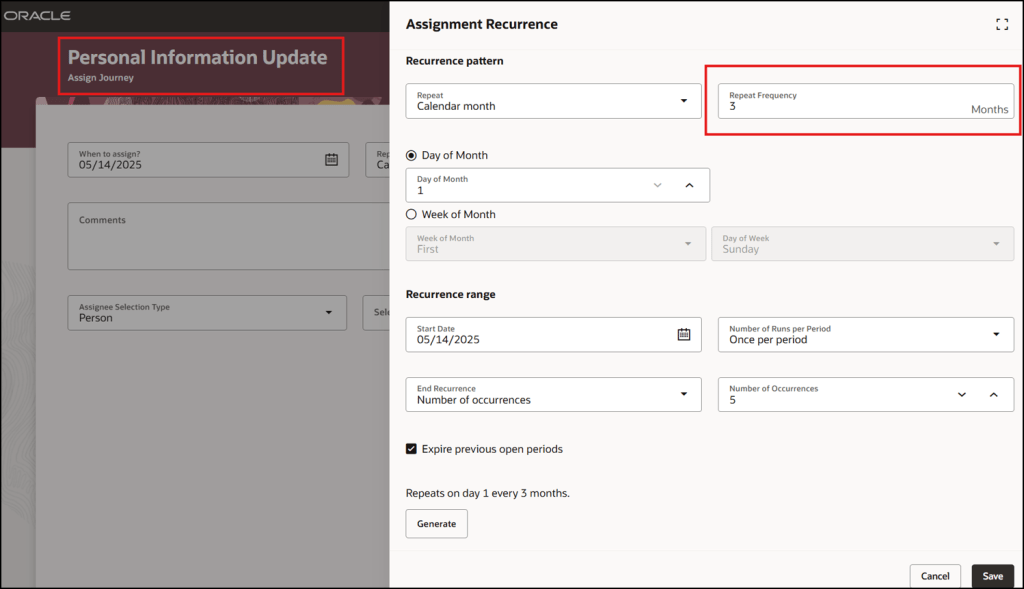
There are a lot of Journey related features in this release. One I particularly like is quite a simple change but I think it will add significant value. The ability to easily schedule recurring Journeys will make Journey administration a lot easier. The flexibility of being able to chose the frequency, but also limit the number of times the Journey is assigned makes this such a great addition.

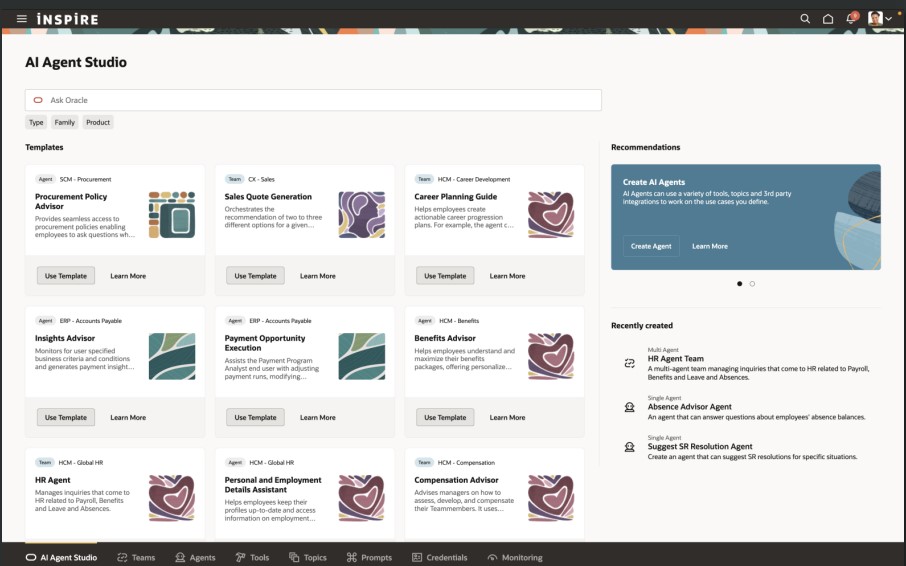
The final Journey feature that I want to highlight is the ability to embed Multi Agents into Guided Journeys. This will allow a variety of different AI Agents to be embedded into pages with ease. Added AI Agents to pages is done via Guided Journeys and this new functionality makes it much easier. This is the perfect time for this improvement when we’re all prepping for the introduction of AI Agent Studio to speed up the process of creating AI Agents!

Embedded Multi AI Agents in Guided Journeys

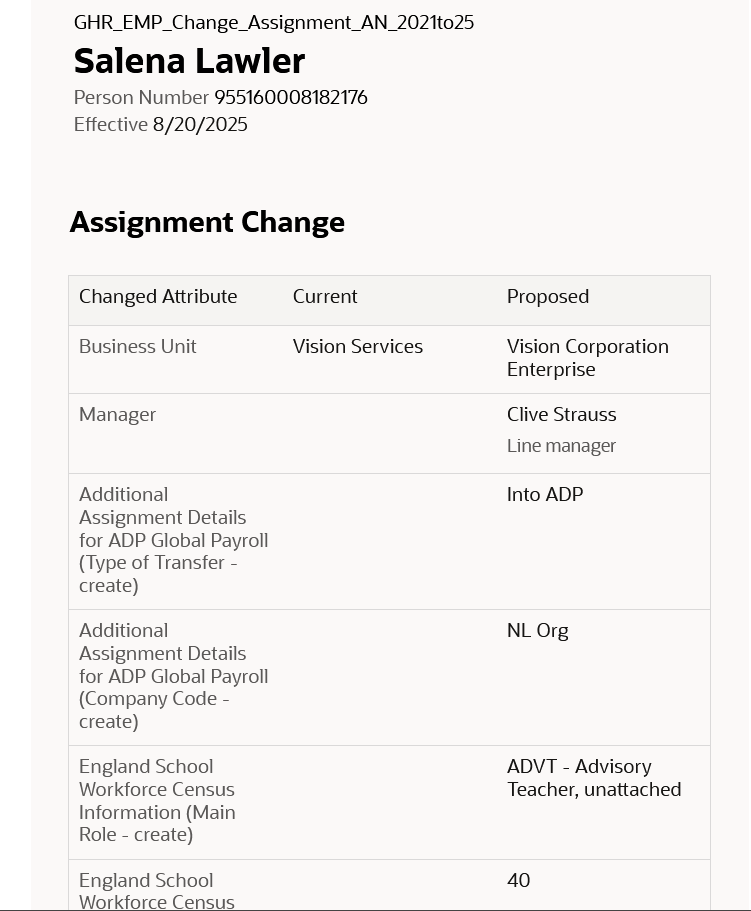
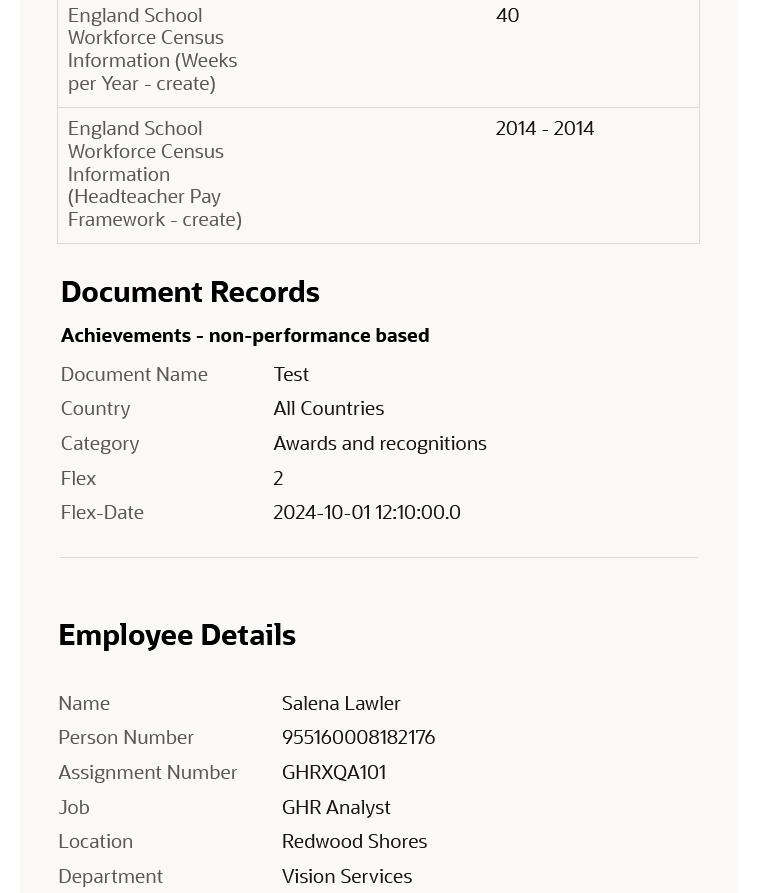
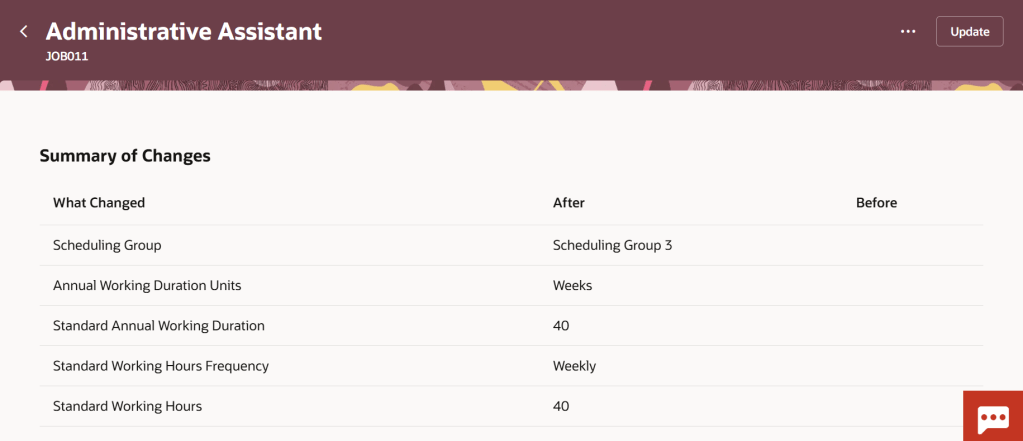
The other area of Core HR with significant changes are within the Workforce Structures workspace. There are a number of new pages that have moved over to Redwood, including the  Legal Entity HCM Information and Legal Reporting Unit HCM Information pages. Additionally Oracle have given more flexibility in adding extra attributes on the summary of changes page for all Workforce Structure changes. These fields can be added in via VBS to allow for the easy review of changes to fields that are important to your organisation.

Additional Attributes in Redwood Workforce Structures Change Summary

As mentioned earlier, Oracle plans to roll out new features in Core HR later this month. Should these updates turn out to be noteworthy, I’ll publish a refreshed blog post. Additionally, keep an eye out for upcoming posts that will cover other modules within Fusion for Release 25C!

Please note all screenshots are the property of Oracle and are used according to their Copyright Guidelines
Oracle HCM Cloud Core HR 25B

It’s my favourite time of the quarter again, new features time! 25B is an important one for Core HR as it is mandatory for Core HR to have made the move to Redwood by 25C. This is really your last chance to make that move to ensure you remain in support with Oracle. So what’s new in 25B? Lets take a look! Please keep in mind that Oracle will continue to roll out additional features throughout the quarter, if there are any subsequent features of note, I will do a follow up blog on these.

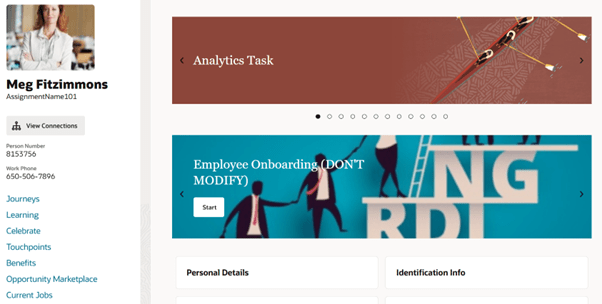
I love the Activity Centres and in 25B the Team Activity Centre has had some enhancements. If you don’t know about Activity Centres, check out my post on them here. Oracle have added in a lot more attributes that can be added to the page via VBS, including additional fields relating to employment, compensation and talent on the Worker View. Additional fields can also be added to the Position and Offer Views. Following feedback, the Vacancies quick action has now been removed from the Team Activity Centre as it wasn’t being utilised. In the top right hand corner of the image, there is a new ‘Needs Attention’ flag. These appear for employees in the Person Activity Centre if they have a KPI that requires attention. It should be noted that the Populate HCM Data Feed Information ESS process needs to be run for these to display, with the Data Feed Flow parameter set to ‘Team Activity Center’.

Continuing the Activity Centre theme, I’m delighted that Guided Journeys are now supported on the My Activity Centre and the Person Activity Centre. As the name suggests, Guided Journeys help guide a user through a process. They are particularly useful in adhoc scenarios that the user might only do once or at most, infrequently. The introduction of Guided Journeys on the Activity Centres is the final piece that many organisations were waiting for to complete their Redwood move.

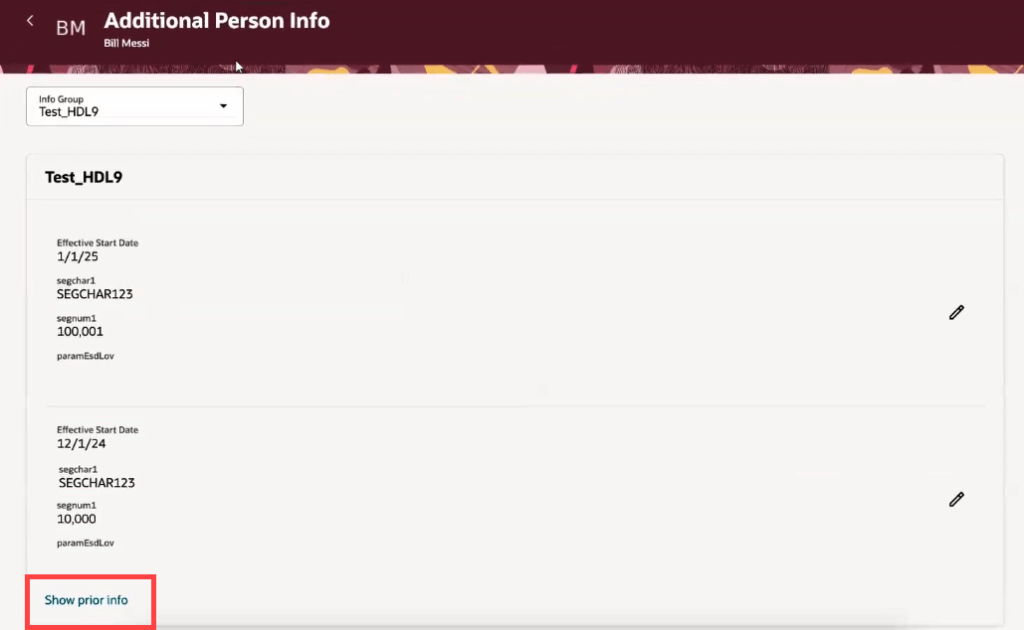
One thing Oracle have done really well during the process of moving to Redwood is to listen to their customers. On many other Redwood date effective pages, it is possible to see prior and future dated records, but it wasn’t possible on the Additional Person Info page. Now it is! Not only that, but they’ve added in extra validation to control who can see what. If you’re accessing your own Additional Person Info page via ‘Me’, you will only be able to see current and future dated records, but if you access via ‘My Client Groups’, you will be able to see historic, current and future dated records.

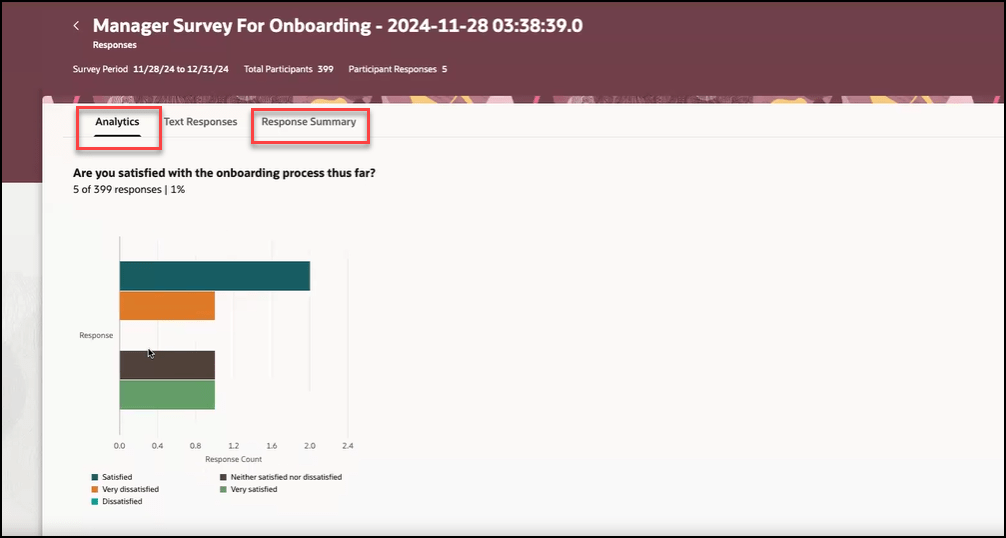
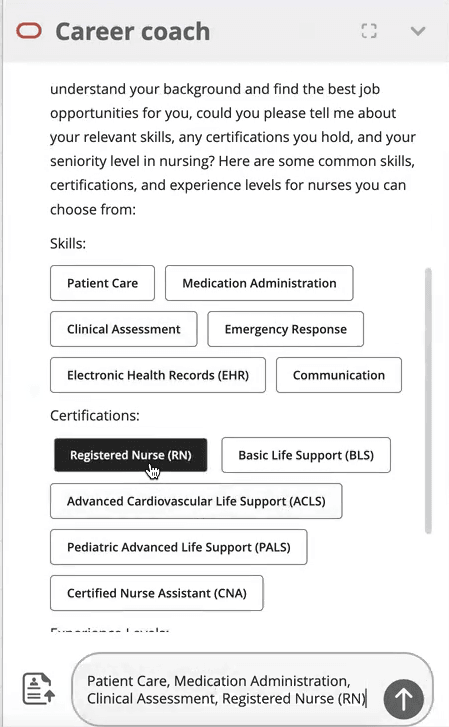
One of the key points of interest to most customers is the addition of AI to pages. Surveys within Journeys have always had analytics as part of them, to enable organisations to analyse the responses. Now it’s possible to incorporate Gen AI to not only analyse the data, but display it in a graphical format of your choosing. Additionally it will summarise the key text based responses. All of this will speed up the analysis and make it easier to present the findings to other relevant parties. For more details of the use of AI in HCM Cloud, please check out my blog here.

As mentioned earlier, Oracle plans to roll out new features in Core HR later this month. Should these updates turn out to be noteworthy, I’ll publish a refreshed blog post. Additionally, keep an eye out for upcoming posts that will cover other modules within HCM Cloud for Release 25B!

Please note all screenshots are the property of Oracle and are used according to their Copyright Guidelines

Redwood Notifications in Release 24D

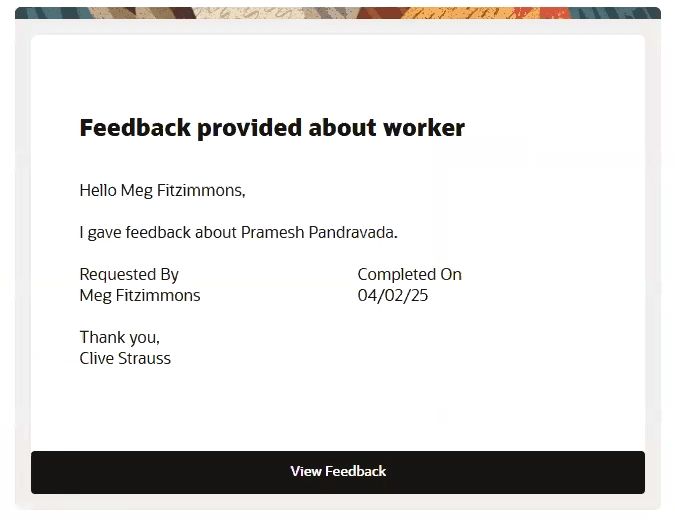
Lots of people have asked about the move to Redwood for notifications in release 24D, so I thought I’d better write a blog on it! In several modules, including Compensation, Absence and Recruit, the seeded notifications have moved over to the new Redwood style.

So what does this mean for organisations? If you’re already using Redwood, there is nothing needed to be done. However, what if you’ve not made the move to Redwood yet? Unfortunately it isn’t possible to switch off the Redwood notifications for these modules. There are two options available, firstly to use the notifications as delivered with the Redwood theme applied. Alternatively, create a custom BI notification to replace the seeded Oracle BI notification. It is the specific seeded Oracle BI notifications that have moved to Redwood, rather than all notifications within those modules being in the Redwood toolset.

So what do these notifications look like? An example is below, but they are cleaner and easier to read. The actual content hasn’t changed, it is the layout that has.

The only issue is where organisations have a mix of seeded and custom notifications within the modules that have made the move to Redwood notifications. This will mean that some notifications will be in the Redwood look and feel and some won’t. Additionally, where organisations have a mix of modules where some notifications are now in Redwood and some aren’t, they will have the same issue. This will potentially cause confusion with some users, but if I’m honest, the majority are unlikely to notice.

If custom BI notifications have previously been created and they are causing an issue due to the inconsistency of appearance with the mix of Redwood and non-Redwood notifications, it is possible to move the existing custom BI notifications to the Redwood style. If you create a copy of the custom BI notification, the Redwood style will automatically be applied. This can then be set as the active notification.

About the author:

Kate Mead is an Oracle-certified HCM Consultant and Solution Architect at Version 1 with 14 years of experience in Oracle HR and Payroll systems, including 7 years with Oracle HCM Cloud. She has worked across implementation projects and managed services, has a sound knowledge of UK Payroll legislation and — before becoming a consultant — was an HR Manager.

If you have any questions or would like more information on how Version 1 can help you realise the full potential of your Oracle Cloud instances, please contact her at kate.mead@version1.com

Please note all screenshots are the property of Oracle and are used according to their Copyright Guidelines
Oracle HCM Cloud Core HR 24D

It’s that time of the quarter again, new features time! If you’re a New Features Nerd like me, I’m sure you’re equally as excited. Despite the date changes with the Redwood timelines, Oracle are still giving us lots of Redwood treats in this Core HR 24D release.

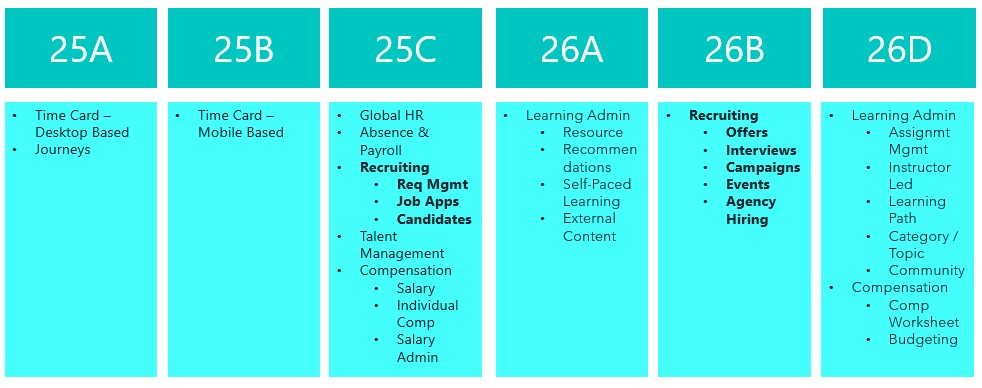
Redwood New Timeline

Originally Journeys and Time Cards were going to be mandatory in 24D, but these have been pushed back to 25A. This gives us a bit more breathing room to move forward in our Redwood journey.

Here are the top 5 new features in Core HR for Release 24D. Please keep in mind that Oracle will continue to roll out additional features throughout the quarter, if there are any subsequent features of note, I will do a follow up blog on these.

Redwood Journey Setup Page

1)Redwood Journey Setup page. It won’t surprise anyone that given the mandatory move to Redwood Journeys in Release 25A, this is a very Journey heavy release. The first key point of note is the new Redwood Journey Setup page. This is the new landing page for anyone wanting to do any configuration relating to Journeys. As part of this, the Journey Templates; Journey Task Groups and Journey Task Libraries have all moved to Redwood.

Redwood Journeys Explore

2) Journeys Available for Non Workers. Keeping on the Journeys theme, I’m delighted that Oracle have now made it possible to assign Journeys to non-workers. Given the push towards the use of Journeys into all areas of Oracle Cloud, particularly SCM and Procurement, this doesn’t come as a large surprise. It does mean that where you have agency workers or Non Exec Directors set up as non-workers, it’s possible to assign Journeys and Journey tasks to them.

Redwood Position Costing

3) Redwood Position Costing. The introduction of position costing to Redwood might be quite a simple change, but it’s something that has been lacking in Redwood positions until now. Many organisations that also use ERP Cloud Financials want to be able to control where the costing of an employee is posted to based on the role they are doing. The introduction of Redwood position costing now allows this. It’s also possible to do split costing by percentage if multiple cost centres need to be charged for the work.

Redwood Pages Delivered Enabled in 24D

4) Redwood Pages Delivered Enabled in Release 24D. As we’re getting closer to the mandatory switch to Redwood pages, Oracle will be delivering certain Redwood pages automatically enabled. In 24D for Core HR there are only 2 pages being delivered switched on, the setup page for Guided Journeys and the Mass Download of Document Records. If you’re not ready for these to be in Redwood yet, they will need to be manually switched off in Manage Administrator Profile Values by setting the profile option to N.

Redwood Default Expense Account in Employment Update Flow

5) Default Expense Account added to Redwood Employment Update Flow. These do need to be configured in the Business Rules area of VBS to be visible, but this is a feature that has been missed by many since Person Management became non-supported. Default Expense Accounts are required before any employee can claim expenses in the ERP Cloud Expenses module. Adding them into the hiring and updating employment flows will minimise the risk of this valuable data not being recorded.

As previously mentioned, Oracle is expected to introduce additional features in Core HR later this month. If these new features prove to be of note, I will create an updated blog post. Stay tuned for blogs covering other modules within HCM Cloud for Release 24D.

Click here to read more about Version 1’s Oracle capabilities.

About the author:

Kate Mead is an Oracle-certified HCM Consultant and Solution Architect at Version 1 with 14 years of experience in Oracle HR and Payroll systems, including 7 years with Oracle HCM Cloud. She has worked across implementation projects and managed services, has a sound knowledge of UK Payroll legislation and — before becoming a consultant — was an HR Manager.

If you have any questions or would like more information on how Version 1 can help you realise the full potential of your Oracle Cloud instances, please contact her at kate.mead@version1.com

Please note all screenshots are the property of Oracle and are used according to their Copyright Guidelines
Oracle HCM Cloud Talent Management 24C

Oracle have announced the new features for Talent Management that are coming in release 24C. As expected, it’s a Redwood heavy one. Given Oracle have recently released the features document, it is likely that more will be added throughout July. Having said that, let’s take a look at the key features announced so far.

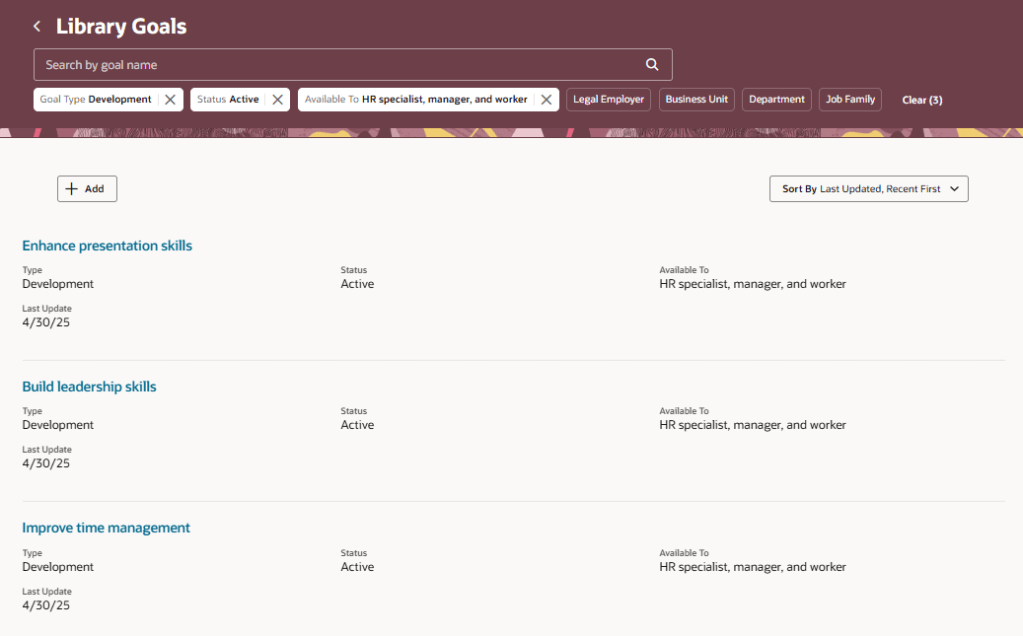
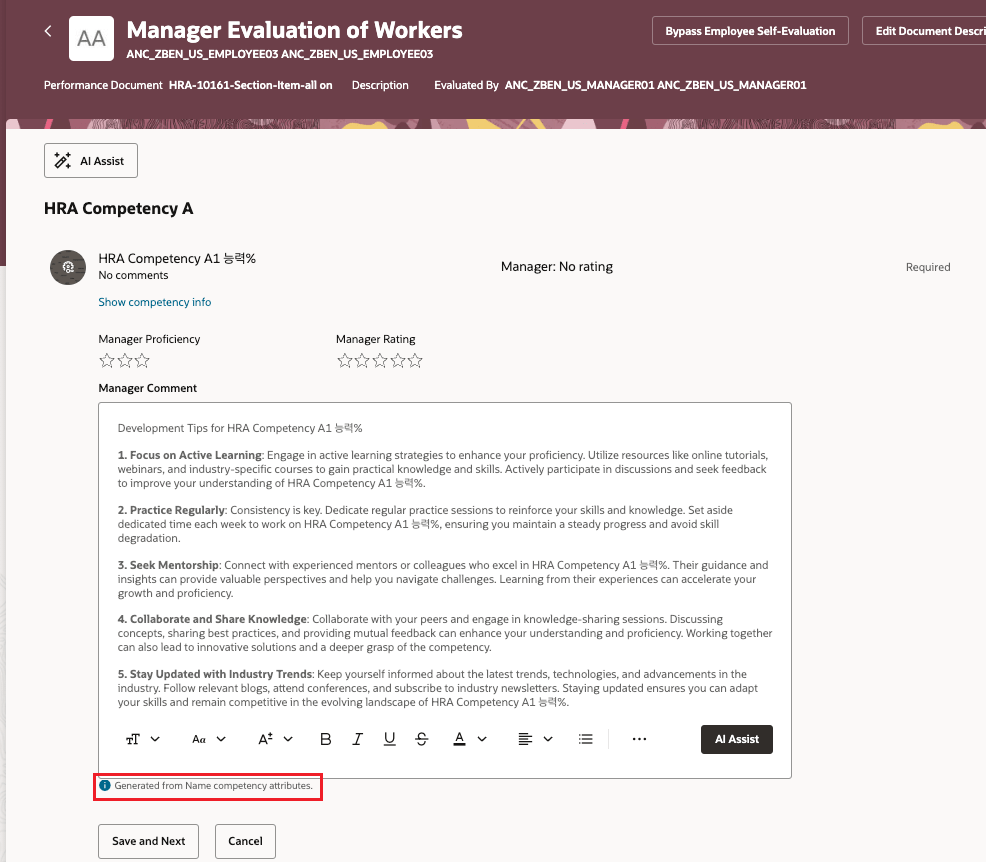
Within Goal Management, there have been more functions moved to Redwood. These include the ability to secure goal actions using security privileges. Enabling the configuration of security access on an action by action basis allows organisations to easily manage permissions without complex rules. The key one is the introduction of AI in suggesting Goals for employees based on their previous Performance Review. It uses goal comments; comments in the performance and development goals section or overall summary section of the performance document to generate goal suggestions.

Redwood AI Suggested Goals

Within Performance Management, additional pages have been moved to Redwood. This includes the Performance Documents, Participant Feedback and Performance Eligibility administration pages. The Performance Documents section empowers users to manage existing performance documents and tasks, create new ones, and submit performance-related notifications. Meanwhile, the Participant Feedback page lives up to its name: users can choose a review period and filter by participant, employee, manager, or department to access results. Within these results, specific employees can be searched, and their feedback status for performance documents can be viewed. Lastly, the Performance Eligibility page provides insights into processed eligible performance documents and check-ins for individual employees. Users can also assess an employee’s eligibility for a performance document or check-in that remains unprocessed.

Performance Documents

In Oracle’s 24C release within Profile Management, there hasn’t been a significant number of new features introduced. However, there’s a crucial enhancement that will help during the transition from Responsive to Redwood Profile Management pages. Specifically, field label customisations for the Skills and Qualifications page don’t migrate across. To address this, Oracle have made an update to the Redwood Profile Management page, now you have the ability to tailor the labels on the Profile Types. Although this involves a modest amount of effort, it eliminates the necessity of creating new profile types and transferring data across systems.

Redwood Profile Management — Edit Labels

Within Succession Management, there is only one new feature this release. A new Worker Succession Info quick action has been added for Line Managers and HR Specialists. With this addition, they gain the ability to view essential details related to workers’ succession and talent pools. This encompasses insights such as talent ratings, succession plans for employees, and a comprehensive view of candidates accessible to them. Moreover, they can delve into the talent pools in which an individual is a member, thus facilitating a streamlined succession planning process for both Line Managers and HR professionals.

Worker Succession Info

The latest feature I’d like to highlight is within Talent Review. We now have a new Redwood Talent Review Template configuration page. It incorporates a guided process to easily create and manage Talent Review templates. The page has been reformatted, with each section now residing on a separate tab: General Info, Rating Options, Box Chart Views, Data Options, and Display Options. This layout allows you to focus on the specific area you’re interested in, making it much less cluttered. The General Info tab contains all the necessary information for a talent review template, including the option to include matrix managers as reviewers for meetings created using the template. Additionally, users can indicate whether they want to include succession plans and talent pools in the Talent Review meetings. The Rating Options tab empowers implementers to add ratings that reviewers can use to assess the review population. In the Box Chart Views section, implementers can create multiple XY and single rating views, although box assignments can only be submitted for one XY and one single rating view. The Data Options tab allows for colour-coded options to highlight specific sections and provides a default potential assessment questionnaire for reviewers to rate their reports. Lastly, the Display Options tab enables configuration of colours and shapes for selected risk of loss, impact of loss, or mobility ratings.

Redwood Talent Review Template

As previously mentioned, Oracle is expected to introduce further improvements in the forthcoming 24C Release. Should these features have a significant impact, I will provide an updated blog to share the latest developments and insights. Please check out my blog on the my top 5 new features in Release 24C within Core HR below:

Oracle HCM Cloud Core HR 24C – K8 Mead

Click here to read more about Version 1’s Oracle capabilities.

About the author:

Kate Mead is an Oracle-certified HCM Consultant and Solution Architect at Version 1 with 14 years of experience in Oracle HR and Payroll systems, including 7 years with Oracle HCM Cloud. She has worked across implementation projects and managed services, has a sound knowledge of UK Payroll legislation and — before becoming a consultant — was an HR Manager.

If you have any questions or would like more information on how Version 1 can help you realise the full potential of your Oracle Cloud instances, please contact her at kate.mead@version1.com

Please note all screenshots are the property of Oracle and are used according to their Copyright Guidelines

Oracle HCM Cloud Recruiting 24C

Oracle have announced the new features that will be coming in Release 24C. Given Oracle’s move towards Redwood, it’s not surprising that there are a number of Redwood features for Oracle Recruiting Cloud (ORC) in this release. Whilst there hasn’t been a definitive date announced for when ORC will be mandatory in Redwood, it is likely to be soon and these features are another step on the journey.

The first area that has moved to Redwood is for candidates. Both the Candidate List page and Candidate Details page have moved to the Redwood toolset. The Candidate List page is where you search for candidates. In addition to the functionality that is available in the Responsive pages, there are some new features in the Redwood version. These include a new summary view for the list of Prospect and Event Audience Lists and the addition of new filters for Pool Members, Prospects and Event Audience.

Redwood Candidate List

The Candidate Details page has also moved to Redwood. The layout has changed with the introduction of several tabs. The ‘Details’ tab contains all the candidate’s key information including personal details, CV, previous employment etc. The ‘Screening’ tab lists the completed assessments for the candidate across their job applications. The ‘Messages’ tab shows emails and text messages sent to the candidate. The ‘Activity’ tab shows any system activities related to the candidate, this includes all the requisitions, candidate pools, and events the candidate is associated with. The ‘Similar’ Candidates tab lists candidates who are similar to the candidate you’re viewing.

Redwood Candidate Details

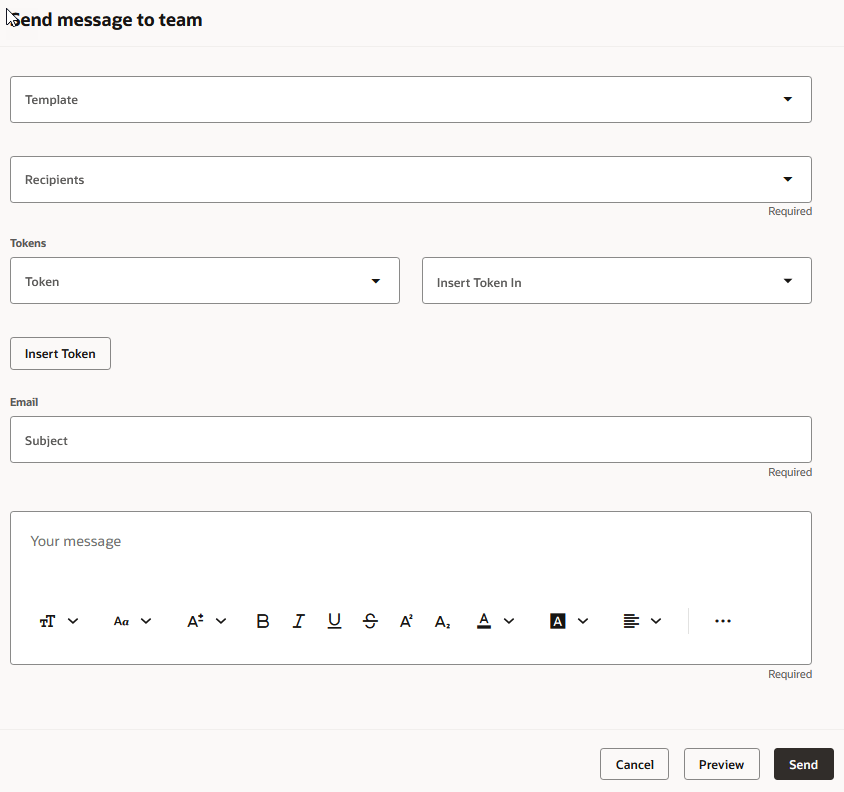
Oracle’s Redwood candidate page now also features AI Assist, a cutting-edge tool designed to streamline communication with candidates. By harnessing artificial intelligence, AI Assist empowers users to quickly compose personalised emails and text messages. Its advanced generative capabilities produce content that is not only ready-to-use but also tailored to the specific topic at hand. To utilise AI Assist, users simply start the process by telling the tool about the subject of their correspondence, and AI Assist takes care of crafting both the subject line and the body of the message with pertinent information.

AI Assist for Redwood Candidate Communication

Recruiting Activity Centre was introduced in Release 23C. One year later and Oracle are continuing to improve it. It is now possible to assign activities to all members of the Recruiting Team, including Collaborators, not just the the Recruiters and Hiring Managers as was the option previously. This change means that you can keep all members of the hiring team up to date on activities and Collaborators can access the Recruiting Activity Centre to view them.

Recruiting Activity Centre — Configuring Assignees for a Recruiting Activity Item

The final feature I want to highlight is a change to the configuration of the Career Site. With the introduction of a dedicated section in the Category Tiles Element, users now have the autonomy to style each category tile on the Career Site individually. This new feature not only allows for a more detailed personalisation but also significantly elevates the site’s aesthetics and enriches the candidate’s journey through the site.

Career Site — Edit an Individual Tile Category

As indicated earlier, Oracle is likely to unveil additional enhancements in the upcoming Release 24C. In the event that these new features prove to be substantial, I will provide an updated blog to share the latest developments and insights. Please check out my blog on the my top 5 new features in Release 24C within Core HR below:

Oracle HCM Cloud Core HR 24C – K8 Mead

Click here to read more about Version 1’s Oracle capabilities.

About the author:

Kate Mead is an Oracle-certified HCM Consultant and Solution Architect at Version 1 with 14 years of experience in Oracle HR and Payroll systems, including 7 years with Oracle HCM Cloud. She has worked across implementation projects and managed services, has a sound knowledge of UK Payroll legislation and — before becoming a consultant — was an HR Manager.

If you have any questions or would like more information on how Version 1 can help you realise the full potential of your Oracle Cloud instances, please contact her at kate.mead@version1.com

Please note all screenshots are the property of Oracle and are used according to their Copyright Guidelines

Oracle HCM Cloud Payroll 24C

I love new feature announcement time, it’s my favourite time of the quarter! For Release 24C, this is quite a small release for Global Payroll, but that doesn’t make it any less important. With the move to Redwood for all Employee and Management Self Service processes in Release 25B, every new Redwood page released makes the journey to Redwood much easier.

Oracle may announce additional features prior to the release being deployed to Wave 1 customers in August, but I have picked my key new features that have been announced at present. If additional features are announced that will add significant value, I will provide an updated post.

Redwood Payment Results

The first page to move to the Redwood toolset in this release is the Payment Results page. This doesn’t just have the Redwood ‘look’, it’s been rewritten in the Redwood toolset from scratch, so has all of the benefits this provides in terms of performance and useability. The page has all the functionality you would expect. Firstly you can view employee payment details: Dive into the specifics of each payroll run, examining payment details for individual employees. Secondly, status tracking: Quickly identify the status of any payment — whether it’s pending, completed, or encountering issues. Thirdly, corrective actions: Based on payment status, take necessary corrective measures effortlessly. Finally, external payments: Execute actions like initiating external payments directly from the page.

Redwood Payroll Flow

The Submit a Flow page has also been moved to the Redwood toolset. As well as submitting payroll flows, you can schedule the submission for a future time and date and view recently submitted flows. It is now possible to use the ‘Linked Flow’ tab to link flows together in an easy, user friendly way. Additionally there is now the functionality to allow the uploading of files using drag and drop, as per the screenshot above. This can be used for single or multiple files. This option only displays on the page if you have defined the flow to allow the upload of files.

Audit Element Security Profiles

For those organisations using Auditing, it is now possible to audit and track the change history of the Element Security Profile. Once the auditing is switched on, any changes made to element security profiles will trigger the audit process and then they will be reported upon. This will ensure that any changes made to the element specific security profiles can be monitored and reported on more easily, which will provide more reassurance to auditors and senior management.

Redwood Person Messages

Another page which has moved to the Redwood toolset is the Person Messages page, which can be accessed via the Person Results application. This page is critical for understanding issues with payroll processes, so the move to Redwood for this is a big step forward. All messages can be searched for, additional details of the message can be viewed and can be exported to Excel.

Redwood Payslip

The final feature I wish to highlight is an update to the existing Redwood Payslip. The Redwood page has now added in the ability to export the payslip. You can select the folder you wish to download it to and it will automatically zip them to minimise storage usage.

As previously stated, Oracle may announce further new features in Release 24C later this month. Should these features demonstrate significance, I shall produce an updated blog. Please check out my blog on the my top 5 new features in Release 24C within Core HR below:

Oracle HCM Cloud Core HR 24C – K8 Mead

Click here to read more about Version 1’s Oracle capabilities.

About the author:

Kate Mead is an Oracle-certified HCM Consultant and Solution Architect at Version 1 with 14 years of experience in Oracle HR and Payroll systems, including 7 years with Oracle HCM Cloud. She has worked across implementation projects and managed services, has a sound knowledge of UK Payroll legislation and — before becoming a consultant — was an HR Manager.

If you have any questions or would like more information on how Version 1 can help you realise the full potential of your Oracle Cloud instances, please contact her at kate.mead@version1.com

Please note all screenshots are the property of Oracle and are used according to their Copyright Guidelines

Oracle HCM Cloud Time & Labor 24C

It’s my favourite time of the quarter — new features time! As Redwood Timecards within Time and Labor is mandatory from Release 24D, 24C is a critical one for your journey to Redwood. Check out my recent post on planning your move to Redwood Time and Labor for more details: https://k8mead.com/?p=114

Redwood Timecard

There are a number of updates to the Redwood Timecard, including being able to add row level comments; the ability to sort any of the grid columns on the timecard; the ability to show scheduled hours on the timecard in addition to the recorded time; and finally the ability to resize the timecard in such a way that it will remember it next time you open it on the same device. All of these features are small but are impactful as they will improve the user experience significantly within minimal effort.

Timecard Template

Oracle have now added the functionality to allow you to now save a Redwood timecard as a named template. This template can then be used to create Redwood timecards with the same assignment ID and layout set ID as the template. At present you can save up to 6 templates, but the use of the word ‘currently’ by Oracle implies that this limitation will be amended in the near future. This will make it easier for implementors to create updated timecard templates.

Default On-Call on Redwood Timecard

In a previous release, Oracle introduced the defaulting of Workforce Scheduling on-call shifts. In 24C this has been improved by the introduction of linking the defaulted on-call shifts with assigned workday definitions. Using workday rules, it is now possible to assign the on-call shift to the days specified in the rules. Additionally, if the rules specify on-call shifts but those shifts aren’t worked in the current timecard period, it will automatically assign them to the next timecard period once it’s created. This will reduce the need for manual assigning of on-call shifts but has the added flexibility of using automation to only assigning the payments if that shift is included in the timecard period.

Timecard Approval Notification

Whilst this is a relatively small change, it will make the review of the approval of timecards easier. You can now view approval comments for each completed Redwood timecard approval task from the Bell icon or the email notification. It should be noted that the notification now shows the status, but won’t show the comments, for confidentially reasons. Approvers can see instantly the status of the timecard without having to drill down into the application.

Additional Status on Team Time Cards

The final feature I want to highlight is the introduction of additional statuses on the Redwood Team Timecard. These allow the users to review the processing and transfer statuses for timecards, by their specific role, for example payroll, project costing etc. There is a ‘drawer’ that can be opened to see more details, as shown in the screenshot above. This ensures that the functionality that is currently available in the Responsive Timecards is available in Redwood Timecards, so there is no loss of functionality.

As previously stated, Oracle is anticipated to unveil further enhancements in Release 24C later this month. Should these features demonstrate significance, I shall produce an updated blog. Please check out my blog on the my top 5 new features in Release 24C within Core HR below:

https://k8mead.com/?p=117

Click here to read more about Version 1’s Oracle capabilities.

About the author:

Kate Mead is an Oracle-certified HCM Consultant and Solution Architect at Version 1 with 14 years of experience in Oracle HR and Payroll systems, including 7 years with Oracle HCM Cloud. She has worked across implementation projects and managed services, has a sound knowledge of UK Payroll legislation and — before becoming a consultant — was an HR Manager.

If you have any questions or would like more information on how Version 1 can help you realise the full potential of your Oracle Cloud instances, please contact her at kate.mead@version1.com

Please note all screenshots are the property of Oracle and are used according to their Copyright Guidelines
Oracle HCM Cloud Core HR 24C

If you’ve followed my previous posts, you’ll know I love quarterly release time! There’s nothing better than the day when Oracle release the new features that we’re getting. As anticipated, this release is once again brimming with Redwood and Journey enhancements. Oracle is gearing up for 24D, where Checklists will be replaced by Journeys, and in 25B, Employee and Management Self Services tasks become mandatory in the Redwood interface.

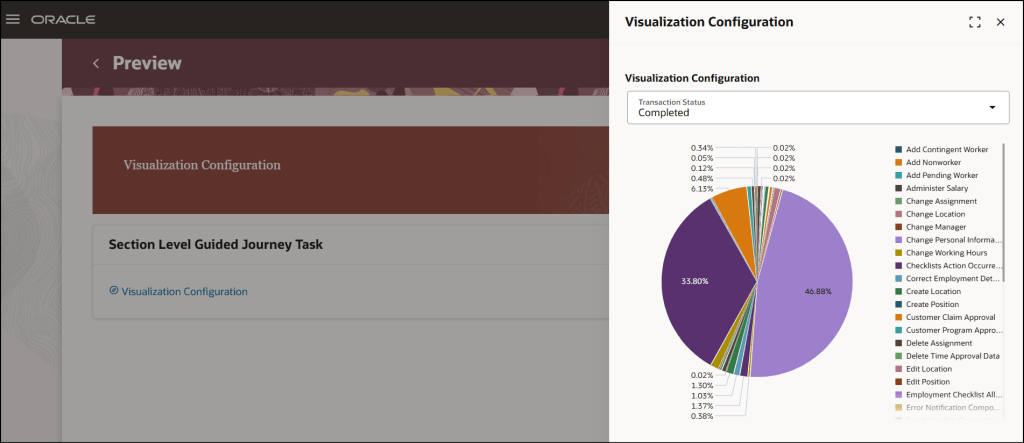
Redwood Journeys Explore Landing Page

Here are the top 5 new features in Core HR for Release 24C. Keep in mind that Oracle will continue to roll out additional features throughout the quarter, so stay tuned for my follow-up post:

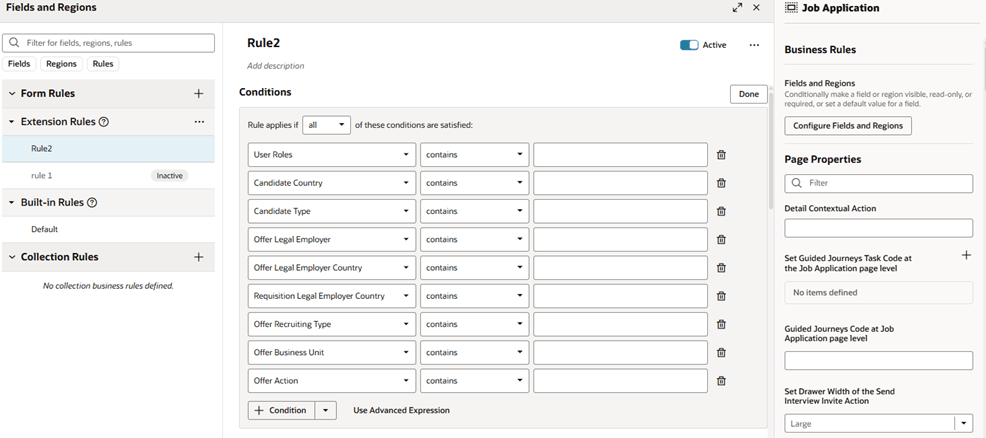
1)Redwood and Journeys are combined for the first feature. Business Rules, which allow you to personalise Redwood pages within Visual Builder Studio (VBS), are brought to Journeys. You can now use rules to incorporate or hide features within a Journey, to improve the experience for your users.

2) Any organisation which uses Expenses knows the importance of the Default Expense Account on an employee’s record. The journey to making all HR functions carried out in the Redwood toolset has made another leap forward. It is now possible to configure both the People Group and Default Expense Account key flexfields (KFF) within the Hire an Employee; Add a Contingent Worker / Pending Worker / Nonworker; Convert a Pending Worker and Create a Work Relationship.

3) There have been significant improvements to the Redwood Update Employment flow in 24C. These include the automatic calculation of FTE and Headcount; Probation Period and End Date; Defaulting of Location from Department; Ability to Add Non-Workers as Managers; and the new display of the remaining working hours in the ‘Weekly Working Hours Step’. All these automatic calculations will remove the need for manual intervention.

4) There is a new Redwood experience for Terminating Employment and for Employees to undertake Self Service Resignation. In addition to the process flow being moved to the Redwood toolset, so have the View, Reverse and Correct Termination. This ensures that more of the employee lifecycle process from onboarding to offboarding can be managed in the new streamlined Redwood UI.

5) There has been an improvement to the Work Patterns, which is particularly helpful for organisations which use rolling work patterns. The inclusion of non-working weeks provides significant value, especially for organisations with patterns like 2 weeks on, 2 weeks off.

As previously mentioned, Oracle is expected to introduce additional features in Core HR later this month. If these new features prove to be significant, I will create an updated blog post. Stay tuned for blogs covering other modules within HCM Cloud for Release 24C.

Click here to read more about Version 1’s Oracle capabilities.

About the author:

Kate Mead is an Oracle-certified HCM Consultant and Solution Architect at Version 1 with 14 years of experience in Oracle HR and Payroll systems, including 7 years with Oracle HCM Cloud. She has worked across implementation projects and managed services, has a sound knowledge of UK Payroll legislation and — before becoming a consultant — was an HR Manager.

If you have any questions or would like more information on how Version 1 can help you realise the full potential of your Oracle Cloud instances, please contact her at kate.mead@version1.com

Please note all screenshots are the property of Oracle and are used according to their Copyright Guidelines