
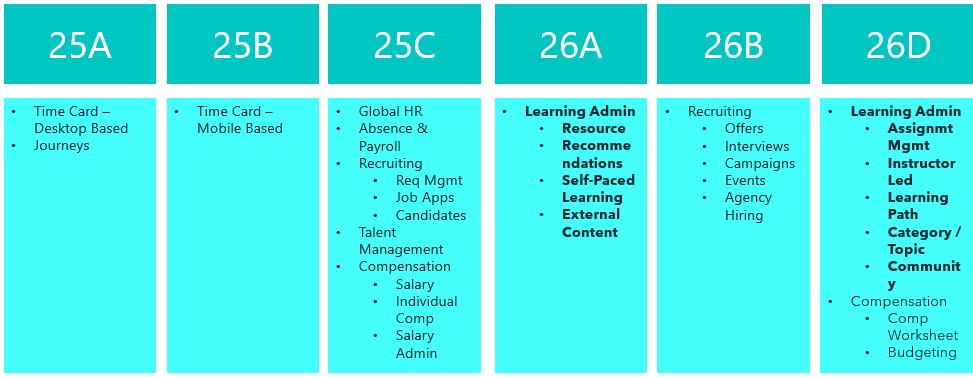
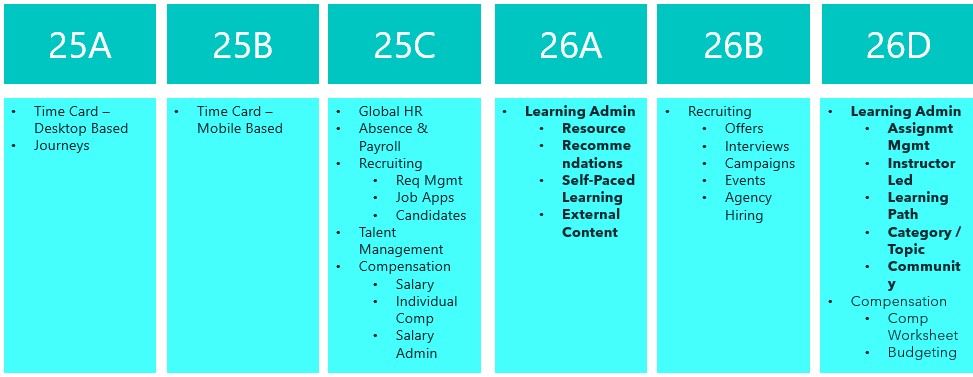
Release 26A has arrived, marking the start of the second phase of Recruitment for Learn becoming mandatory. This update sets the deadline for the first half of the required changes to Learning Admin pages, covering Resources, Recommendations, Self-Paced Learning and External Content. The remaining updates to Learn Admin pages will become mandatory with Release 26D. Let’s take a look at what is new!
Before you can use this first feature, Dynamic Skills must be enabled. Oracle have updated the licensing for Dynamic Skills over the past year, so it may already be included in your Core HR licence. If you’re unsure, it’s worth checking with your Oracle Customer Success Manager. Once enabled, you can take advantage of the AI Learning Catalogue Smart Search Advisor. This clever tool lets you search the learning catalogue using questions rather than just keywords, delivering more focused and higher-quality results. The results are semantically relevant to your query and tailored to you, taking into account your work history, talent profile and learning record. When active, you’ll notice a new section on the learning catalogue page after you search. This section highlights up to five learning items the advisor has identified as most suitable for you and your request.

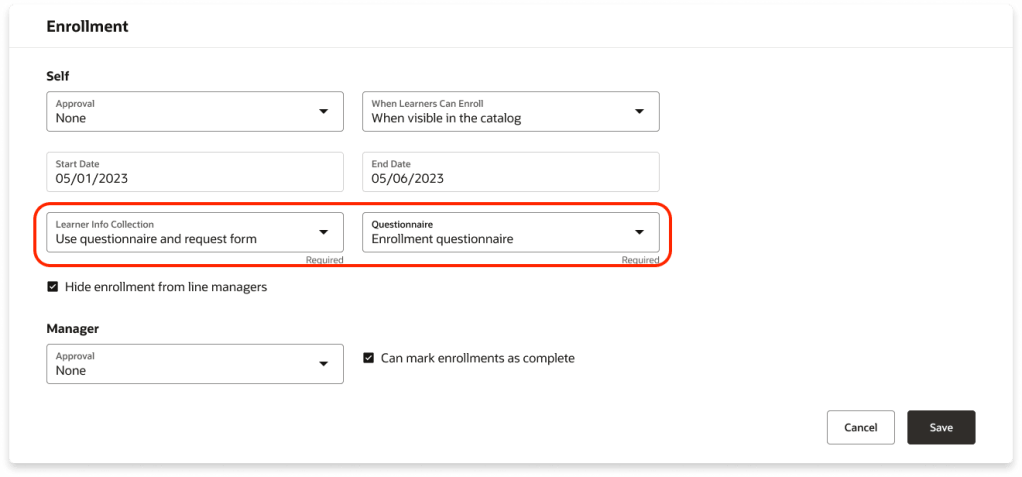
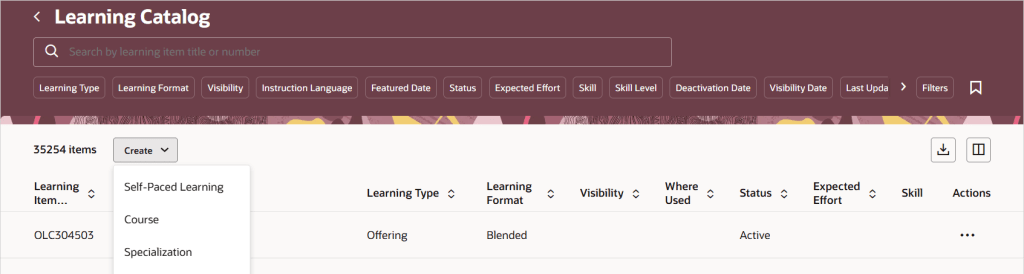
There are several new features for Self-Paced Learning, starting with Redwood functionality for enrolment forms, evaluations and feedback. You can now collect the information you need when learners enrol by requiring an enrolment form, a questionnaire, or both. The Learner Info Collection options available in the Self-Paced Learning configuration under the Rules tab in the Enrolment section, offering four choices: no extra information, a combined page with both questionnaire and request form, just the questionnaire, or just the request form, each leading to the Enrolment Details page. These options are controlled by a single setting within Self-Paced Learning.
Oracle has added support for two new content types in Self-Paced Learning: CMI5 and AICC URLs. You can now upload CMI5 .zip archive packages when creating self-paced courses. This format combines the structured approach of SCORM with the flexible, detailed tracking of xAPI, enabling richer data sharing between the learning item and the server. The result? Deeper insights into learner progress and engagement. In addition, you can create self-paced courses by adding an AICC URL as content. Once the page refreshes, the Learning Format field appears, defaulted to Online Course, alongside the Mastery Score field. You can adjust the format as needed and set a mastery score, which moves to its usual spot on the Rules tab under Completion when you create the draft. The score can be updated later if required.

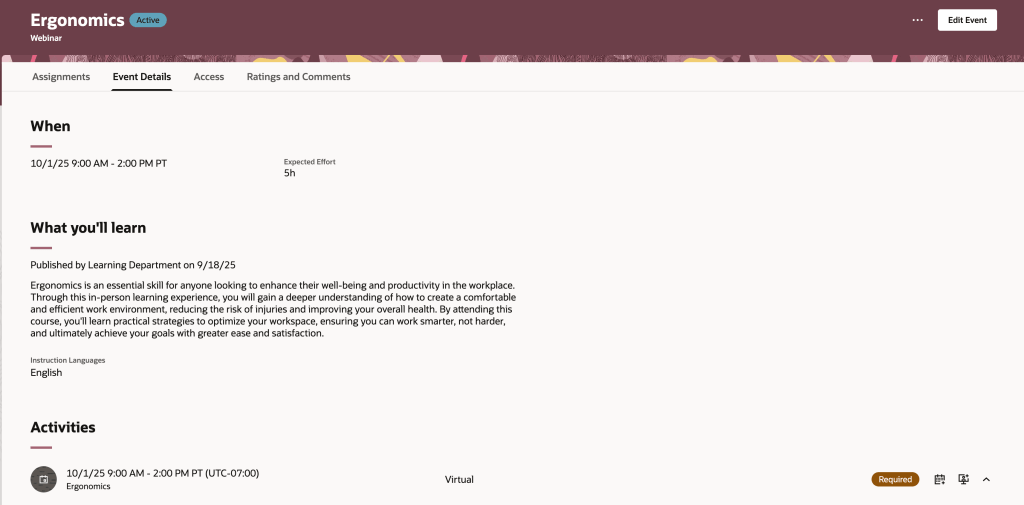
Oracle has introduced a new Redwood Learning Events page, offering a streamlined way to publish instructor-led training directly to your learning catalogue. This update simplifies setup and adds flexibility, allowing events to be defined by formats such as In-Person, Webinar, or custom options tailored to your organisation. Events can be delivered as standalone offerings or included in a course for equivalency, with improved scheduling that supports multiday and overnight sessions and calculates effort automatically. You can specify dates and times via a calendar or manual entry, integrate feedback through evaluations and ratings, and control when learners provide it. Enrolment periods can now be configured separately from catalogue visibility, enabling early access via deep links, while enhanced withdrawal and waitlist options give greater control. Although events cannot yet be added to specialisations and pricing isn’t included in this release, both features are planned for future updates.
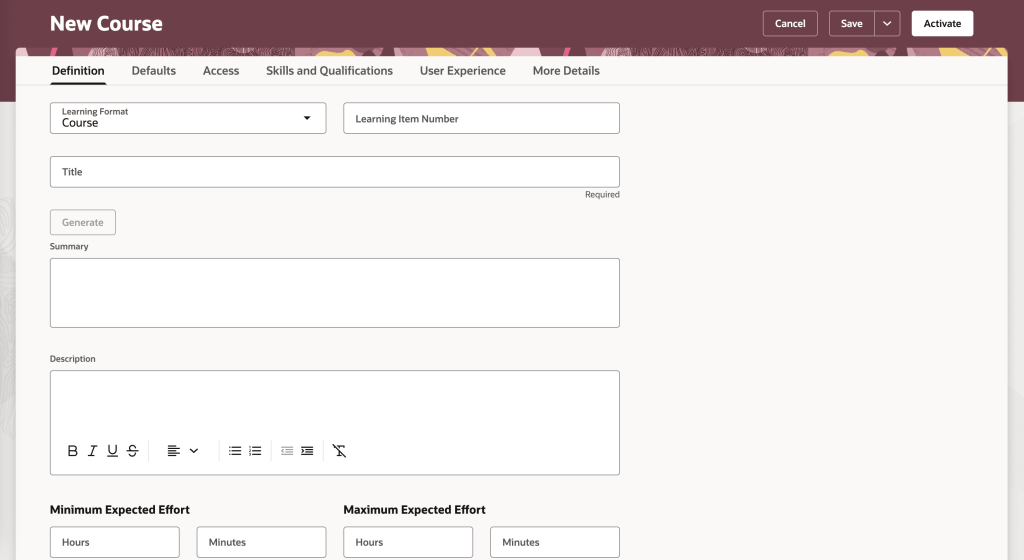
The final feature worth highlighting is the new Redwood Course Management page, which brings a modern, visually appealing interface to Oracle Learning. Learning Specialists can now enjoy a streamlined experience with grouped tabs for managing courses, Definitions, Defaults, Access, Skills and Qualifications, User Experience, and More Details, alongside a step-by-step creation process for organising core details, descriptions, visuals and settings. All course offerings, whether instructor-led, self-paced or blended, plus associated events, are accessible from a single Offerings tab for quicker navigation. Learners benefit from improved course detail pages with clearer layouts, showcasing included content, expected effort, acquired skills, instructors, outcomes, languages and celebratory completion notices. They can also engage through ratings, comments and lively discussions via dedicated interaction tabs.
Oracle often slip in a few extra features during the month, so it’s always worth keeping an eye out. If anything truly exciting comes along, I’ll share another blog post to keep you updated and ensure you don’t miss out. In the meantime, take a look at my latest write-up on the new Core HR features in Release 26A, you can find it here.
Please note all screenshots are the property of Oracle and are used according to their Copyright Guidelines

 K8 Mead