
With the introduction of AI Agents in Fusion, many are questioning the future role of Oracle Digital Assistant (ODA) within Oracle’s roadmap. During the AI Agent Studio training, it was mentioned that ODA seeded skills will eventually become obsolete, although no further details with regards to a timeline were provided. Since then, Oracle’s 25C What’s New documentation has confirmed that some older seeded skills are beginning to be deprecated—however, this is not a new development, as the phasing out of legacy skills has been an ongoing process.
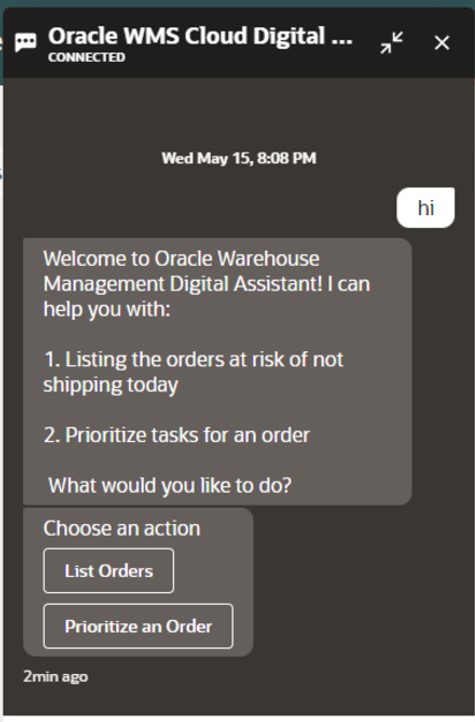
Several Oracle Digital Assistant (ODA) skills are now deprecated and may soon become obsolete, requiring timely updates to maintain compatibility with Fusion Cloud Applications’ quarterly releases. The Expenses skill built on ODA version 20.08, the Candidate Experience skill on version 22.08, and the Internal Candidate Experience skill version 1 on version 23.06 are all deprecated—customers should ensure they have deployed the appropriate V2 versions of these skills to stay aligned with the latest updates.
An additional key point of note is that the HCM Knowledge skill has been decommissioned as of release 25A, and customers using the Classic HR Help Desk are advised to transition to the ‘Search Knowledge Article’ intent within the Helpdesk skill for continued support.
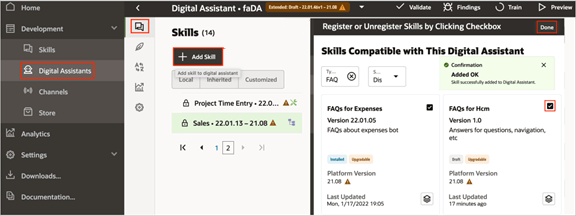
Oracle advises customers to check the Skill Store for updated versions for every release. If you access a skill built on a deprecated platform version, a warning message will appear, and you can click the ‘Tell me more’ option to view additional details about the platform versions. Skills will cease to function once their underlying platform version becomes inactive, which typically occurs no later than two years after their release.
To ensure your Digital Assistant or skill remains up to date, you can easily install the latest version from the Skill Store whenever an update is available. Simply sign in to Oracle Digital Assistant, navigate to Development > Digital Assistants via the Navigator, and within the tile for the relevant skill or digital assistant, click the menu icon and select Install Update. After upgrading your digital assistant, it’s essential to reassign the appropriate channels to the new version to ensure continued functionality. To do this, sign in to Oracle Digital Assistant and navigate to Development > Channels via the Navigator. Click on Channel, and in the Create Channel dialog box, enter the necessary details, selecting the required channel type from the list. Once created, to link this channel to the latest version of FADigitalAssistant, use the Route To drop-down menu to search for and select the updated version. Finally, click Reset Sessions, and in the Change Channel Routing dialog box, confirm by clicking Change.

At this stage, there’s no immediate need for customers to move away from Oracle Digital Assistant (ODA); however, it’s a good time to begin reviewing the skills currently in use and identifying the types of questions your users typically ask. These insights can serve as a valuable foundation for developing AI Agents using the new AI Agent Studio, which is being introduced in release 25C. Taking a proactive approach now will give you ample time to plan and transition before ODA eventually becomes obsolete—whenever that may be.
Please note all screenshots are the property of Oracle and are used according to their Copyright Guidelines
 K8 Mead