Oracle HCM Cloud Payroll 25D

I’m a big fan of innovation, which is why I always look forward to the Oracle Fusion Quarterly Releases. While this one doesn’t bring a huge wave of new features for Global Payroll, there are still some important updates across various legislations worth noting. In this blog, I’ll give you a quick rundown of the key highlights from both the global and local perspectives. Oracle’s got plenty more in the pipeline this quarter, so keep your eyes peeled, and if anything particularly exciting crops up, I’ll be back with another post to keep you in the loop!

The first feature in Global Payroll is the new Redwood Archive Results page. Whilst this isn’t a glamourous new feature, it is an important page. The redesigned Redwood Archive Results page offers payroll admins the modern Redwood functionality for managing their payroll data with greater efficiency and accuracy. With enhanced navigation, flexible search, customisable views, and inline editing, it’s easier than ever to identify and resolve errors, unprocessed assignments, or missing records directly within the archive. These improvements help reduce manual effort, minimise rework, and ensure smoother payslip generation and external payment processing. The feature is enabled by default via the Redwood Payroll Activity Enabled profile option, so you don’t even need to do anything and can start benefiting straight away. 

Payroll Activity Centre

All Payroll admins know that reporting is critical to the job! Oracle have made a small, but helpful update to the Payroll Costing Report. Prior to 25D, the report was a standard BI Publisher output, but listening to feedback, Oracle have rewritten the report as an extract-based one. This new version will handle larger payroll volumes and has added in more report output options, including Excel, XML and text. There are some simple steps to enable this new version of the report. First go to the Switch Task Action Version flow. Select Run Payroll Costing Report from the task list, choose the Extract-based Report version, and set it as active. From then on, all flows using this task will automatically run with the new version.

Moving on to the different legislations. There are a number of key features for Local Government in the UK. The first one is for the MCR for Teacher’s Pensions. A new input value, Error Number, is now available on the predefined TPS When Earned Details element, enabling employers to directly record error numbers linked to corrections for MCR files, particularly for When Earned U lines that typically require a TPS When Earned Details entry. This enhancement streamlines the reconciliation process for Teachers’ Pension errors. It’s easy to apply this update, navigate to Submit a Flow → Payroll, run the Run Feature Upgrade payroll flow task, and select Update Element Eligibility to Link Error Number for TPS When Earned Details Element.

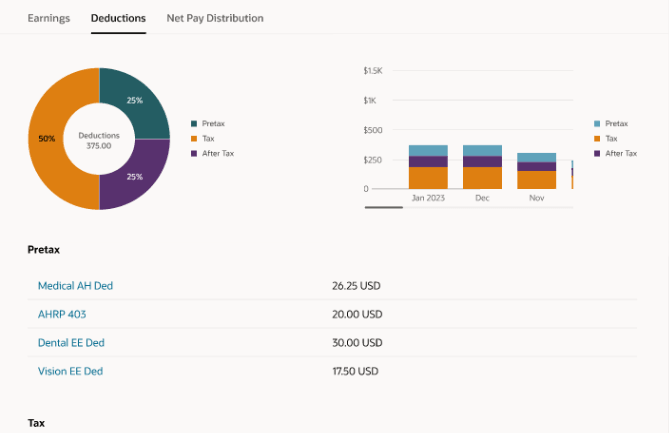
There are two changes for LGPS included. Firstly a solution for the Pensionable Pay calculation for non-recurring payments. You can now easily work out the right Pensionable Pay for employees who’ve had time off mid-month and received one-off pensionable payments during their working days. With new balances in place, regular and irregular earnings are handled separately, so the LGPS employer contribution is calculated correctly without needing to prorate the monthly Pensionable Pay. Creating a new Main Pension Scheme element allows you to feed regular and irregular earnings into dedicated balances, ensuring accurate Pensionable Pay calculations for periods with one-off payments during working time. The second LGPS change relates to KIT and SPLIT days. You can now mark earnings as KIT or SPLIT days so they’re added to the right pensionable pay balances (CPP1 or CPP2). Just make sure to include the actual date worked when entering these, so the system can compare the day’s earnings with the assumed pensionable pay and use whichever is higher. If the day falls during unpaid leave, the full KIT or SPLIT earnings will be included in the pensionable pay.

With the introduction of Irish legislation for the first time, it is unsurprising that there are a significant number of new features in this release for it. These include Illness Benefit Payment or Offset; Public Sector Pensions; Salary Sacrifice; Send File Submission Process; Additional Superannuation Contribution (ASC) Forms; Check Revenue Submission Request; Payroll Submission Correction Request and Payslip Template. Additionally there are enhancements to reporting; Create Element template; Shadow Payroll; Special Assignee Relief Program and Withholding Taxes only on Irish Income. We know a few of you are already ahead of the curve when it comes to Irish legislation, so this’ll definitely be of interest. But even if you’re just starting to think about switching to Oracle Payroll, it’s still worth a look for our Irish customers.

There’s just one update this time for our US customers, but it’s worth flagging. The Retroactive Overpayment and Recovery for Earnings Elements feature is now switched on by default. Honestly, I can’t think why you wouldn’t want to use it, but just so you know, it’s no longer optional. This functionality gives you more control over how Retropay results are managed, especially when they reduce an employee’s net pay. Instead of the full overpayment being automatically deducted, you can now set up a repayment plan for the employee.

As I mentioned earlier, Oracle tend to roll out new features throughout the month. If any of these updates turn out to be game-changers, I’ll pop up a fresh blog post to keep you in the loop. In the meantime, feel free to check out my latest write-up on the new Core HR features in Release 25D, you can find it here.

Please note all screenshots are the property of Oracle and are used according to their Copyright Guidelines
Oracle HCM Cloud Core HR 25D

This year seems to be flying by — it’s hard to believe we’re already talking about Release 25D! That said, Oracle has now published the initial set of documents for 25D. As is usually the case, further features are expected to be added throughout the month, but for now, let’s take a look at what’s been announced so far.

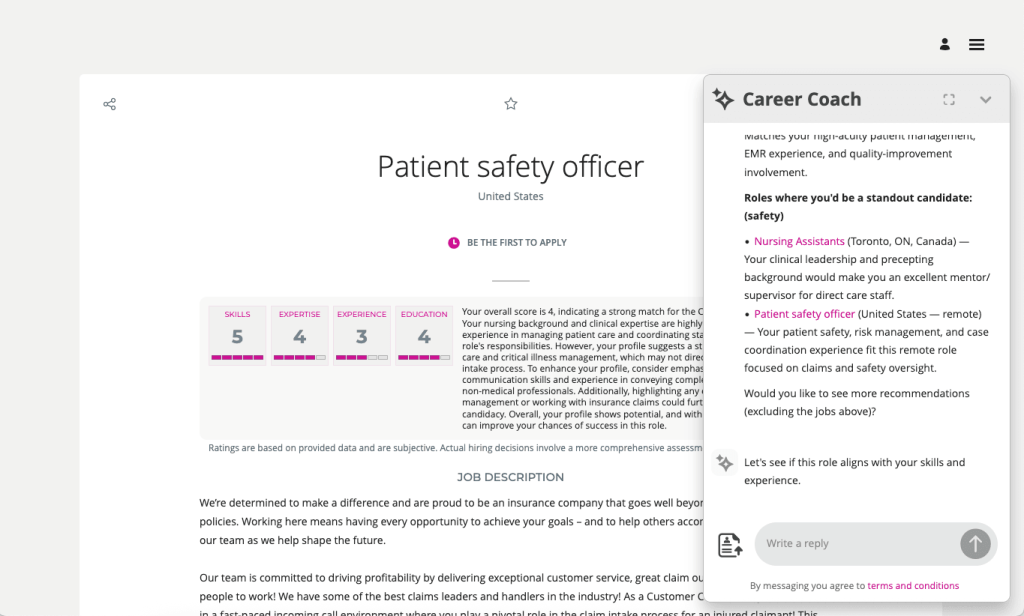
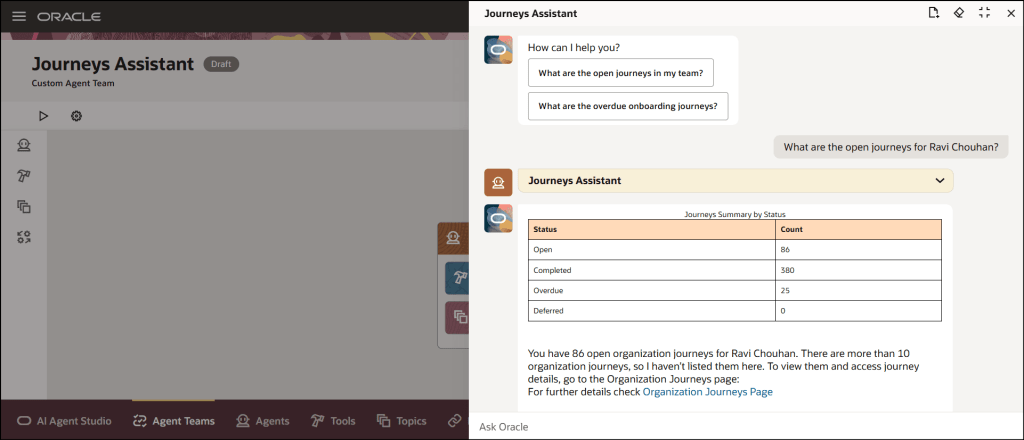
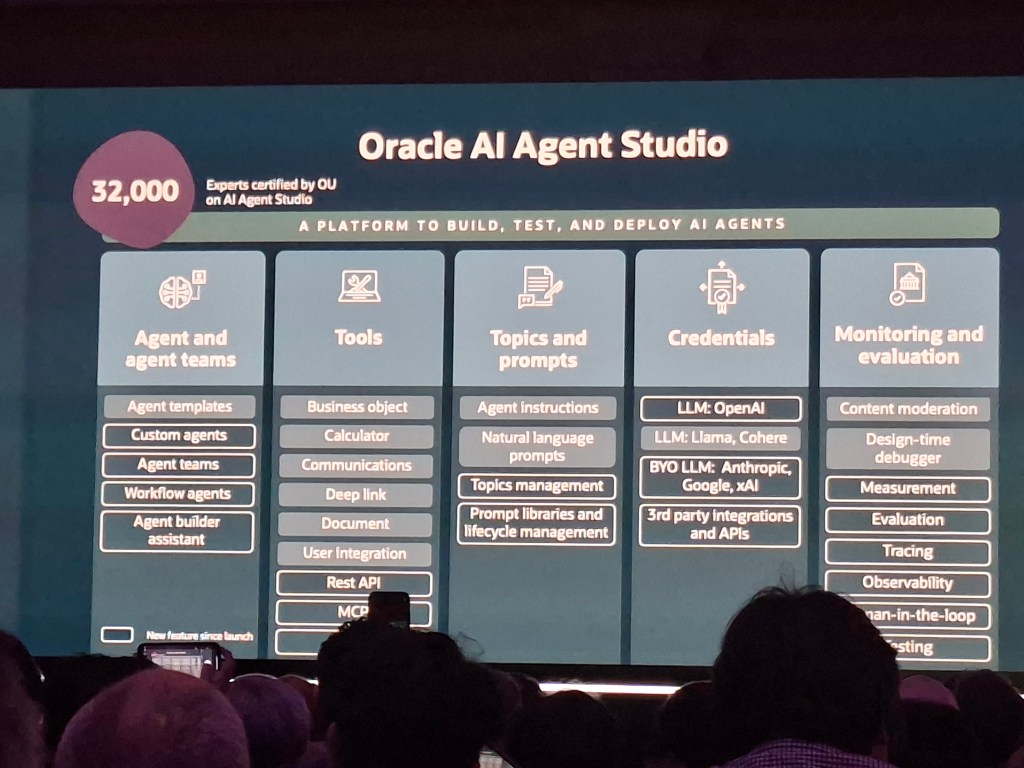
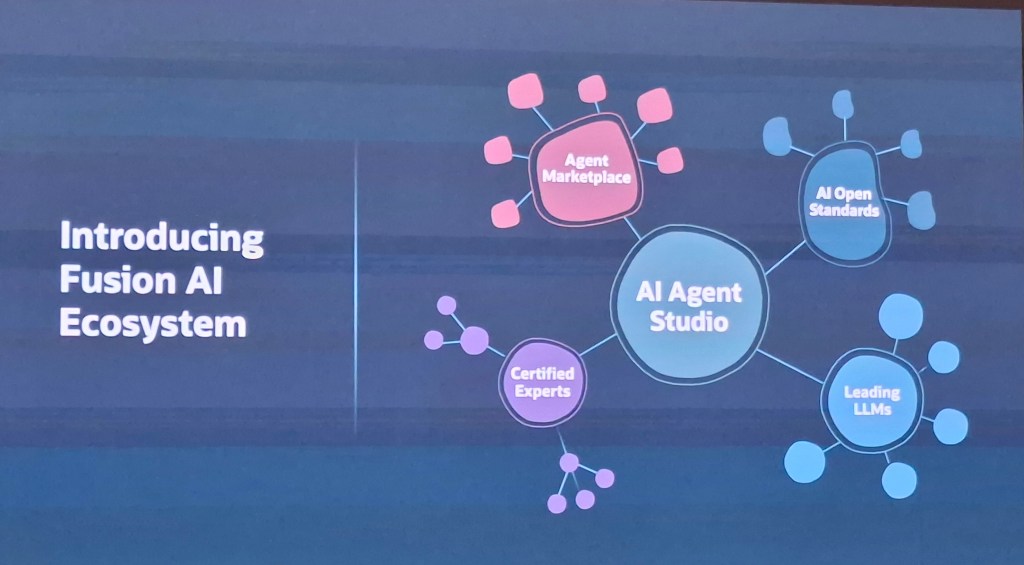
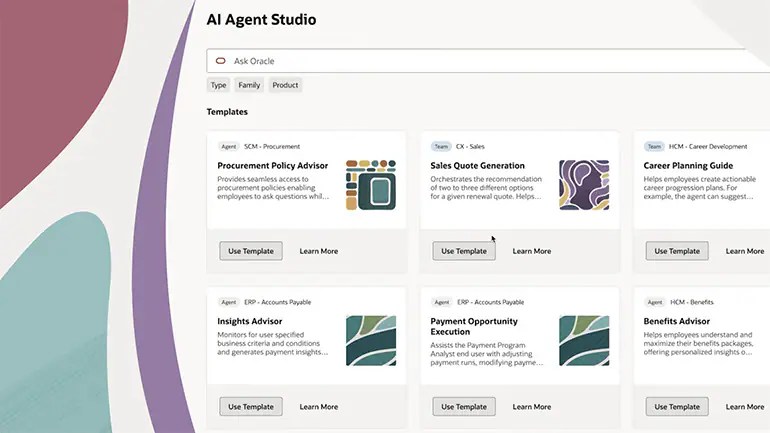
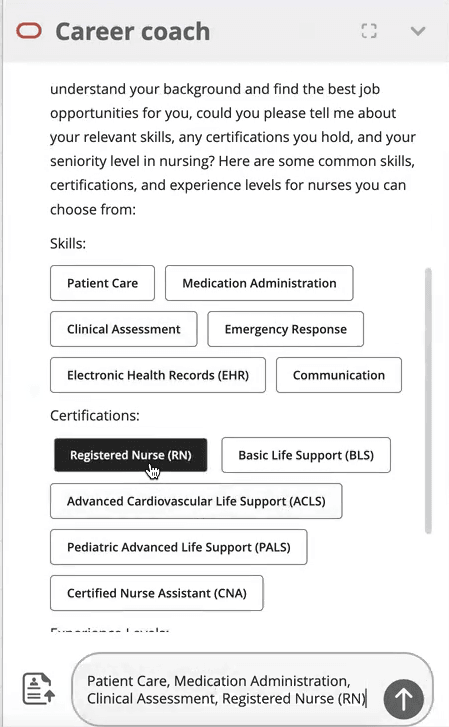
Unsurprisingly given AI Agent Studio was released in 25C and the current focus on AI, this is an AI heavy release. The first feature I want to highlight is for AI Agents. Oracle has introduced a smart enhancement to Guided Journeys on Redwood pages by allowing AI Agent tasks to appear at the section level, not just across the whole page. This means users get more focused, real-time support exactly where they need it, helping them move through transactions faster and with more confidence. Once enabled via a profile option, this feature brings cleaner UI design, smarter guidance, and reduced reliance on support teams—all without storing any interaction data. It’s a subtle but powerful upgrade that makes Redwood journeys more intuitive and intelligent.

AI Agent Embedded in Guided Journeys

Another key focus for Oracle lately has been the embedding of Analytics into pages. As a data nerd I love any opportunity to embed a graph or other visualisation of data into a page. Oracle have now introduced a new enhancement to the Analytics task type in Journeys, the Visualization Configuration subtask, which enables users to seamlessly view Oracle Transactional Business Intelligence (OTBI) analyses, including any supported parameters, directly within a journey task. This integration allows for real-time insights and decision-making without leaving the task flow. It should be noted that users configuring these will not only need Journeys config access, but also security access to the new Visualization Configurator. There are three new privileges for this: ZCA_VIEW_DATA_VISUALIZATION_CONFIGURATION_PRIV, ZCA_MANAGE_DATA_VISUALIZATION_CONFIGURATION_PRIV and HRC_MANAGE_SYSTEM_SEARCHES_PRIV.

Visualization Configuration in Guided Journeys

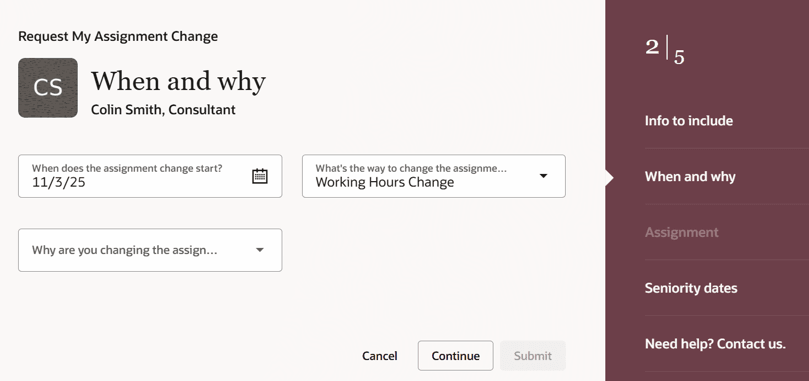
The next feature might not be the most thrilling, but it’s one you’ll want to be aware of. Oracle’s been steadily shifting notifications from the old Responsive style to the newer Redwood look, and now it’s Employment notifications getting the makeover. If you’re using Oracle’s seeded notification, it’ll automatically switch to the Redwood version, just a heads-up, there’s no going back unless you move to a custom notification. If you are using custom notifications, you’ll need to tweak your template to the Redwood style. On the plus side, the new notifications automatically adjust to the screen they’re being viewed on, so they’ll look spot-on whether you’re on a laptop, tablet or mobile. If you haven’t customised your existing notifications, the update rolls out without you lifting a finger. The fresh design is cleaner, more user-friendly, and helps you get things done quicker. Plus, it now supports date, time and number formats based on each user’s preferences.

The final update I’d like to highlight is for those who’ve not yet transitioned to Redwood. I understand some organisations have held off for various reasons, so it’s important to note that from release 25D, the Redwood Document of Records page will be automatically enabled, and the Responsive page will no longer be displayed. If you’re not quite ready to move to Redwood, you can revert to the Responsive version by setting the profile value ORA_PER_DOCUMENT_RECORDS_REDWOOD_ENABLED to ‘N’. However, as with other Redwood transitions, once the deadline has passed, any issues with the Responsive page will no longer be supported, and Oracle Support will only recommend using the Redwood version. That said, the Redwood page offers a significantly improved experience, including the need for fewer clicks and faster load times, so this change should be seen as a positive step forward rather than a forced inconvenience.

Redwood Document of Records

As previously mentioned, Oracle is set to introduce new features in Core HR later this month. Should these enhancements prove to be particularly noteworthy, I’ll publish an updated blog post. In the meantime, please keep an eye out for forthcoming blogs that will explore additional modules within Fusion as part of Release 25D.

Please note all screenshots are the property of Oracle and are used according to their Copyright Guidelines
Oracle Digital Assistant – Does it have a Future?

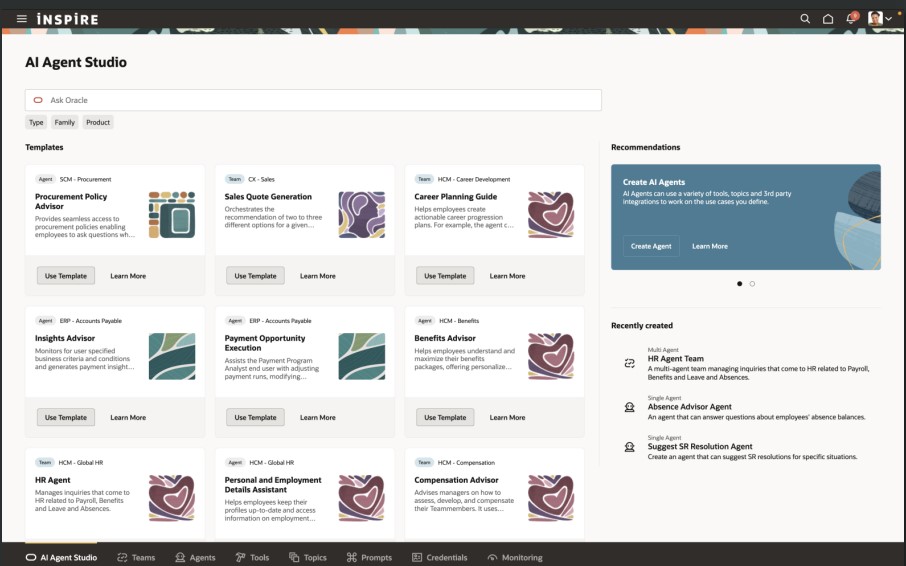
With the introduction of AI Agents in Fusion, many are questioning the future role of Oracle Digital Assistant (ODA) within Oracle’s roadmap. During the AI Agent Studio training, it was mentioned that ODA seeded skills will eventually become obsolete, although no further details with regards to a timeline were provided. Since then, Oracle’s 25C What’s New documentation has confirmed that some older seeded skills are beginning to be deprecated—however, this is not a new development, as the phasing out of legacy skills has been an ongoing process.

Oracle Digital Assistant

Several Oracle Digital Assistant (ODA) skills are now deprecated and may soon become obsolete, requiring timely updates to maintain compatibility with Fusion Cloud Applications’ quarterly releases. The Expenses skill built on ODA version 20.08, the Candidate Experience skill on version 22.08, and the Internal Candidate Experience skill version 1 on version 23.06 are all deprecated—customers should ensure they have deployed the appropriate V2 versions of these skills to stay aligned with the latest updates.

An additional key point of note is that the HCM Knowledge skill has been decommissioned as of release 25A, and customers using the Classic HR Help Desk are advised to transition to the ‘Search Knowledge Article’ intent within the Helpdesk skill for continued support.

Adding Skills in Oracle Digital Assistant

Oracle advises customers to check the Skill Store for updated versions for every release. If you access a skill built on a deprecated platform version, a warning message will appear, and you can click the ‘Tell me more’ option to view additional details about the platform versions. Skills will cease to function once their underlying platform version becomes inactive, which typically occurs no later than two years after their release.

To ensure your Digital Assistant or skill remains up to date, you can easily install the latest version from the Skill Store whenever an update is available. Simply sign in to Oracle Digital Assistant, navigate to Development > Digital Assistants via the Navigator, and within the tile for the relevant skill or digital assistant, click the menu icon and select Install Update. After upgrading your digital assistant, it’s essential to reassign the appropriate channels to the new version to ensure continued functionality. To do this, sign in to Oracle Digital Assistant and navigate to Development > Channels via the Navigator. Click on Channel, and in the Create Channel dialog box, enter the necessary details, selecting the required channel type from the list. Once created, to link this channel to the latest version of FADigitalAssistant, use the Route To drop-down menu to search for and select the updated version. Finally, click Reset Sessions, and in the Change Channel Routing dialog box, confirm by clicking Change.

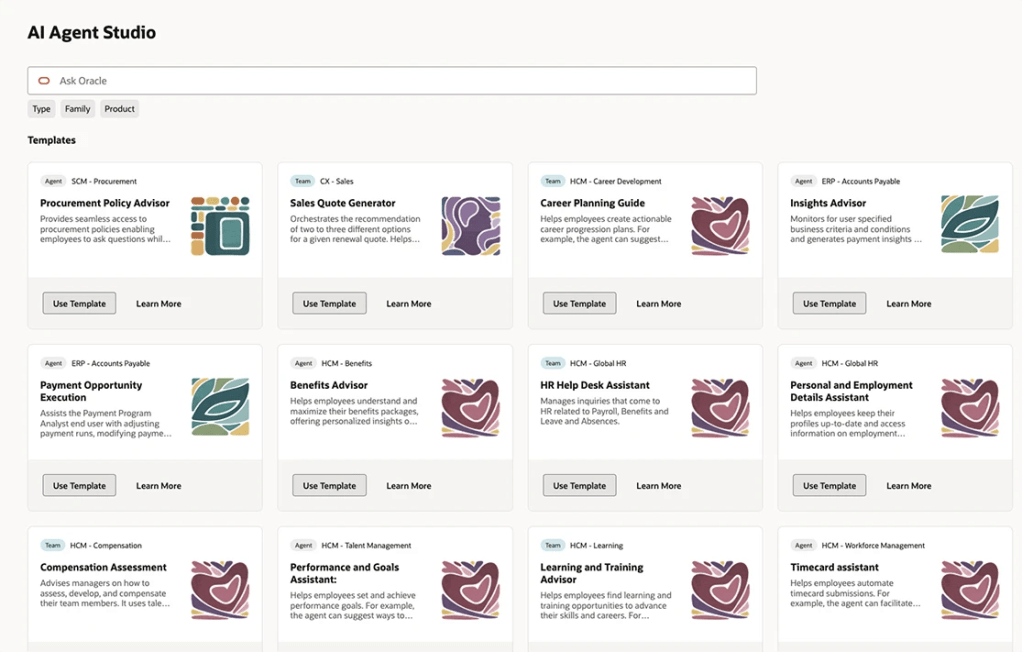
Oracle AI Agent Studio

At this stage, there’s no immediate need for customers to move away from Oracle Digital Assistant (ODA); however, it’s a good time to begin reviewing the skills currently in use and identifying the types of questions your users typically ask. These insights can serve as a valuable foundation for developing AI Agents using the new AI Agent Studio, which is being introduced in release 25C. Taking a proactive approach now will give you ample time to plan and transition before ODA eventually becomes obsolete—whenever that may be.

Please note all screenshots are the property of Oracle and are used according to their Copyright Guidelines

Ask Oracle – The New Way to Interact with Fusion

Have you heard about Ask Oracle? I was chatting with someone from Oracle recently and left the conversation genuinely excited! It gets a brief mention in the Common Features for 25C, but there’s not much detail available just yet. So, what is it? Ask Oracle will form part of a new navigation experience being introduced in 25D. You’ll be able to use it to search for tasks, applications, and information—and it will also serve as your way of navigating between different areas. The Home page with Ask Oracle will remember where you’ve recently been and the places you visit most often, helping you get to what you need more quickly and intuitively.

Ask Oracle Homepage

Oracle understands that when users open Fusion, it’s usually with a specific task in mind. The new Ask Oracle experience is designed to make that journey more intuitive—whether you prefer to simply ask for what you need or browse a curated list of intelligent suggestions. To support this, the redesigned home experience brings together three key elements: a product map view to help you explore what’s available; intelligent suggestions that surface the most relevant items based on your likely next steps; and a modern search function with rapid type-ahead, synonym recognition, and integrated business objects—making it easy to find what you’re looking for, even if you’re unsure of the exact name or didn’t realise you needed it.

Ask Oracle Navigation

The version being released in 25D is the first iteration. This will continue to evolve over time. Future versions of the Home experience with Ask Oracle will support a full range of user goals: whether you’re exploring what’s possible with “What can I do?”, tackling a specific task with “I want to do ‘x’…”, or checking in with “What needs my attention?” to understand what actions are required to keep things moving. The application will intelligently highlight tasks and priorities to help maintain workflow momentum.

If you’d like to use Ask Oracle, it will need to be enabled following the 25D release. Once enabled, the Home experience with Ask Oracle will replace both the global header and the existing home page used in the News Feed layout. You can set Home with Ask Oracle as the default home page layout via the Appearance work area.

Please note all screenshots are the property of Oracle and are used according to their Copyright Guidelines
Oracle HCM Cloud Talent 25C

Talent became mandatory in Redwood by Release 25C, but that doesn’t mean that Oracle haven’t given us some new features in this release. As usual, Oracle do usually continue to announce more features throughout the month, so if any significant additional features are announced, I will do a follow up post to highlight them.

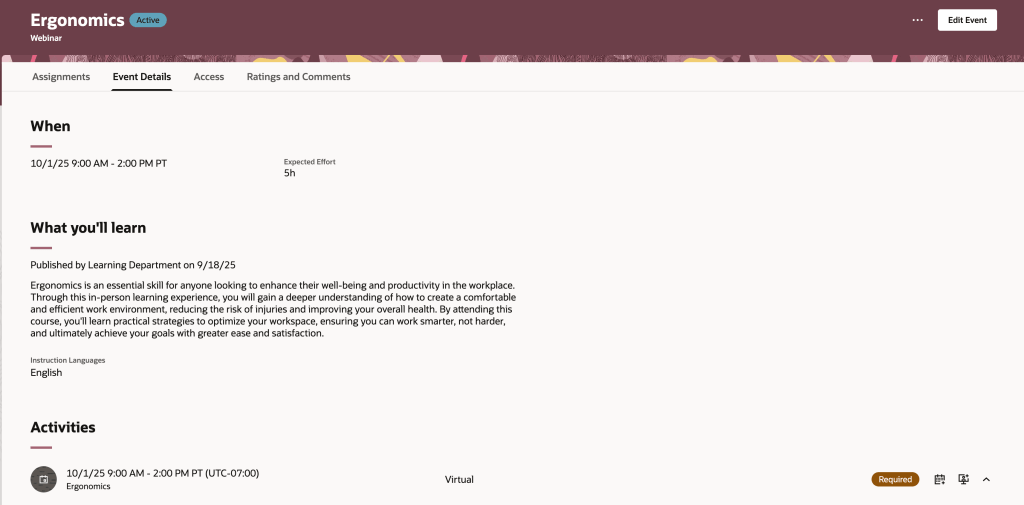
In 25C Oracle have enabled combined goal administration pages, where you can view the performance and development goals administrative tasks on a single page. On the Performance and Development Goals page, unsurprisingly you can view and manage performance goals and development goals of any persons you have access On the Goals Library page, you can view and manage performance and development library goals. Then there is the Setup of Goals Mass Processes, which manages mass assignment process for performance and development goals and also the mass sharing process for performance goals. The final page within the admin pages are the Scheduled Processes for Goals, which again is fairly self explanatory. These changes are a simple one, but it will make life easier for Talent Administrators which can only be a positive thing!

Library Goals Page Listing Performance Library Goals

Oracle has rolled out valuable enhancements to its Check-in templates, making performance conversations more efficient and tailored. You can now link Touchpoints check-in documents directly to performance review periods, eliminating duplication and ensuring a smoother flow of information. A particularly helpful update is the ability to include competencies from an employee’s position, job, or talent profile as discussion topics—this provides structure and relevance to each conversation. Additionally, organisations can now target specific employee groups by assigning eligibility profiles to Touchpoints templates, allowing for a more personalised and strategic approach to performance management.

Add Talent, Position, and Job Competencies as Discussion Topics

A small but impactful update from Oracle is set to make HR workflows more efficient—notifications can now be automatically sent to HR when general or goal-related feedback is submitted in response to an HR request. These alerts include a direct link to the feedback, saving HR teams from having to manually check each employee’s Goals or Feedback page. It’s a simple enhancement, but one that will be widely appreciated for the time and effort it saves.

HR notified when feedback is received for a worker

It wouldn’t be an Oracle release without a touch of AI—and this one delivers just that. Managers using Redwood performance documents can now benefit from enhanced AI support during evaluations, making the process smarter and more intuitive. What’s especially reassuring is the new transparency feature: the data sources used to generate AI-suggested comments are now clearly displayed, helping to build trust in the insights provided. Additionally, a new page property allows you to set a minimum character count before an overall summary comment is generated, giving organisations more control over the quality and depth of AI-generated feedback.

AI Enhancements For Manager Evaluations in Redwood Performance Documents

As mentioned earlier, Oracle often roll out additional features throughout the month. Should these updates be significant, I’ll publish a follow up blog post. Please check out my blog on the new features in Core HR for Release 25C here.

Please note all screenshots are the property of Oracle and are used according to their Copyright Guidelines
Oracle HCM Cloud Recruiting 25C

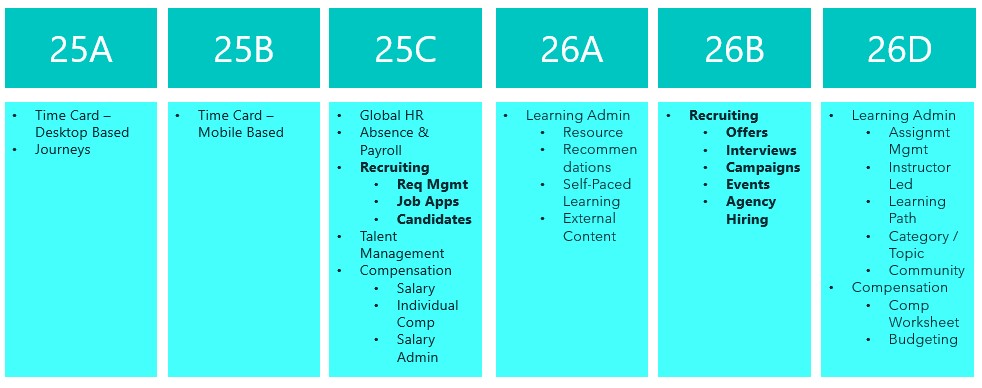
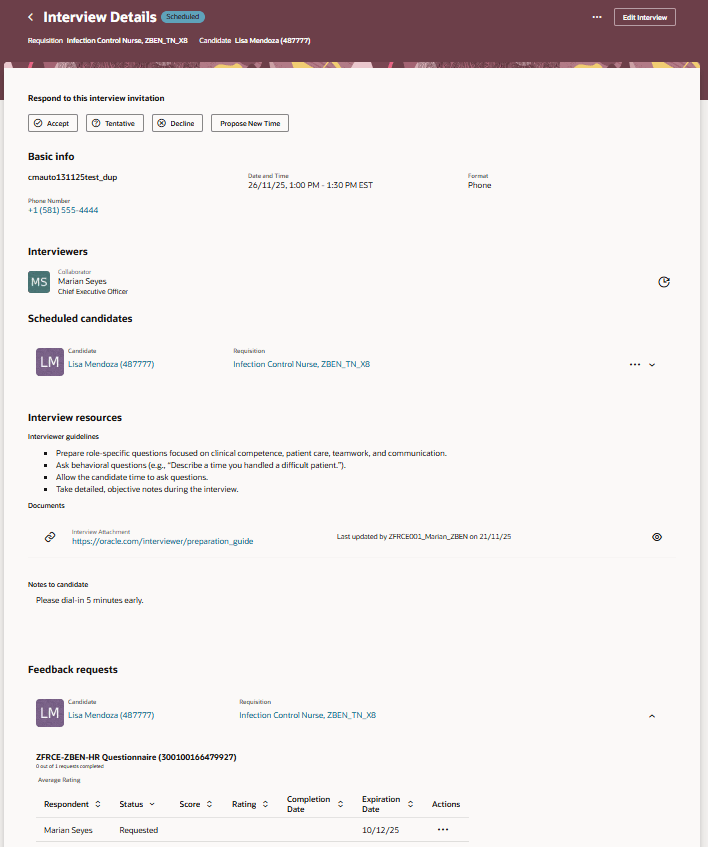
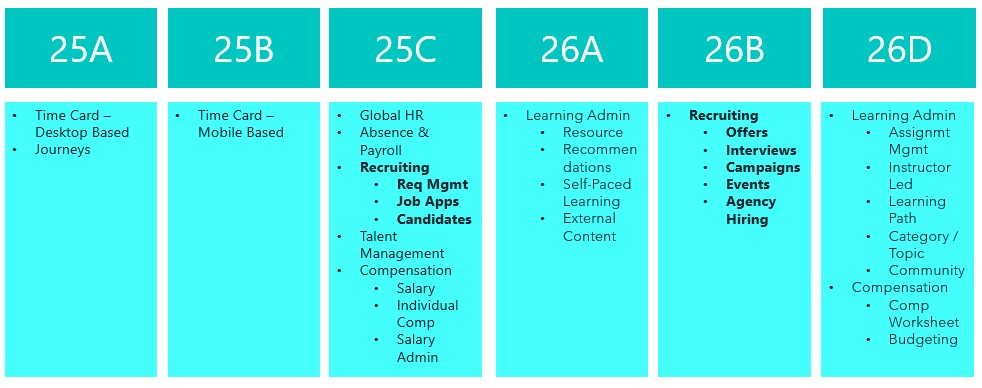
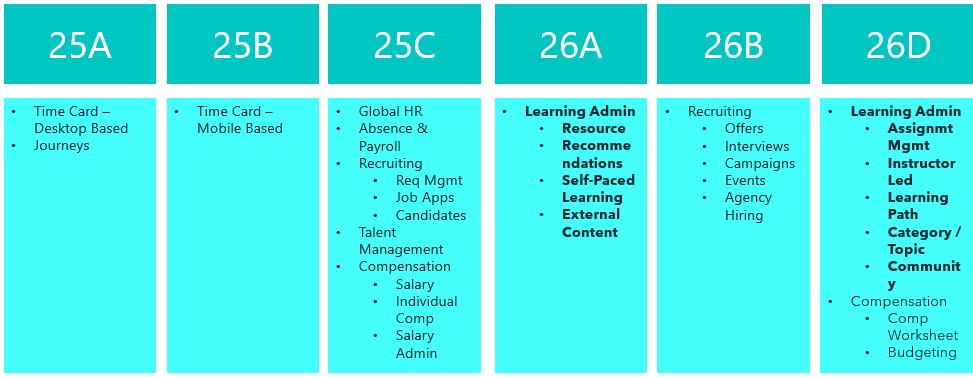
Earlier this year there was a split in the timelines for when Recruiting becomes mandatory in Redwood. Requisition Management, Job Applications and Candidate Management are all mandatory by Release 25C. Offer and Interview Management, Campaigns, Event and Agency Hiring are now mandatory by Release 26B. With this in mind, there are a lot of new features in release 25C to prepare for the second phase of Redwood for Recruiting. Oracle continues to deliver innovation, with new features rolling out throughout the quarter. I’ll be keeping a close eye on the updates, and if anything particularly noteworthy emerges, I’ll share a follow-up post to keep you in the loop.

Updated Redwood Timeline

This release introduces Redwood functionality for Offers. It’s now possible to both create and delete an offer within Redwood. It’s possible to override information from the position during the offer process, unless Position Sync is switched on and then the option is greyed out. As with all new Redwood pages, I would recommend switching it on in your Development pod and checking out the functionality as soon as you receive 25B. The earlier you start testing, the easier it will be to adopt Redwood for Offers.

Create an Offer in Redwood

In this release Oracle have split out the Hiring tab, into two separate ones: Hiring and Candidate Sourcing. The Hiring tile now contains these tabs: Activity Centre; Messages; Requisitions; Offers; Candidate Search; Pools; Campaigns and Events. The new Candidate Sourcing tile contains these tabs: Events; Candidate Search; Pools; Messages and Campaigns. The separation of tiles will automatically happen if you have the ORA_REC_RECRUITING_REDWOOD_ENABLED profile. Only users who have security access to Candidate Sourcing will have access to the tile and it’s content.

Hiring Tile and Candidate Sourcing Tile

Whilst Job Applications are mandatory in Redwood by Release 25C, Oracle have added extra functionality within VBS to personalise the Job Application page. This is following customer feedback that requested additional fields to be available within Job Applications. Whilst the move to Redwood hasn’t always been smooth, I do think Oracle’s response to client feedback on additional personalisations that are requested and movement on mandatory timelines has been significantly more flexible than I would expect of an organisation of their size.

Visual Builder Studio to Personalize the Job Application Page

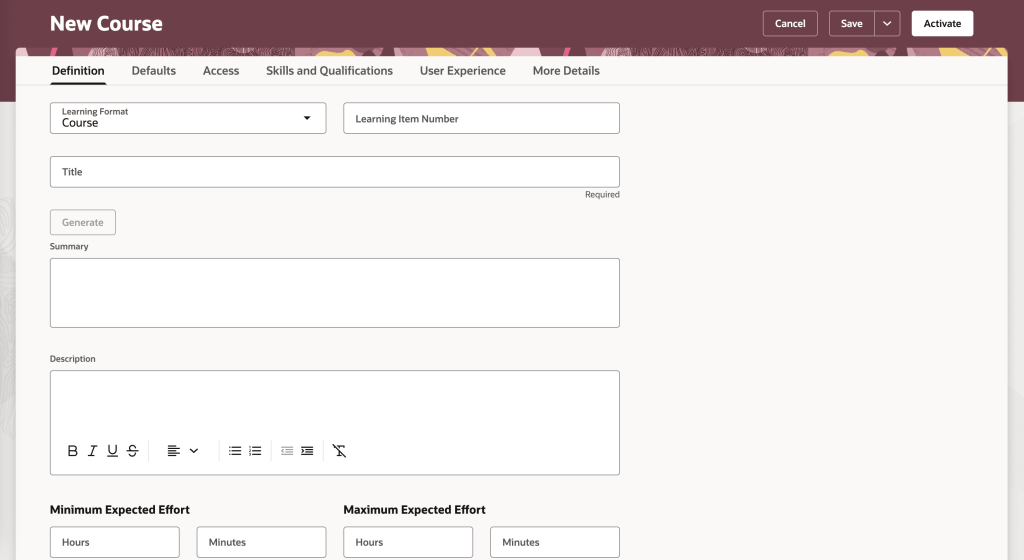
The Send Job Requisition and Job Application Related Messages to members of the hiring team has now been moved to Redwood. You can use a template to create the message or create it from scratch. The Recipients list will automatically display all the hiring team members, but you can type in the list to find other recipients. When you’re ready to send it, you can preview the message to ensure the content is correct and tokens are being resolved as expected. Once the message is sent, it’s available on the Messages tab of the job requisition, and on the Activity tab of the job application. 

Send Message to Team Panel

As I said earlier, Oracle generally continue to add new features throughout the quarter. I’ll be keeping a close watch on the updates, and if anything particularly impactful comes through, I’ll share a follow-up post to keep you informed and ahead of the curve. Please check out my blog on the new features in Core HR for Release 25C here.

Please note all screenshots are the property of Oracle and are used according to their Copyright Guidelines

Oracle HCM Cloud Core HR 25C

It doesn’t feel that long since we started talking about 25B, but now its time for 25C! With Core HR being mandatory in Redwood by Release 25C, I would be lying if I said there were a significant number of new features for Core HR in 25C, but there are some features of note! Please keep in mind that Oracle will continue to roll out additional features throughout the quarter, if there are any subsequent features of note, I will do a follow up blog on these.

A lot of organisations, particularly in the public sector have been eagerly awaiting the changes to the Public Worker Search functionality. For those of you who don’t know what Public Workers Access is, it determines which employee records are returned in searches and other public-facing views. This allows for controlling the visibility of sensitive information like job codes or positions by applying user-defined criteria. 25C is the first release that brings Public Worker Access support to Oracle Search and Redwood. So what does this mean? If you need to limit employees or positions being available in Public Search due to the confidential nature of their role, now you can! It can be configured in a variety of ways including adding exclusion criteria.

Public Worker Access

In addition, Oracle have introduced the ability to export your Public Worker Access between pods. This will allow the migration of Public Worker Access configuration to be much simpler and remove any risk of human error. It will ensure that the config that has been tested in your development pod is the same as what is deployed in Production.

Exporting Public Worker Access Configuration

There are a lot of Journey related features in this release. One I particularly like is quite a simple change but I think it will add significant value. The ability to easily schedule recurring Journeys will make Journey administration a lot easier. The flexibility of being able to chose the frequency, but also limit the number of times the Journey is assigned makes this such a great addition.

The final Journey feature that I want to highlight is the ability to embed Multi Agents into Guided Journeys. This will allow a variety of different AI Agents to be embedded into pages with ease. Added AI Agents to pages is done via Guided Journeys and this new functionality makes it much easier. This is the perfect time for this improvement when we’re all prepping for the introduction of AI Agent Studio to speed up the process of creating AI Agents!

Embedded Multi AI Agents in Guided Journeys

The other area of Core HR with significant changes are within the Workforce Structures workspace. There are a number of new pages that have moved over to Redwood, including the  Legal Entity HCM Information and Legal Reporting Unit HCM Information pages. Additionally Oracle have given more flexibility in adding extra attributes on the summary of changes page for all Workforce Structure changes. These fields can be added in via VBS to allow for the easy review of changes to fields that are important to your organisation.

Additional Attributes in Redwood Workforce Structures Change Summary

As mentioned earlier, Oracle plans to roll out new features in Core HR later this month. Should these updates turn out to be noteworthy, I’ll publish a refreshed blog post. Additionally, keep an eye out for upcoming posts that will cover other modules within Fusion for Release 25C!

Please note all screenshots are the property of Oracle and are used according to their Copyright Guidelines
Oracle Journey Mapping Bootcamp

Today I went to the lovely Oracle offices in Moorgate for a Journey Mapping Bootcamp. I will be honest, I’m not sure what I was expecting from the day but it was nothing like I had anticipated.  It was honestly a fabulous session.

CX Framework

The purpose of the day was to empower Oracle Fusion customers, irrelevant of the modules used, to be able to take a holistic approach to their customers / suppliers / employees and to understand what the customer experience looks like for them.

How the Journey is Perceived by the Customer

There was a lot of focus around each of the touch points a customer has with an organisation, how the process will make them feel and very importantly, how is the whole journey perceived by the customer. When analysing hyperthetical scenarios, it was easy to see that most interactions a customer has with an organisation are unlikely to be ones that exceed their expectations.

Change Effectiveness Equation

Having recently completed my PROSCI Certificate in Change Management, I particularly enjoyed the focus on change management.  It was useful to see some other approaches that can be used. I felt it was important that other customers were provided with these theoretical frameworks to be able to take their learning back to their organisation.

Relationship between Employee Experience and Customer Experience

Towards the end was the first time that systems were mentioned. It was really helpful to see how the journey for different customers can be managed through the use of Oracle Fusion products. It took the theory and applied it to real use cases for the customers in the room.

Oracle Products Helping with Organisational Transformations

Overall I would highly recommend that organisations who are undergoing change or those that wish to improve their current approach to customer experience attend one of these Journey Mapping Bootcamps. Whilst I work for an Oracle Partner, I still found it massively beneficial as I can use my learning to improve the experience for my customers but also to help them improve the experience for their customers. This is a phenomenal opportunity that Oracle are providing to their customers and I’d recommend anyone who has the opportunity to attend, to sign up for the next one!

If you want more details on the subject of CX, Ian Golding who hosted the session has written a book. Details below:

https://amzn.eu/d/emUvYGG

Please note all screenshots are the property of Oracle and are used according to their Copyright Guidelines
Oracle HCM Cloud Core HR 25B

It’s my favourite time of the quarter again, new features time! 25B is an important one for Core HR as it is mandatory for Core HR to have made the move to Redwood by 25C. This is really your last chance to make that move to ensure you remain in support with Oracle. So what’s new in 25B? Lets take a look! Please keep in mind that Oracle will continue to roll out additional features throughout the quarter, if there are any subsequent features of note, I will do a follow up blog on these.

I love the Activity Centres and in 25B the Team Activity Centre has had some enhancements. If you don’t know about Activity Centres, check out my post on them here. Oracle have added in a lot more attributes that can be added to the page via VBS, including additional fields relating to employment, compensation and talent on the Worker View. Additional fields can also be added to the Position and Offer Views. Following feedback, the Vacancies quick action has now been removed from the Team Activity Centre as it wasn’t being utilised. In the top right hand corner of the image, there is a new ‘Needs Attention’ flag. These appear for employees in the Person Activity Centre if they have a KPI that requires attention. It should be noted that the Populate HCM Data Feed Information ESS process needs to be run for these to display, with the Data Feed Flow parameter set to ‘Team Activity Center’.

Continuing the Activity Centre theme, I’m delighted that Guided Journeys are now supported on the My Activity Centre and the Person Activity Centre. As the name suggests, Guided Journeys help guide a user through a process. They are particularly useful in adhoc scenarios that the user might only do once or at most, infrequently. The introduction of Guided Journeys on the Activity Centres is the final piece that many organisations were waiting for to complete their Redwood move.

One thing Oracle have done really well during the process of moving to Redwood is to listen to their customers. On many other Redwood date effective pages, it is possible to see prior and future dated records, but it wasn’t possible on the Additional Person Info page. Now it is! Not only that, but they’ve added in extra validation to control who can see what. If you’re accessing your own Additional Person Info page via ‘Me’, you will only be able to see current and future dated records, but if you access via ‘My Client Groups’, you will be able to see historic, current and future dated records.

One of the key points of interest to most customers is the addition of AI to pages. Surveys within Journeys have always had analytics as part of them, to enable organisations to analyse the responses. Now it’s possible to incorporate Gen AI to not only analyse the data, but display it in a graphical format of your choosing. Additionally it will summarise the key text based responses. All of this will speed up the analysis and make it easier to present the findings to other relevant parties. For more details of the use of AI in HCM Cloud, please check out my blog here.

As mentioned earlier, Oracle plans to roll out new features in Core HR later this month. Should these updates turn out to be noteworthy, I’ll publish a refreshed blog post. Additionally, keep an eye out for upcoming posts that will cover other modules within HCM Cloud for Release 25B!

Please note all screenshots are the property of Oracle and are used according to their Copyright Guidelines

Redwood for Global HR – What Do you Need to Know?

As you will know, Redwood is mandatory for Global HR from Release 25C, so now is time to make the move!  The first question I am asked is will there be a replacement for Person Management? I’ll be honest with you, I love Person Management! The good news is that Oracle have confirmed that there will be, the ‘HR Activity Centre’. The date for release hasn’t been confirmed, but it is coming. Oracle have caveated that it won’t be a like-for-like replacement, but it will be a centralised location for transactions rather than having to go to different quick actions.

Oracle massively ramped up the number of Global HR features available within Redwood in 2024, so the majority of features are already available to you right now. As the picture above shows, if you’re not currently using autocomplete rules and have no requirement for creating unsupported defaulting rules, you can move to Redwood for Global HR right now. If you do have a requirement to default in data using rules, the amount of rules for defaulting data available will be significantly increased in 25B. This doesn’t mean wait for 25B though, it’s important that if you haven’t started, to start the switch in a non-production pod. Using a dedicated Redwood pod is always my recommended approach as it won’t impact on quarterly regression testing or issue resolution, due to the pod not matching what is currently in Production.
Global HR differs slightly to other modules when moving to Redwood. There are the usual steps, enabling Oracle Search, Updating Custom Security Roles; Reviewing and Migrating Personalisations using the Personalisation Helper Tool and Switching on the Redwood Flows via Profile Options. For Global HR, there are two additional prerequisites. Firstly, to be able to use the Redwood pages for Termination and / or Resignation, you must have migrated to Termination V3. To be able to use the Redwood page for Seniority Dates, you must be using Version 3 of Seniority Dates. So what happens if you’re not using one or both of the prerequisite versions? For terminations and resignations, you won’t be able to use the Redwood page. For Seniority Dates, there is an alternative, you can manage the dates via the Redwood Work Relationship page. If you want the full Redwood experience, I would recommend making the move to the latest versions of both Termination and Seniority Dates. My other recommendation is to migrate the V3s now, not after you’ve moved to Redwood. This will make the process more straightforward and therefore easier.

So what are my top tips? The Redwood ‘Bible’ only lists the key flexfields the need switching on. Check the What’s New Documents for all related modules for all the historic Redwood updates. Have you seen the Feature Listing Report on the Cloud Readiness website? From here you can download every upgrade since 2023 for every Fusion module in a handy spreadsheet. You can then use filters to find all the Redwood features for a given module.

A lot of users have reported issues with flexfields whilst testing Redwood. If this happens, redeploy the flexfields and make sure all flexfield personalisations have been migrated. Likewise if you’re having issues with pages, firstly ensure that the appropriate profile options for Oracle Search are switched on. If that doesn’t work, ensure custom roles have the correct privileges.

The Redwood Personalisation Tool is extremely helpful. Whilst it can’t migrate all personalisations, it will migrate some of them and reduce the amount of manual personalisations that will need to be applied. I would always recommend only using it in Migration mode for a small subset at a given time. Preferably one flow at a time. This gives you the chance to review the personalisations and make corrections more easily. Additionally once the tool has been used to migrate a flow, you can’t use it again for that specific flow. Even if a newer version of the tool provides more migration options within that flow.

Finally, use the new Activity Centres. Within the Global HR space, there is currently one for employees and one for line managers. These are a one stop shop for users to access all their and their team’s HR records and carry out their tasks. As I said earlier, one for the HR Team to replace Person Management is coming, so watch this space! Check out my earlier blog on Activity Centres here.

Please note all screenshots are the property of Oracle and are used according to their Copyright Guidelines.