
Have you heard about Ask Oracle? I was chatting with someone from Oracle recently and left the conversation genuinely excited! It gets a brief mention in the Common Features for 25C, but there’s not much detail available just yet. So, what is it? Ask Oracle will form part of a new navigation experience being introduced in 25D. You’ll be able to use it to search for tasks, applications, and information—and it will also serve as your way of navigating between different areas. The Home page with Ask Oracle will remember where you’ve recently been and the places you visit most often, helping you get to what you need more quickly and intuitively.

Oracle understands that when users open Fusion, it’s usually with a specific task in mind. The new Ask Oracle experience is designed to make that journey more intuitive—whether you prefer to simply ask for what you need or browse a curated list of intelligent suggestions. To support this, the redesigned home experience brings together three key elements: a product map view to help you explore what’s available; intelligent suggestions that surface the most relevant items based on your likely next steps; and a modern search function with rapid type-ahead, synonym recognition, and integrated business objects—making it easy to find what you’re looking for, even if you’re unsure of the exact name or didn’t realise you needed it.
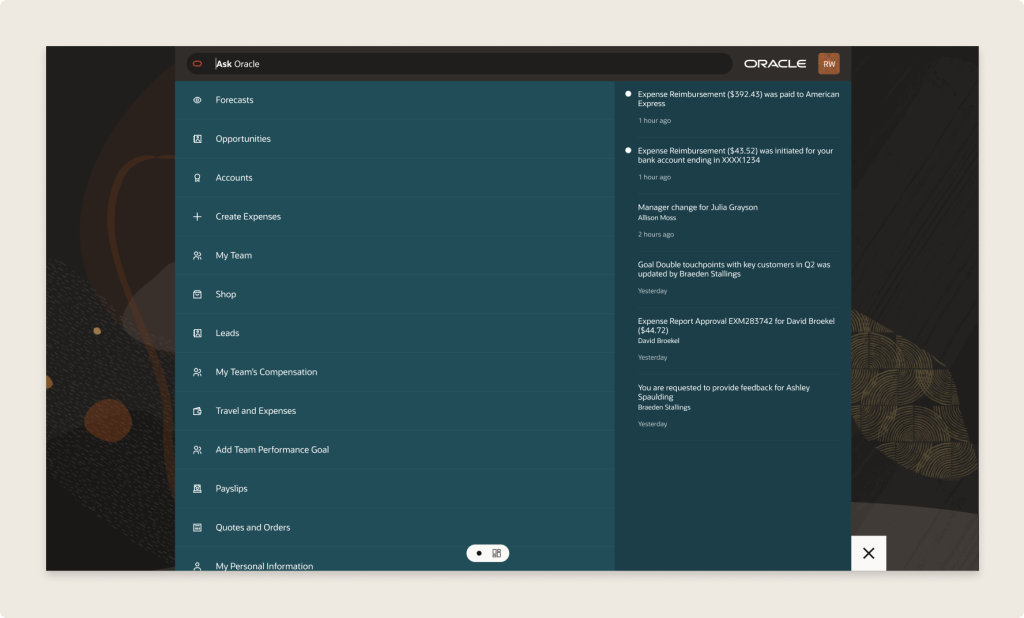
The version being released in 25D is the first iteration. This will continue to evolve over time. Future versions of the Home experience with Ask Oracle will support a full range of user goals: whether you’re exploring what’s possible with “What can I do?”, tackling a specific task with “I want to do ‘x’…”, or checking in with “What needs my attention?” to understand what actions are required to keep things moving. The application will intelligently highlight tasks and priorities to help maintain workflow momentum.
If you’d like to use Ask Oracle, it will need to be enabled following the 25D release. Once enabled, the Home experience with Ask Oracle will replace both the global header and the existing home page used in the News Feed layout. You can set Home with Ask Oracle as the default home page layout via the Appearance work area.
Please note all screenshots are the property of Oracle and are used according to their Copyright Guidelines

 K8 Mead