
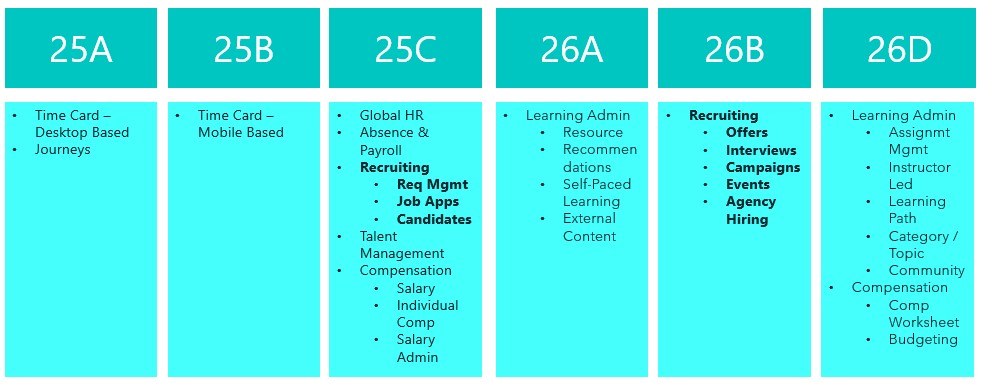
The final deadline to move to Recruit Redwood is the 26B release, so if you haven’t made the move yet, I’d strongly recommend doing so as soon as possible. With that in mind, let’s take a look at what’s coming up for Recruiting in 26B. As is often the case, Oracle may introduce additional features as the quarter progresses, and if any of those are particularly noteworthy, I’ll share a follow‑up update.
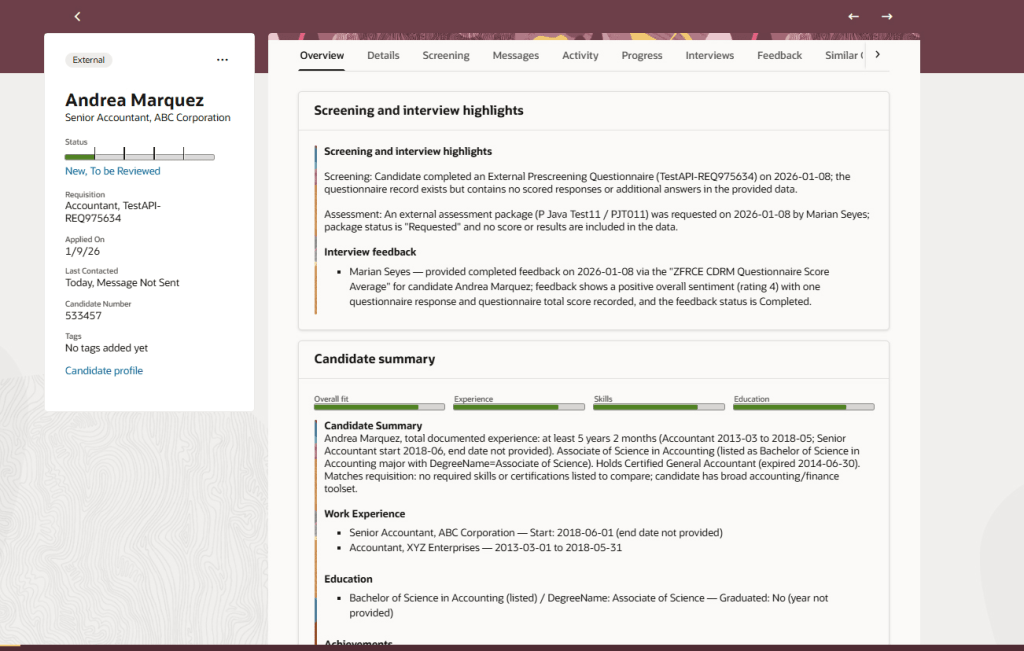
The Job Application Overview in the Redwood experience introduces an AI‑generated summary to help recruiters review applications more efficiently. When a candidate uploads a CV or adds further information after applying, the Overview tab automatically presents a concise summary across three key areas. This includes screening and interview highlights, showing the status of questionnaires, assessments and feedback; an AI‑driven candidate summary covering recent experience, education, skills, achievements and work preferences, with clear call‑outs where these align to the requisition; and a dedicated section for candidate attachments, bringing all supporting documents into one place.
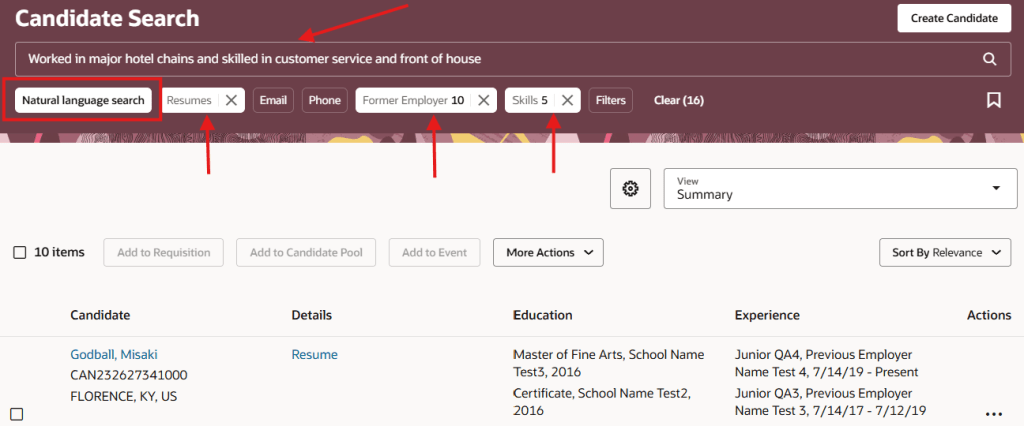
The next feature will not surprise you to hear, is another AI one. The generative AI search capability in the Redwood Candidate Experience makes it quicker and easier to find the right candidates using natural language. By simply describing the type of candidate you’re looking for, the AI automatically translates your input into relevant search filters and values. The search intelligently matches your wording to structured candidate data, applying keywords and related synonyms, and can also include CV content if required. Clear aggregation counts show how many candidates match each filter, while synonym‑based suggestions highlight potential matches found within resumes. All filters remain fully editable, allowing you to refine or adjust the results further and quickly narrow down to the most relevant candidates.
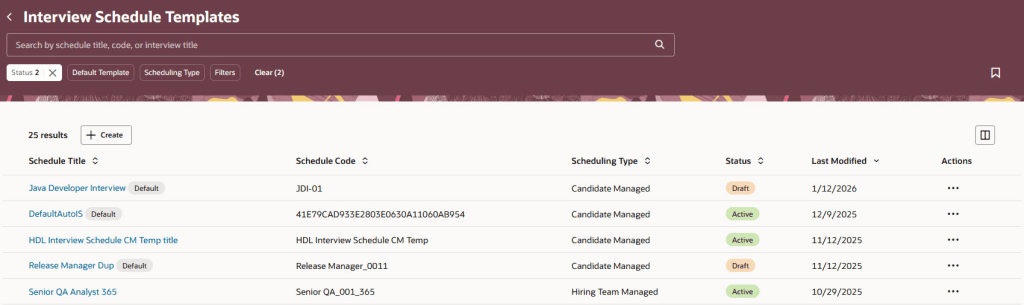
The Interview Schedule Templates list has been rebuilt in the Redwood experience using Visual Builder Studio, making it quicker and easier for recruiters to manage interview scheduling at scale. When the relevant profile options are enabled, the list is accessed via My Client Groups > Hiring. The redesigned page is built to reduce clicks and save time, with intuitive search and filtering, the ability to save searches, flexible sorting, and customisable columns so recruiters can see the information that matters most to them. Templates can be opened, reviewed and actioned directly from the list, and new interview schedule templates can be created just as easily. By aligning interview schedule management with other Redwood list pages, this update delivers a more consistent and efficient experience, helping recruiters spend less time on administration and more time focusing on candidates.
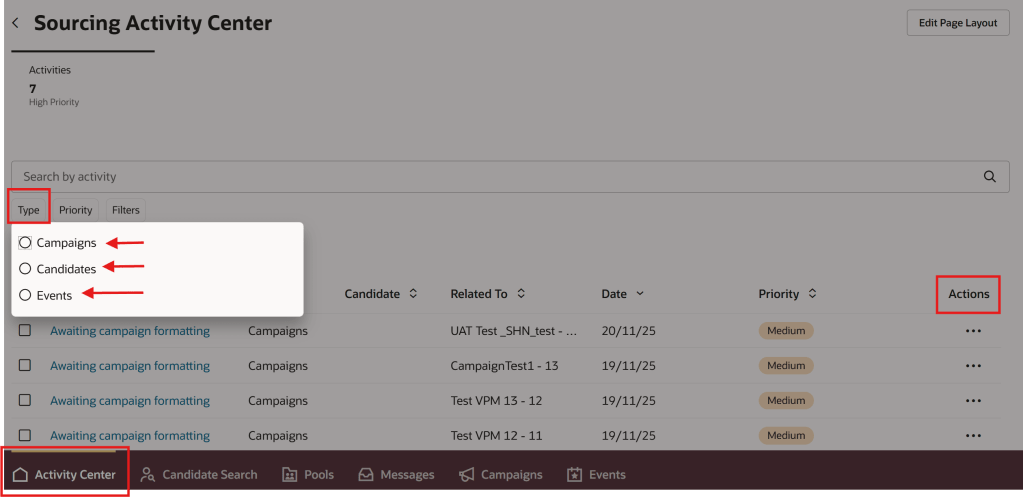
I love an Activity Centre, they’re a one stop shop for all transactions relating to that area. The new Sourcing Activity Centre provides recruiters with a single place to manage all sourcing‑related activities across campaigns, candidates and events, helping them stay on top of priorities and reduce manual tracking. Users with the appropriate access can reach the Sourcing Activity Centre directly from Candidate Sourcing or via a Quick Action. The activity list gives clear visibility of everything requiring attention, with the ability to filter by activity type and quickly identify high‑priority items. Recruiters can open activities to view more detail and take action directly from the list, making it easier to keep sourcing work moving without switching between pages. Activities span campaigns, candidates and events, including follow‑up tasks, campaign status updates and event‑related actions such as registrations and capacity management. By bringing these into one central view, the Sourcing Activity Centre helps recruiters work more efficiently, respond faster, and maintain momentum across their sourcing activities.
Oracle often introduce additional features as the quarter progresses, so it’s worth keeping an eye out for further updates. If anything particularly impactful appears, I’ll share a follow‑up blog to make sure you’re fully up to date. In the meantime, you may also be interested in my latest write‑up on the new Core HR features in Release 26B, which you can find here.
Please note all screenshots are the property of Oracle and are used according to their Copyright Guidelines



 K8 Mead