Oracle HCM Cloud Core HR 25B

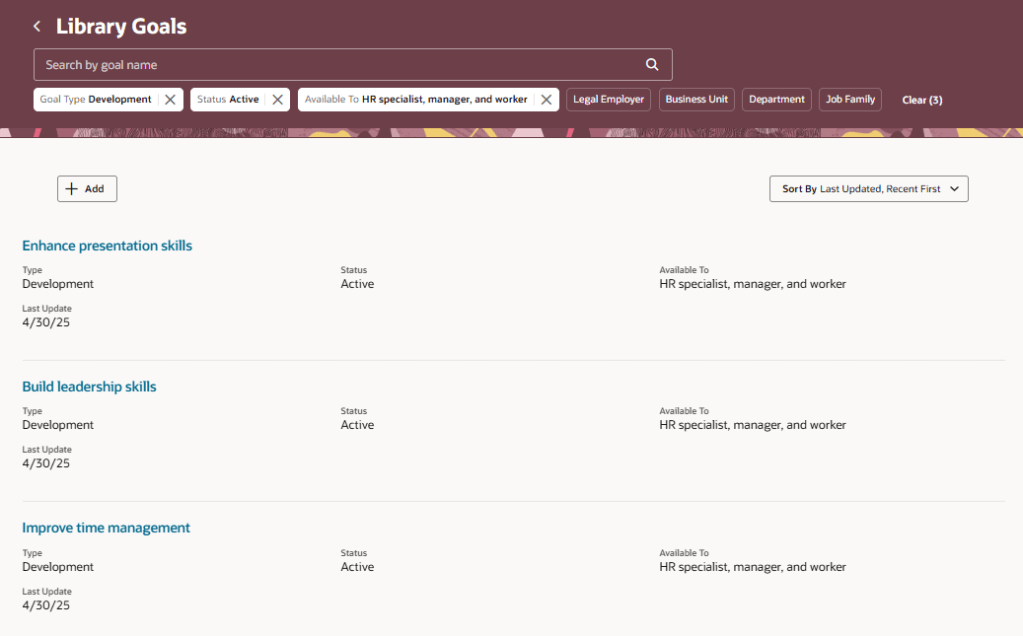
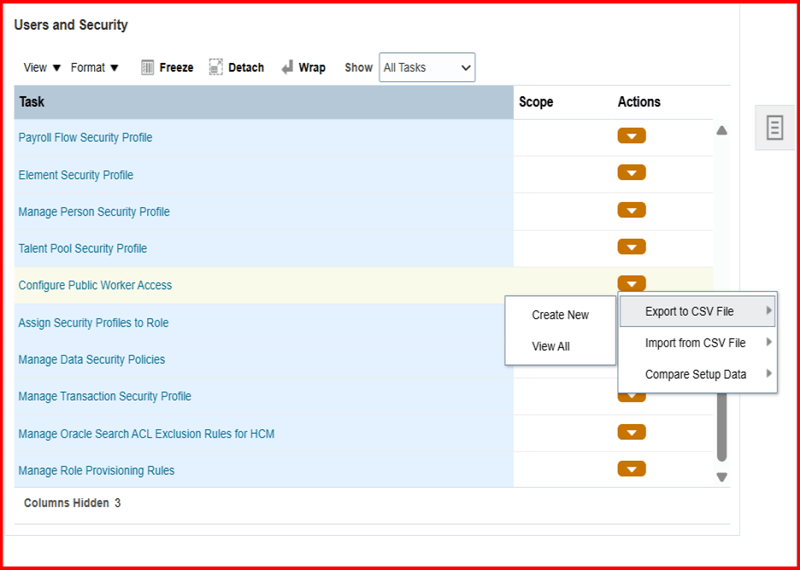
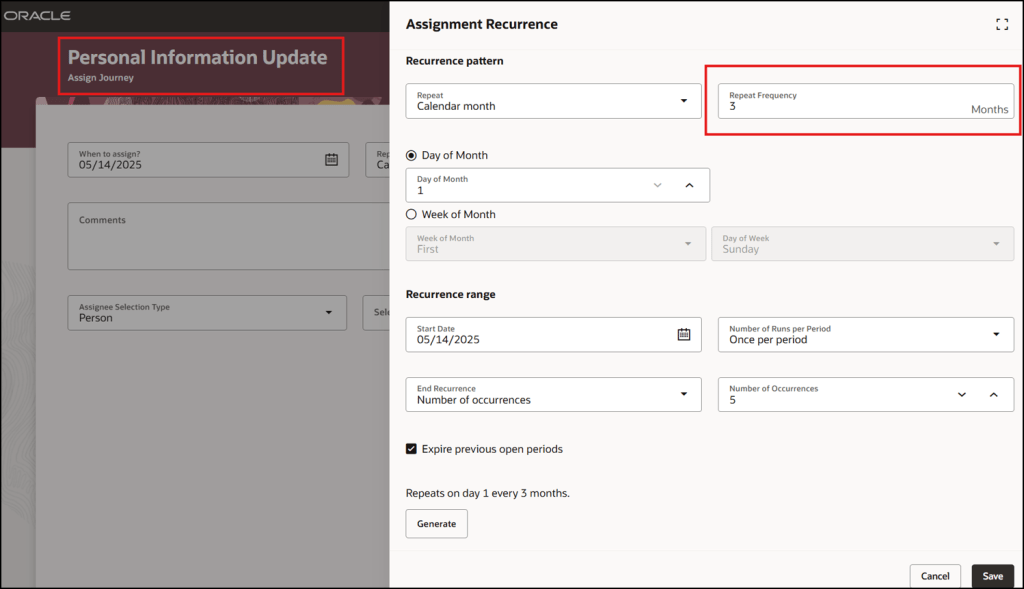
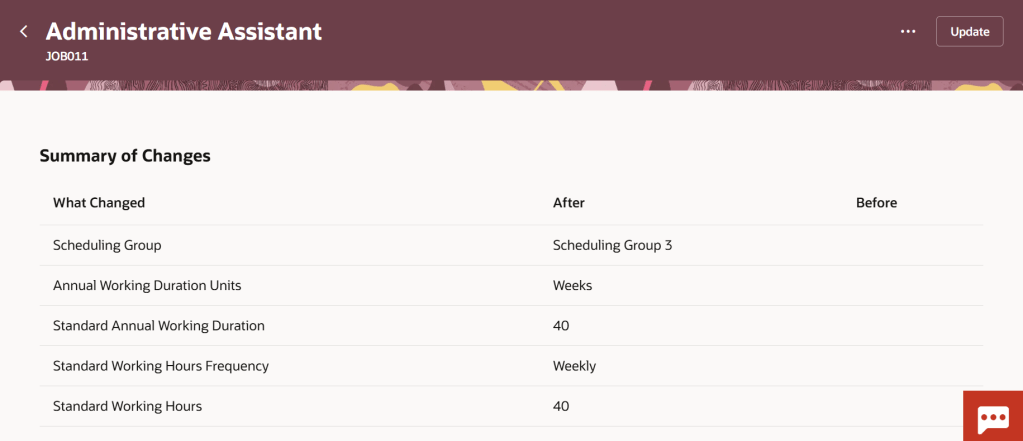
It’s my favourite time of the quarter again, new features time! 25B is an important one for Core HR as it is mandatory for Core HR to have made the move to Redwood by 25C. This is really your last chance to make that move to ensure you remain in support with Oracle. So what’s new in 25B? Lets take a look! Please keep in mind that Oracle will continue to roll out additional features throughout the quarter, if there are any subsequent features of note, I will do a follow up blog on these.

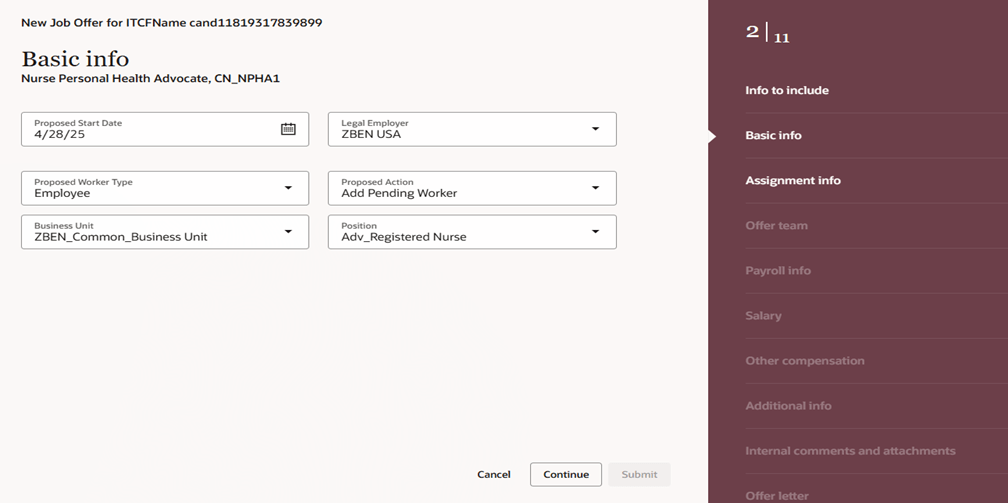
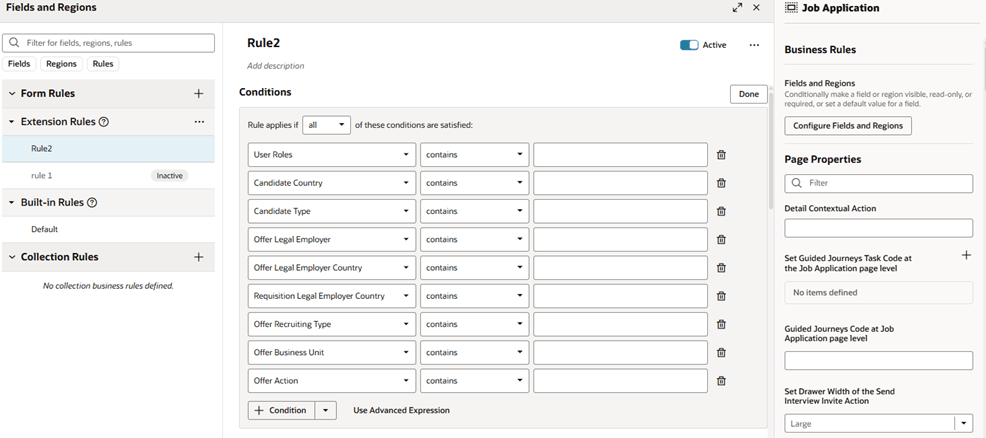
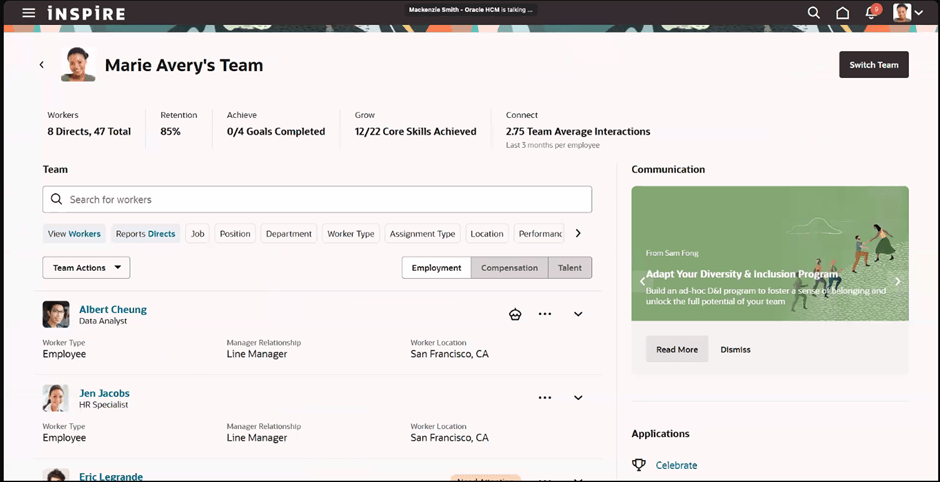
I love the Activity Centres and in 25B the Team Activity Centre has had some enhancements. If you don’t know about Activity Centres, check out my post on them here. Oracle have added in a lot more attributes that can be added to the page via VBS, including additional fields relating to employment, compensation and talent on the Worker View. Additional fields can also be added to the Position and Offer Views. Following feedback, the Vacancies quick action has now been removed from the Team Activity Centre as it wasn’t being utilised. In the top right hand corner of the image, there is a new ‘Needs Attention’ flag. These appear for employees in the Person Activity Centre if they have a KPI that requires attention. It should be noted that the Populate HCM Data Feed Information ESS process needs to be run for these to display, with the Data Feed Flow parameter set to ‘Team Activity Center’.

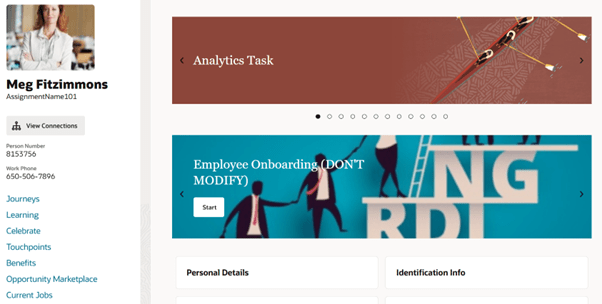
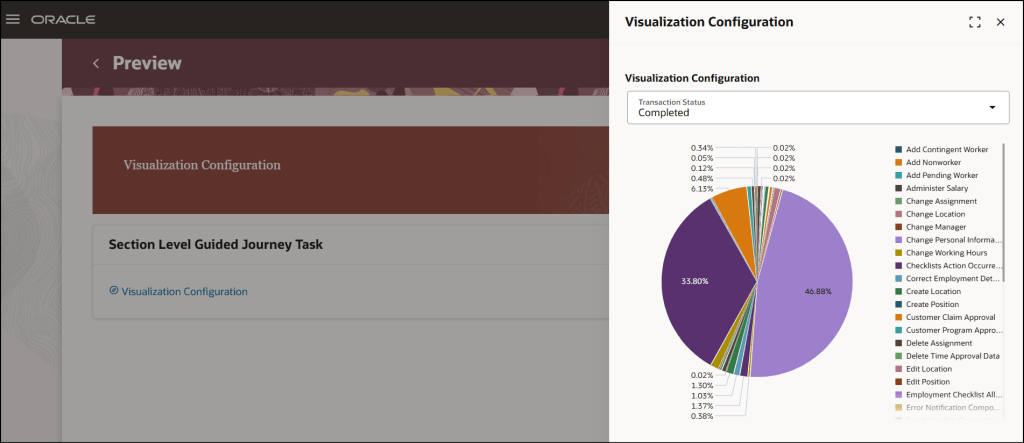
Continuing the Activity Centre theme, I’m delighted that Guided Journeys are now supported on the My Activity Centre and the Person Activity Centre. As the name suggests, Guided Journeys help guide a user through a process. They are particularly useful in adhoc scenarios that the user might only do once or at most, infrequently. The introduction of Guided Journeys on the Activity Centres is the final piece that many organisations were waiting for to complete their Redwood move.

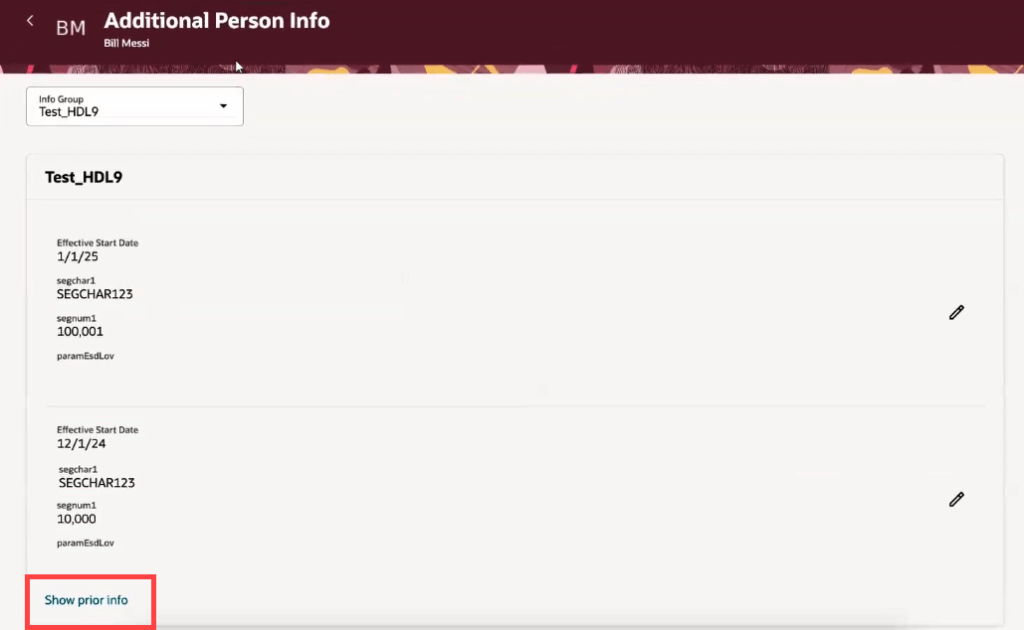
One thing Oracle have done really well during the process of moving to Redwood is to listen to their customers. On many other Redwood date effective pages, it is possible to see prior and future dated records, but it wasn’t possible on the Additional Person Info page. Now it is! Not only that, but they’ve added in extra validation to control who can see what. If you’re accessing your own Additional Person Info page via ‘Me’, you will only be able to see current and future dated records, but if you access via ‘My Client Groups’, you will be able to see historic, current and future dated records.

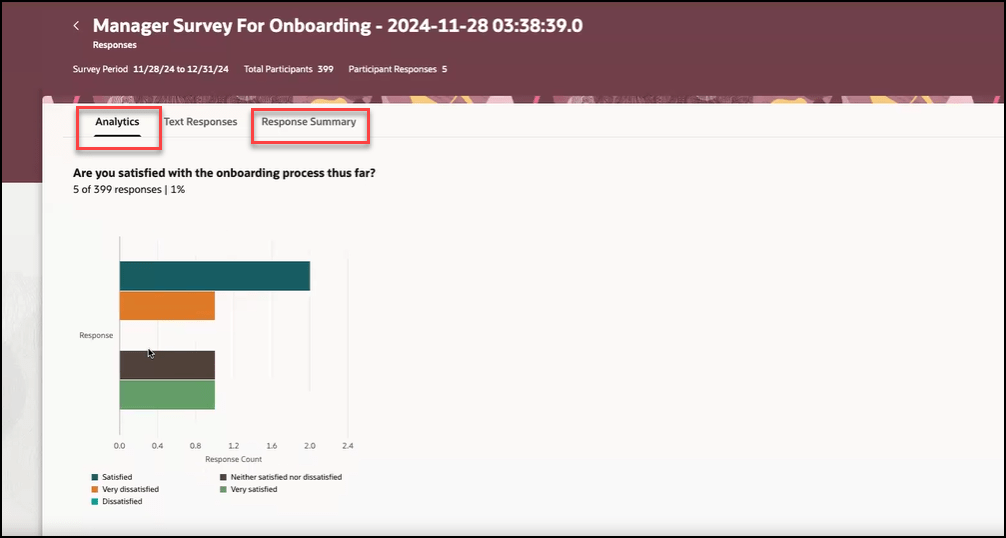
One of the key points of interest to most customers is the addition of AI to pages. Surveys within Journeys have always had analytics as part of them, to enable organisations to analyse the responses. Now it’s possible to incorporate Gen AI to not only analyse the data, but display it in a graphical format of your choosing. Additionally it will summarise the key text based responses. All of this will speed up the analysis and make it easier to present the findings to other relevant parties. For more details of the use of AI in HCM Cloud, please check out my blog here.

As mentioned earlier, Oracle plans to roll out new features in Core HR later this month. Should these updates turn out to be noteworthy, I’ll publish a refreshed blog post. Additionally, keep an eye out for upcoming posts that will cover other modules within HCM Cloud for Release 25B!

Please note all screenshots are the property of Oracle and are used according to their Copyright Guidelines

Redwood for Global HR – What Do you Need to Know?

As you will know, Redwood is mandatory for Global HR from Release 25C, so now is time to make the move!  The first question I am asked is will there be a replacement for Person Management? I’ll be honest with you, I love Person Management! The good news is that Oracle have confirmed that there will be, the ‘HR Activity Centre’. The date for release hasn’t been confirmed, but it is coming. Oracle have caveated that it won’t be a like-for-like replacement, but it will be a centralised location for transactions rather than having to go to different quick actions.

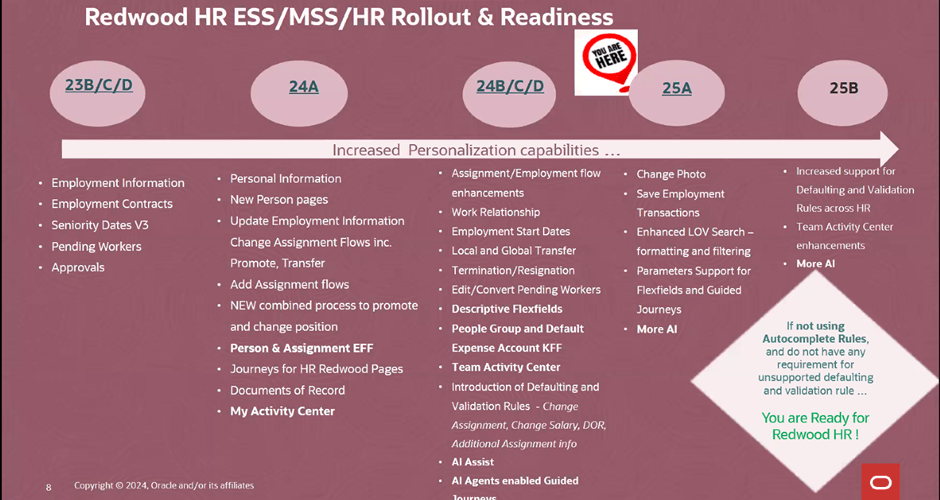
Oracle massively ramped up the number of Global HR features available within Redwood in 2024, so the majority of features are already available to you right now. As the picture above shows, if you’re not currently using autocomplete rules and have no requirement for creating unsupported defaulting rules, you can move to Redwood for Global HR right now. If you do have a requirement to default in data using rules, the amount of rules for defaulting data available will be significantly increased in 25B. This doesn’t mean wait for 25B though, it’s important that if you haven’t started, to start the switch in a non-production pod. Using a dedicated Redwood pod is always my recommended approach as it won’t impact on quarterly regression testing or issue resolution, due to the pod not matching what is currently in Production.

Global HR differs slightly to other modules when moving to Redwood. There are the usual steps, enabling Oracle Search, Updating Custom Security Roles; Reviewing and Migrating Personalisations using the Personalisation Helper Tool and Switching on the Redwood Flows via Profile Options. For Global HR, there are two additional prerequisites. Firstly, to be able to use the Redwood pages for Termination and / or Resignation, you must have migrated to Termination V3. To be able to use the Redwood page for Seniority Dates, you must be using Version 3 of Seniority Dates. So what happens if you’re not using one or both of the prerequisite versions? For terminations and resignations, you won’t be able to use the Redwood page. For Seniority Dates, there is an alternative, you can manage the dates via the Redwood Work Relationship page. If you want the full Redwood experience, I would recommend making the move to the latest versions of both Termination and Seniority Dates. My other recommendation is to migrate the V3s now, not after you’ve moved to Redwood. This will make the process more straightforward and therefore easier.

So what are my top tips? The Redwood ‘Bible’ only lists the key flexfields the need switching on. Check the What’s New Documents for all related modules for all the historic Redwood updates. Have you seen the Feature Listing Report on the Cloud Readiness website? From here you can download every upgrade since 2023 for every Fusion module in a handy spreadsheet. You can then use filters to find all the Redwood features for a given module.

A lot of users have reported issues with flexfields whilst testing Redwood. If this happens, redeploy the flexfields and make sure all flexfield personalisations have been migrated. Likewise if you’re having issues with pages, firstly ensure that the appropriate profile options for Oracle Search are switched on. If that doesn’t work, ensure custom roles have the correct privileges.

The Redwood Personalisation Tool is extremely helpful. Whilst it can’t migrate all personalisations, it will migrate some of them and reduce the amount of manual personalisations that will need to be applied. I would always recommend only using it in Migration mode for a small subset at a given time. Preferably one flow at a time. This gives you the chance to review the personalisations and make corrections more easily. Additionally once the tool has been used to migrate a flow, you can’t use it again for that specific flow. Even if a newer version of the tool provides more migration options within that flow.

Finally, use the new Activity Centres. Within the Global HR space, there is currently one for employees and one for line managers. These are a one stop shop for users to access all their and their team’s HR records and carry out their tasks. As I said earlier, one for the HR Team to replace Person Management is coming, so watch this space! Check out my earlier blog on Activity Centres here.

Please note all screenshots are the property of Oracle and are used according to their Copyright Guidelines.

Oracle Modern Best Practice – The Term Everyone is Going to be Talking About!

Have you heard of Oracle Modern Best Practice? It’s actually not a new thing, Oracle have been talking about it for nearly 10 years, but with the introduction of the amazing tool Cloud Success Navigator, Oracle Modern Best Practice (OMBP) is now taking centre stage! Oracle have created OMBPs for Cloud Fusion products for the first time and they will prove invaluable.

So what are OMBPs? They are common business processes that Oracle have optimised to improve the performance of applications using the latest technology. Oracle have done thousands of implementations and have taken learnings from both the successful and unsuccessful ones. These learnings have been analysed by Oracle experts to put together their OMBPs and related process flows. These flows incorporate scalable and efficient practices which empower the business’ process owners which will, in turn, produce improved results. Oracle are constantly evolving their Fusion product and as such, the OMBPs are also evolving. OMBPs can be used to educate users; demonstrate business processes; help to plan an adoption path and structure the scope of an implementation.

So what is included in an OMBP process flow? They incorporate all of the required steps within the process. Often users can miss a step as they don’t appreciate the criticality of it and this will prevent this from happening. My favourite part of the OMBPs are the recommendations on analytics that provide organisations with key metrics that they might not have been aware of. Analytics help organisations to monitor performance of specific areas of the business and gain a better understanding which will help with decision making. Additionally the OMBPs incorporate AI and Machine Learning. The processes incorporate innovations which aim to automate processes and help organisations make faster decisions.

OMBPs are currently available for the majority of an organisation’s processes. These include ERP, EPM, HCM, SCM and CX. Additionally there are industry specific OMBPs, including Banking, Healthcare, Higher Education, Insurance, Public Sector, Utilities and Retail.

So why should you care? Organisations always ask me, ‘What is the Best Practice?’. The introduction of OMBPs enable organisations to have access to this information at their fingertips, without needing to search for it. This will ensure your organisation is using the latest functionality with the greatest efficiency. Cloud Success Navigator incorporating Oracle Modern Best Practice within the tool will make this even easier. Please check on my blog on Cloud Success Navigator here, for more details.

Please note all screenshots are the property of Oracle and are used according to their Copyright Guidelines
Oracle Cloud Success Navigator – What Is It and What Value will it Bring?

Oracle announced the Cloud Success Navigator at CloudWorld in Vegas in September 2024 and will be launching it at CloudWorld in London in March 2025. So what is it? It’s an interactive tool to help existing and new customers of Oracle Fusion / SaaS products to get the most value from their implementations. The tool helps right from the beginning of an implementation project through to when the system is fully established, by helping with by the road-mapping and adoption of new features from the quarterly releases.

Cloud Success Navigator has many different facets. As the name suggests, it ‘navigates’ you through your whole Oracle Cloud journey. As someone who is involved with volunteering in Scouting, I love all the outdoor references in Oracle’s training materials. Every time I see a compass or someone climbing, it makes me smile. Whilst it might not seem relevant to everyone, I think it’s a really great metaphor and it shows how Oracle is investing in working with Customers and Partners to ensure that every customer gets the most value from their Fusion implementation, whatever stage of the journey they are currently in.

So, when will I get it? Some partners and customers have been part of the ‘Limited Availability’ programme since June 2024 and I was delighted to be a part of this. General availability of the tool will be after CloudWorld on 20th March 2025, via your Customer Success Manager, Partner or by direct request. Being part of the Limited Availability programme gave me the opportunity to be involved early and provide feedback to Oracle to help shape the future of the tool. When I initially used the tool, it was very implementation centric, but the focus over the past six months has moved more towards the ‘Evolve’ stage to enable customers to take advantage of new features more easily.

There are so many features the Cloud Success Navigator provides. These include Starter Configuration; Oracle Modern Best Practice; Deployment Guidance; Cloud Quality Standards; Milestone Dashboard; and Quarterly Release Environments. Most of these features will be included in the General Availability version, but Oracle have big plans to develop it further.

The Starter Configuration is aimed at customers right at the beginning of their implementation or those who will be carrying out an implementation of a new module, post go live. The starter configuration requires a completely empty pod to be deployed into. The configuration is the same data that Oracle puts in their Demo pods, often referred to as Vision data. Whilst it’s not unique to the customer’s data, it does allow users the opportunity to go into a pod and have a play with processes, to enable them to understand them without having to wait for their organisation’s configuration to be created in a environment. This is particular useful for people who learn best by ‘doing’ and can be a useful tool in workshops. Have you considered exploring Oracle Guided Learning (OGL)? The Starter Configuration includes OGL, allowing you to test it with users and assess its value; but also it can help to guide your users through new processes that might be unfamiliar to them.

One of the things I particularly love about the Oracle Modern Best Practices section is the simplified process flows that have been incorporated. Within E-Business Suite there have always been process flows that you could download, but these were lacking in Fusion. There are videos, process flows and information which explains every step of a process that an organisation would carry out. This information can be used to explore how the business’ current processes can be mapped to those in Fusion. Alternatively they can be used retrospectively to see where current processes deviate from Oracle’s recommended approach. There are helpful suggestions as well and all of it is presented in different mediums to accommodate the majority of learning styles.

Deployment Guidance might be the area of the tool that most organisations feel they already have covered and therefore least likely to use. Before you jump to this conclusion, I’d really recommend checking it out. There’s advice and guidance from Oracle, based on the thousands of implementations that they have experienced and it’s in one handy place. It’s useful from a Change Management perspective and gives easy access to documents that your Project Sponsors and Stakeholders will appreciate in a business appropriate style. There are also example Cut Over Plans and Business Transition Documents which could reduce the time the business needs to develop these.

The Cloud Quality Standards section of the tool does ‘exactly what is says on the tin’. This section provides you with learning content and guidance at every step of the implementation journey, to ensure that you’re adhering to best practice, which in turn will lead to a more successful Cloud implementation.

The Milestone Dashboard is a wonderful addition to the tool which allows you to assess where you are at every key milestone in the project. You answer questions and it produces a helpful chart to highlight your progress towards the milestone. This visual summary would be helpful to share with Senior Managers for a quick overview of how close the project is to achieving the next milestone. It may help determine whether that milestone can be formally signed off and the important ‘Go / No Go’ decision.

The Quarterly Release section is my personal favourite and this is where Oracle has been focusing a lot of their efforts recently. There are lots of features coming in this section which I desperately want to share with you all, but have promised my Oracle partners I won’t ruin the announcements coming at CloudWorld! I can assure you they are really exciting advancements and everyone will want to utilise them when they are available. I’ll do a follow up blog on these additional features after the CloudWorld announcement. Despite the exciting additions coming, there are already great features for quarterly releases in the tool. Oracle has incorporated every feature from all Fusion modules from 24A onwards into the tool. Every feature has detail from the What’s New page, but some additionally have a short video demoing what the feature does. It’s also possible to share a link to a specific feature to a colleague, for them to easily check it out!

Finally, I wanted to highlight the new Adoption Centres. At the moment these focus on Redwood and AI as these are the key focus for the Oracle Cloud products at the moment. The Adoption Centres have training embedded in them to help speed up the adoption of these key new features and help organisations adapt to the new technologies.

Please let me know what you think of the Cloud Success Navigator and keep an eye out for my next blog!

Please note all screenshots are the property of Oracle and are used according to their Copyright Guidelines
Discover Oracle HCM Cloud’s Activity Centres

Have you seen the new Oracle HCM Cloud Activity Centres? They’re a fundamental part of the new Redwood pages and I love them! When they first came out, they were called ‘Spotlights’, but they’ve since been rebranded and now there are 4 Activity Centres.

The original Activity Centres were for Employees and Line Managers. All Activity Centres are ‘One Stop Shops’ for the relevant user. Focusing first on the Employee Activity Centre, this is where an employee can view / update their personal details; view their payslips; book annual leave and absences and many other things. If there is information that need to be shared with employees in bulk, they can be posted on there too. Any activity the employee is likely to carry out can be linked from the activity centre. If there are tasks that aren’t needed, they can be easily hidden via VBS.

Employee Activity Centre

In the Manager Activity Centre, Line Managers can easily access all of their team members records in one place. From here you can view employment and compensation details and also monitor talent and performance. Again important communications for line manager can be posted in here. Additionally bulk actions can be carried out for team members, such as creating communications, adding Journeys and creating surveys for feedback.

Manager Activity Centre

The Recruiting Activity Centre was the first one that was launched as an ‘Activity Centre’ and I regularly talk about it to my customers. It’s a great landing site for the Recruitment team to use. Originally it was only available to Recruiters and Hiring Managers, but last year it was extended to Collaborators too, so the whole team has access to this great tool. It summarises key data like high priority tasks and the number of new applicants that need reviewing. It’s easy to view the status of requisitions and offers and, my personal favourite, communication history between the Recruitment team and the candidate in conversation format. This is something that a lot of my customers have enquired about in the past.

Recruiting Activity Centre

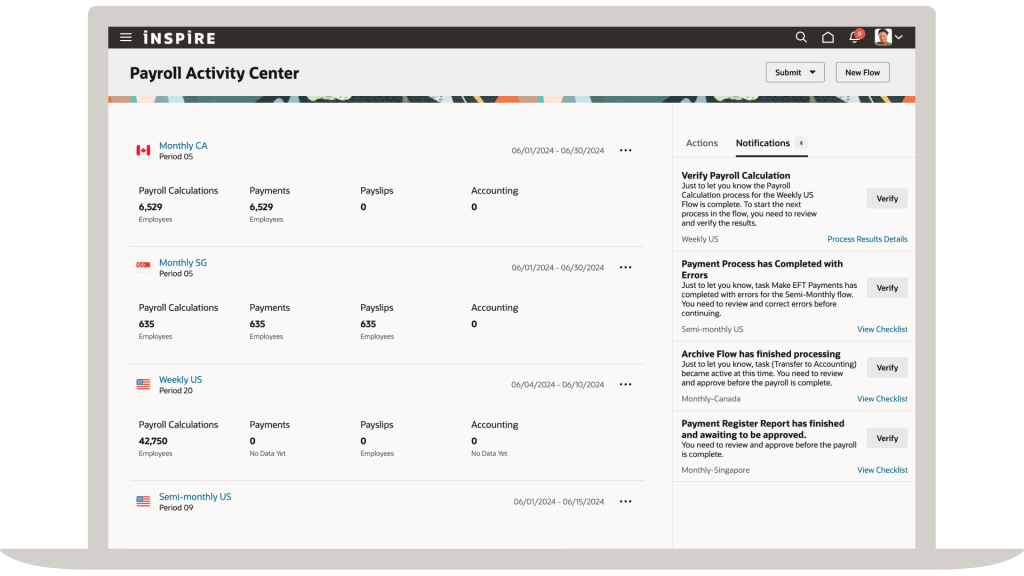
The final, and most recent, Activity Centre is the Payroll one. It allows the Payroll team to view all payrolls in one location, easily view notifications that might indicate their has been an error or significant disparity in a payroll run and investigate the root cause. All the usual actions that the team would need to carry out are easily accessible, such as calculation cards, element entries, costing etc as well as to be able to submit payroll flows. It speeds up the time to run processes and investigate issues.

Payroll Activity Centre

The Activity Centres are all designed to improve the user’s experience and reduce the number of menus / clicks they need to make. It has all the information that you need at your fingertips and in my personal opinion, is a massive improvement! I’m sure this won’t be the last of the Activity Centres that we see and Oracle are constantly improving the existing ones, so keep an eye out on those quarterly release updates for more news.

Please note all screenshots are the property of Oracle and are used according to their Copyright Guidelines

Redwood Updates from Oracle HCM Cloud CoE Summit

I’ve already blogged about the Key Note from Chris Leone that kicked off the HCM Cloud Centre of Excellence Customer Summit. If you haven’t seen it, check it out here. The main themes for the summit were AI and Redwood. The ‘Jump Into Redwood Session’ with Laura Froehlich and Todd Wall was extremely interesting and a good follow up to the key note on the first day.

Having recently completed my Prosci Certified Change Practioner qualification, I was delighted when the session kicked off with ‘Why Change’. I think this question is often skipped because it’s a mandated change from Oracle, but as there are so many benefits to moving to Redwood, it’s a really important question. It’s true that change can be scary and users and organisations can be reluctant to do so, but there are so many advantages when you embrace that change.

One of the key benefits is the integration of AI. It’s so fundamental to the way businesses anticipate operating, a number of customers have added objectives to their team to incorporate AI into their daily work. Oracle are making it so much easier to achieve this goal by embedding AI and AI Agents into the Redwood applications. Whilst not everyone wants to use AI, Oracle have incorporated in such a way it can appease both those who do and those who don’t want to use AI. For those who don’t want to use it, it is delivered switched off. For those that do, a quick change to the page in VB Studio, involving ticking a box and publishing it and you have AI embedded in the particular page. It really is that easy! It should be noted that AI functionality is not available to all users, it depends on the server / region the organisation is in. Those in the UK Government Cage cannot access it at present, but it will be available in 2025.

When talking to customers about the new features being delivered in a particular quarterly release, they often only apply to the Redwood versions of the pages. So, if you want the latest functionality, switching to Redwood is your only option. The final key benefit is the improved performance Redwood brings. This wasn’t just a ‘lift and shift’ project to create the Redwood pages, they were completely rewritten from scratch in a new toolset.

5 Myths about Redwood

One of the stand out parts of the session was the 5 myths about Redwood. Some I’ve heard before and some I haven’t, but I thought they were interesting and I wanted to share them with you. The first one about the profile options being automatically switched on when reaching the the quarterly update uptake date is actually a complex one. Whilst the quarterly release date is when it is mandatory to have made the move, it’s not actually delivered switched on. If you raise an SR after the uptake date, the analyst will advise you to move to the Redwood page, as the non-Redwood pages are out of support. One key announcement during this session was that in 25B, Learn will be delivered switched on in Redwood and in 25C, Timecards will be delivered with Redwood switched on. Whilst this isn’t on the uptake date, it’s 2-3 quarters later, it does mean that at some point Redwood will be automatically switched on for all organisations.

The second myth is around the product not being ready yet and therefore there is no point in starting work on testing and personalising pages. Whilst new features are constantly being released in Redwood, the uptake date is just that, the date you should have made the move for that module, it’s not a date to start making the move. The third myth is that it’s a massive and complex reimplementation. The move is only complex if the organisation chooses to make it such. It is possible to switch on the Redwood pages, make the appropriate security changes, migrate personalisations (using the Personalisation Helper Tool), test and deploy. If you wish to make it more complex by revisiting features that weren’t previously implemented or fundamentally change your existing configuration, this is when it becomes a reimplementation.

The fourth myth is that Redwood is optional. It really isn’t, if you wish to continue being in support, you must make the move. As announced on the session, eventually Oracle will force Redwood on users by delivering it switched on. It’s better to do it early so you’ve got time to test and update users as once it’s automatically applied, it will be too late. The final myth is not one I’ve come across, but that organisations are going to wait until ERP and SCM is available in Redwood, before moving HCM over. It might be because I’ve been regularly discussing the disparity between the timelines of ERP and HCM in terms of Redwood, that I haven’t heard this discussion before. With regards to SCM, Self Service Procurement is mandatory in Redwood from 25C, so this is on a similar timeline to HCM anyway.

The final item I want to share from the session is the Redwood Adoption Checklist. This is really helpful to remind us all of the steps involved in moving to Redwood. If you’re anything like me, you’ll love ticking items off the list!

Please note all screenshots are the property of Oracle and are used according to their Copyright Guidelines
UKOUG Conference Discover 2024 – Key Learnings Part 1

I attended my first ever UKOUG conference in Birmingham this week and it was a wonderful experience. Sadly I was only able to attend one day of the three, but I certainly made the most of it. I managed to squeeze in 1 key note, 5 sessions and also present my own paper! I reunited with old colleagues and contacts and made lots of new connections. I came home buzzing and looking forward to putting my new learnings into action.

I arrived on Monday morning just in time to hear the Opening Keynote where Leona Chauhan put questions to Jason Bowers and Jeremy Tricker from Oracle. It was really interesting to hear what their priorities are for 2025, particularly given my focus on Fusion, what Jeremy discussed really resonated with me. Customer Success is a fundamental part of Oracle’s plans for the next year. Jeremy and his relatively newly created team are ensuring that their customer’s success is at the heart of everything Oracle do. Unsurprisingly there was discussion on AI, and how Oracle are embedding Gen AI into all aspects of their applications, both On Premise and Cloud. The strength of data linked in with the use of AI are fundamental in allowing the use of Oracle products to develop.

The first session I attended was driven by my passion for all things ESG and my desire to know more about EPM Cloud. You might not know this, but I’m the Environmental Champion for my office location. I’ve been aware of the ESG reporting functionality within EPM, but didn’t know anything about it.

Imagine my delight to discover that the session was being presented by the Queen of ESG Reporting – Saloni Ramakrishna from Oracle. She walked us through all of the complexities of ESG reporting, for example individual country’s legislation; industry specific legislation; the different rating systems that are used. When organisations are operating within multiple legislations and / or industries, this becomes even more complex.

Saloni’s passion was infectious and her understanding of the balance of ESG within a business is difficult. The ethics within a business context is fundamentally different to ethics and sustainability within your personal life. Having a low carbon footprint etc is important, but it is redundant if the costs associated means the business can no longer operate.

I found the factors that drive organisations to be more sustainable particularly interesting. In addition to the potential statutory requirements to achieve, there are other factors. The fact that it is being investor driven delighted me. Additionally consumer demand is a significant part. The key one was that over 50% of US students would take a lower salary to work for an organisation who prioritised sustainability.

So what does Oracle provide? The ESG reporting part of EPM Cloud provides the full end to end process and is included in all EPM Cloud licences with no extra cost. The tool can help you gather your ESG data, blend this data to create a unified view of your data. It also incorporates statutory requirements to ensure that the required data is stored. The ESG reporting incorporates Machine Learning to model, predict and plan your ESG data. The final process is the production of both internal and external reports, which can be used to drive business change.

The final part of the session covered use cases for utilising Gen AI within ESG. Given the huge focus on Gen AI and the forward thinking ESG product within EPM Cloud, it’s not surprising the tool incorporated AI. The use cases showing the predictive tools for the maintenance of wind turbines, was particularly of interest. Being able to predict maintenance requirements and acting early has saved an energy company both money and downtime.

Saloni’s key takeaways were important for all businesses, irrelevant of whether they are using EPM Cloud or not. Firstly that ESG is not something that will only impact people in the future, it has a direct impact on people and businesses now. Those who ignore ESG might find their role or organisation ceases to be required. Secondly technology is at the heart of managing ESG, and particularly utilising Gen AI to predict changes that are coming will improve processes. The final point is that businesses shouldn’t just implement ESG policies because they have to, there are so many other benefits too.

I learned so much on Monday that it would be too long a post to cover in one. I’ll do a follow up to this blog shortly, so please keep an eye out for it.

About the Author:

Kate Mead is an Oracle-certified HCM Consultant and Solution Architect at Version 1 with 155 years of experience in Oracle HR and Payroll systems, including 8 years with Oracle HCM Cloud. She has worked across implementation projects and managed services, has a sound knowledge of UK Payroll legislation and — before becoming a consultant — was an HR Manager.

Please note all screenshots are the property of Oracle and are used according to their Copyright Guidelines.

Updated Redwood Timelines

Oracle have made a slight change to the Redwood Timelines that were announced in August. Whilst it is not a significant change, there has been a separation of the deadlines for moving timecards to Redwood.

Those who complete timecards on a desktop / laptop, will still need to migrate to Redwood timecards by release 25A. The change is for those who complete timecards on a mobile device, have a little longer to make the move to Redwood. This has been pushed out to release 25B to give more time to make the necessary changes.

All other dates remain the same. The initial focus is Redwood Journeys and Redwood Timecards for desktop users. These are all mandatory in release 25A. The first deadline in the Procurement area is Self Service Procurement in release 25C.

About the Author:

Kate Mead is an Oracle-certified HCM Consultant and Solution Architect at Version 1 with 14 years of experience in Oracle HR and Payroll systems, including 7 years with Oracle HCM Cloud. She has worked across implementation projects and managed services, has a sound knowledge of UK Payroll legislation and — before becoming a consultant — was an HR Manager.

If you have any questions or would like more information on how Version 1 can help you realise the full potential of your Oracle Cloud instances, please contact her at kate.mead@version1.com

Please note all screenshots are the property of Oracle and are used according to their Copyright Guidelines
Generative AI in Oracle HCM Cloud

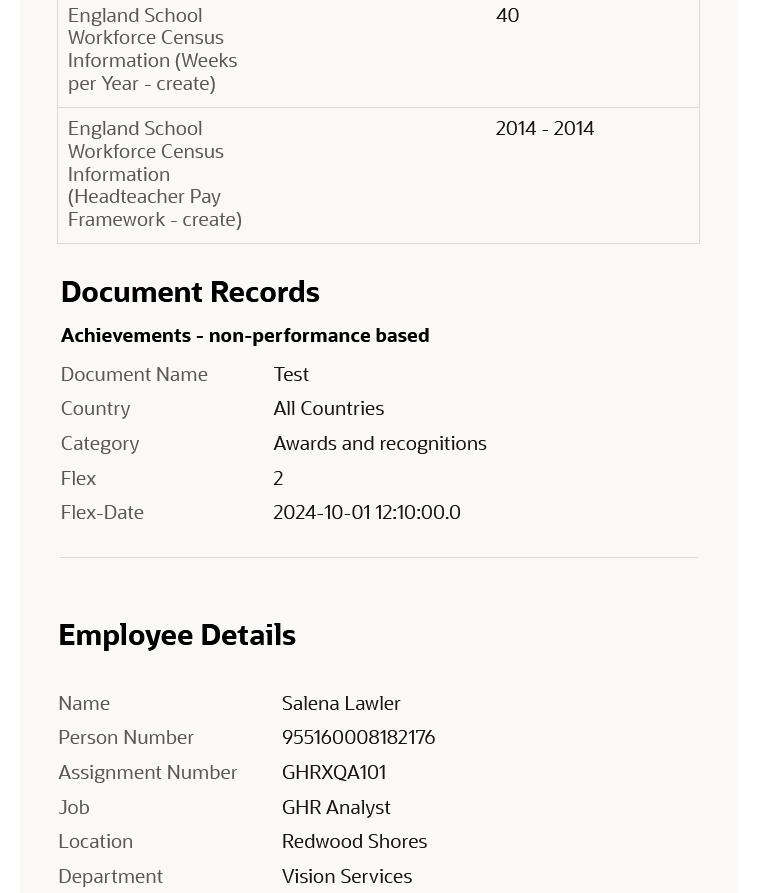
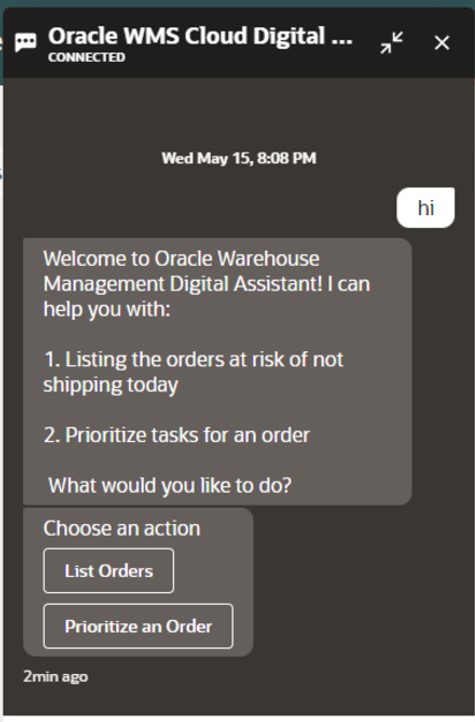
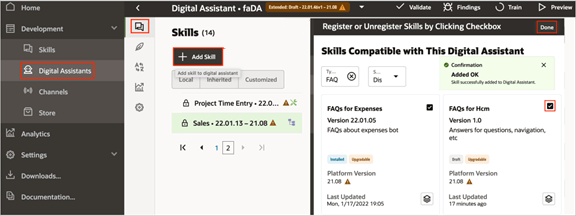
Everyone is talking about AI these days and Oracle is no different! The use of AI within Oracle applications isn’t new – Digital Assistant, Oracle’s chatbot has been in action for a while. Digital Assistant uses ‘skills’ similar to Alexa which are used as a basis for enquiries. Oracle provides seeded skills but custom ones can also be created.

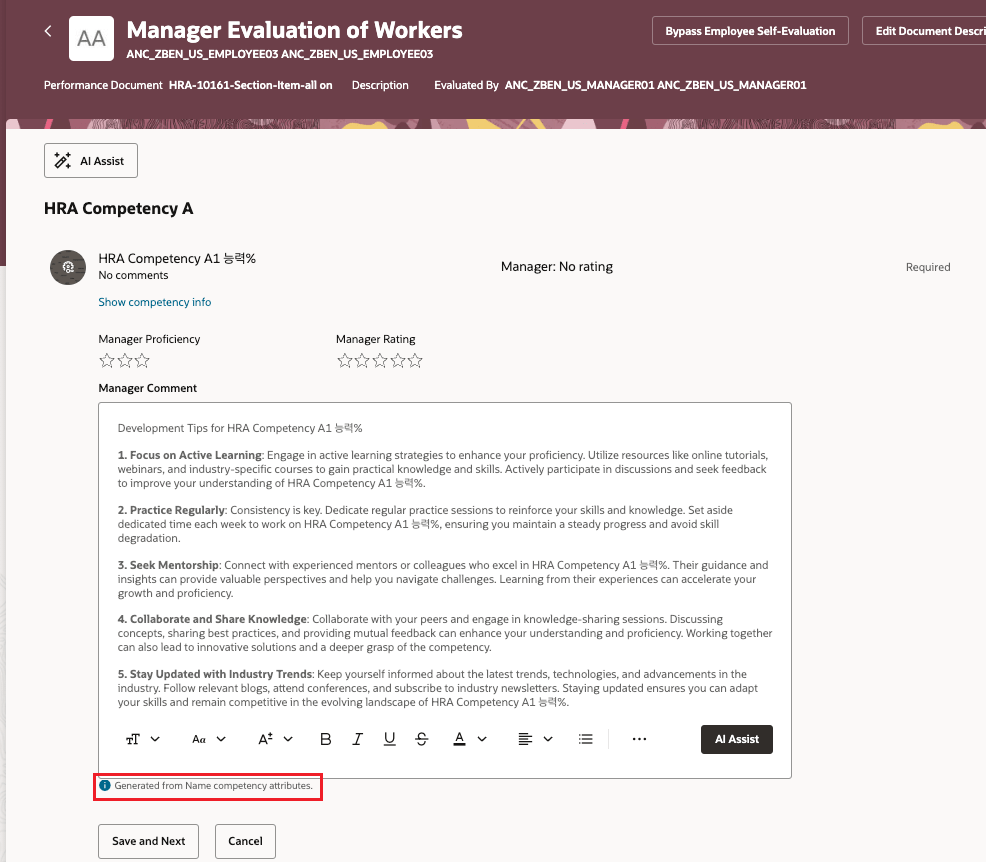
But what about Generative AI or Gen AI? Gen AI uses machine learning to learn patterns from the data and then create content based on it. Oracle have been incorporating Gen AI into HCM Cloud since release 24A. All of the features released require Redwood as they can be activated via VB Studio. Oracle have introduced AI Assist in a lot of applications, although predominantly in the Talent and Performance modules. AI Assist will take the information provided and summarise it. For instance, when a Line Manager reviews all Performance Documents, the AI Assist button will compile and summarise all pertinent performance information for that Employee. This feature saves the manager time by providing an editable summary, designed to enhance efficiency without eliminating the human touch.

Gen AI is also available in Recruit to help produce content for your Career Site. By populating the topic, how many words you require it to be and a few key terms / words, the AI Assistant will generate the text for you. As with all Gen AI within Oracle, you can tweak the content as much as required, but it will make the process much easier.

The new AI features continued in 24D, which included the introduction of AI Assistance for Market Composites in Compensation Info. This allows organisations to utilise Gen AI to generate explanations for market composites to Line Managers within the Compensation module. This will help guide the conversations between Line Managers and Employees about the competitiveness of their compensation package.

Oracle are constantly working on new use cases for Gen AI. It is anticipated that in 25A, the Benefits Analyst Agent will be available. This will allow Employees and Line Managers to ask the chatbot about available benefits for them, but also question why things have changed etc. It can also link to the sources that it used to determine the response, so the Employee can validate the information, if required.

Oracle is investing heavily in Gen AI and other ways to optimise user’s experience, so there will be more announcements soon. I expect a number of features to be included in 25A, not just the Benefits Analyst Agent. Once they are announced, I will do another post.

About the author:

Kate Mead is an Oracle-certified HCM Consultant and Solution Architect at Version 1 with 14 years of experience in Oracle HR and Payroll systems, including 7 years with Oracle HCM Cloud. She has worked across implementation projects and managed services, has a sound knowledge of UK Payroll legislation and — before becoming a consultant — was an HR Manager.

If you have any questions or would like more information on how Version 1 can help you realise the full potential of your Oracle Cloud instances, please contact her at kate.mead@version1.com

Please note all screenshots are the property of Oracle and are used according to their Copyright Guidelines

Redwood Notifications in Release 24D

Lots of people have asked about the move to Redwood for notifications in release 24D, so I thought I’d better write a blog on it! In several modules, including Compensation, Absence and Recruit, the seeded notifications have moved over to the new Redwood style.

So what does this mean for organisations? If you’re already using Redwood, there is nothing needed to be done. However, what if you’ve not made the move to Redwood yet? Unfortunately it isn’t possible to switch off the Redwood notifications for these modules. There are two options available, firstly to use the notifications as delivered with the Redwood theme applied. Alternatively, create a custom BI notification to replace the seeded Oracle BI notification. It is the specific seeded Oracle BI notifications that have moved to Redwood, rather than all notifications within those modules being in the Redwood toolset.

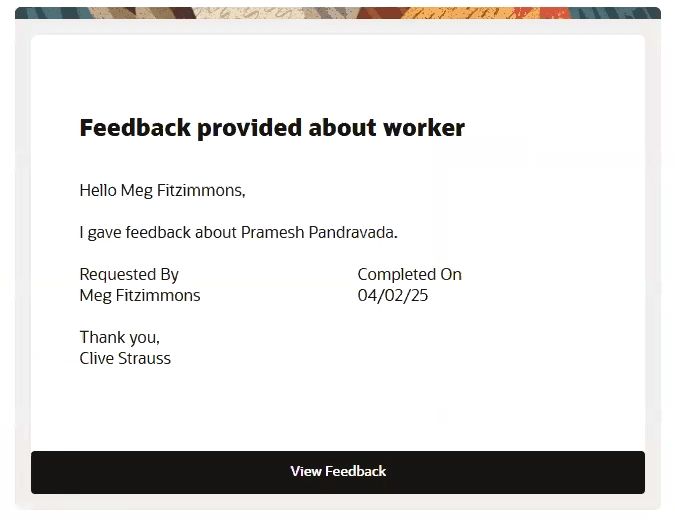
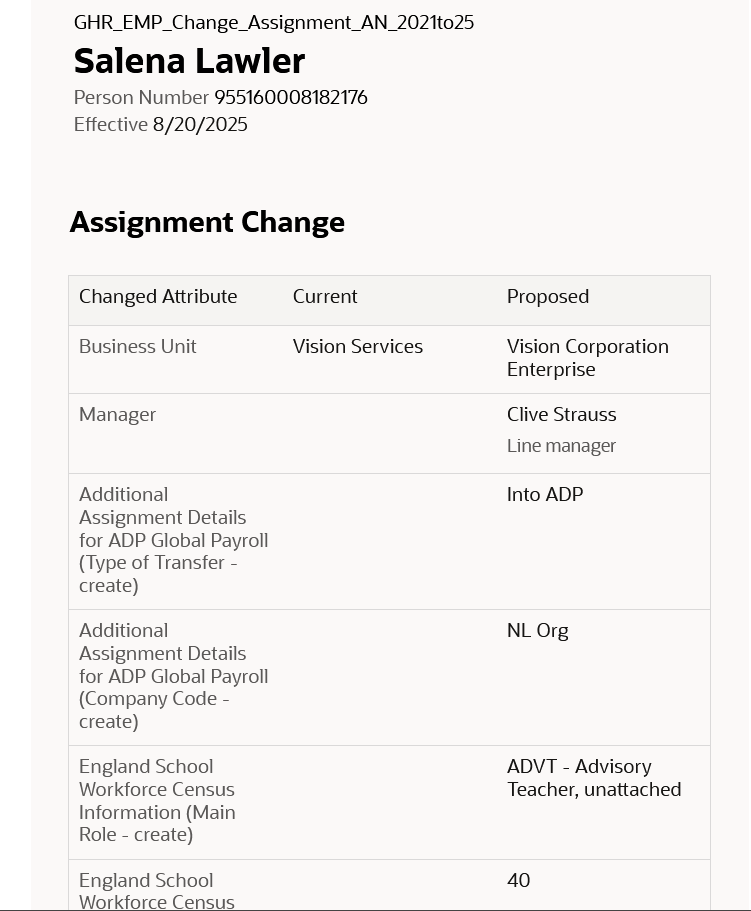
So what do these notifications look like? An example is below, but they are cleaner and easier to read. The actual content hasn’t changed, it is the layout that has.

The only issue is where organisations have a mix of seeded and custom notifications within the modules that have made the move to Redwood notifications. This will mean that some notifications will be in the Redwood look and feel and some won’t. Additionally, where organisations have a mix of modules where some notifications are now in Redwood and some aren’t, they will have the same issue. This will potentially cause confusion with some users, but if I’m honest, the majority are unlikely to notice.

If custom BI notifications have previously been created and they are causing an issue due to the inconsistency of appearance with the mix of Redwood and non-Redwood notifications, it is possible to move the existing custom BI notifications to the Redwood style. If you create a copy of the custom BI notification, the Redwood style will automatically be applied. This can then be set as the active notification.

About the author:

Kate Mead is an Oracle-certified HCM Consultant and Solution Architect at Version 1 with 14 years of experience in Oracle HR and Payroll systems, including 7 years with Oracle HCM Cloud. She has worked across implementation projects and managed services, has a sound knowledge of UK Payroll legislation and — before becoming a consultant — was an HR Manager.

If you have any questions or would like more information on how Version 1 can help you realise the full potential of your Oracle Cloud instances, please contact her at kate.mead@version1.com

Please note all screenshots are the property of Oracle and are used according to their Copyright Guidelines