
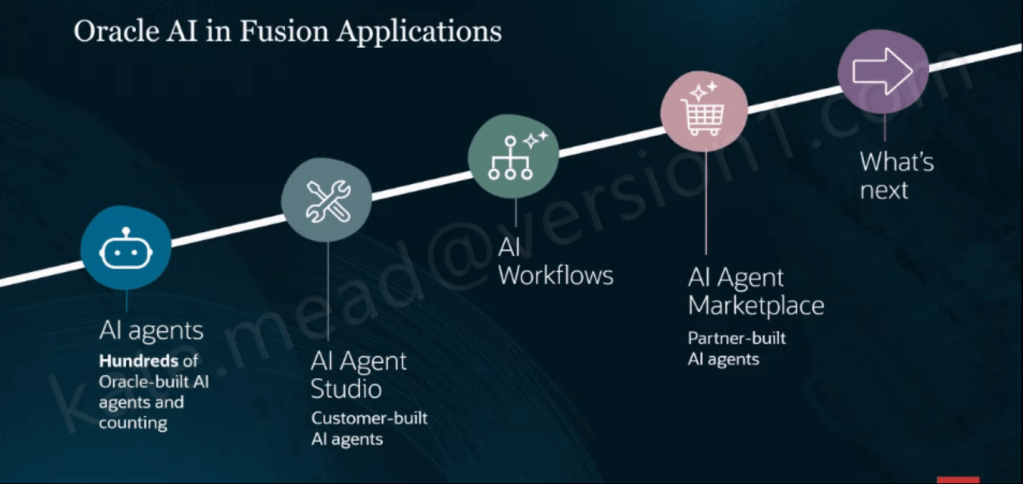
With Release 26B, the Oracle Expenses Agent is now generally available to all customers. There are no promo codes or pilot requirements to worry about. If you are using Oracle Fusion Cloud Expenses, you can start using it straight away. The Expenses Agent is part of a much broader set of Oracle-built agents embedded across Fusion Applications, alongside Oracle AI Agent Studio for building your own agents, AI Workflows, and an AI Agent Marketplace for partner solutions. It is included as part of your existing Fusion Cloud Expenses licence and is updated by Oracle each quarter, so you continue to benefit from ongoing enhancements without additional effort.
Across the Financials suite, Oracle has introduced a range of agents covering Payables, Expenses, Accounting Operations, Payments and Cash Processing. Each is designed to streamline processes, cut down cycle times and reduce the level of manual effort required from finance teams.
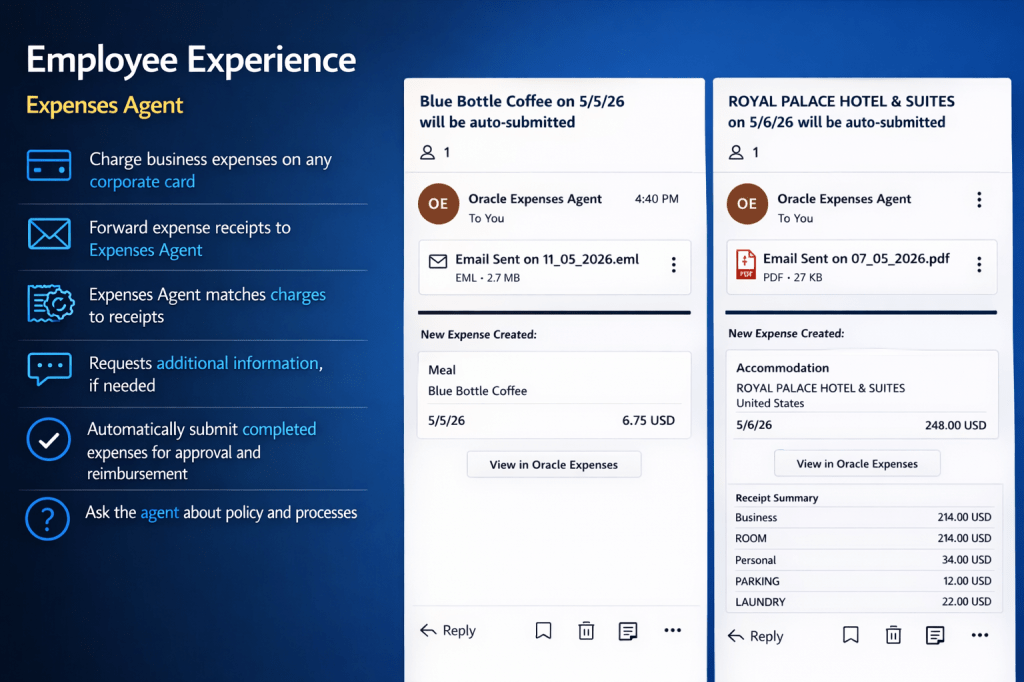
At its core, the Expenses Agent is designed to deliver a touchless experience. An employee simply makes a purchase and forwards the receipt by email, and the agent takes it from there. It reads the receipt, extracts the key details, matches it to the card transaction, creates the expense line, and submits it for approval. If anything is missing, it reaches out to the employee directly. Where everything is complete and compliant with policy, it moves straight through without any manual intervention. Employees can also interact with the agent using natural language to ask questions about policies and processes, making it much easier for infrequent travellers to find the information they need without unnecessary friction.
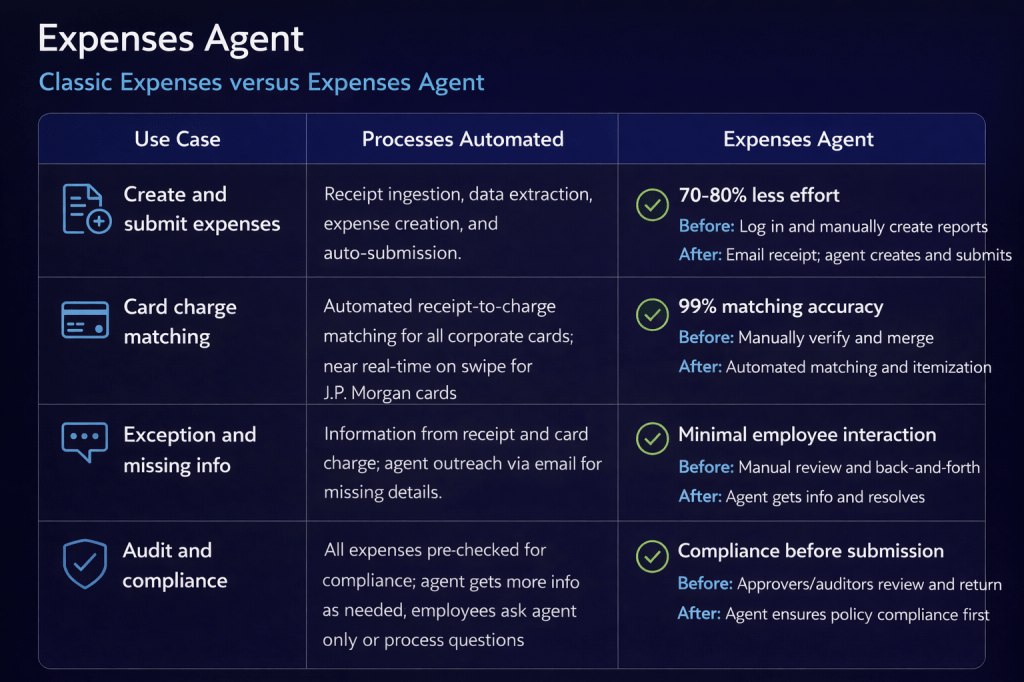
Oracle reports a 70-80% reduction in the effort required to create and submit expenses, along with 99% accuracy when matching card transactions. Just as importantly, compliance checks happen upfront rather than after submission. In a traditional process, approvers often have to send non-compliant claims back for correction. With the agent, expenses are checked before they reach the approver, helping to avoid rework and keep the process moving smoothly.
I have seen the Expenses Agent in action first hand, and it really brings the experience to life. Recently, I was out for lunch with an Oracle colleague who showed me how they submitted the expense. They simply took a photo of the receipt and, by the time we had walked up the escalator, the expense had already been checked against company policy and confirmed as compliant. It was then automatically matched to the corporate card transaction. It is a small moment, but it shows just how quick and effortless the process can be in practice.
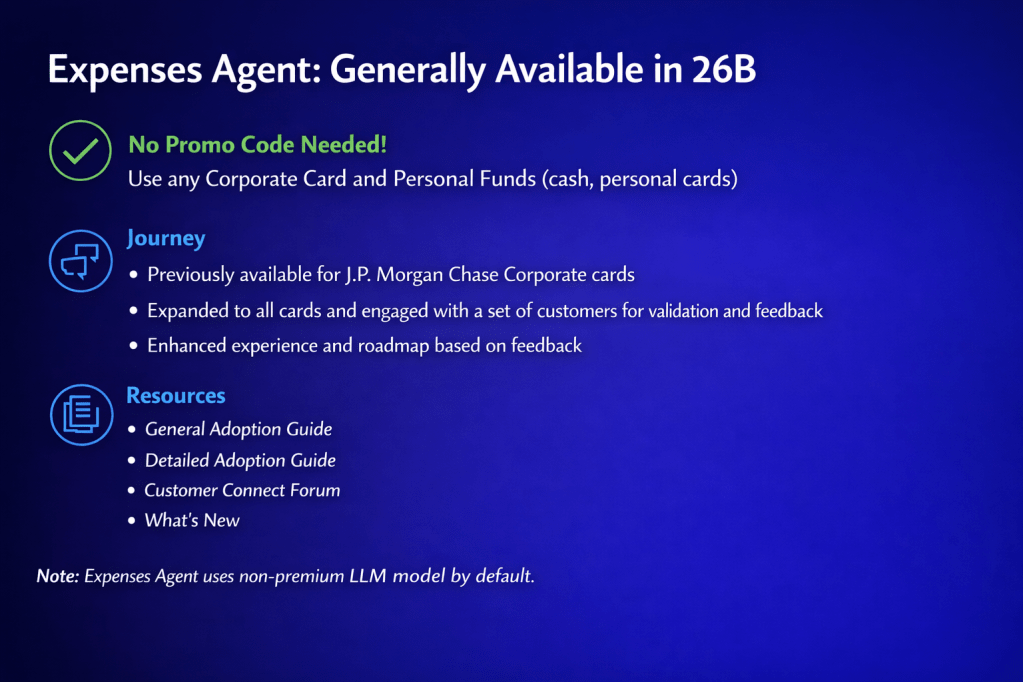
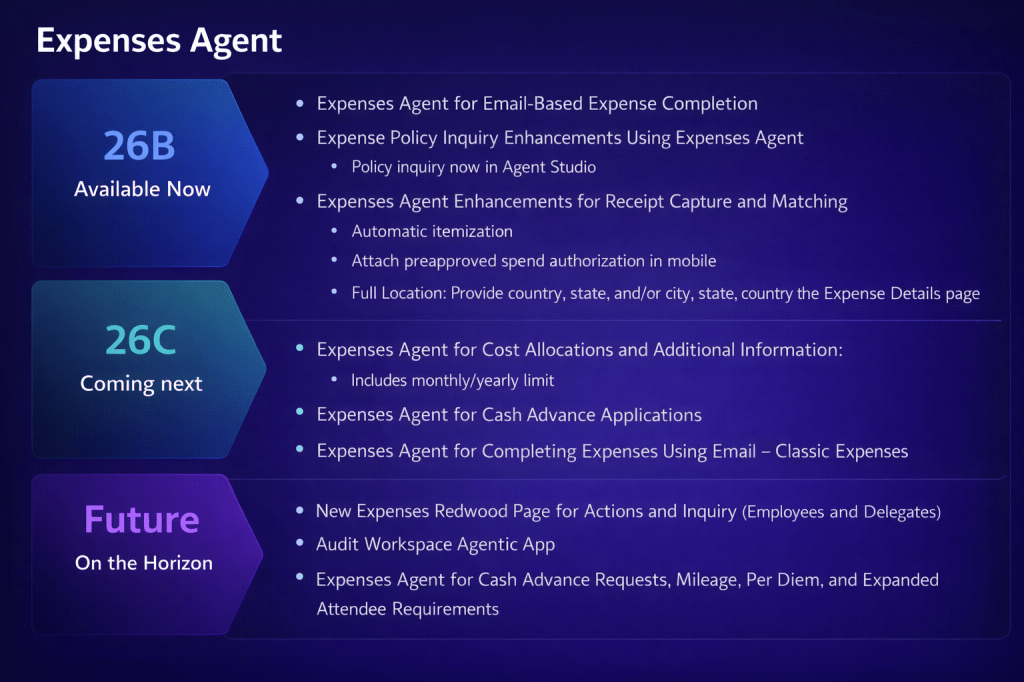
The 26B release broadens support across all corporate cards and personal expense types, building on earlier versions that were limited to J.P. Morgan Chase corporate cards. It also introduces a number of enhancements, including email-based expense completion, the ability to query policies through Oracle AI Agent Studio, automatic receipt itemisation, mobile attachment of pre-approved spend authorisations, and more detailed location information within the Expenses page.
One point to be aware of is that the Expenses Agent uses a non‑premium large language model by default, so there is no additional cost to use it. If you find that performance does not fully meet your requirements, you do have the option to switch to a premium model. This can enhance capability, but it does come with a cost based on token usage.
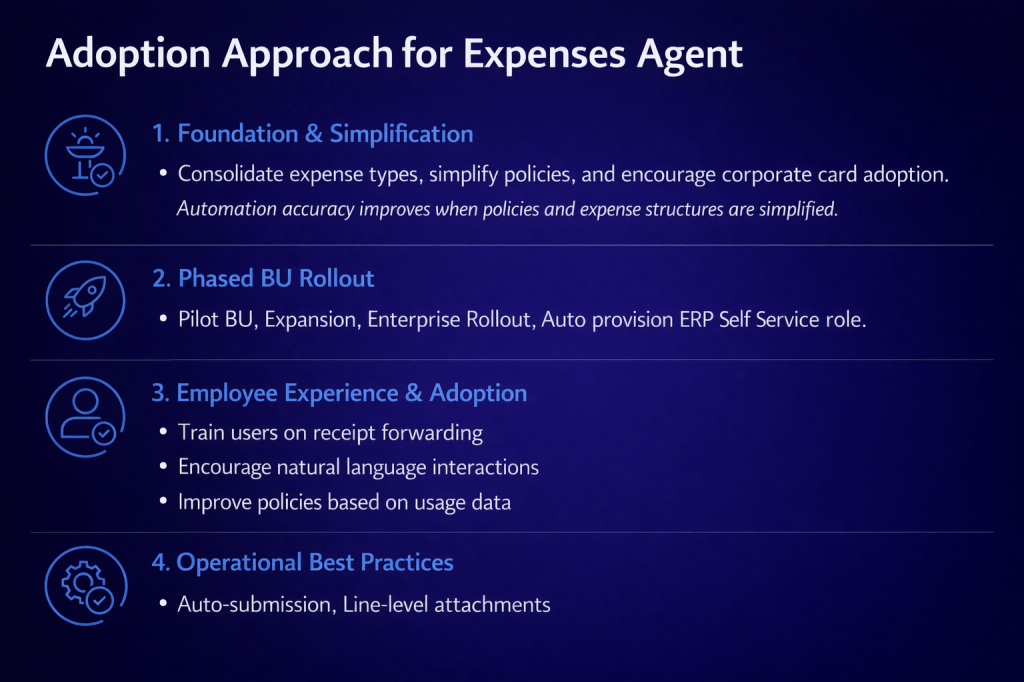
Oracle recommends a structured, four-stage approach to adoption. It starts with laying the right foundations by simplifying expense types, refining policies and encouraging the use of corporate cards, as cleaner and more consistent data improves automation accuracy. From there, organisations can move to a phased rollout by business unit, typically starting with a pilot group before expanding more widely, supported by auto‑provisioning of the ERP Self Service role. The next step is to focus on employee experience and adoption, ensuring users are comfortable with receipt forwarding and interacting with the agent in natural language. Finally, it is about embedding operational best practices, such as enabling auto‑submission and using line-level attachments to support a smooth, efficient process.
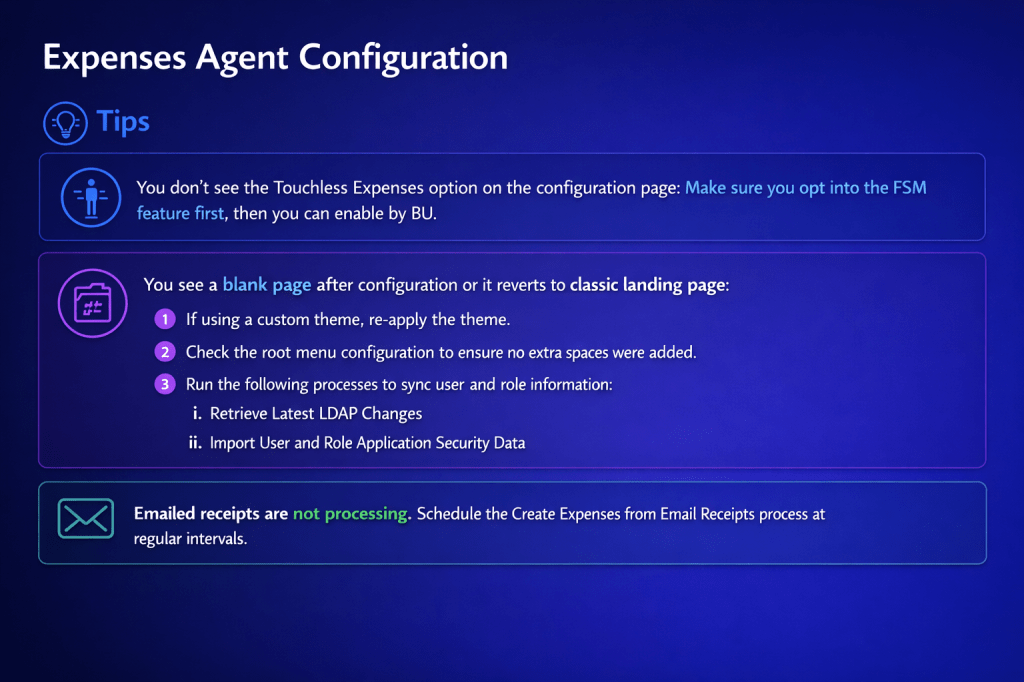
There are a few practical points to be aware of before going live. If Touchless Expenses is not visible on the configuration page, you will need to opt into the relevant FSM feature before enabling it at business unit level. If you encounter a blank page after configuration, or the interface falls back to the classic landing page, it is worth reapplying any custom theme, checking the root menu configuration for stray spaces, and running the Retrieve Latest LDAP Changes and Import User and Role Application Security Data processes. If emailed receipts are not being processed, make sure the Create Expenses from Email Receipts process is scheduled to run at regular intervals, as it does not trigger automatically.
Looking ahead, the 26C release will introduce further enhancements, including support for Cost Allocations and Additional Information such as monthly and yearly limits, along with Cash Advance Applications and email-based completion for Classic Expenses customers who have not yet moved to Touchless. Beyond that, Oracle has outlined plans for a new Redwood Expenses page for employees and delegates, an Audit Workspace Agentic application, and expanded agent capabilities covering Cash Advance Requests, Mileage, Per Diem and more advanced attendee requirements.
If you have not yet looked at the Expenses Agent, it is worth starting with the basics. Taking time to simplify policies and increase corporate card adoption will deliver immediate improvements to your current process, while also setting you up to get the most value from the agent when you choose to enable it. If you would like to understand what this could look like in your organisation, now is a good time to start the conversation and explore how to get value from it early.
Please note all screenshots are the property of Oracle and are used according to their Copyright Guidelines

