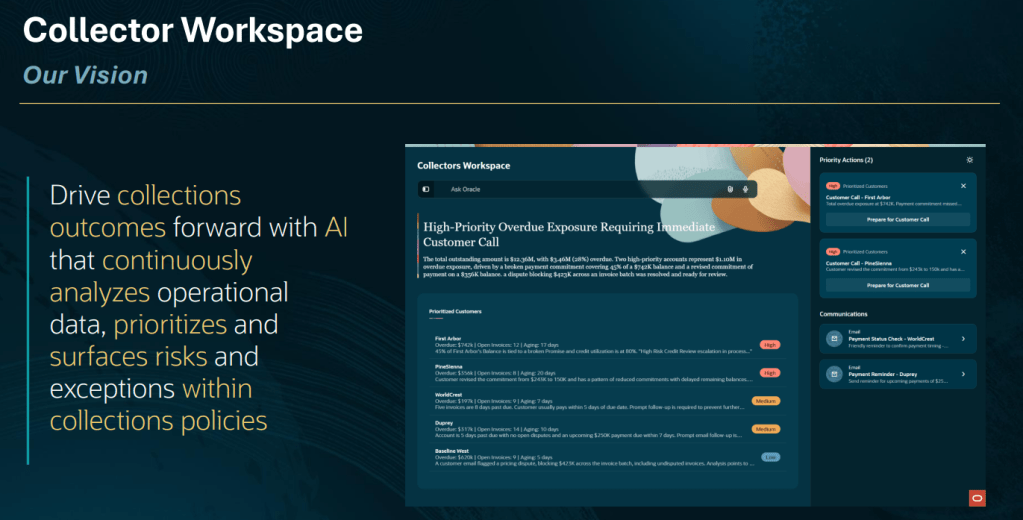
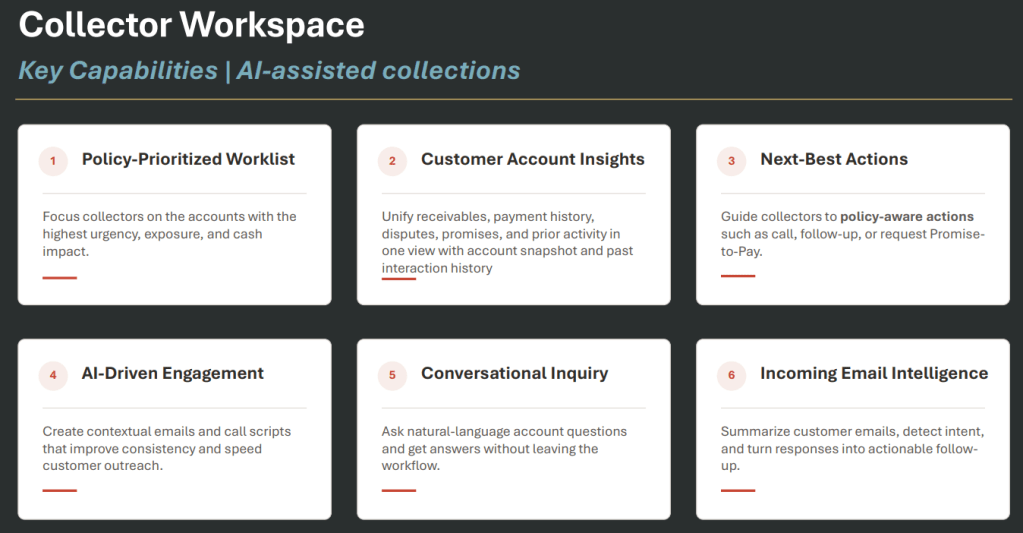
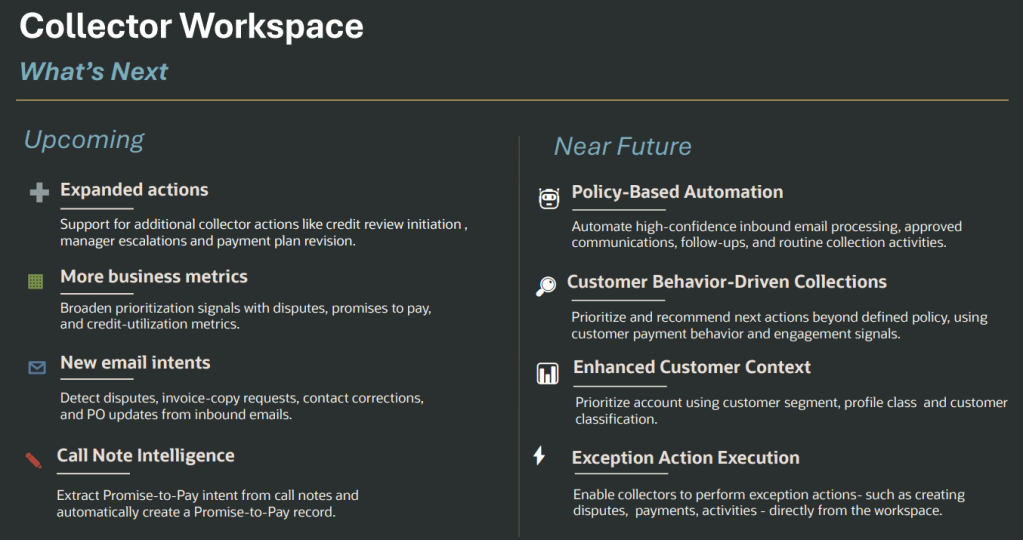
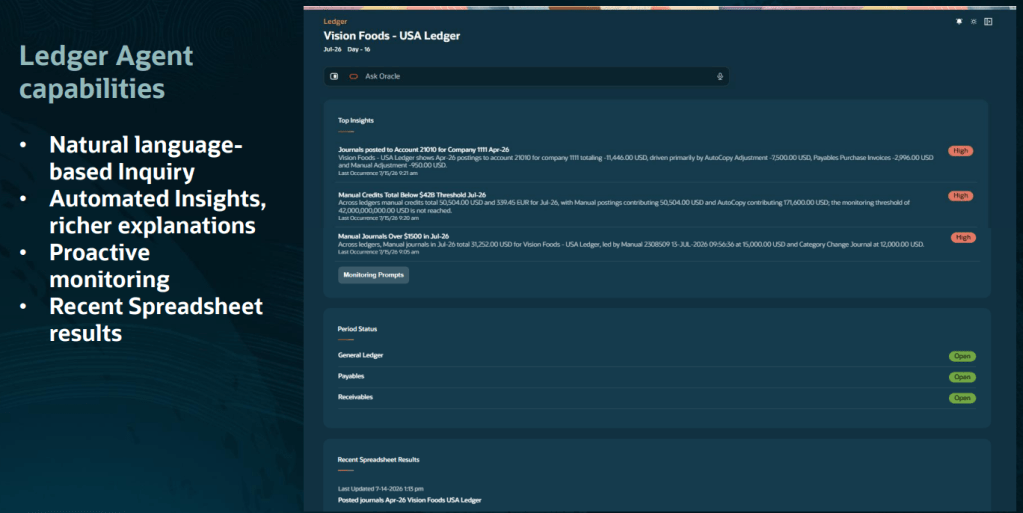
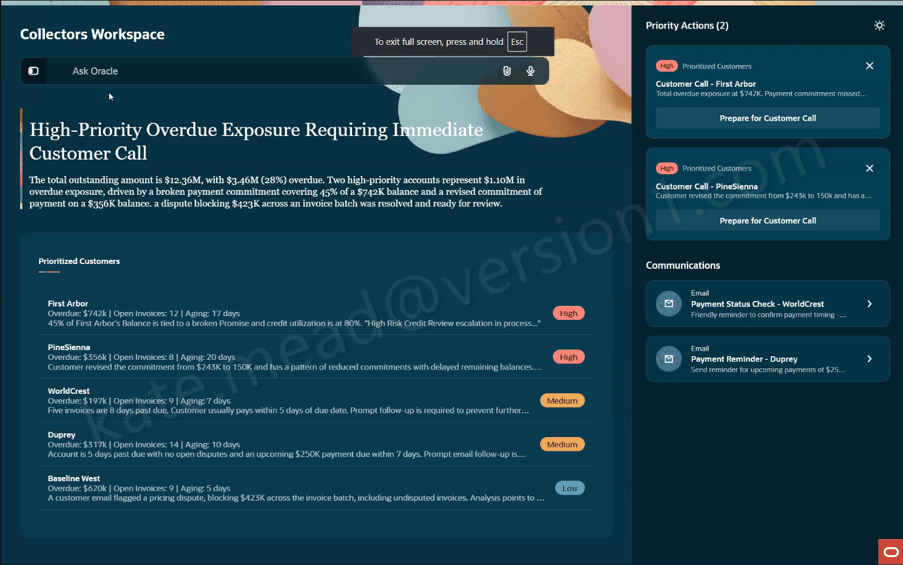
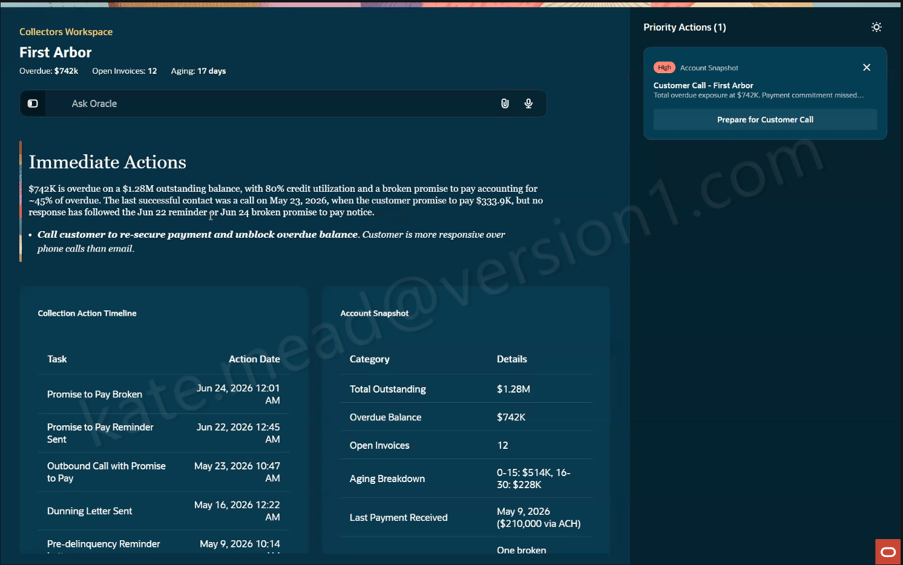
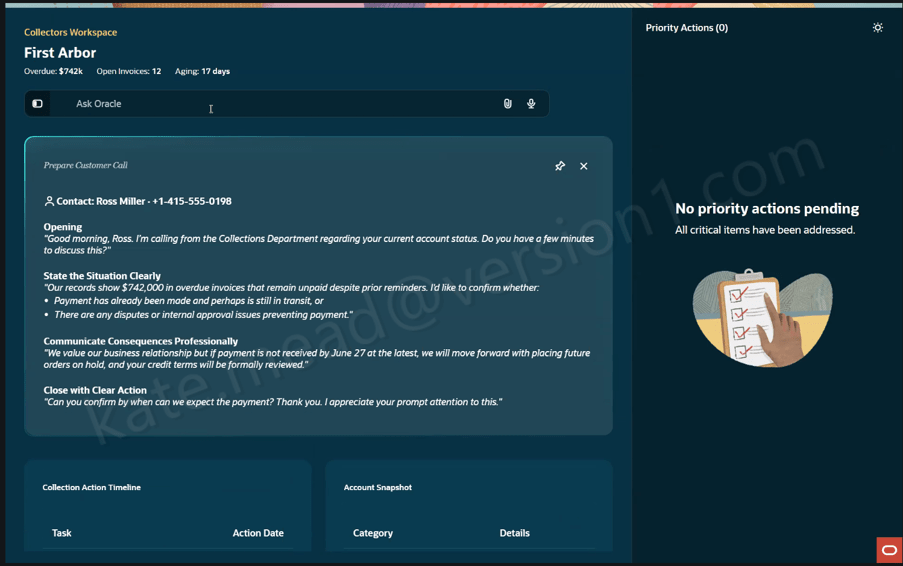
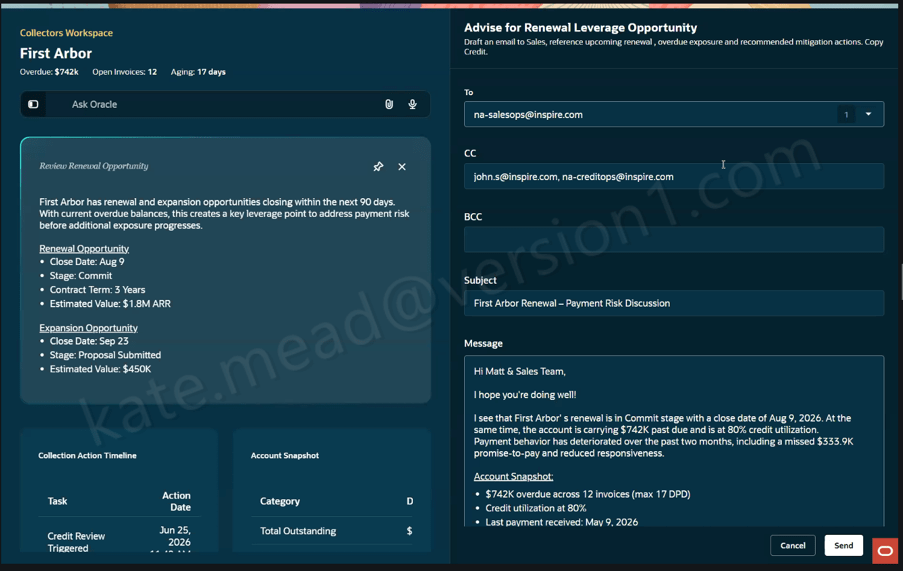
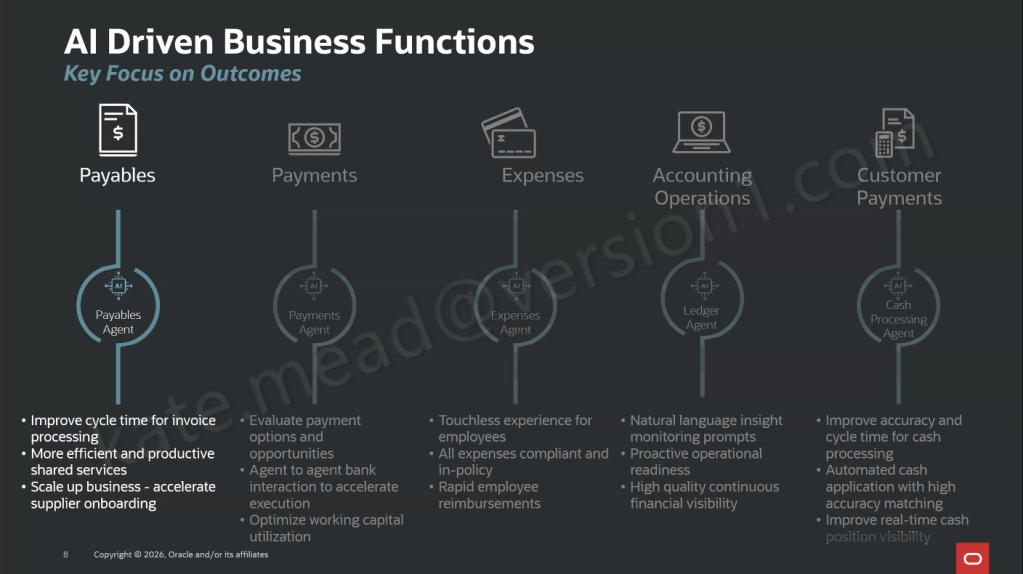
If Release 26D tells us anything, it’s that Oracle’s vision for finance is no longer about giving users better screens. It’s about giving them less work to do in the first place. That might sound like marketing speak, but this quarter’s ERP updates genuinely feel different. Across Payables, Payments, Expenses, Billing, Fixed Assets and Budgetary Control, Oracle continues to move beyond AI assistance and deeper into agent-led execution. In many cases, the software isn’t just helping users do the work. It’s identifying issues, recommending actions and increasingly resolving routine tasks on their behalf. The common theme throughout 26D is simple: finance professionals spend less time chasing transactions and more time focusing on decisions that genuinely need human judgement.
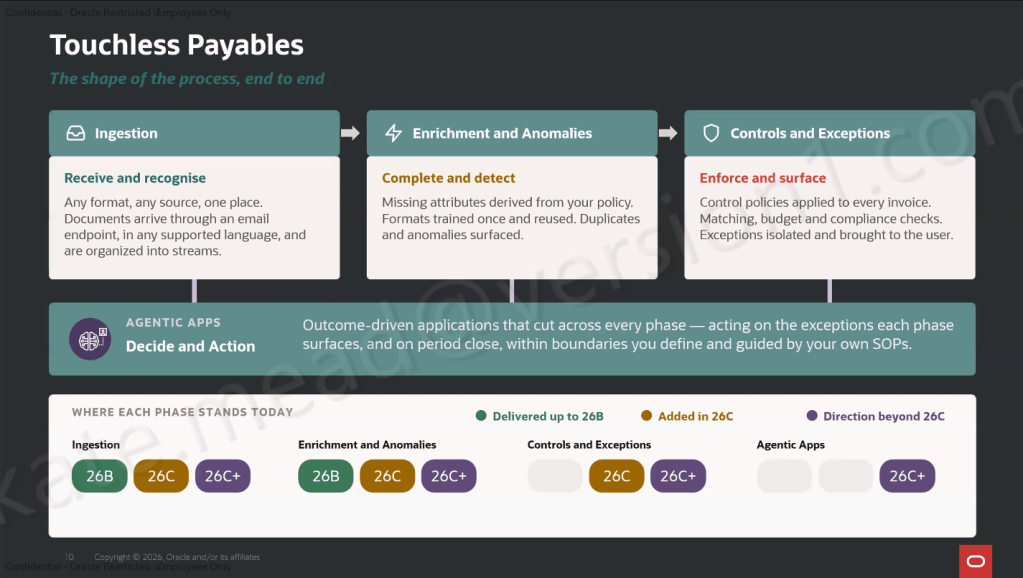
If you’ve read any of my previous AI blogs, you’ll know I keep coming back to Payables. That’s because it’s one of the clearest examples of where agentic AI can deliver measurable business value. Invoice processing is still surprisingly manual in many organisations. Someone uploads an invoice, someone investigates an exception, someone releases a hold, and someone else spends time trying to understand why the same issue keeps appearing month after month. Oracle is steadily removing those touchpoints.
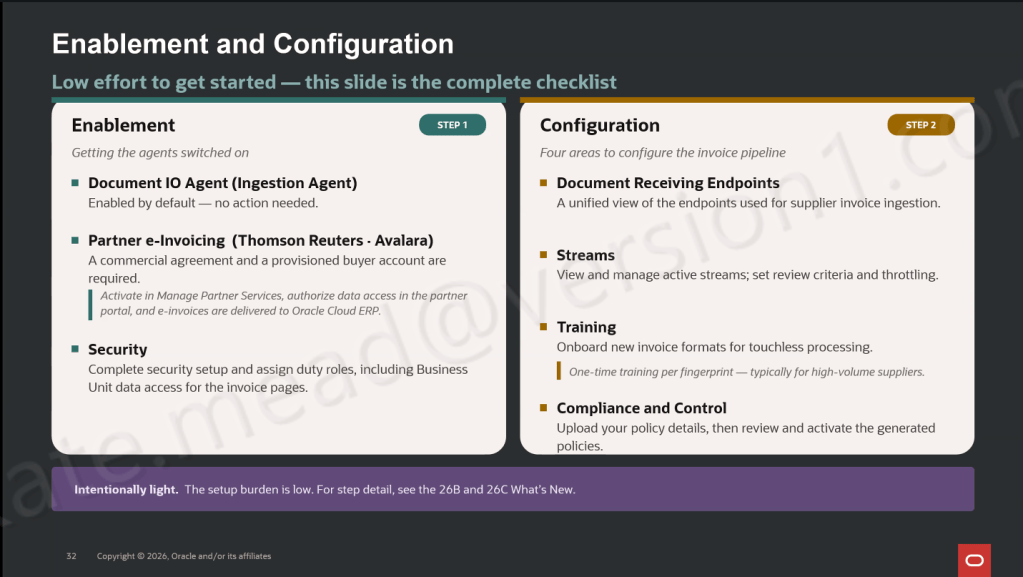
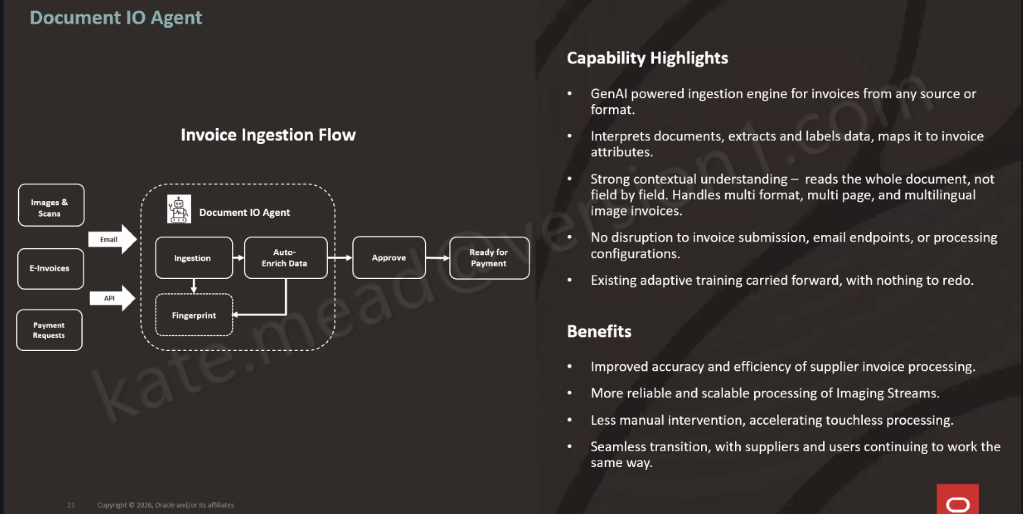
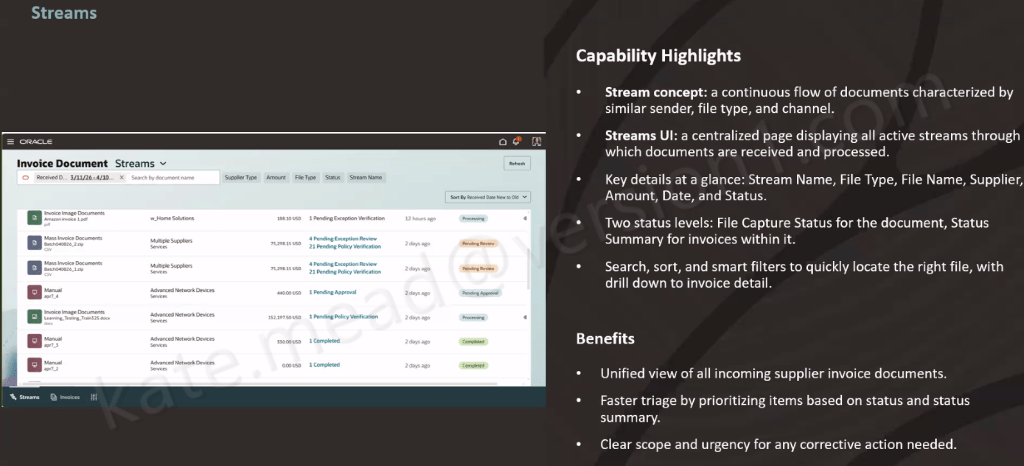
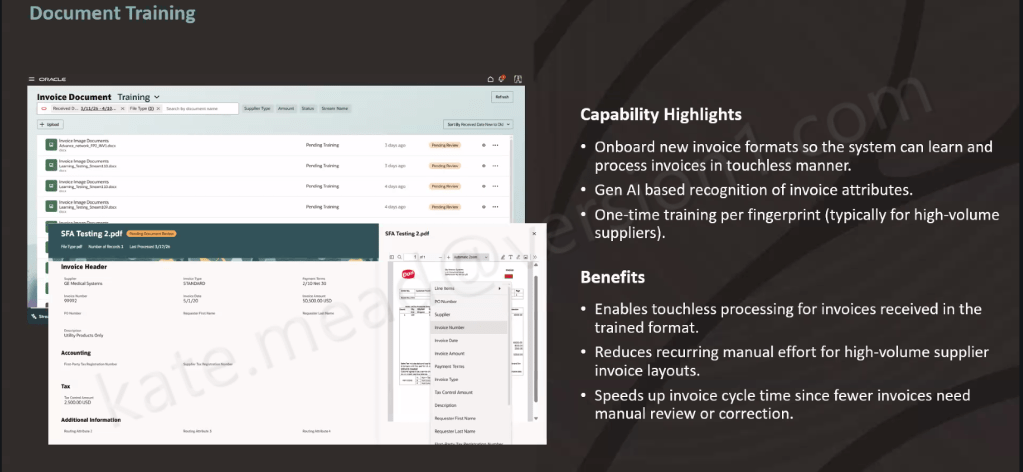
The Payables Agent now supports more of the invoice lifecycle than ever before. Invoice ingestion has been enhanced with broader document support and improved integration options, making it easier to bring invoices into Oracle regardless of the format or source system. For organisations dealing with different supplier standards, languages and document types, that’s a practical improvement that should reduce manual effort from day one.
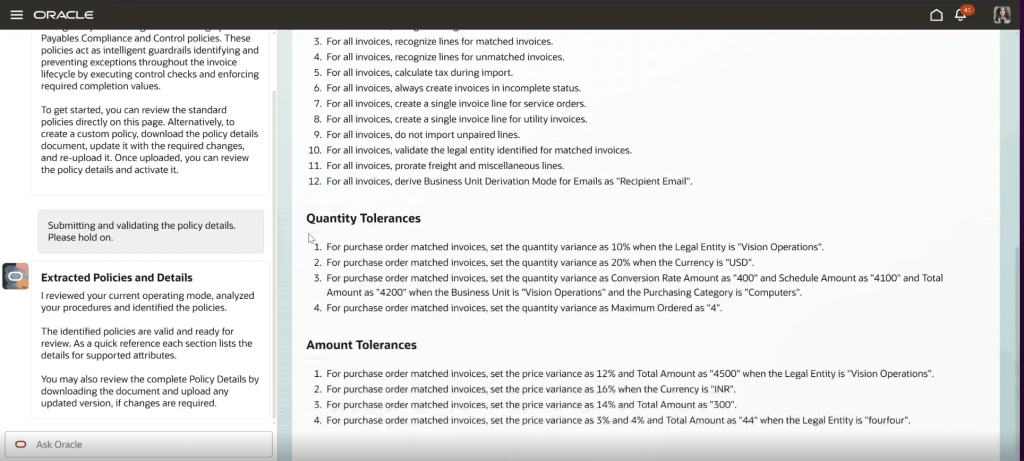
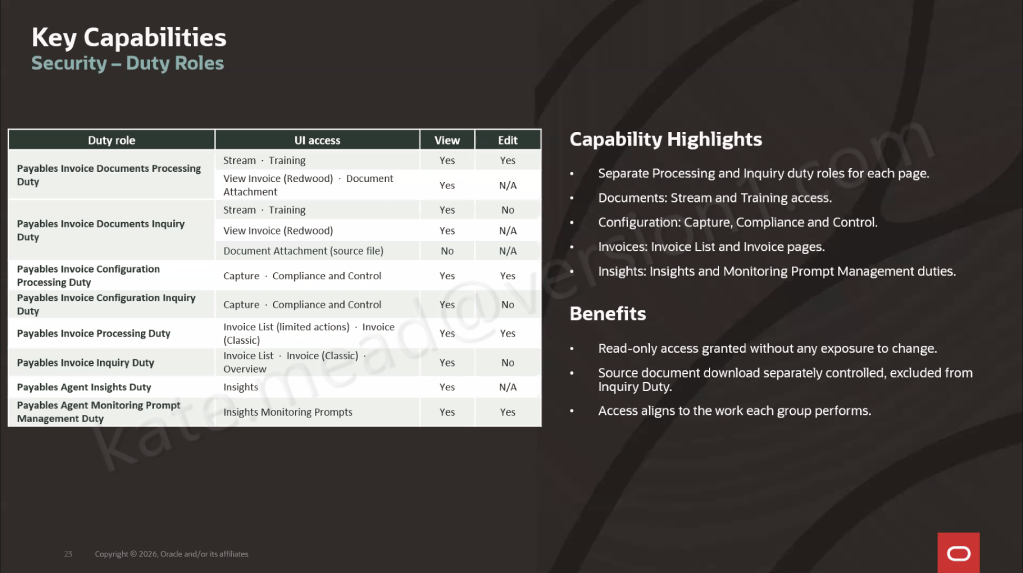
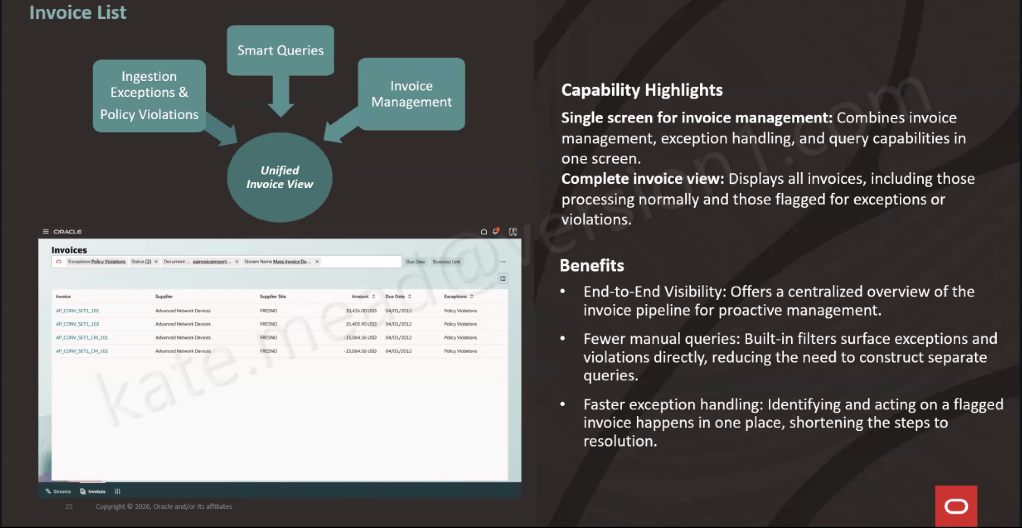
The feature that stood out most to me, however, is Actionable Insights. Rather than finance teams having to trawl through reports looking for recurring issues, Oracle now highlights patterns automatically. If users are repeatedly overriding exceptions or releasing holds without addressing the root cause, the system identifies the behaviour and recommends corrective action. This is where AI starts becoming genuinely useful. Rather than simply helping users process invoices faster, it helps organisations understand why problems occur in the first place.
Oracle has also expanded automated exception resolution, allowing more invoice import errors to be addressed through predefined resolution paths rather than manual intervention. Combined with enhanced matching controls and business-specific tolerance rules, organisations have more flexibility to reduce unnecessary holds while still maintaining appropriate financial controls.
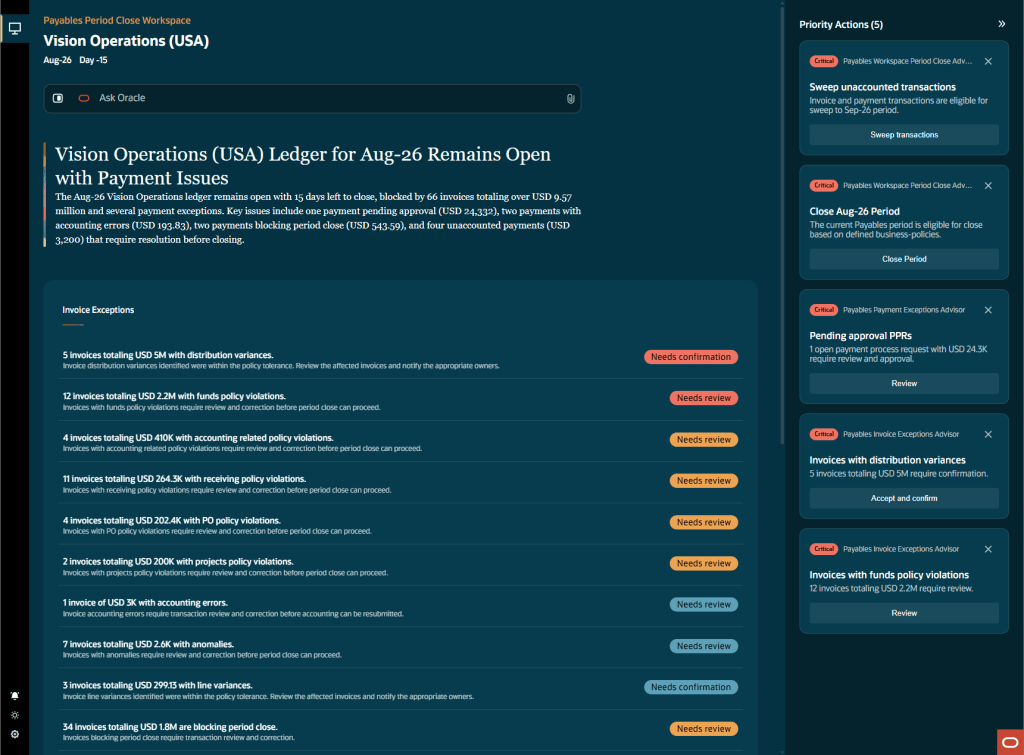
Another welcome addition is the new Payables Period Close Workspace. Month-end close is often less about processing transactions and more about coordinating people. Teams spend significant time identifying what still needs attention, chasing outstanding items and managing exceptions across multiple reports and spreadsheets. Oracle now brings those activities together into a single workspace that highlights priority actions, identifies high-value exceptions and guides users through the close process. For customers still relying on spreadsheets, email chains and manual status updates during close, this could make a significant difference.
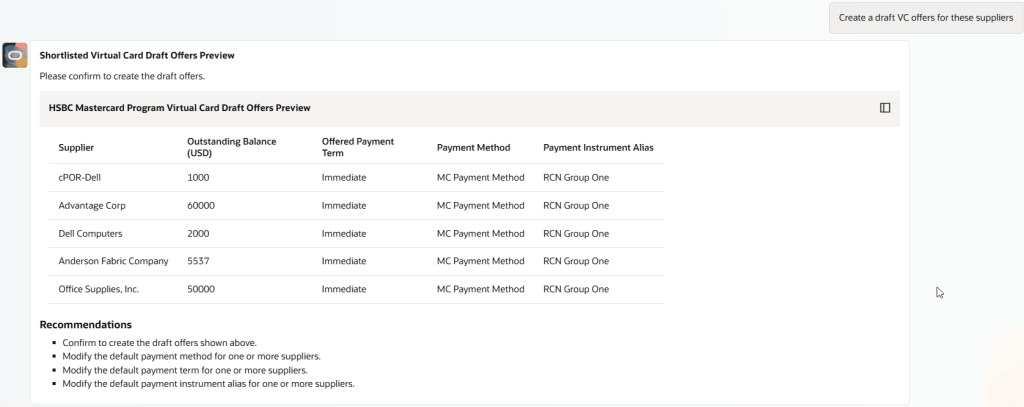
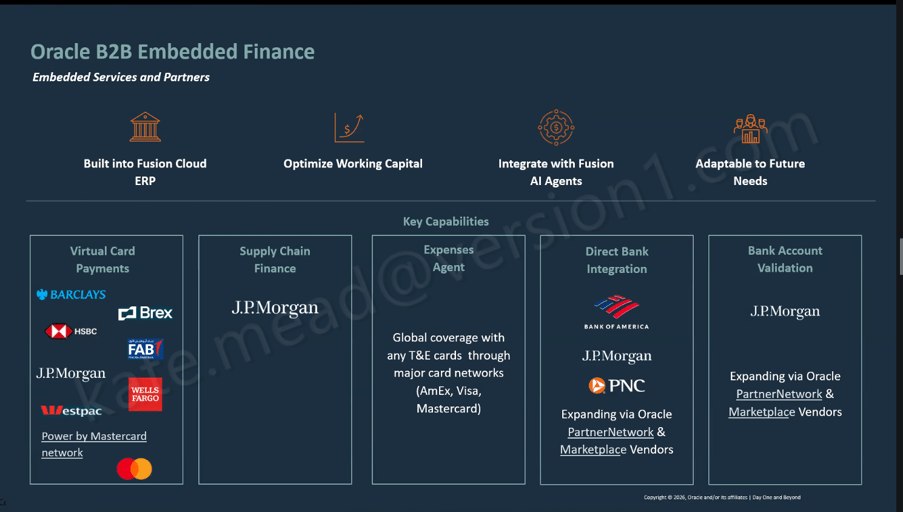
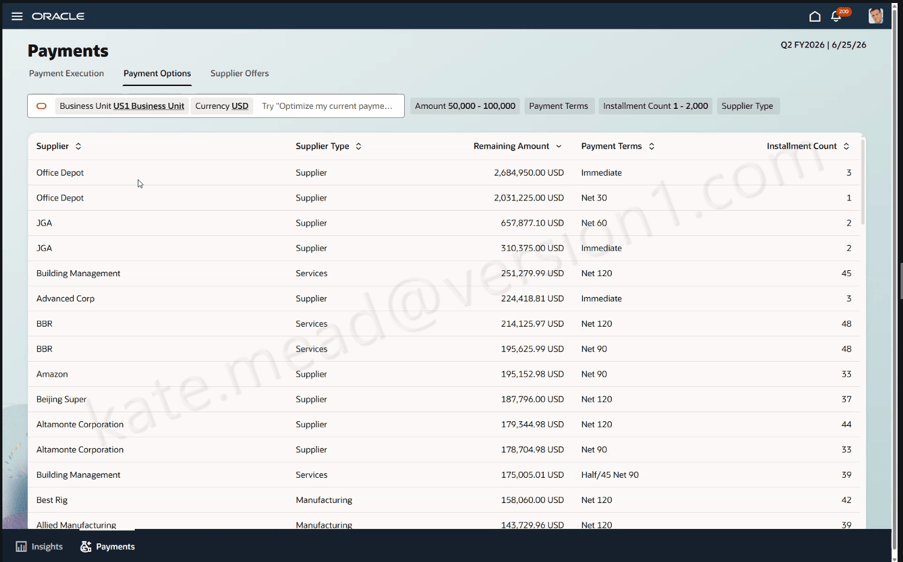
One of the criticisms I’ve had of some early AI assistants is that they often stop at telling users what they should do next. That’s useful, but it’s only half the journey. In 26D, Oracle is starting to close that gap. The Payments Agent can now support activities such as virtual card offers, dynamic discounting and supply chain financing, allowing payment specialists to move from opportunity identification into execution within the same experience.
What I find particularly interesting is Oracle’s focus on working capital optimisation. Rather than treating financing options as separate initiatives, the platform can compare multiple strategies and help users determine which approach is most appropriate for a particular supplier or payment population.
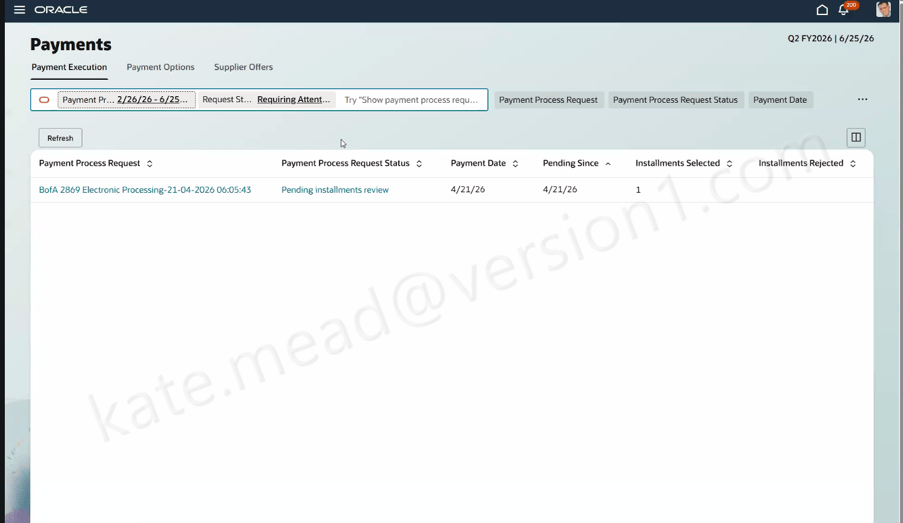
There’s also a practical enhancement that many finance teams will probably value more than the headline AI announcements. When payment processes fail, the agent can now explain the issue in business language and recommend a course of action. Anyone who has spent time trying to decipher technical process logs during a payment run will understand the value of that immediately.
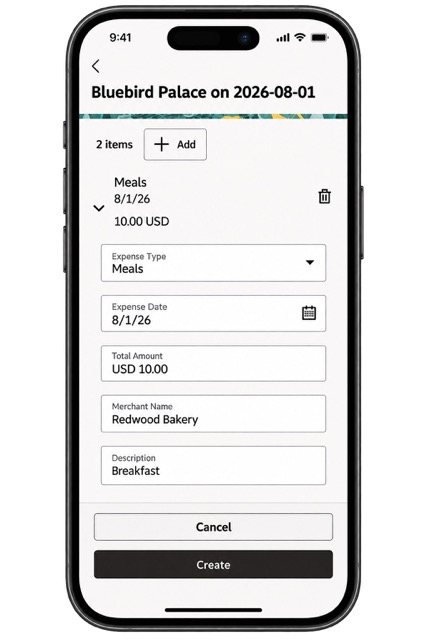
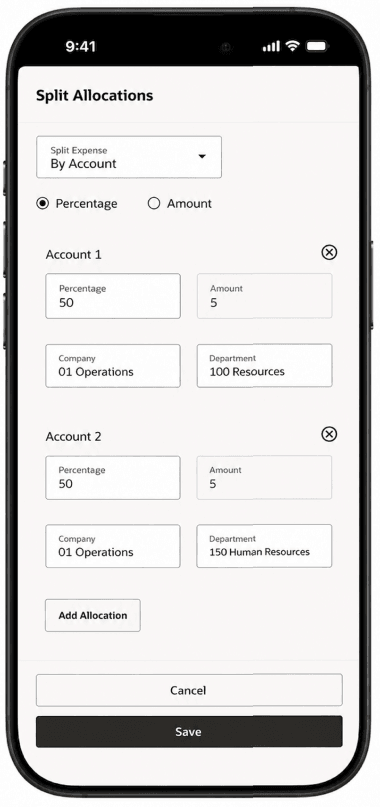
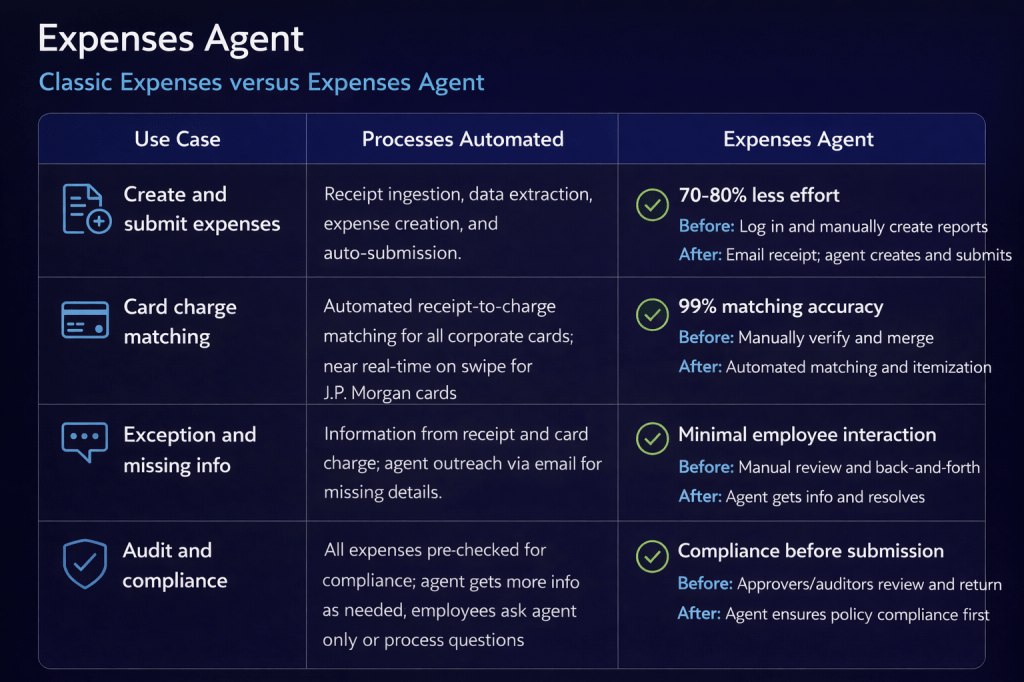
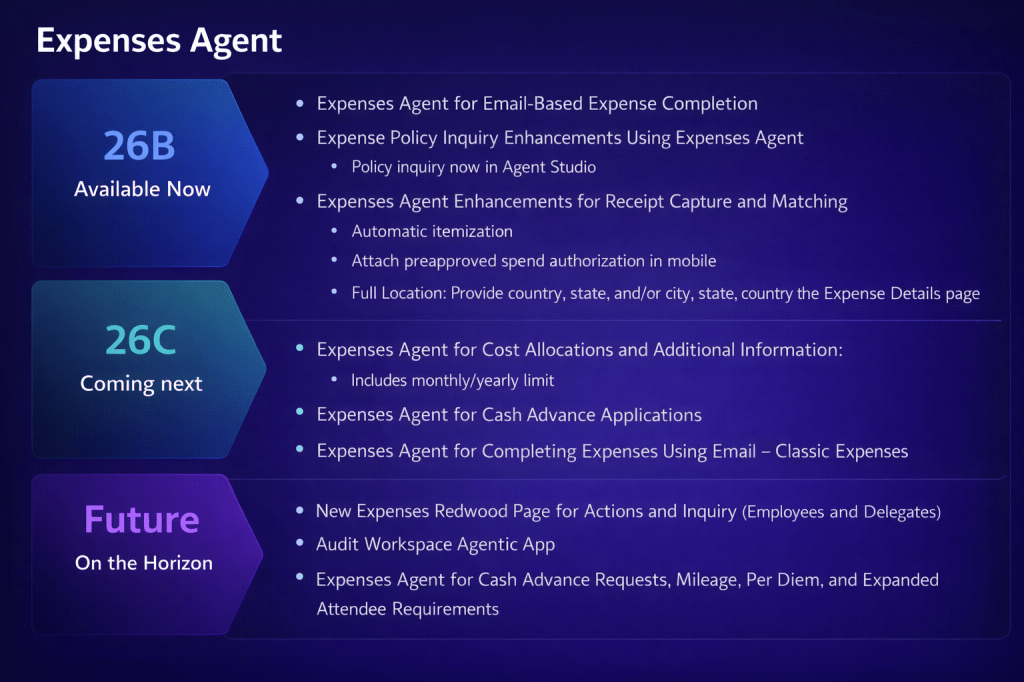
Let’s be honest. Expense management isn’t usually anyone’s favourite process. It’s one of those areas where frustration tends to come from lots of small inefficiencies rather than one major issue. Missing receipts, incomplete itemisation, attendee information, rejected claims and lengthy approval cycles all add up. Oracle is tackling several of those issues in 26D.
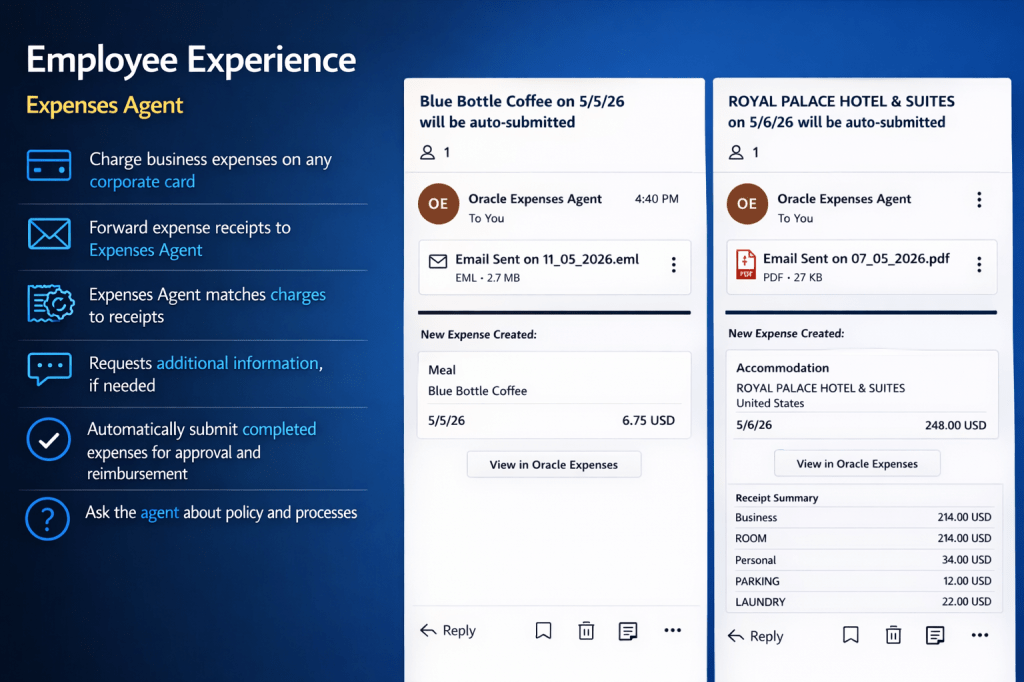
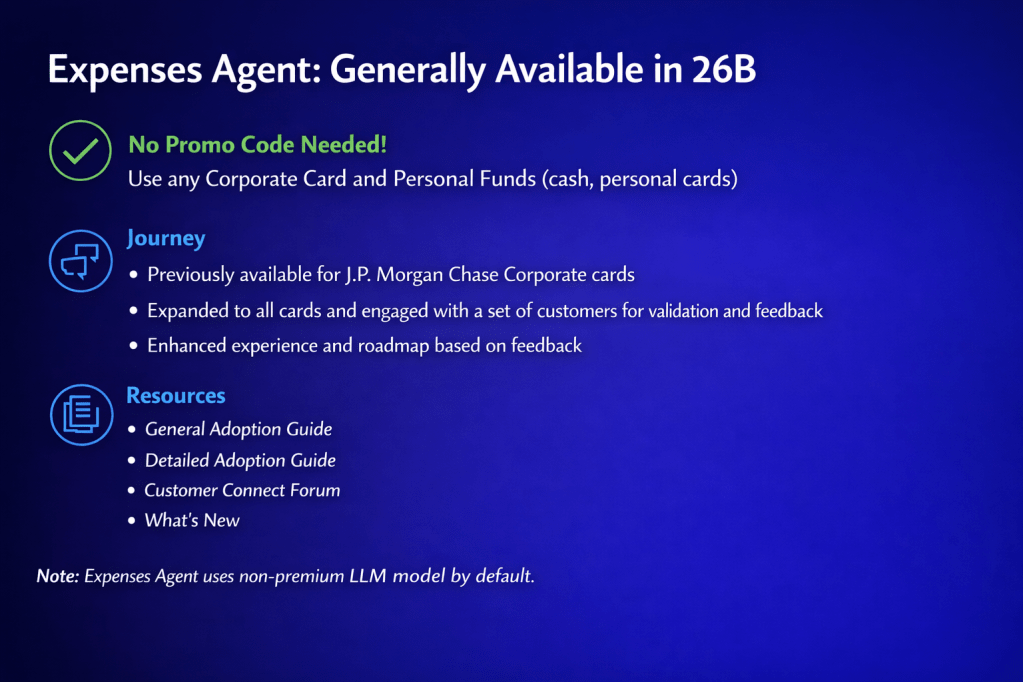
The Expenses Agent can now collect missing itemisation and attendee details through email interactions, allowing employees to provide information using natural language rather than navigating back into the application. That may sound like a small change, but anyone involved in expense administration knows that itemised expenses and entertainment claims often generate disproportionate amounts of back-and-forth communication. Capturing that information before the approval process begins should reduce delays and improve approval cycle times.
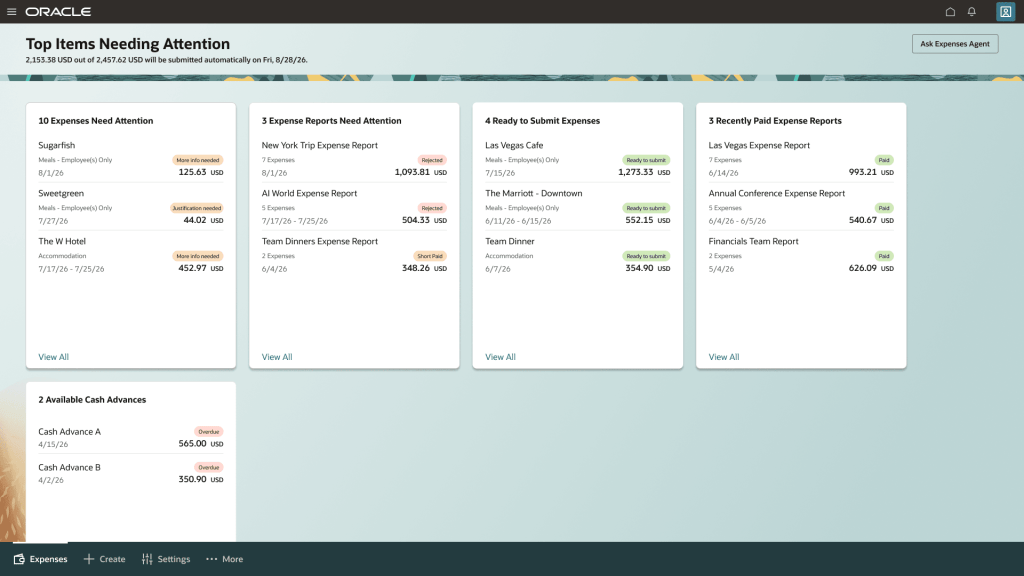
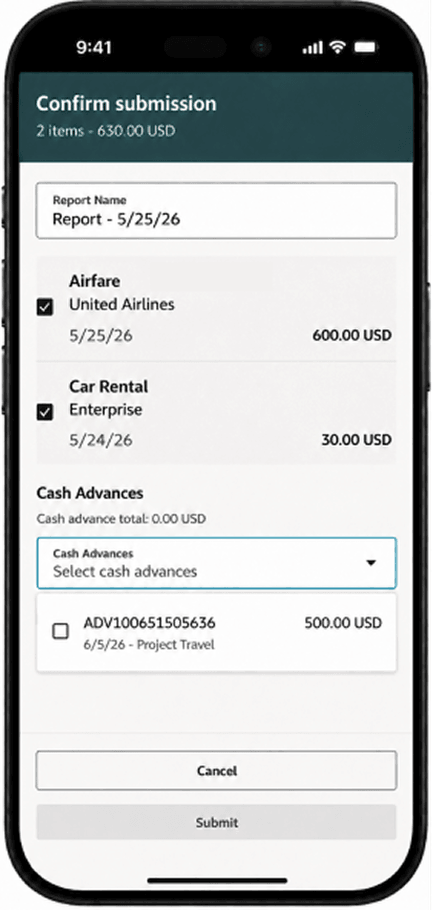
The new Expenses landing page is another welcome addition. Employees and delegates now have a single view showing reports requiring attention, reports ready for submission, recent payments and other key activities. For delegates managing expenses on behalf of multiple employees, this is particularly useful. Instead of jumping between multiple users and screens, they can manage activity from a single location and quickly identify where action is required. Oracle has already confirmed this will become the default experience in 27B, so now is probably a good time for organisations to start evaluating it.
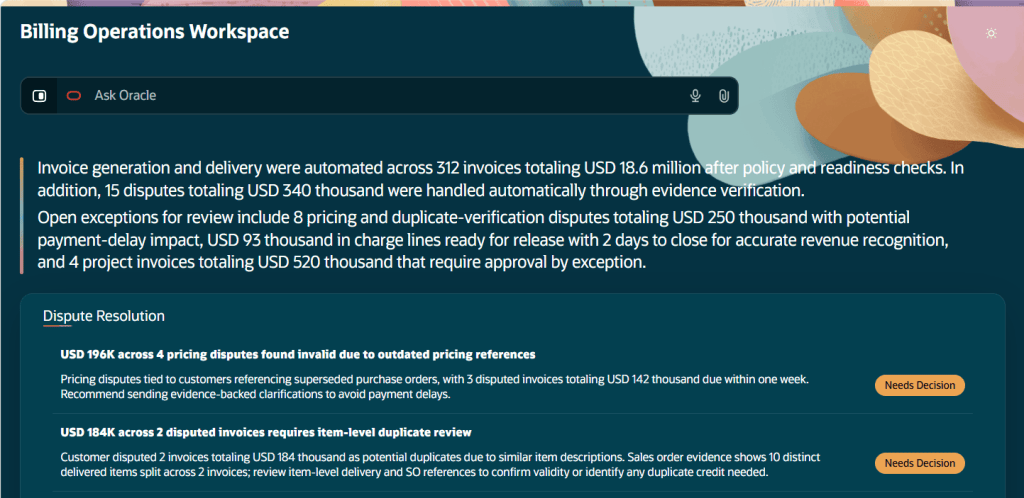
If there is one release area that genuinely feels different, it’s Billing. The new Billing Operations Workspace isn’t simply another dashboard. It’s built around the idea that agents should continuously perform routine work, while people focus on exceptions and decisions. The workspace covers project billing readiness, invoice generation and dispute resolution.
On the project billing side, the agent monitors overdue approvals, sends reminders and escalations according to defined procedures and identifies billing issues before they become month-end surprises. It can even update existing draft invoices when held transactions are released, eliminating manual rework that many project accounting teams know all too well.
For invoice generation and delivery, the agent handles qualifying activities automatically and surfaces only those situations requiring human review. Dispute management follows a similar pattern. Customer billing queries received by email can be converted into disputes, assessed by the agent and, where appropriate, resolved automatically or routed for review with supporting evidence. This is probably one of the strongest examples in 26D of Oracle’s broader vision for agent-led business processes.
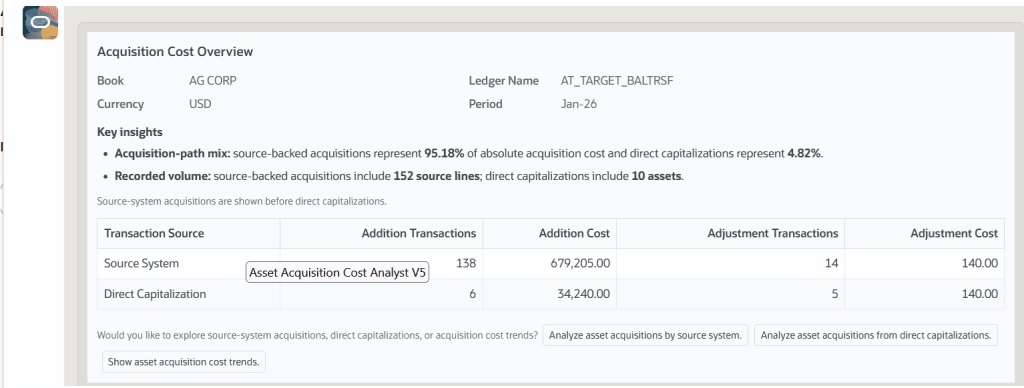
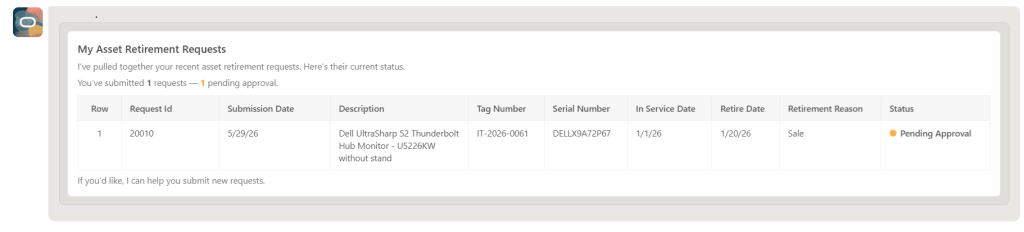
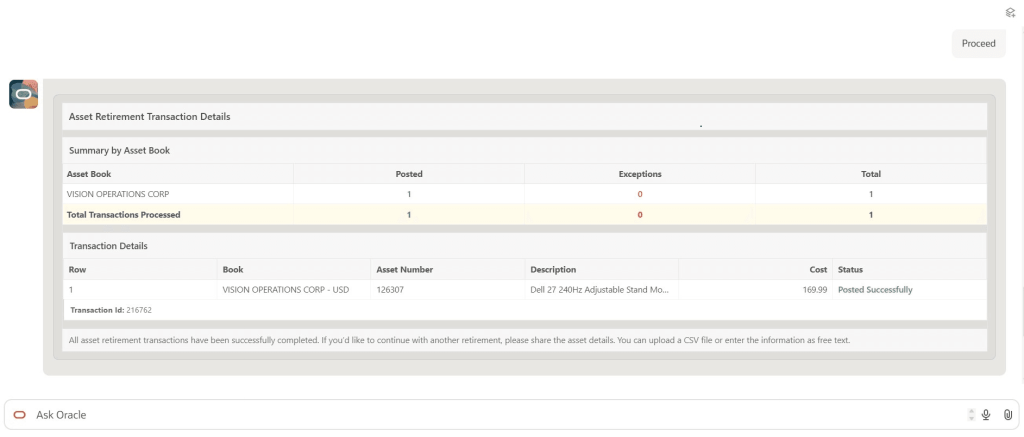
Fixed Assets rarely gets the same attention as Payables, Procurement or Financials, but Oracle has introduced several genuinely useful assistants in this area. New capabilities support asset additions, depreciation forecasting, acquisition cost analysis and capital expenditure planning. What’s interesting is that Oracle hasn’t focused on flashy demonstrations here. Instead, the emphasis is on reducing spreadsheet dependency.
The Asset Additions Assistant helps users create assets through a guided conversational experience. The Depreciation Projection Assistant provides on-demand forecasting from live data. Additional tools analyse acquisition costs and support capital expenditure planning activities. None of these capabilities are likely to dominate conversations, but they address real activities that finance teams perform every month. In my experience, that’s often where the biggest productivity gains come from.
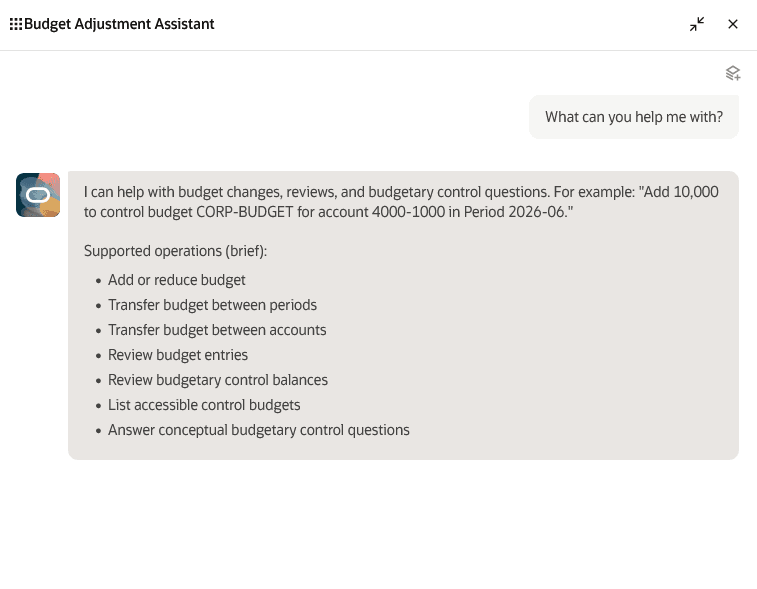
The Budget Adjustment Assistant first appeared in 26C, but Oracle has continued to build on it in 26D. The most significant enhancement is policy validation. Budget transfers can now be validated against organisational policies before they enter the approval process, helping prevent invalid adjustments from progressing and creating unnecessary rework.
When validation issues are identified, the assistant explains the issue in plain language and provides guidance on how to resolve it. The approval process and audit trail are managed as part of the overall workflow. It’s worth noting that this enhanced capability is currently available through a controlled release, so customers interested in evaluating it will need to engage Oracle Support.
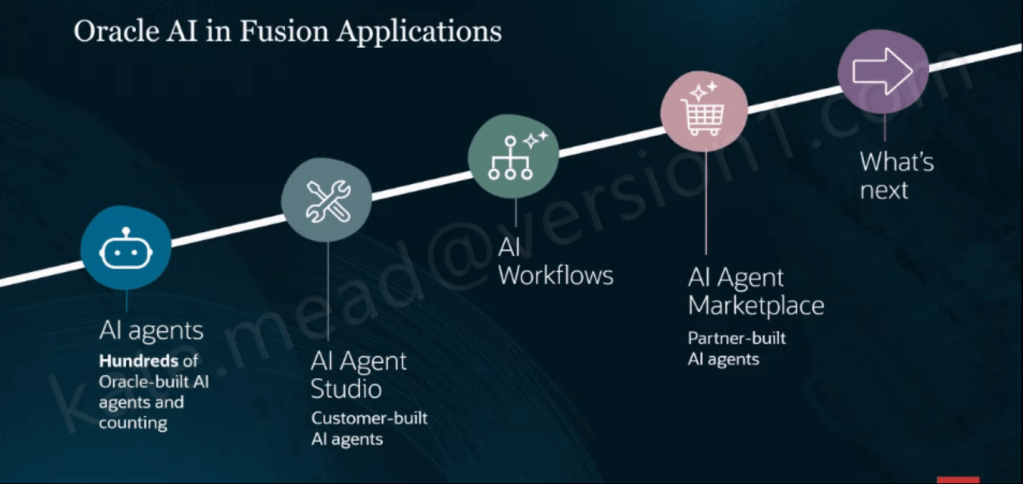
When Oracle first started talking about AI agents, I think many customers wondered whether they would be genuinely useful or simply another layer on top of existing processes. Release 26D provides some of the clearest evidence yet that Oracle is serious about changing how finance work gets done.
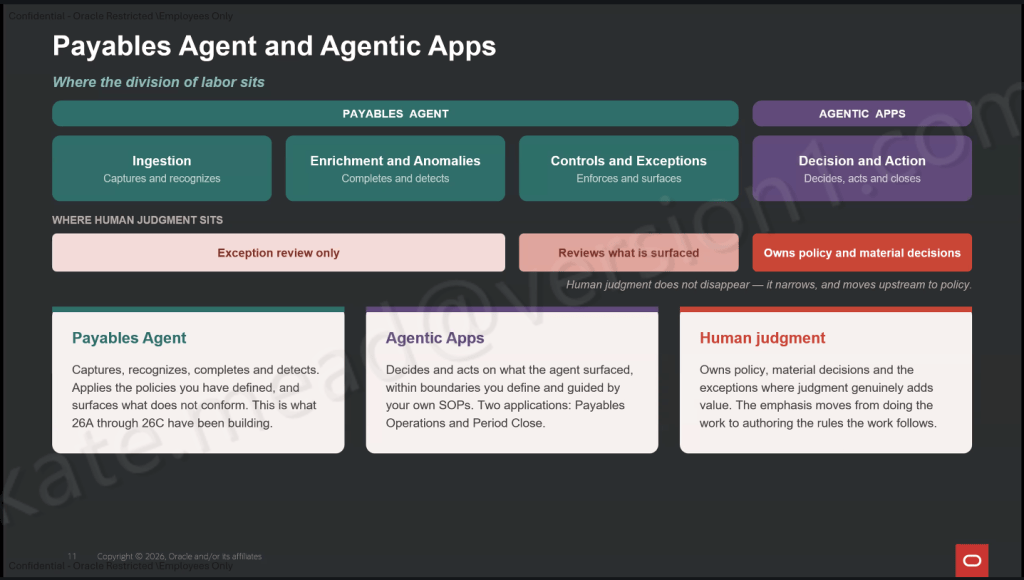
What stands out isn’t any single feature. It’s the number of areas where Oracle is systematically removing repetitive effort. Whether that’s invoice exceptions, payment investigations, expense administration, billing disputes, fixed asset analysis or budget adjustments, the goal is increasingly the same: let the system handle routine work and focus human attention where it adds the most value.
We’re still some distance away from a fully autonomous finance function, and frankly I don’t think most organisations would want that anyway. But we are moving closer to a world where finance professionals spend less time moving transactions between stages and more time applying judgement, managing risk and supporting the business. For me, that’s where the real value of AI sits. Not replacing finance teams, but helping them spend more time doing the work only they can do.
Oracle regularly introduces additional functionality throughout the quarter, so it’s worth keeping an eye on the What’s New documentation as Release 26D progresses. If any significant new ERP capabilities appear, I’ll be sure to cover them in a future update.
Please note all screenshots are the property of Oracle and are used in accordance with Oracle’s Copyright Guidelines.