
It’s my favourite time of the quarter, Oracle has just shared what’s coming in release 26C. I don’t usually cover the Common Features updates, but I did last quarter because there were a few genuinely interesting additions, and 26C feels much the same. As always, more may follow later in the month, but here’s what’s been announced so far and what’s caught my attention.
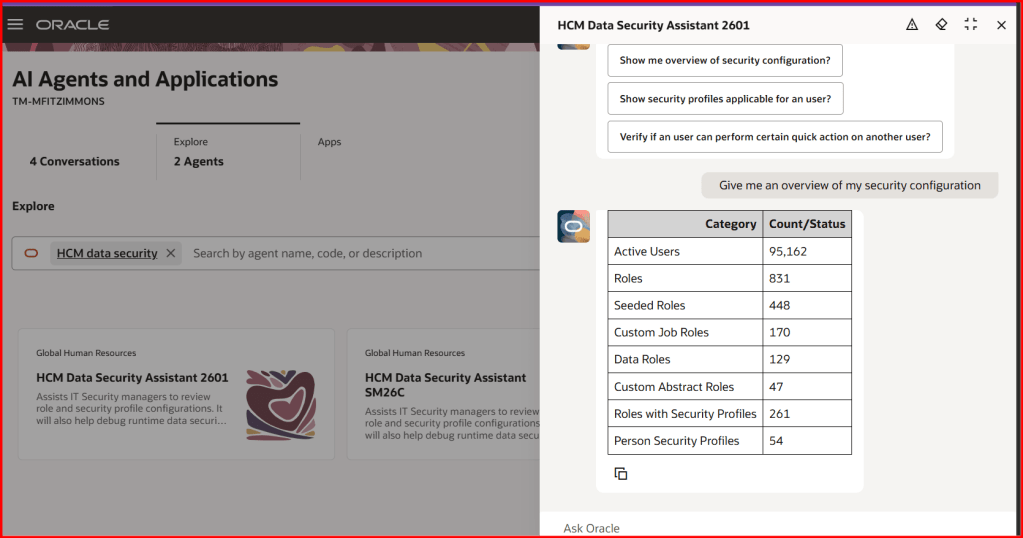
The first feature is one I’m particularly pleased to see. The HCM Data Security Assistant introduces AI into what has traditionally been one of the more complex parts of HCM. It gives a clearer, more contextual view of how data security is set up across roles, security profiles and user access, helping teams understand why someone can or cannot see certain information or carry out specific actions.
What makes this different is how you interact with it. By asking questions in plain language, security teams can review roles, compare access between users and explore configurations without having to manually work through layers of rules. It can even regenerate access control lists and be enhanced with your own internal documentation, so responses reflect your organisation’s standards as well as Oracle’s underlying model.
The real benefit is the time it saves and the confidence it gives. Instead of piecing things together or raising support requests, teams can investigate issues themselves and resolve them more quickly. This reduces delays for end users waiting on access and helps security teams respond more accurately. It also makes it easier to validate configurations and keep access aligned to policy, which is something many organisations still find challenging.
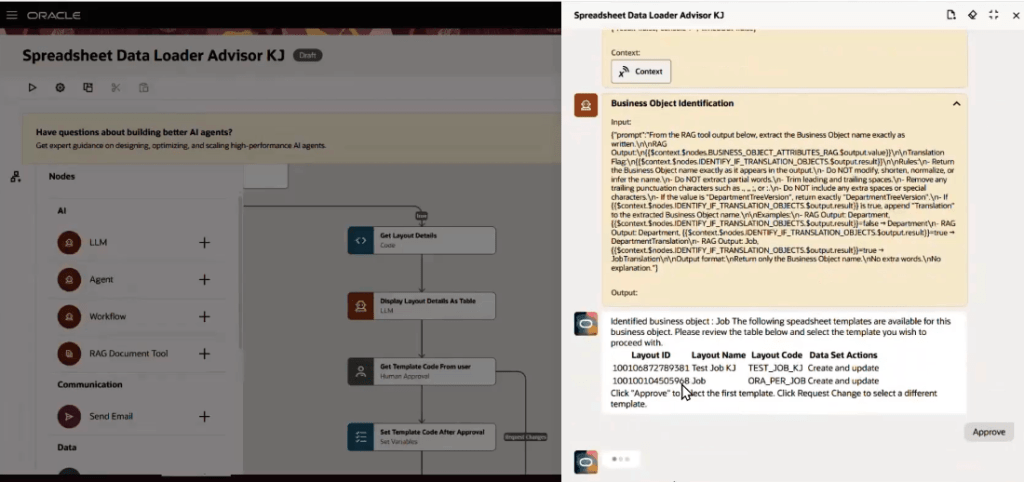
Spreadsheet data loaders tend to divide opinion. People either rely on them heavily or find them frustrating, usually because of the effort involved in finding the right template and getting the data structured correctly. That’s why I’m glad to see the introduction of the HSDL Advisor in 26C.
This brings a more guided approach to spreadsheet-based data loads. Rather than relying on detailed knowledge of templates, users can upload a CSV file and interact with the advisor using natural language. Behind the scenes, it identifies the correct business object, surfaces the right templates, maps the columns, validates the structure and prepares the file before triggering the load. It also provides clear visibility of progress, with links to monitor outcomes, and can answer questions about templates and configuration along the way.
In practice, this reduces much of the effort and risk associated with HSDL. Users no longer need to understand the technical structure in as much detail, and issues can be identified earlier in the process rather than after a failed load. The support for CSV uploads without needing desktop tools also makes it more accessible. Overall, it’s a more straightforward and reliable way to handle data loads, with fewer errors and less rework.
Within AI Agent Studio, one of the updates that stands out is the ability to manage extended agent interactions through long-running sessions. This allows conversations with AI agents to continue over a longer period, rather than needing to be completed in a single session.
This might sound like a small change, but it makes a real difference in practice. Users can step away, gather additional information or switch tasks, and then return to the same conversation without losing context. For more complex queries, where responses take time or require validation, this creates a much more practical way of working.
It also improves traceability. Having a continuous interaction makes it easier to track decisions and understand how an outcome was reached. For organisations starting to embed AI into everyday processes, this kind of control and continuity is important.
Another key change in 26C is the move away from the AI Configurator to AI Agent Studio as the single environment for managing AI prompts and agents. Where the Configurator focused on editing prompts in isolation, AI Agent Studio brings everything together in one place, allowing teams to design, test and manage both prompts and agents more effectively.
It builds on what’s already there but gives users more control. You can work with a wider range of models, manage variables more easily and test changes before publishing them. From a governance perspective, having one tool helps ensure consistency and reduces the likelihood of changes being made in isolation.
For organisations already using the AI Configurator, there will be some transition effort, as prompts will need to be recreated and validated. However, the ability to copy them into the new environment does help ease that process. In the long run, this feels like a more scalable and manageable way to support AI across HCM.
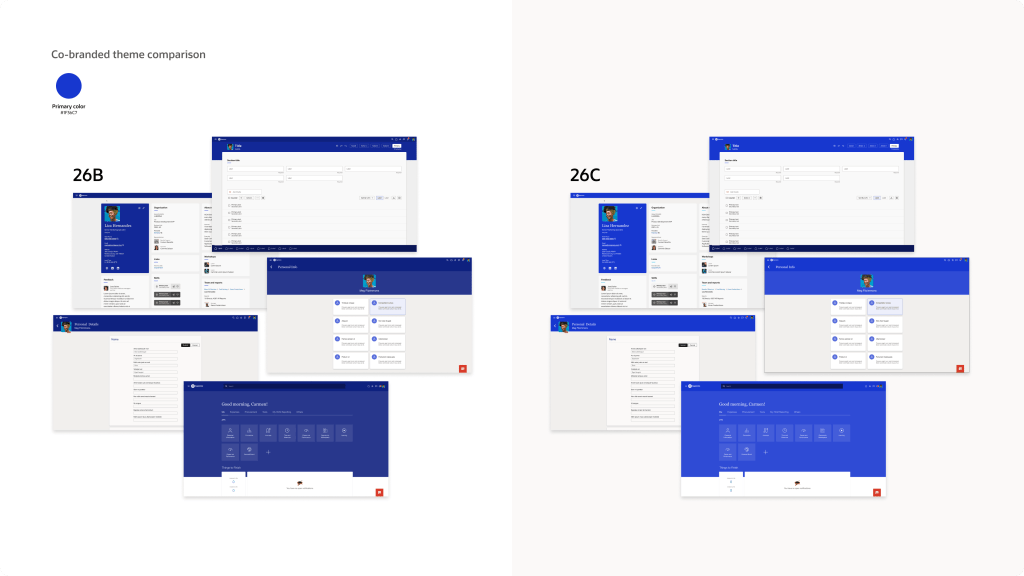
The final feature I want to highlight is a smaller one, but it will matter to a lot of organisations. The Redwood Appearance Editor has been updated so that brand colours are applied more accurately across Fusion Applications.
Previously, custom colours didn’t always appear exactly as expected, often looking slightly lighter or darker, which made it difficult to maintain a consistent look and feel. With 26C, the primary colour you define will now be applied more precisely across supported areas such as page headers, provided it meets WCAG accessibility standards.
It’s a subtle improvement, but it helps organisations present a more consistent and professional visual identity within the application. Getting branding right is an important part of employee experience, and this makes that easier to achieve while still maintaining accessibility.
As always, Oracle may introduce additional Common Features later in the month. If anything else stands out, I’ll share a follow-up with the highlights once the full picture is clear.
Please note all screenshots are the property of Oracle and are used according to their Copyright Guidelines

 K8 Mead