
I realised recently that I have never actually written a post analysing a Compensation quarterly release. With 26D being the deadline for moving Compensation worksheets to Redwood, release 26C felt like the right time to change that. There is likely to be more to come over the next few weeks, but for now it is worth looking at what has been announced so far.

The feature many people have been waiting for to support that final move to Redwood is now here. The Redwood Workforce Compensation worksheet brings a much cleaner and more intuitive experience for managers, with everything presented in a single, streamlined view. From the landing page, managers can easily access their worksheets and use built-in capabilities such as audit trails, modelling and target application to review and adjust awards with greater confidence. Filtering, search and layout personalisation make it easier to focus on the right employees and the most relevant data. At the same time, guided information panels and simplified alerts help managers understand what needs attention without being overwhelmed. In practice, this reduces the time spent navigating the system and allows managers to focus on making informed compensation decisions.
The design also improves transparency and control. Managers can switch currencies, review how calculations have been derived, and access supporting information such as compensation history, notes and assignment details without leaving the worksheet. Key summary information remains visible while scrolling, so important totals and budgets are always in view. These changes make the process feel more straightforward and help reduce errors and rework, giving organisations greater confidence in the accuracy and consistency of outcomes.
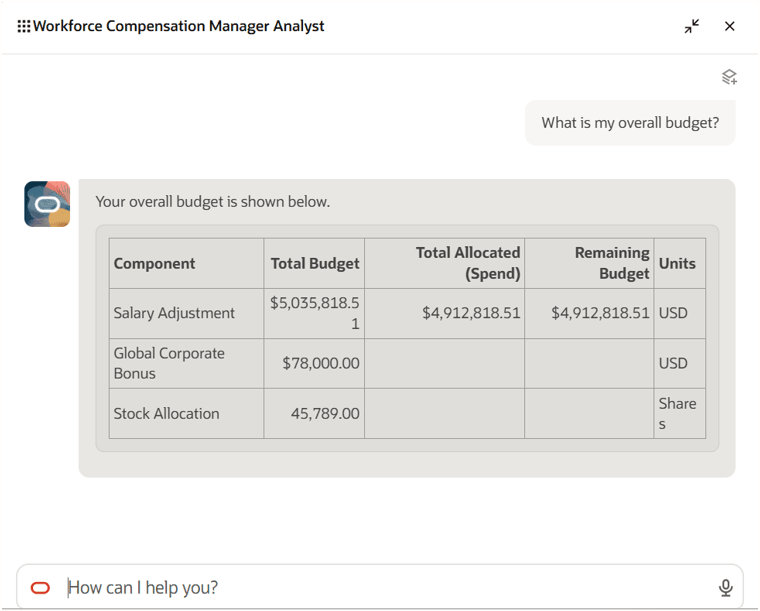
Another interesting addition is the Workforce Compensation Manager Analyst agent, which introduces a more conversational way for managers to interact with their compensation plans. Rather than moving between multiple worksheets and pages, managers can ask questions in natural language and get immediate answers on areas such as budget position, approval status, due dates and manager-level overages. Because the agent works within the context of a specific compensation plan, the responses are relevant and focused, without the need to interpret multiple screens or reports.
From a manager’s perspective, this removes a lot of the friction from the compensation cycle. It cuts down the number of clicks and removes the need to search for information across the system. Managers can quickly sense-check budgets, track progress and identify issues as they arise, all from a single interaction. This supports faster and more confident decision making and helps keep compensation cycles on track.
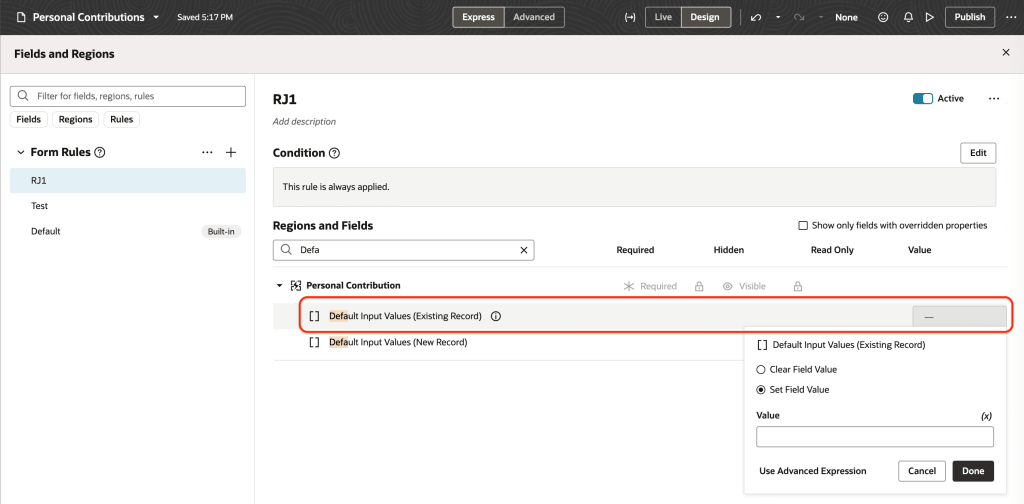
The enhancements to Redwood Individual Compensation extensibility give organisations far greater control over how compensation changes are entered and managed. Values can now be defaulted not only when creating proposals, but also when correcting or updating them, using dedicated attributes for each scenario. When combined with the ability to apply validation rules to the same fields, this creates a more structured approach to managing individual compensation. These capabilities sit across key processes such as hiring and promotion, as well as within dedicated compensation pages, ensuring consistent behaviour wherever compensation decisions are made.
For users, this reduces manual effort and helps prevent errors before they happen. Defaulting removes the need to repeatedly enter common values, while validation ensures entries meet organisational policies from the outset. At the same time, visibility of who created or updated a record, along with timestamps, strengthens auditability. This makes it easier to track changes and supports a more controlled and reliable process overall.
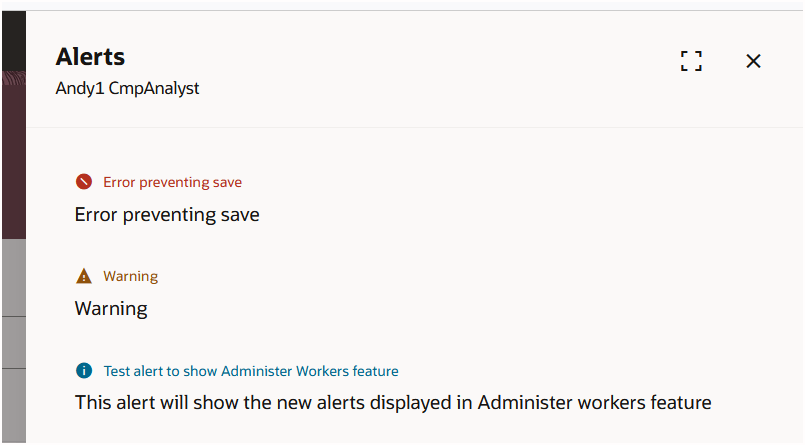
Alerts within Workforce Compensation have also been simplified. Instead of a wide range of alert types and icons, everything is now grouped into three clear categories: Error, Warning and Information. Existing alert variations have been consolidated, with only genuinely blocking issues presented as errors. This removes much of the visual noise that previously made alerts harder to interpret, and presents information in a more structured way.
For managers, the benefit is immediate. It becomes much easier to distinguish between issues that require action and those that are simply informational. This helps with prioritisation during the compensation process, reduces the risk of missing something important, and supports smoother progression through the cycle.
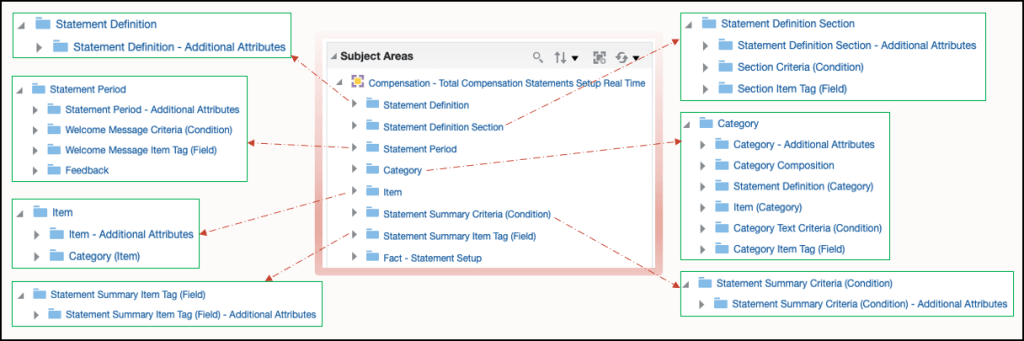
The final feature is one that has been requested for some time and originates from a customer idea raised on the Ideas Lab. The new Total Compensation Statements Setup OTBI subject area allows organisations to report on how their total compensation statements have been configured. It provides visibility of key elements such as statement definitions, periods, categories and items, along with the relationships between them. With enriched folders and sub-folders, users can explore the structure in more detail and understand how statements are built, without relying on manual documentation or configuration reviews.
This brings greater transparency and control over statement setup. It becomes easier to answer common questions, such as how many items or categories exist, how they are structured, and how they are distributed. This supports better governance and quicker troubleshooting, particularly when reviewing or refining statement designs. By making configuration data more accessible, organisations can maintain consistency in how total rewards are presented and reduce the effort required to manage these statements over time.
As mentioned earlier, Oracle is expected to release additional updates later this month. If anything particularly impactful is introduced, I will share a further update with a more detailed view.
Please note all screenshots are the property of Oracle and are used according to their Copyright Guidelines


